1. Product Overview
The Nippon America Universal Air Conditioner Remote Control RCN-AC102 is designed to replace lost or broken air conditioner controllers. It offers compatibility with over 1000 models from various brands, providing a versatile solution for managing your air conditioning unit. This remote features a digital display and essential functions for comfortable climate control.

Figure 1: Front view of the Nippon America Universal Air Conditioner Remote Control RCN-AC102.
2. Package Contents
- Universal Air Conditioner Remote Control RCN-AC102
- Instruction Manual with Code List

Figure 2: The remote control as it appears in its retail packaging.
3. Getting Started (Setup)
3.1. Battery Installation
The remote control requires two AAA batteries (not included). Ensure correct polarity when inserting.
- Open the battery compartment cover on the back of the remote control.
- Insert two AAA batteries, matching the positive (+) and negative (-) terminals correctly.
- Close the battery compartment cover securely.
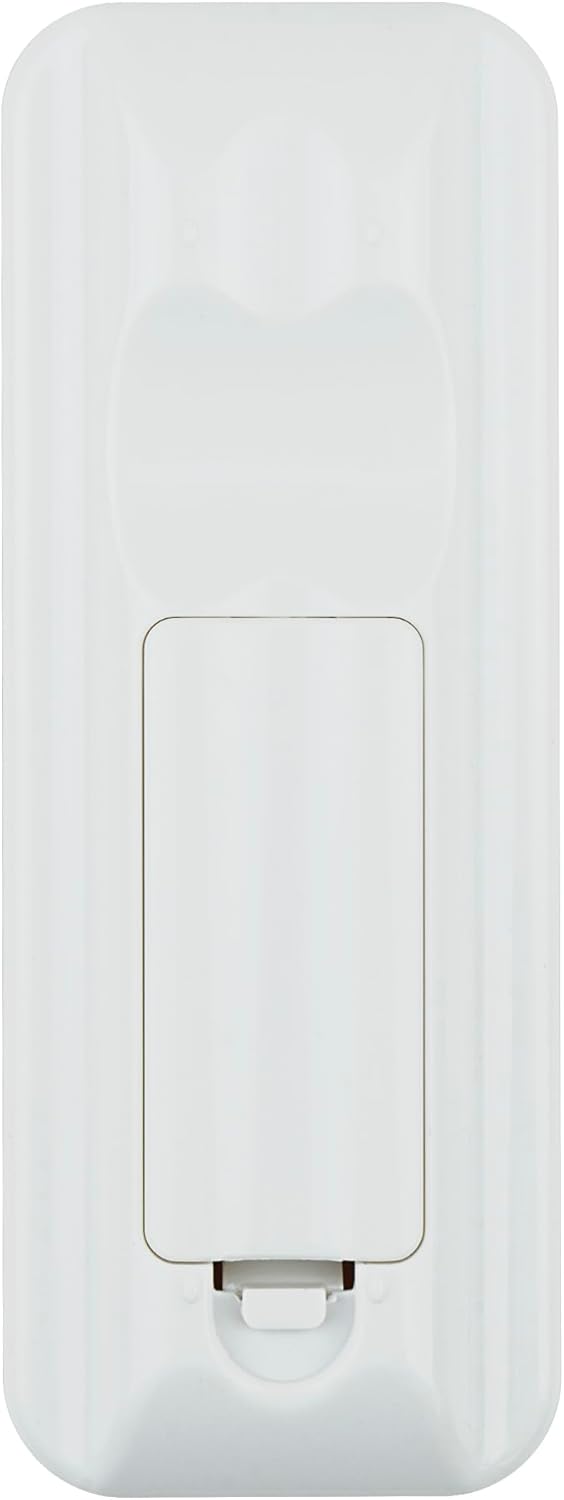
Figure 3: Location of the battery compartment on the remote control.
3.2. Programming the Remote Control (Code Setup)
To ensure compatibility with your air conditioner, the remote must be programmed with the correct code. There are two primary methods: Manual Code Entry and Automatic Search.
Method 1: Manual Code Entry
- Locate your air conditioner brand in the provided code list (refer to Figure 4). Note down the corresponding 3 or 4-digit code.
- Press and hold the SET button for approximately 3 seconds until the code digits on the LCD display start flashing.
- Use the TEMP ▲ (Up) or TEMP ▼ (Down) buttons to enter the first digit of your air conditioner's code.
- Repeat for the remaining digits.
- Once the full code is displayed, point the remote at your air conditioner and press the OK button to confirm. The air conditioner should respond (e.g., beep or turn on/off).
- If the air conditioner does not respond, try the next code listed for your brand or proceed to Method 2.
Method 2: Automatic Search
- Point the remote control directly at your air conditioner.
- Press and hold the SET button for approximately 6 seconds until the code digits on the LCD display start flashing and the remote begins transmitting codes automatically.
- The remote will cycle through codes. When your air conditioner responds (e.g., beeps or turns on/off), immediately press the OK button to save the code.
- Verify that all basic functions (ON/OFF, temperature, mode) work correctly. If not, repeat the automatic search process.

Figure 4: Example of the code list provided with the remote control.
3.3. Setup Demonstration Video
Video 1: This video demonstrates the unboxing, battery installation, and programming process for a universal AC remote control, including a view of the code list.
4. Operating Instructions
Once programmed, the remote control provides full functionality for your air conditioner. The display shows the current temperature in Celsius, along with selected mode and fan settings.
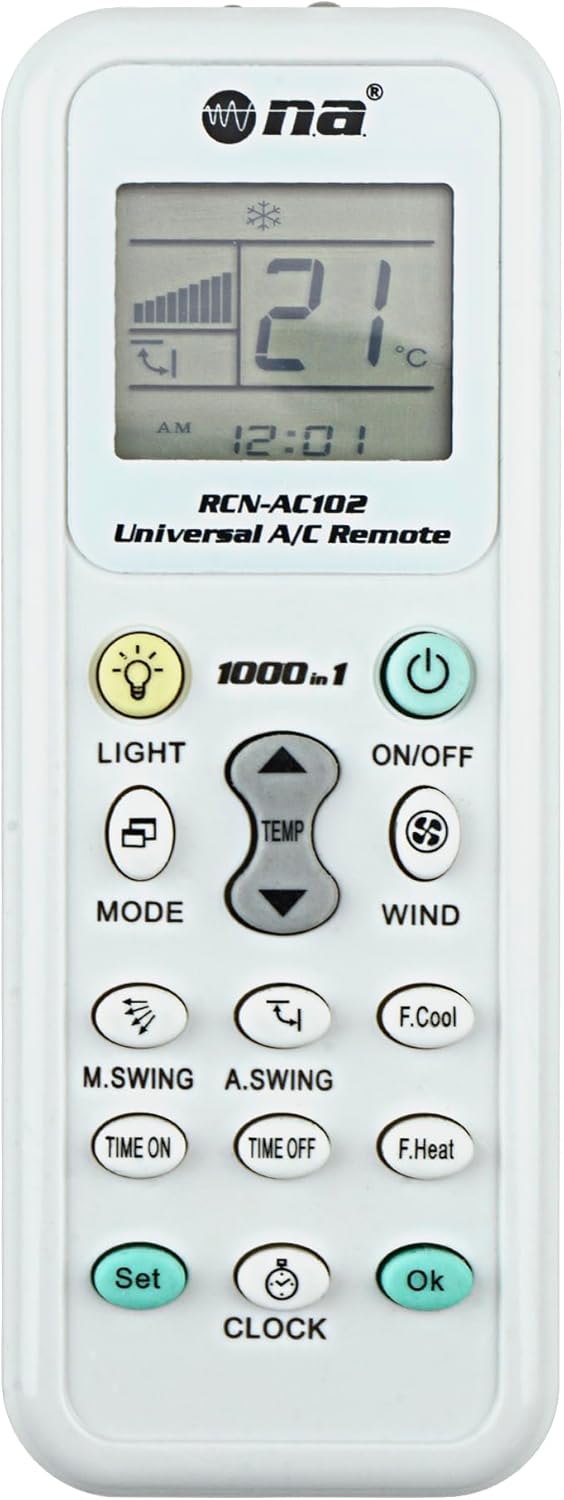
Figure 5: The remote control's LCD screen displaying operational information.
4.1. Basic Functions
- ON/OFF Button: Press to turn the air conditioner on or off.
- TEMP ▲/▼ Buttons: Adjust the desired temperature. The remote displays temperature in Celsius.
- MODE Button: Cycle through operating modes: Auto, Cool, Dry, Heat, Fan.
- WIND Button: Adjust fan speed (Auto, Low, Medium, High).
- M.SWING / A.SWING Buttons: Control the horizontal and vertical swing of the air conditioner's louvers.
4.2. Advanced Functions
- TIME ON / TIME OFF Buttons: Set a timer for the air conditioner to turn on or off automatically.
- CLOCK Button: Set the current time on the remote's display.
- LIGHT Button: Activates a small LED flashlight located at the top of the remote.

Figure 6: The integrated LED flashlight on the remote control.
5. Maintenance
- Battery Replacement: Replace batteries when the display dims or the remote's range decreases. Always replace both batteries simultaneously with new AAA batteries.
- Cleaning: Wipe the remote with a soft, dry cloth. Avoid using liquid cleaners or abrasive materials.
- Storage: If not in use for an extended period, remove the batteries to prevent leakage.
6. Troubleshooting
- Remote not responding: Ensure the remote is pointed directly at the air conditioner's receiver. Check if the batteries are correctly installed and have sufficient power. Replace if necessary.
- Incorrect or no function: The remote may not be programmed with the correct code. Re-attempt the code setup process (Section 3.2), trying different codes for your brand or using the automatic search.
- Temperature display in Celsius only: This model displays temperature in Celsius. There is no option to switch to Fahrenheit.
- Code input issues (e.g., 4-digit limit): Some air conditioner brands may have 6-digit codes. If the remote only allows 4 digits or starts with '0' when your code does not, this remote may not be fully compatible with that specific code structure. Please contact support for assistance.
7. Specifications
| Brand | Nippon America |
| Model Number | RCN-AC102 |
| Compatible Devices | Air Conditioner (over 1000 models) |
| Max Number of Supported Devices | 1000 |
| Color | White |
| Special Feature | Digital Display, Integrated LED Light |
| Item Weight | 0.423 ounces |
| Package Dimensions | 6.1 x 2.05 x 1.06 inches |
| Date First Available | February 11, 2020 |
8. Support
For any issues with programming the remote control or for further assistance, please contact Nippon America customer support. We are committed to helping you resolve any difficulties you may encounter.
Contact information can typically be found on the product packaging or the official Nippon America website.


