
1. Introduction
This manual provides comprehensive instructions for the safe and effective use of your Sinocare Body Fat Scale, Model SN-0114. Please read this manual thoroughly before using the device and retain it for future reference.
2. Safety Information
- Do not use if you have a pacemaker or other internal medical device.
- Do not use if you are pregnant.
- Place the scale on a hard, flat surface for accurate measurements. Avoid carpets.
- Keep the scale dry. Do not immerse in water.
- Clean with a damp cloth; do not use abrasive cleaners.
- Maximum weight capacity: 180 kg (400 lbs).
3. Package Contents
- Sinocare Body Fat Scale (Model SN-0114)
- AAA Batteries (3 included)
- User Manual
4. Product Overview
The Sinocare Body Fat Scale is a smart digital scale designed to measure various body composition metrics. It features a tempered glass surface, an LED display, and four high-precision sensors.

Figure 1: Sinocare Body Fat Scale (Model SN-0114) with batteries.
Key Features:
- Bluetooth Connectivity
- Measures 13 body composition indicators
- Multi-user monitoring
- High precision sensors
- LED display for weight and temperature
5. Setup
5.1 Battery Installation
- Open the battery compartment on the underside of the scale.
- Insert the 3 AAA batteries, ensuring correct polarity (+/-).
- Close the battery compartment securely.
5.2 App Download and Installation
The Sinocare Body Fat Scale works with the "Fitdays" app, available for both Android and iOS devices.
- Scan the QR code provided in the packaging or search for "Fitdays" in your device's app store (App Store for iOS, Google Play for Android).
- Download and install the "Fitdays" app.
- Register an account and create your user profile within the app.
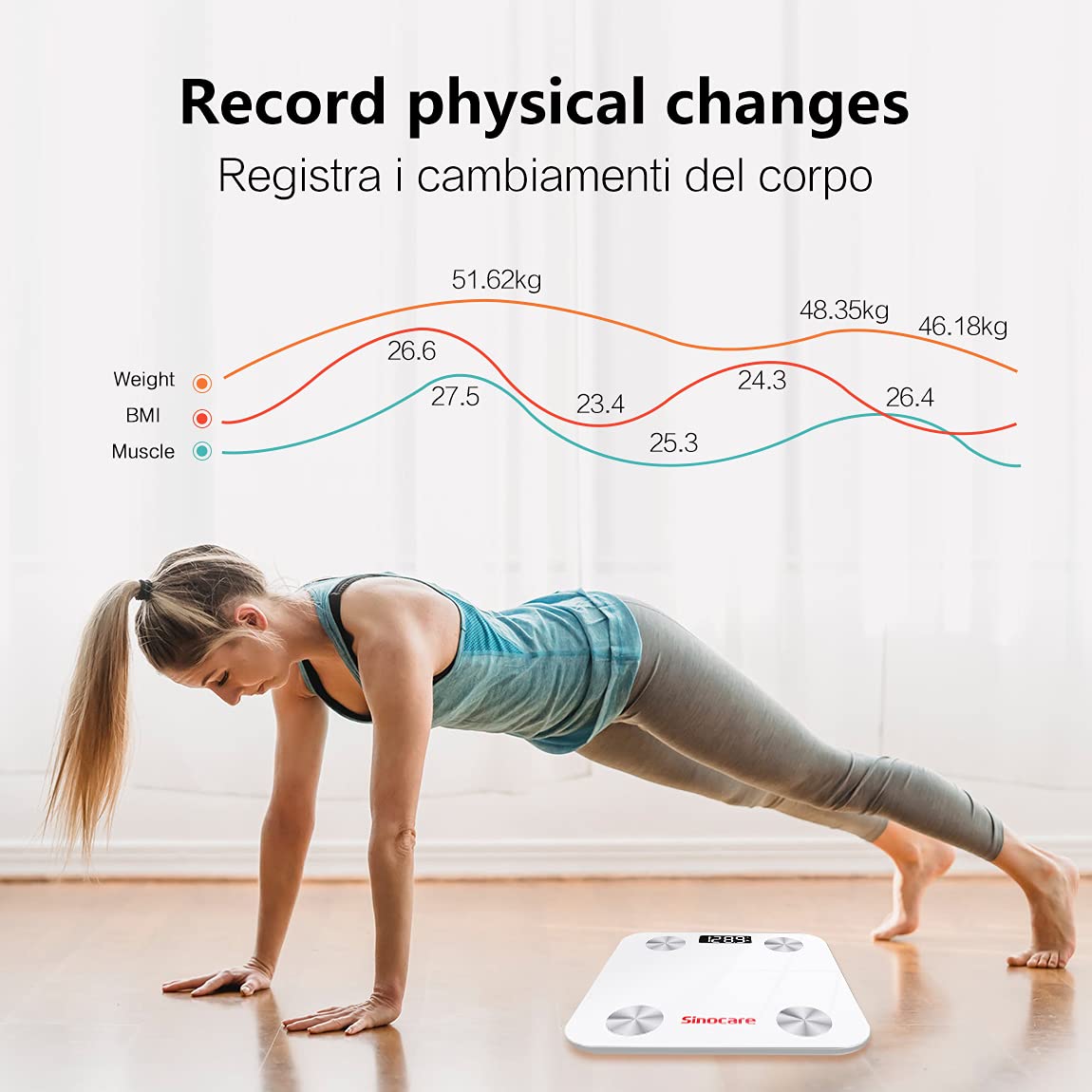
Figure 2: Download the "Fitdays" app from App Store or Google Play.
5.3 Bluetooth Pairing
- Ensure Bluetooth is enabled on your smartphone and the "Fitdays" app is open.
- Step onto the scale barefoot. The scale will automatically turn on and display your weight.
- The app should automatically detect and connect to the scale. If not, follow the in-app instructions to manually add the device.
- For some Android devices, location services may also need to be enabled for Bluetooth pairing.
6. Operating Instructions
6.1 Taking a Measurement
- Place the scale on a hard, flat, and stable surface.
- Open the "Fitdays" app on your smartphone.
- Step onto the scale barefoot, ensuring your feet are centered on the metal electrodes.
- Stand still until your weight is displayed on the scale's LED screen and all body composition data is synchronized with the app.
- The scale will automatically turn off after a few seconds of inactivity.

Figure 3: Taking a measurement with the Sinocare Body Fat Scale and Fitdays app.
6.2 Multi-User Functionality
The "Fitdays" app supports multiple user profiles, allowing families or groups to track their individual progress.
- Within the app, navigate to the user management section.
- Add new users by entering their details (age, height, gender).
- The app will automatically recognize the user based on their weight and body composition data, assigning measurements to the correct profile.

Figure 4: The Fitdays app supports unlimited users for family and friends.
7. Understanding Your Measurements
The Sinocare Body Fat Scale, in conjunction with the "Fitdays" app, provides 13 body composition indicators. These measurements are estimates and should be used for reference and tracking progress, not for medical diagnosis.
Common Indicators:
- Weight: Your total body mass.
- BMI (Body Mass Index): A measure of body fat based on height and weight.
- Body Fat Percentage: The proportion of fat to total body weight.
- Muscle Mass: The total weight of muscle in your body.
- Body Water: The total amount of fluid in your body.
- Bone Mass: The weight of bone mineral in your body.
- Visceral Fat: Fat stored around the organs in your abdomen.
- BMR (Basal Metabolic Rate): The number of calories your body needs to function at rest.
- Protein: The percentage of protein in your body.
- Metabolic Age: Compares your BMR to the average BMR of your chronological age group.

Figure 5: Track physical changes and progress over time using the Fitdays app.
8. Maintenance
8.1 Cleaning
- Wipe the scale surface with a soft, damp cloth.
- Do not use chemical cleaning agents or abrasive materials.
- Ensure the scale is completely dry before storage or next use.
8.2 Storage
- Store the scale in a cool, dry place.
- Avoid extreme temperatures or direct sunlight.
- If not in use for an extended period, remove the batteries to prevent leakage.
9. Troubleshooting
| Problem | Possible Cause | Solution |
|---|---|---|
| Scale does not turn on. | Batteries are dead or incorrectly installed. | Replace batteries or check polarity. |
| App not connecting to scale. | Bluetooth is off; app not open; location services off (Android). | Ensure Bluetooth is on, app is open, and location services are enabled on Android. Re-pair if necessary. |
| Inaccurate readings. | Scale on uneven surface; not standing still; feet not bare. | Place on a hard, flat surface. Stand still and barefoot. |
| Measurements not syncing to specific user. | User profile not set up correctly; app not recognizing user. | Verify user profile details in the app. Ensure you are selecting the correct user before weighing. |
| Unit of measurement changed (kg/lb/st). | Accidental change or app setting. | Check the unit settings within the "Fitdays" app. Some scales may have a physical button on the back to change units. |
10. Specifications
- Model: SN-0114
- Brand: Sinocare
- Dimensions: 26 x 26 x 1.8 cm
- Weight: 1.23 kg
- Weight Limit: 180 kg (400 lbs)
- Power Source: 3 x AAA Batteries
- Display Type: LED
- Connectivity: Bluetooth
- Special Features: 13 health indicators, multi-user monitoring
11. Warranty and Support
Sinocare products are manufactured to high-quality standards. For warranty information, technical support, or customer service inquiries, please refer to the contact information provided with your purchase or visit the official Sinocare website. Please retain your proof of purchase for warranty claims.