
1. Product Overview
The Ilford Multigrade V RC Deluxe is the fifth generation of Ilford's variable contrast black and white photo paper. Designed for both beginners and experienced darkroom users, it offers a full tonal range and exceptional image quality across a wide contrast range.
This resin-coated (RC) paper features a pearl surface and a neutral base tint, providing deep blacks and improved mid-grade spacing for uniform contrast.
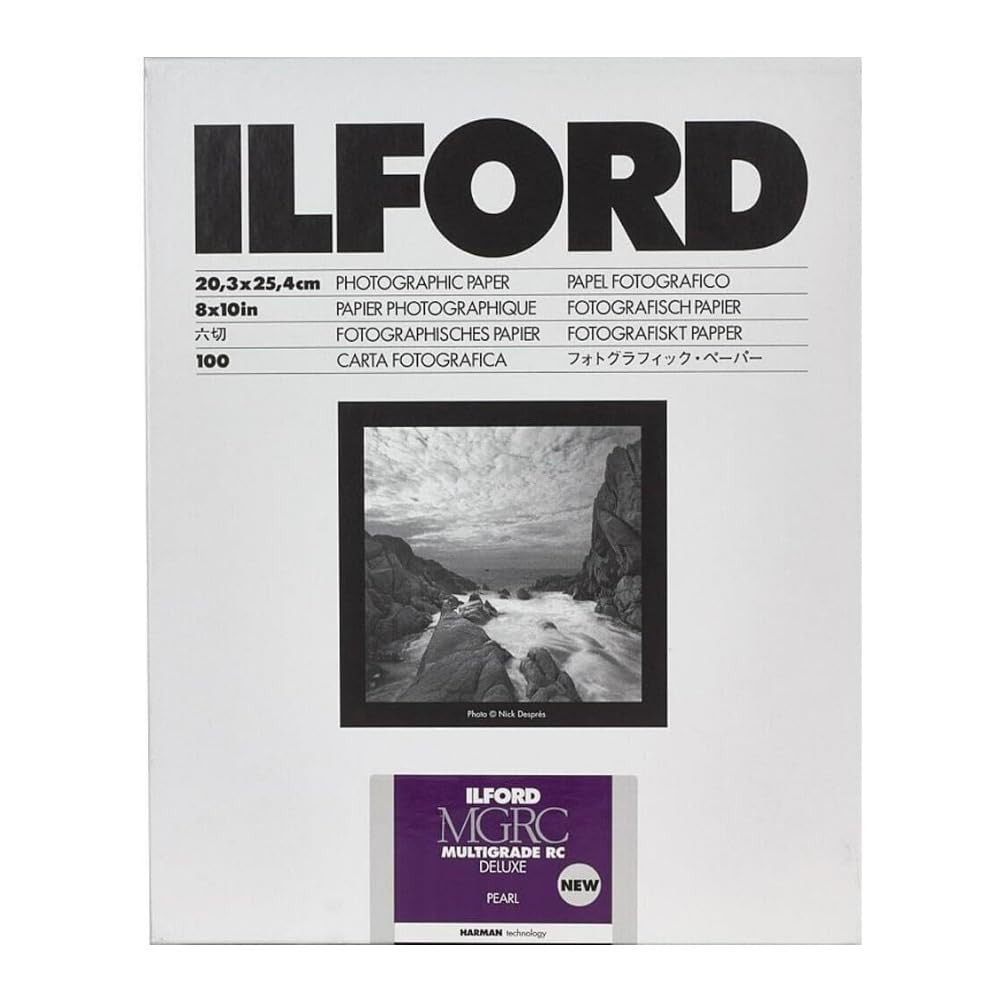
A box of Ilford Multigrade V RC Deluxe Pearl Surface Black & White Photo Paper, showing the product packaging and branding.
2. Setup
This photographic paper is intended for use in a traditional darkroom environment. Proper setup is crucial for optimal results.
- Darkroom Environment: Ensure your darkroom is completely light-tight. Handle the paper only under appropriate safelight conditions. Consult your safelight manufacturer's recommendations for specific filter types and distances.
- Enlarger: Use a photographic enlarger equipped with a variable contrast head or filters (grades 00-5) to control the contrast of your prints.
- Chemicals: Prepare your black and white photographic processing chemicals (developer, stop bath, fixer, wash aid) according to their respective manufacturer's instructions. Ensure chemicals are at the correct temperature and dilution.
- Trays/Processor: Set up developing trays or an automatic processor for the chosen paper size (8x10 inches).
3. Operating Instructions
Follow these steps for exposing and processing your Ilford Multigrade V RC Deluxe paper:
- Exposure: Under safelight, place a sheet of Multigrade V RC Deluxe paper emulsion-side up in your enlarger easel. Expose the paper using your enlarger, adjusting exposure time and contrast filters (grades 00-5) as needed to achieve the desired print density and contrast.
- Development: Immerse the exposed paper completely into the developer solution. Agitate continuously or intermittently according to the developer's instructions. Development times typically range from 60 to 120 seconds at 20°C (68°F).
- Stop Bath: Transfer the paper to a stop bath for 10-30 seconds with agitation. This halts development and prolongs the life of the fixer.
- Fixing: Place the paper in the fixer solution for 30-60 seconds with agitation. Ensure complete fixing to prevent image degradation over time.
- Washing: Wash the print thoroughly in running water or a dedicated print washer for at least 2 minutes. Using a wash aid can reduce washing time and improve archival stability.
- Drying: Remove excess water from the print surface using a squeegee or print roller. Air dry the prints on a clean, dust-free surface or use a print dryer.
- Toning (Optional): This paper offers excellent toning properties. If desired, tone your prints after washing using appropriate toners (e.g., selenium, sepia) according to the toner manufacturer's instructions.
4. Maintenance
Proper handling and storage will ensure the longevity and quality of your photographic paper.
- Storage: Store unused paper in its original light-protective packaging in a cool, dry place. Avoid exposure to high temperatures, humidity, and chemical fumes.
- Handling: Always handle paper by the edges to avoid fingerprints, creases, and scratches on the emulsion surface.
- Chemical Freshness: Always use fresh and properly mixed photographic chemicals. Exhausted or contaminated chemicals can lead to poor print quality.
5. Troubleshooting
If you encounter issues with your prints, consider the following common problems and solutions:
- Prints are too dark or too light: Adjust your enlarger's exposure time. Longer exposure makes prints darker, shorter exposure makes them lighter.
- Lack of contrast or too much contrast: Adjust your enlarger's variable contrast filters. Lower grades (e.g., 00, 0, 1) reduce contrast, higher grades (e.g., 4, 5) increase contrast.
- Uneven development or streaks: Ensure consistent agitation during development. Check that chemicals are evenly distributed in the trays and are not exhausted.
- Fogging (overall grayness, lack of pure white): This indicates unwanted light exposure. Check your darkroom for light leaks, ensure your safelight is appropriate and not too bright or close, and verify that the paper packaging is sealed correctly. Also, check for expired or contaminated chemicals.
- Stains or discoloration: This can be caused by exhausted chemicals, insufficient washing, or contamination between chemical baths. Ensure proper chemical sequence and thorough rinsing.
6. Specifications
| Brand | Ilford |
| Model Name | Multigrade V RC Deluxe |
| Material | Paper |
| Photo Paper Surface | Pearl |
| Sheet Size | 8x10 inches |
| Sheet Count | 100 |
| Paper Weight | 190gsm (Medium Weight) |
| Photo Paper Base | Resin-Coated (RC) |
| Base Tint | Slightly warmer |
| Contrast Range | Grades 00-5 (Variable Contrast) |
| Item Weight (Package) | 3 Pounds (1.543 kilograms) |
| UPC | 019498180262 |
7. Warranty Information
This product is covered by a manufacturer's warranty. For specific details regarding the terms and conditions of the warranty, please refer to the documentation included with your purchase or contact Ilford directly.
8. Support
For further assistance, technical support, or inquiries about Ilford products, please visit the official Ilford website or contact their customer service department.
You can find more information and resources by visiting the Ilford Store on Amazon.