Introduction
The My Arcade Space Invaders Micro Player is a fully playable miniature replica of the classic 1978 arcade game. This collectible premium edition allows users to relive the iconic experience of fending off alien invaders. Designed for enthusiasts and casual players alike, this compact arcade machine is suitable for any game room, office, or display case.
Safety Information
Please read all safety warnings before operating the device.
- Not suitable for children under 3 years old. This product contains small parts that may pose a choking hazard.
- Keep the device away from water and excessive moisture.
- Do not expose the device to extreme temperatures.
- Use only specified power sources (Micro USB cable or 4 AA batteries).
- Do not attempt to disassemble or modify the device.
Features
- Miniature playable replica of the original Space Invaders arcade cabinet.
- Ideal for any game room, office, or display case.
- Volume control and 3.5 mm headphone jack for private listening.
- Can be powered with a micro USB cable (not included) or 4 AA batteries (not included).
- Features a backlit marquee and a classic coin trap design.
Setup
Powering On Your Micro Player
The My Arcade Space Invaders Micro Player can be powered using two methods:
- Using AA Batteries:
- Locate the battery compartment on the back or bottom of the unit.
- Insert 4 new AA batteries, ensuring correct polarity (+/-).
- Close the battery compartment securely.
- Using a Micro USB Cable:
- Connect a micro USB cable (not included) to the micro USB port on the device.
- Connect the other end of the USB cable to a compatible USB power source (e.g., USB wall adapter, computer USB port).
To turn on the arcade unit, press the small fake coin insert box located below the control panel. This acts as the power button.

Image: Front view of the My Arcade Space Invaders Micro Player, showcasing the screen, joystick, and buttons. This is the primary view of the arcade unit.
Operating Instructions
Game Controls
The Micro Player features controls designed to replicate the original arcade experience:
- Joystick: Use the joystick to move your spaceship left and right. The joystick can be unscrewed if you prefer to use the D-pad underneath for movement.
- Fire Button: Press the designated button to fire projectiles at the invading aliens.
- Start Button: Press to begin a new game.
- Volume Control: Adjust the sound level using the dedicated volume buttons or dial, typically located on the side or back of the unit.
- Headphone Jack: A 3.5mm headphone jack is available for private listening.
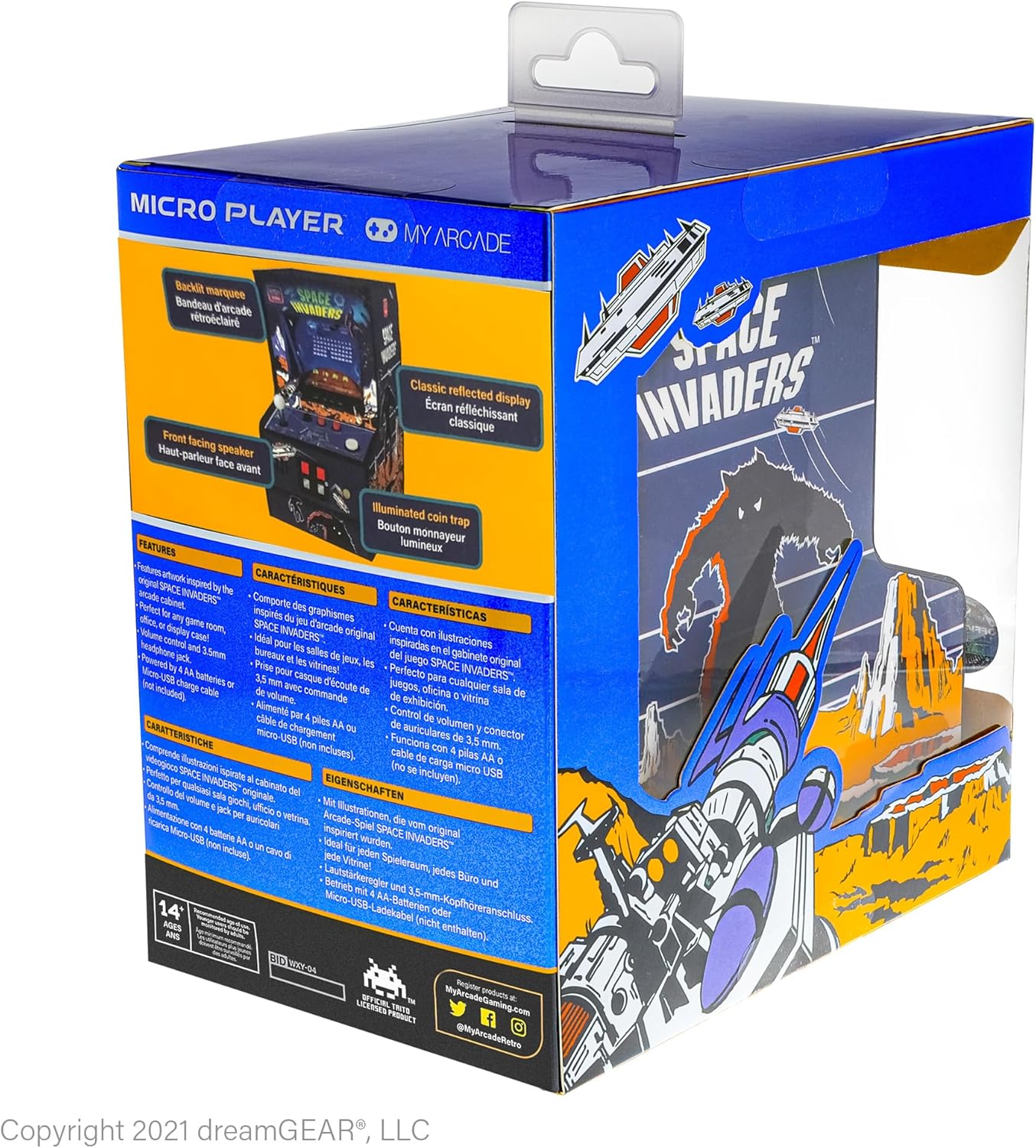
Image: Angled front view of the My Arcade Space Invaders Micro Player, highlighting the control panel and screen.
Gameplay
Your objective is to defeat waves of descending alien invaders before they reach the bottom of the screen. Utilize the bunkers for cover, but be aware that they will degrade as they are hit by alien fire. Earn points by destroying invaders and special UFOs that appear periodically.
Maintenance
- Clean the exterior of the unit with a soft, dry cloth. Do not use abrasive cleaners or solvents.
- If using batteries, remove them if the device will not be used for an extended period to prevent leakage.
- Store the Micro Player in a cool, dry place away from direct sunlight.
Troubleshooting
Common Issues and Solutions
- Device does not power on:
- Ensure batteries are correctly inserted and not depleted, or that the Micro USB cable is securely connected to a working power source.
- Confirm that the coin insert box (power button) has been pressed firmly.
- No sound or low sound:
- Check the volume control and ensure it is turned up.
- If headphones are plugged in, sound will be routed to them. Unplug headphones to hear sound from the built-in speaker.
- Controls are unresponsive:
- Ensure the device is powered on and the game has started.
- If the joystick feels sticky, try unscrewing it and using the D-pad directly.
Specifications
| Feature | Detail |
|---|---|
| Product Dimensions | 7.2"L x 7.2"W x 4.7"H |
| Screen Size | 6.75 Inches |
| Item Weight | 1.3 Pounds |
| Power Source | Battery Powered (4 AA batteries, not included) or Micro USB |
| Controller Type | Button Control (Joystick/D-pad) |
| Display Type | LED |
| Material | Plastic |
| Recommended Age | 14 years and up |
| Model Number | DGUNL-3279 |
| UPC | 845620032792 |

Image: The My Arcade Space Invaders Micro Player shown with its key dimensions: 6.75 inches height, 4 inches width, and 6.13 inches depth, along with a 3.25 inch screen size.
Additional Resources and Support
For further assistance or detailed information, please refer to the official user manual PDF:
For product support, please visit the My Arcade Store on Amazon.


