
1. Introduction
This manual provides detailed instructions for the installation, operation, and maintenance of your TURKU RX120i-KS100A 12KW 240V Steam Shower Generator. Please read this manual thoroughly before installation and use to ensure safe and efficient operation. Retain this manual for future reference.
2. Safety Information
Important: This steam generator is designed and rated for residential (personal use) applications only. Using this product in a commercial setting or for any purpose other than a residential steam shower will void the product warranty. The purchaser assumes full responsibility for the proper use, operation, and installation of this product.
Always ensure that all electrical and plumbing connections are performed by qualified professionals in accordance with local codes and regulations.
3. Product Overview and Components
The TURKU RX120i-KS100A steam generator system includes the following components:
- 12KW 240V TURKU Steam Generator with built-in auto drain valve.
- Vapor-Proof Digital KS-100A Control Pad.
- Steam Head.
- Safety Pressure Relief Valve.
- Thermostat Sensor.
- Controller and Thermostat Connection Wires.
- Installation and Operation Guide (this document).
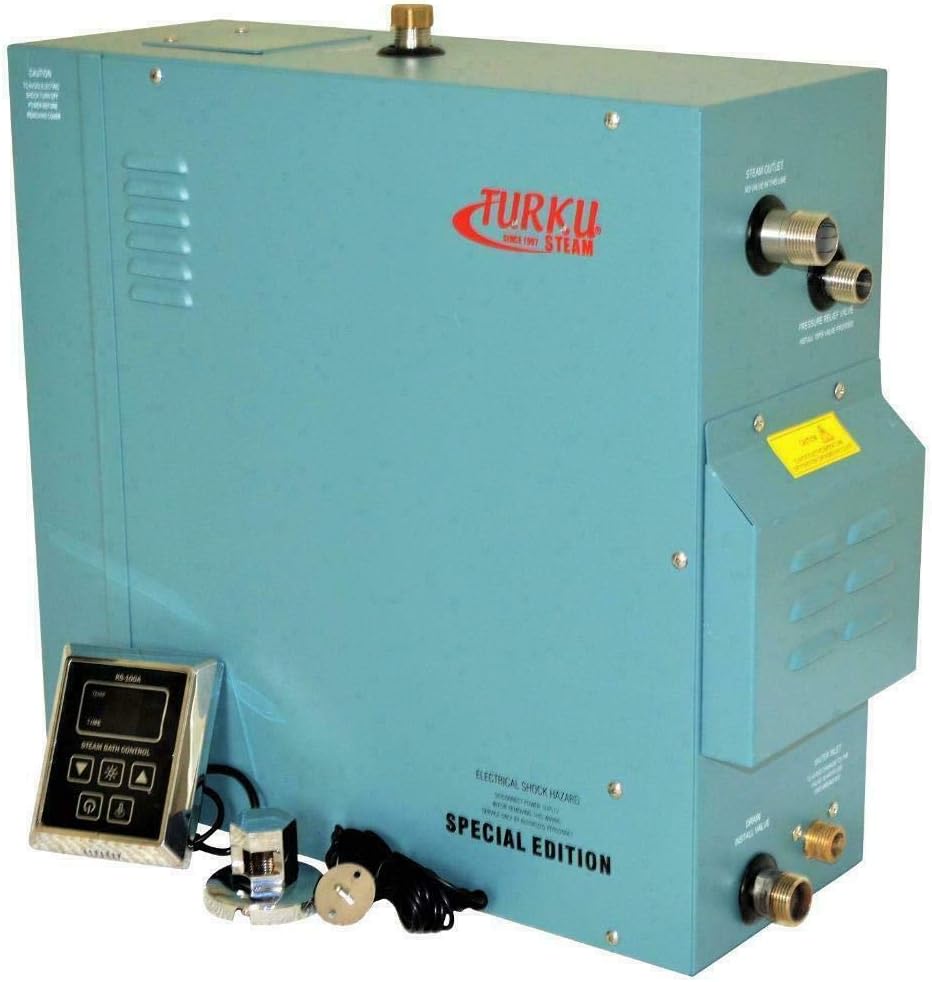
Figure 3.1: TURKU RX120i-KS100A Steam Generator with included KS-100A Control Pad, steam head, and connection wires.
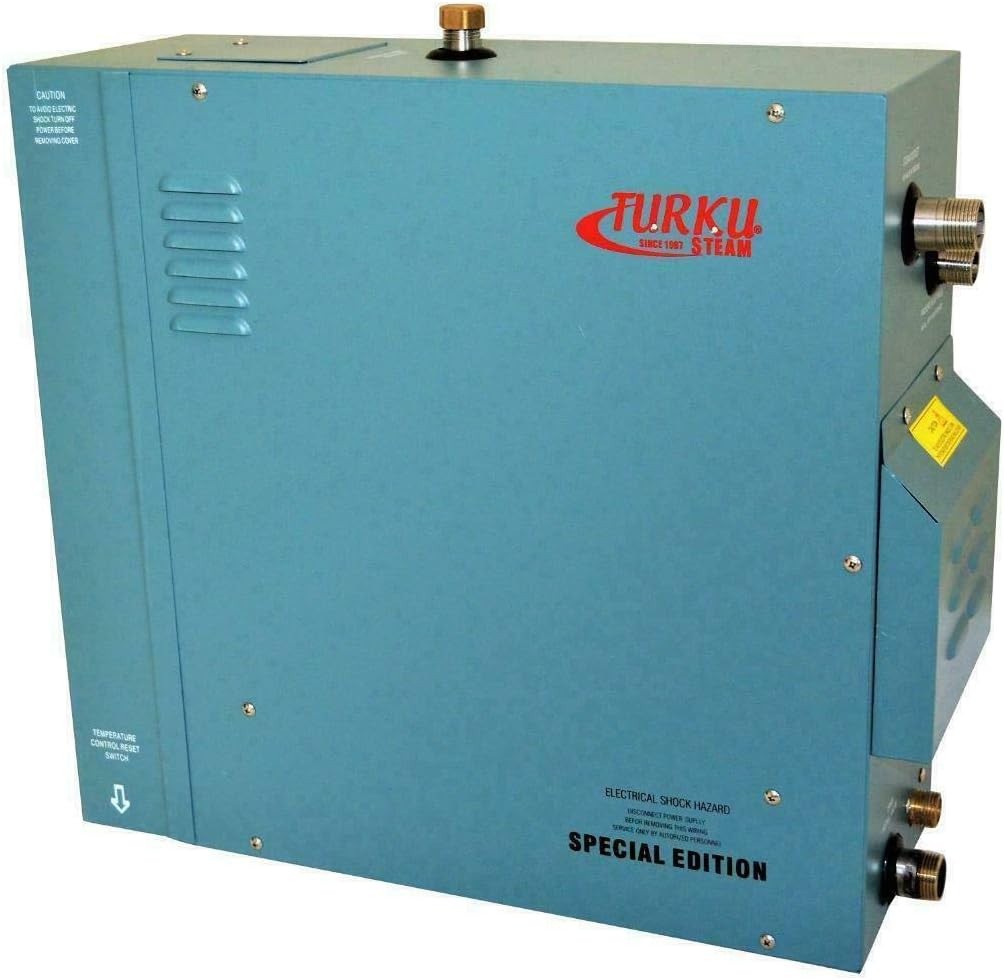
Figure 3.2: Rear view of the steam generator, illustrating connection points for water inlet, steam outlet, and electrical.
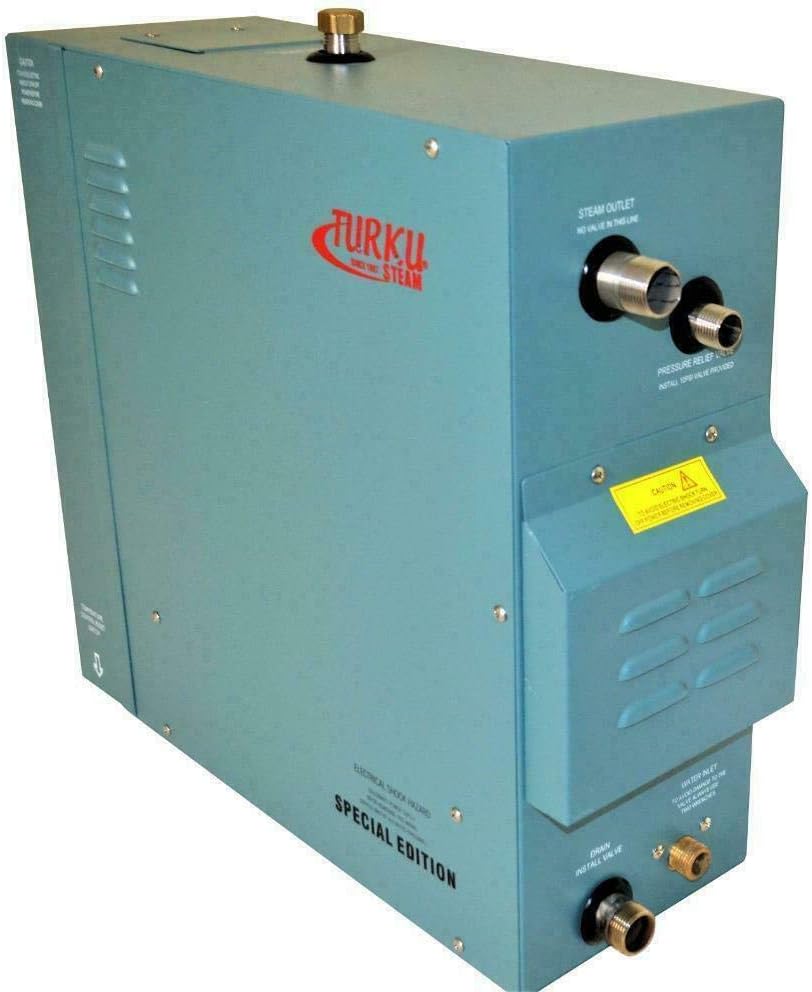
Figure 3.3: Side view of the steam generator unit.

Figure 3.4: Close-up of the KS-100A Vapor-Proof Digital Control Pad, showing display and control buttons.

Figure 3.5: The included chrome steam head, designed for steam dispersion within the shower enclosure.
4. Installation and Setup
4.1 Room Volume Calculation
Accurate room volume calculation is crucial for selecting the correct steam generator size. The RX120i-KS100A is suitable for adjusted room volumes up to 450 cubic feet. Follow these steps to determine your adjusted room volume:
- Measure Basic Room Volume: Measure the length, width, and height of your steam shower or tub/shower enclosure in feet. Multiply these dimensions:
Length × Width × Height = Room Volume (cubic feet). - Apply Adjustments for Materials: Add percentages to your calculated room volume based on the construction materials:
- For Ceramic Tile (thin set, acrylic, or fiberglass): Add 0%
- For Ceramic Tile (mortar bed or cement board backing): Add 20%
- For Cast Iron Tub: Add 20%
- For Each Glass Block Wall or Exterior Wall (if freezing is possible): Add 10%
- For Natural Stones (Marble, Granite, Slate): Add 100%
- Calculate Total Adjusted Room Volume: Sum the basic room volume and all applicable adjustments to obtain the Total Adjusted Room Volume. Ensure this value does not exceed 450 cubic feet for optimal performance of this 12KW unit.
4.2 Control Pad Installation
The KS-100A control pad is vapor-proof, allowing safe installation either inside or outside the steam room for convenient operation. The controller connection wire is 16 feet long, and the thermostat connection wire is 10 feet long. Plan your installation location accordingly.

Figure 4.1: Detailed diagram of the KS-100A control pad, indicating button functions and specifications.
Refer to the detailed wiring diagrams and plumbing instructions provided with the physical product for specific connection procedures. Ensure proper grounding and water supply connections are made.
5. Operating Instructions
5.1 KS-100A Control Pad Functions
The KS-100A control pad allows you to manage your steam shower experience. Refer to Figure 4.1 for button identification.
- Temperature Display: Shows the current room temperature.
- Steam Cycle Time Display: Shows the remaining steam session time.
- Light Indicator: Illuminates when the light function is active.
- Heat Indicator: Illuminates when heating elements are active.
- Temperature Preserving Indicator: Indicates temperature maintenance mode.
- Light Switch: Toggles the steam room light.
- Increment Button (▲): Increases temperature or time settings.
- Set Button: Used to confirm settings.
- ON/OFF Button (⏻): Powers the unit on or off.
- Decrement Button (▼): Decreases temperature or time settings.
The temperature controlling range is 95°F to 131°F (35°C to 55°C). The time range can be set from 1 to 60 minutes, or to a non-stop mode.
5.2 Automatic Functions
The TURKU RX120i-KS100A generator features several automatic functions for convenience and safety:
- Auto Filling: Upon system startup, the electromagnetic inlet valve automatically opens to fill the generator with water until the maximum water level is reached. If the minimum required water level is not met within 10 minutes, all heating elements will automatically turn off, indicating a potential water supply issue.
- Auto Heating by Sections: The generator intelligently compares the measured room temperature with your set temperature. It then activates the appropriate number of heating elements to efficiently reach and maintain the desired temperature.
- Auto Water Supplementing: If the water level drops below the required level during operation, the auto water supplementing function activates, opening the inlet valve. Once the required level is restored, this function turns off. If the water level remains below the required level 3 minutes after a supplementing order, it indicates a water supply system fault, and all heating elements will turn off.
- Auto Drainage: When the set steam session time concludes or the ON/OFF button is pressed to power down, the system initiates an automatic drainage process. The drainage valve and pump activate to empty the water from the generator. This process takes approximately 5 minutes, after which the system automatically powers off.
- Self Diagnostics System: The unit includes a self-diagnostics system to monitor operation and identify potential issues.
6. Maintenance
Regular maintenance ensures the longevity and optimal performance of your steam generator.
- Automatic Drainage: The built-in auto drainage system helps prevent mineral buildup by emptying the water tank after each use. This significantly reduces the need for manual descaling.
- Cleaning: Periodically wipe down the exterior of the generator and the control pad with a soft, damp cloth. Do not use abrasive cleaners or solvents.
- Water Quality: In areas with hard water, consider installing a water softener to further minimize mineral deposits and extend the life of the heating elements.
- Professional Inspection: It is recommended to have a qualified technician inspect the unit annually to ensure all components are functioning correctly and safely.
7. Troubleshooting
The RX120i-KS100A features a self-diagnostics system to assist in identifying operational issues. If you encounter problems, review the following common scenarios:
- No Steam / Heating Elements Off:
- Check water supply: If the minimum water level is not reached within 10 minutes of startup, or if water supplementing fails for 3 minutes during operation, the heating elements will turn off. Ensure the water supply valve is open and water pressure is adequate.
- Verify power supply: Ensure the unit is receiving proper electrical power.
- Check control pad settings: Confirm the desired temperature and time are set correctly.
- Control Pad Not Responding:
- Ensure the control pad is securely connected to the generator.
- Check for any visible damage to the control pad or its wiring.
- Unusual Noises:
- Minor sounds during water filling or drainage are normal.
- If loud or persistent unusual noises occur, power off the unit and contact a qualified technician.
For issues not resolved by these steps, or if the self-diagnostics system indicates a specific fault code (refer to the physical product manual for code interpretations), contact customer support or a qualified service technician.
8. Specifications
| Feature | Specification |
|---|---|
| Brand | TURKU |
| Model Number | RX120i-KS100A |
| Power | 12KW |
| Voltage | 240V |
| Adjusted Room Volume Capacity | Up to 450 CU.FT. |
| Temperature Controlling Range | 95°F ~ 131°F (35°C ~ 55°C) |
| Time Range | 01 ~ 60 minutes or Non-Stop |
| Generator Unit Dimensions (L×W×H) | 16.5" × 6.25" × 12.75" (approx.) |
| Control Pad Dimensions (L×W×D) | 4.5" × 4" × 1" (approx.) |
| Controller Connection Wire Length | 16 Ft. |
| Thermostat Connection Wire Length | 10 Ft. |
| Item Weight | 40 Pounds |
| Material (General) | Ceramic, Fiberglass, Glass (components), Brass (handle material) |
| Mounting Type | Wall Mount |
| UPC | 704550817735 |
9. Warranty and Support
Warranty Information: The warranty for this TURKU RX120i-KS100A Steam Shower Generator is valid only for residential (personal use) applications. The warranty will be voided if the product is used in a commercial environment or for any purpose other than its intended residential steam shower use.
For specific warranty terms, conditions, and duration, please refer to the warranty card included with your product packaging or contact the manufacturer directly.
Customer Support: If you have questions regarding installation, operation, troubleshooting, or warranty claims, please contact the retailer or manufacturer's customer support. Have your model number (RX120i-KS100A) and purchase date available when contacting support.