
Yukon IPS 7 (Model 79166)
Yukon Pulsar IPS 7 Battery Pack User Manual
Model: IPS 7 (Model 79166)
Introduction
This manual provides essential information for the safe and effective use of your Yukon Pulsar IPS 7 Battery Pack. The IPS 7 is a rechargeable Li-Ion power supply designed to extend the operating time of various Pulsar digital and thermal devices.
It is compatible with devices such as Digisight Ultra, Vivid NV Monoculars, Forward Digital NV attachments, Helion Thermal Monoculars, and Trail Thermal Riflescopes.
Safety Information
WARNING: To prevent injury or damage to the battery pack and connected devices, please observe the following safety precautions:
- Do not incinerate the battery pack.
- Do not attempt to disassemble the battery pack.
- Avoid short-circuiting the battery terminals.
- Keep the battery pack away from water and excessive heat.
- Use only the specified charging equipment for this battery pack.
- Store in a cool, dry place when not in use.
- Dispose of the battery pack according to local regulations for Li-Ion batteries.

Figure 1: Bottom view of the IPS 7 battery pack, displaying important safety warnings and technical specifications.
Product Features
- Rechargeable battery supply for extended use.
- Provides up to 13 hours of battery life, depending on the connected device and usage conditions.
- Designed for quick and effortless installation and removal from compatible devices.
- Interchangeable with standard power supplies for Pulsar Trail, Helion, Accolade, Digisight Ultra, and Forward F devices.
- Specifically extends the self-contained operating time of digital night vision riflescopes like Digisight Ultra N450 / N455 LRF.
- Lightweight glass-nylon composite construction.
- Operates effectively in temperatures ranging from -6°F to 140°F (-21°C to 60°C).
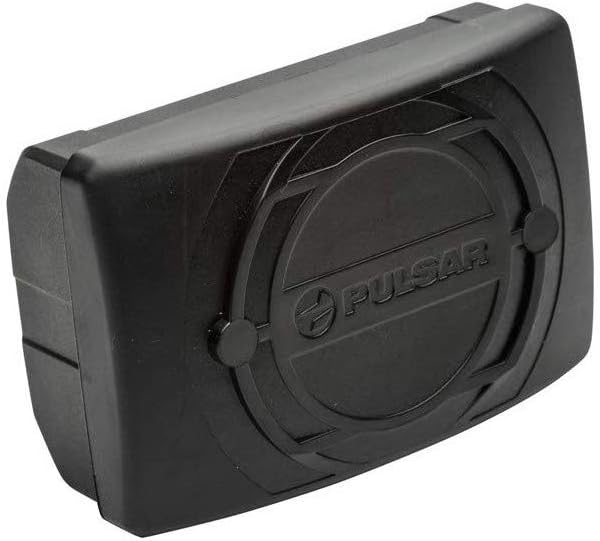
Figure 2: Front view of the Pulsar IPS 7 battery pack, showcasing its compact design.
Setup and Charging
Initial Charge
Before first use, fully charge the IPS 7 battery pack. Use the charger provided with your Pulsar device or a compatible charger recommended by the manufacturer.
Installation
- Ensure the Pulsar device is powered off.
- Locate the battery compartment on your Pulsar device.
- Align the IPS 7 battery pack with the compartment, ensuring the contacts match.
- Gently push the battery pack into the compartment until it clicks securely into place.
- To remove, press the release button (if present on your device) and slide the battery pack out.

Figure 3: The IPS 7 battery pack separated from its protective cover, illustrating the connection interface.
Operating Instructions
Once installed, the IPS 7 battery pack will power your compatible Pulsar device. Refer to your specific Pulsar device's user manual for detailed operating instructions.
- The battery pack provides power for extended periods, up to 13 hours, depending on the device's power consumption and environmental conditions.
- Monitor the battery level indicator on your Pulsar device to determine remaining charge.
- When the battery is depleted, remove it and recharge as described in the "Setup and Charging" section.
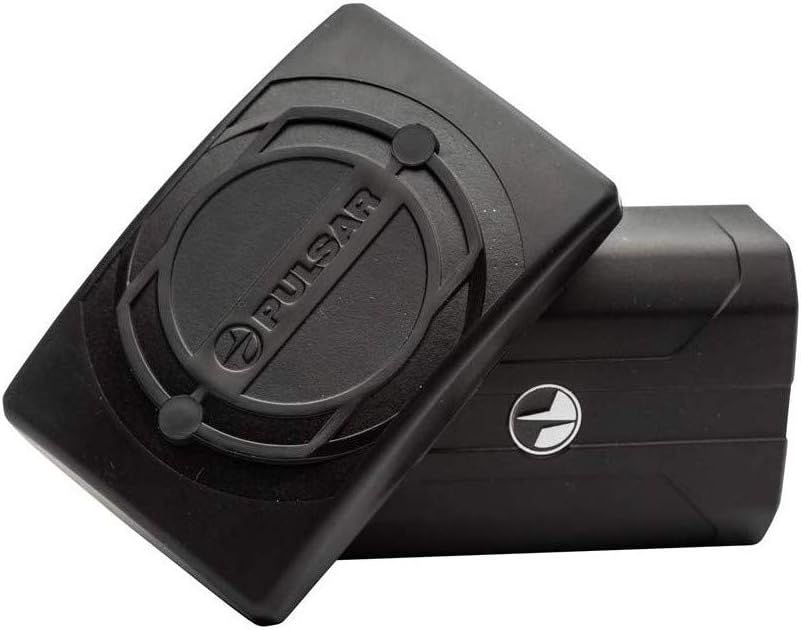
Figure 4: Two IPS 7 battery packs, highlighting their compact and interchangeable nature.
Maintenance and Storage
Cleaning
Wipe the battery pack with a clean, dry cloth. Do not use abrasive cleaners or solvents. Ensure the contacts are clean and free of debris for optimal performance.
Storage
- Store the battery pack in a cool, dry place, away from direct sunlight and extreme temperatures.
- For long-term storage, it is recommended to charge the battery to approximately 50-70% capacity.
- Avoid storing fully charged or fully depleted batteries for extended periods.
Troubleshooting
Battery Not Charging
- Ensure the charger is properly connected to a power source and the battery pack.
- Verify that the charger is compatible with the IPS 7 battery pack.
- Check for any visible damage to the battery pack or charger.
- Try charging in a different outlet.
Device Not Powering On
- Confirm the battery pack is fully charged and securely installed in the device.
- Check the battery contacts on both the battery pack and the device for cleanliness and proper alignment.
- If possible, try another fully charged IPS 7 battery pack to rule out a device issue.
If problems persist, refer to the troubleshooting section of your Pulsar device's manual or contact customer support.
Specifications
| Model | IPS 7 (Model 79166) |
| Battery Cell Composition | Lithium Ion (Li-Ion) |
| Battery Capacity | 6400 mAh (23.7 Wh) |
| Output Voltage | 3.7V |
| Operating Temperature | -6°F to 140°F (-21°C to 60°C) |
| Manufacturer | Yukon |
| Recommended Use | Night Vision Devices (Pulsar Trail, Helion, Accolade, Digisight Ultra, Forward F) |
Warranty and Support
Warranty Information
Specific warranty terms for the Yukon Pulsar IPS 7 Battery Pack are typically provided with the product packaging or can be found on the official Yukon/Pulsar website. Please retain your proof of purchase for warranty claims.
Customer Support
For technical assistance, troubleshooting, or warranty inquiries, please contact Yukon/Pulsar customer support. Contact details are usually available on the manufacturer's official website or in the product documentation.
You may also refer to the support resources for your specific Pulsar device, as the battery pack is an accessory to those systems.
Related documentsIPS 7 (Model 79166)

Ask a question about this manual
Ask about setup, troubleshooting, compatibility, parts, safety, or missing instructions. Manuals+ will review the question and use this page’s manual context to help answer it.