
Braun BC08W
Braun Digital Travel Alarm Clock
User Manual - Model BC08W
Introduction
Thank you for choosing the Braun Digital Travel Alarm Clock, Model BC08W. This compact and stylish alarm clock is designed for convenience and reliability, featuring a negative LCD display, crescendo beep alarm, and a touch-activated snooze/backlight function. This manual will guide you through the setup, operation, and maintenance of your new alarm clock to ensure optimal performance.

Front view of the Braun Digital Travel Alarm Clock, Model BC08W, showing the time and alarm setting.
Setup
1. Battery Installation
The Braun Digital Travel Alarm Clock requires 1 x AAA battery for operation. Please note that the battery is NOT INCLUDED and must be purchased separately.
- Locate the battery compartment cover on the back of the clock.
- Slide the cover downwards to open the compartment.
- Insert one AAA battery, ensuring the correct polarity (+/-) as indicated inside the compartment.
- Replace the battery compartment cover by sliding it upwards until it clicks into place.
2. Initial Time Setting
Once the battery is installed, the clock will power on. To set the time:
- Locate the time setting switch (often marked with a clock icon or 'L') and the '+' and '-' buttons on the back of the clock.
- Slide the switch to the 'Time Set' position.
- Use the '+' and '-' buttons to adjust the hours and minutes. The display supports both 12-hour and 24-hour formats.
- Once the correct time is set, slide the switch back to the 'Run' position.

Rear view of the alarm clock, highlighting the battery compartment and control buttons for time and alarm settings.
Operating Instructions
Setting the Alarm
The alarm features a crescendo beep alarm, which gradually increases in frequency and volume if not turned off, ensuring you wake up gently but effectively.
- Locate the alarm setting switch (often marked with a bell icon) and the '+' and '-' buttons on the back of the clock.
- Slide the switch to the 'Alarm Set' position.
- Use the '+' and '-' buttons to set your desired alarm time.
- Once the alarm time is set, slide the switch back to the 'Run' position.
- To activate or deactivate the alarm, use the 'alarm on/off' button located on the top of the clock. A bell icon on the display indicates when the alarm is active.
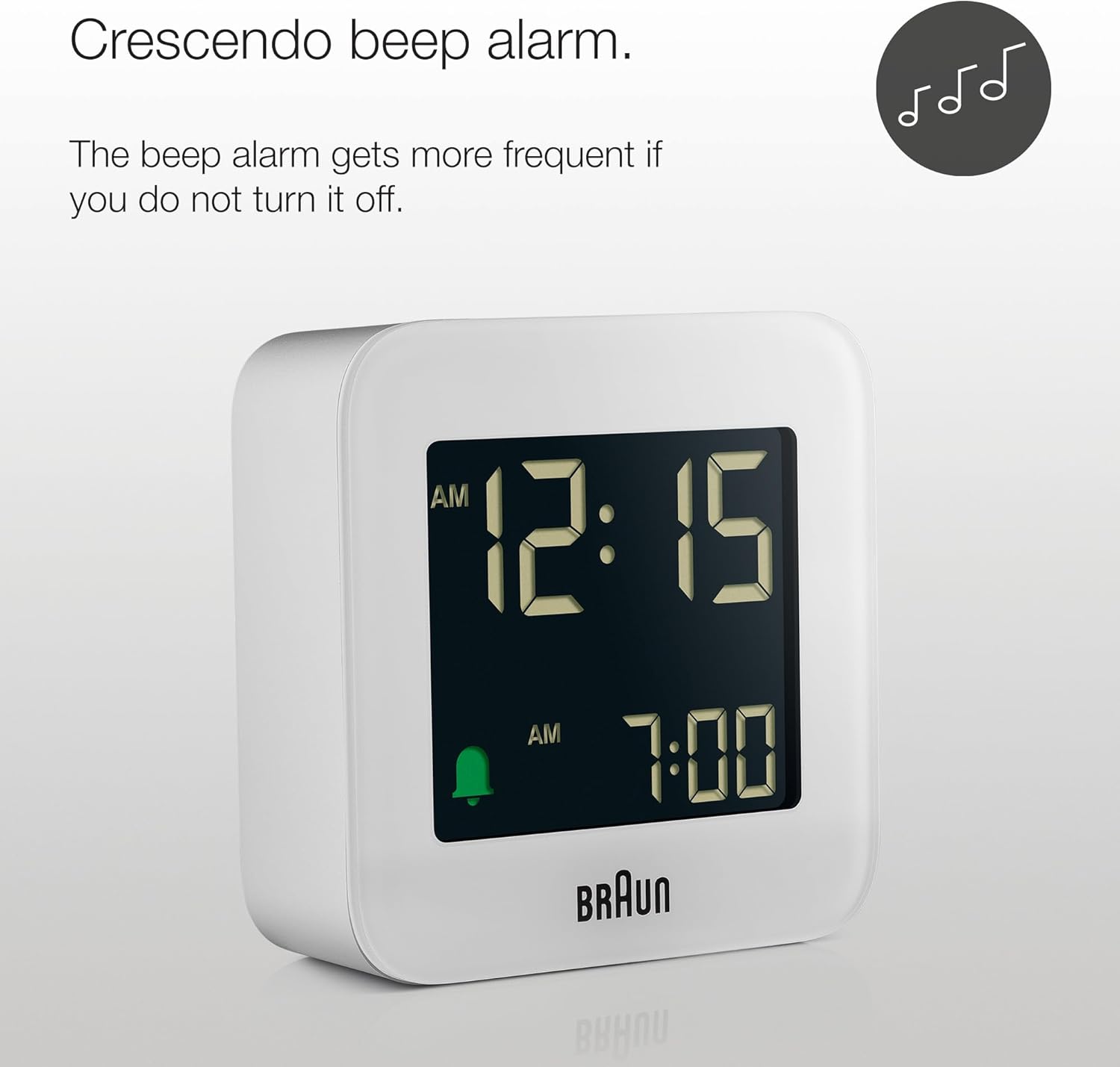
The display showing the crescendo beep alarm feature, which increases in intensity if not turned off.
Snooze and Backlight Function
The clock features a combined snooze and backlight function, activated by tapping the top of the clock.
- Snooze: When the alarm sounds, tap the top of the clock to activate the snooze function. The alarm will pause for 5 minutes before sounding again.
- Backlight: Tap the top of the clock at any time to illuminate the display. The backlight will remain lit for approximately 10 seconds, providing temporary visibility in low-light conditions.

The top of the clock with the 'snooze/light' button, used to activate the snooze function or illuminate the display.

The clock display illuminated by the backlight, which stays on for 10 seconds after activation.
Maintenance
To ensure the longevity and proper functioning of your Braun Digital Travel Alarm Clock, follow these simple maintenance guidelines:
- Cleaning: Wipe the clock with a soft, dry cloth. Do not use abrasive cleaners, solvents, or chemical sprays, as these can damage the display or casing.
- Battery Replacement: Replace the AAA battery when the display becomes dim or the alarm sound weakens. Always dispose of used batteries responsibly according to local regulations.
- Storage: If storing the clock for an extended period, remove the battery to prevent leakage and potential damage to the internal components.
- Environment: Avoid exposing the clock to extreme temperatures, direct sunlight, high humidity, or strong magnetic fields, as these can affect its accuracy and lifespan.
Troubleshooting
If you encounter any issues with your Braun Digital Travel Alarm Clock, please refer to the following common problems and solutions:
- Display is dim or unreadable:
- Ensure the battery is fresh and correctly installed.
- The negative LCD display's contrast may vary depending on room lighting. Try adjusting the clock's position relative to light sources.
- Remember that the display is designed to be dark until the backlight is manually activated by tapping the top.
- Alarm does not sound:
- Check if the alarm is activated using the 'alarm on/off' button on top of the clock. The bell icon should be visible on the display.
- Verify that the alarm time is correctly set.
- Replace the battery if it is low.
- Buttons are unresponsive or clock is stuck:
- Remove the battery for a few minutes, then reinsert it to perform a soft reset.
- Ensure the time/alarm setting switches on the back are in the correct 'Run' position after setting.
- Time is inaccurate:
- Replace the battery with a new one.
- Avoid placing the clock near strong electromagnetic devices.
Specifications
Detailed specifications for the Braun Digital Travel Alarm Clock, Model BC08W:
| Feature | Detail |
|---|---|
| Brand | Braun |
| Model Number | BC08W |
| Color | White |
| Display Type | Digital, Negative LCD |
| Dimensions (W x H x D) | 5.8cm x 5.8cm x 2.0cm (2.3"W x 2.3"H) |
| Weight | 42 Grams (1.48 ounces) |
| Power Source | 1 x AAA Battery (Not Included) |
| Alarm Type | Crescendo Beep Alarm |
| Snooze Interval | 5 minutes |
| Backlight Duration | 10 seconds (manual activation) |
| Time Format | 12 hour / 24 hour setting option |
| Material | Plastic (Acrylonitrile Butadiene Styrene) |
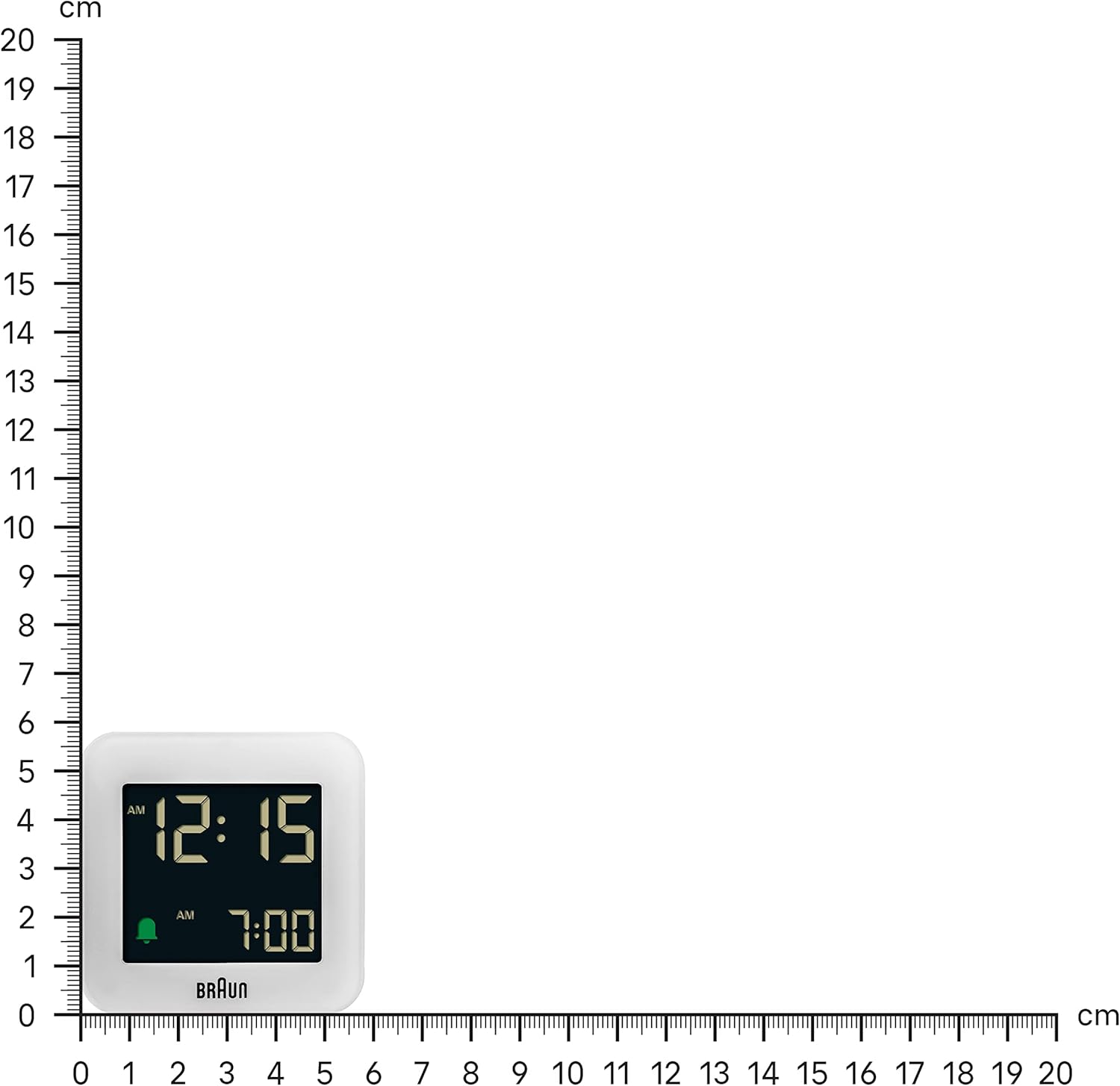
The compact size of the alarm clock, shown against a ruler for scale.
Warranty and Support
Braun products are manufactured to high-quality standards. For any questions, technical support, or warranty inquiries, please refer to the official Braun website or contact their customer service directly. You may also find additional information in the official user guides provided by Braun:
Please retain your purchase receipt as proof of purchase for warranty purposes.
Ask a question about this manual
Ask about setup, troubleshooting, compatibility, parts, safety, or missing instructions. Manuals+ will review the question and use this page’s manual context to help answer it.