1. Introduction
Thank you for choosing the MXL 770 Vintage White Condenser Microphone. This microphone is designed to deliver detailed sound reproduction with a balanced bass response and high-end clarity, making it suitable for a variety of applications including podcasting, singing, home studio recording, gaming, and streaming. Its cardioid polar pattern ensures focused recording, minimizing background noise.

Image 1.1: The MXL 770 Vintage White Condenser Microphone with its included shock mount.
2. What's in the Box
Your MXL 770 Vintage White Condenser Microphone package includes the following items:
- MXL 770 Vintage White Condenser Microphone
- Shock Mount
- Rugged Carrying Case

Image 2.1: Contents of the MXL 770 package, including the microphone, shock mount, and carrying case.
3. Setup
Follow these steps to set up your MXL 770 microphone:
- Mounting the Microphone: Secure the MXL 770 microphone into the provided shock mount. The shock mount helps to isolate the microphone from vibrations and handling noise.
- Connecting to an Audio Interface: The MXL 770 uses an XLR-F connector. Connect one end of an XLR cable (not included) to the microphone and the other end to an audio interface or mixer that provides 48V phantom power.
- Phantom Power: The MXL 770 is a condenser microphone and requires 48V phantom power to operate. Ensure that phantom power is enabled on your audio interface or mixer before use. Refer to your audio interface's manual for instructions on enabling phantom power.
- Positioning: Position the microphone appropriately for your recording needs. For vocals or instruments, aim the front of the microphone (where the MXL logo is visible) towards the sound source.

Image 3.1: The included microphone stand mount, which attaches to a standard microphone stand.
4. Operating the Microphone
The MXL 770 features controls to optimize your recording quality:
- Low-Frequency Roll-Off Switch: This switch (often labeled as a high-pass filter) reduces unwanted low-frequency rumble and noise, such as air conditioning hum or foot traffic. Engage this switch when recording vocals or instruments where deep bass frequencies are not desired.
- -10dB Pad Switch: The -10dB pad attenuates the input signal by 10 decibels. Use this switch when recording very loud sound sources (e.g., loud vocals, guitar amplifiers, drums) to prevent signal clipping and distortion at the microphone's input stage.

Image 4.1: Detail of the MXL 770 showing the -10dB pad switch.
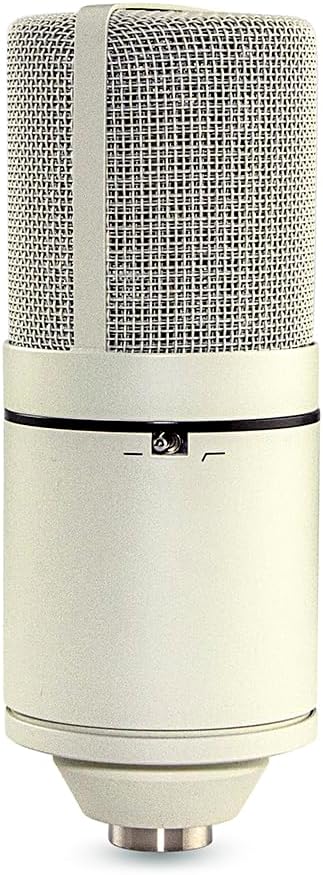
Image 4.2: Detail of the MXL 770 showing the low-frequency roll-off switch.
Polar Pattern: Cardioid
The MXL 770 features a cardioid polar pattern. This means it is most sensitive to sounds coming from the front of the microphone and rejects sounds from the sides and rear. This characteristic is ideal for:
- Vocal Recording: Isolating the vocalist's voice from room reflections or other instruments.
- Instrument Recording: Focusing on a specific instrument while minimizing bleed from others.
- Live Sound: Reducing feedback when used with monitors.
Video 4.3: An official video demonstrating the sound quality and application of the MXL 770 microphone for piano recording, showcasing its performance in an unprocessed and processed state.
5. Maintenance
Proper maintenance ensures the longevity and optimal performance of your microphone:
- Cleaning: Use a soft, dry cloth to wipe the microphone body. Avoid using liquid cleaners or solvents, as they can damage the finish or internal components.
- Storage: When not in use, store the microphone in its rugged carrying case to protect it from dust, moisture, and physical damage.
- Handling: Always handle the microphone with care. Avoid dropping it or exposing it to extreme temperatures or humidity.
6. Troubleshooting
If you encounter issues with your MXL 770 microphone, refer to the following common problems and solutions:
- No Sound Output:
- Ensure 48V phantom power is enabled on your audio interface or mixer.
- Check all XLR cable connections for proper seating.
- Verify that the input gain on your audio interface is set appropriately.
- Test with a different XLR cable to rule out cable failure.
- Distorted Sound:
- Engage the -10dB pad switch if recording very loud sound sources.
- Reduce the input gain on your audio interface.
- Ensure the microphone is not positioned too close to the sound source.
- Excessive Background Noise/Hum:
- Engage the low-frequency roll-off switch to reduce rumble.
- Ensure all cables are properly shielded and away from power sources or other electronics that might cause interference.
- Verify that the microphone is correctly positioned to utilize its cardioid pattern for maximum sound rejection from unwanted directions.
7. Specifications
| Microphone Type | Condenser |
| Polar Pattern | Cardioid (Unidirectional) |
| Frequency Response | 16 KHz |
| Signal-to-Noise Ratio | 87 dB |
| Power Source | 48V Phantom Power |
| Connectivity Technology | XLR-F |
| Material | Metal |
| Dimensions (L x W x H) | 12 x 7.5 x 3.5 inches |
| Item Weight | 2.43 pounds (1100 Grams) |
| Special Features | Built-in low-frequency roll-off and -10dB pad |
8. Warranty Information
For specific warranty details, please refer to the warranty card included with your product or visit the official MXL website. MXL provides a limited warranty against defects in materials and workmanship under normal use.
9. Support
If you require further assistance or have questions not covered in this manual, please contact MXL customer support through their official website or the contact information provided in your product packaging. You can also visit the MXL Store on Amazon for additional product information and resources.


