
YESWELDER CUT-55DS
YESWELDER CUT-55DS Plasma Cutter Instruction Manual
Model: CUT-55DS
Introduction
This manual provides comprehensive instructions for the safe and efficient operation, setup, and maintenance of your YESWELDER CUT-55DS Plasma Cutter. The CUT-55DS features a 20-55A current output, non-touch pilot arc technology, PT/2T/4T functions, and a large digital display. It is designed for powerful cutting capacity across various metals including stainless steel, alloy steel, mild steel, copper, and aluminum, making it suitable for intricate metalwork, pre-weld preparation, automotive repair, and DIY art projects. Safety features include IP21 water rating protection, over-load, and over-heating safeguards.

Figure 1: YESWELDER CUT-55DS Plasma Cutter and included accessories.
Setup
Air Compressor Filter Connection
Proper connection of the air compressor filter is crucial for optimal performance and longevity of your plasma cutter. The CUT-55DS features a built-in air pressure regulator for convenience.
Video 1: Demonstrates the connection of the air compressor filter to the plasma cutter, ensuring proper air flow and filtration.
Ensure the air filter is securely attached to the machine's air intake. If the provided joint is not suitable, use a wrench to unscrew the original joint and replace it with the appropriate 1/4" NPT air connector. Tighten all connections with a wrench and seal with sealing tape for an airtight connection. Finally, connect your air hose using a quick connector.

Figure 2: The built-in air pressure regulator on the side of the CUT-55DS.
Initial Assembly and First Cuts
This video provides a step-by-step guide for assembling the plasma cutter components and performing initial test cuts. It covers connecting the water trap, earth lead, and torch, as well as adjusting air pressure.
Video 2: Step-by-step assembly and initial cutting demonstration for the CUT-55DS.
After connecting the air filter, attach the earth lead to your workpiece and the AG60 torch to the machine. Adjust the air pressure using the regulator to the recommended PSI (typically 50-65 PSI for 55A cutting). The digital display will show real-time parameters. Perform test cuts on scrap material to familiarize yourself with the machine's operation.
Operating Instructions
Cutting Capacity and Torch Operation
The CUT-55DS offers powerful cutting capacity with an ideal clean cut of 3/10'' at 110V and 1/2'' at 220V. The maximum cut thickness is 3/5'' at 110V and 4/5'' at 220V. The non-touch pilot arc AG60 torch allows for efficient cutting through rough, painted, and rusty surfaces, extending consumable life.

Figure 3: Visual representation of the CUT-55DS's cutting thickness capabilities.

Figure 4: The AG60 Plasma Cutting Torch, highlighting its non-touch pilot arc feature.
2T/4T Functionality
The machine features 2T (semi-automatic) and 4T (automatic) cutting control functions. 2T is suitable for accurate, short-duration cutting, while 4T is ideal for long-term continuous cutting, reducing operator fatigue.
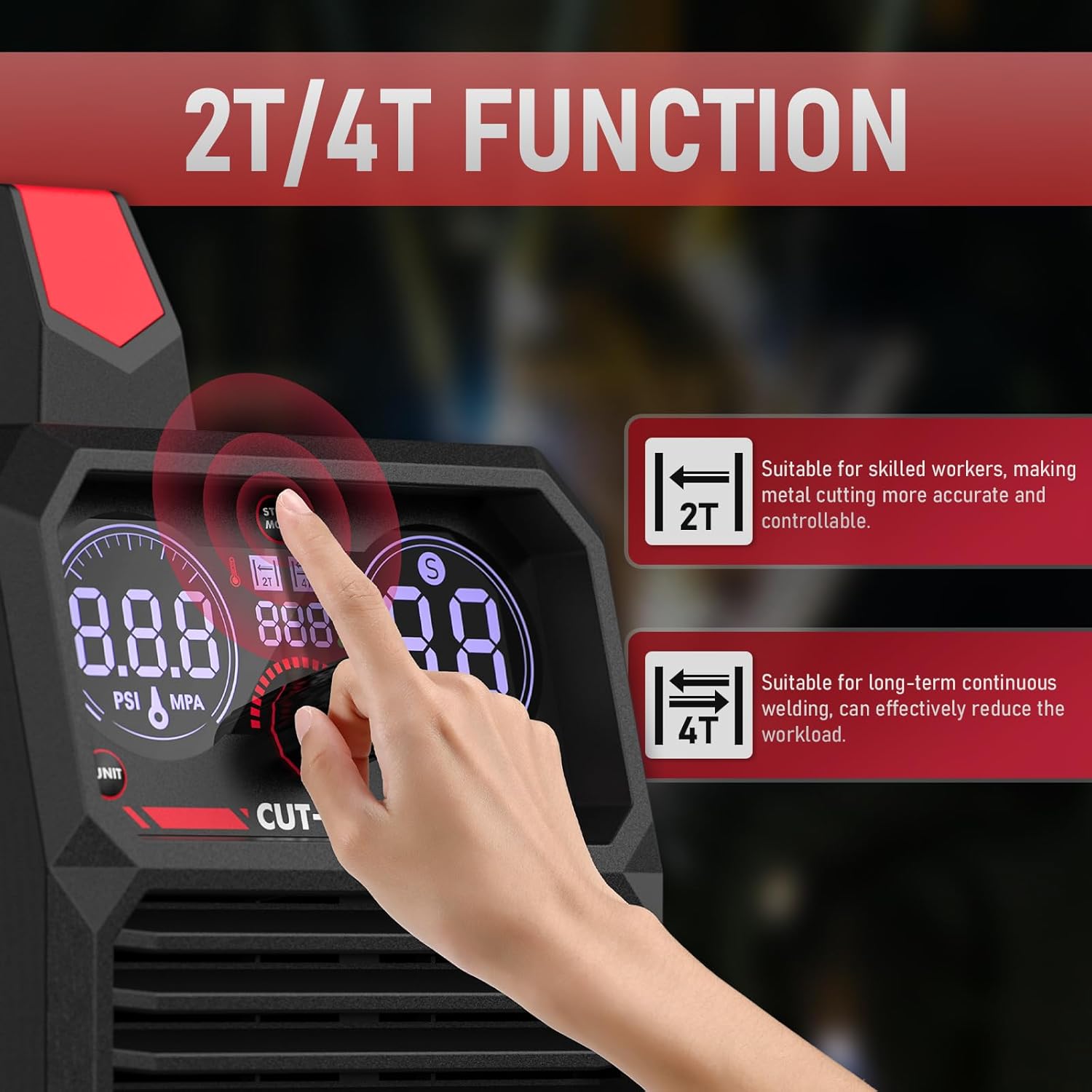
Figure 5: The 2T/4T function selection on the digital display.
Video 3: Overview of the 2T/4T functions and their application in plasma cutting.
Digital Display and Controls
The large digital display provides real-time information on air pressure, voltage, and current, allowing for timely adjustments and improved cutting efficiency. An error code system is integrated to alert users of any machine issues.

Figure 6: The intelligent digital screen display showing various parameters.
Maintenance
Regular maintenance ensures the longevity and optimal performance of your YESWELDER CUT-55DS Plasma Cutter. Always disconnect the power supply before performing any maintenance.
- Air Filter: Regularly check and drain the water trap on the air compressor filter to prevent moisture from entering the machine, which can damage internal components.
- Torch Consumables: Inspect the AG60 torch consumables (nozzle, electrode, shield cup) regularly for wear. Replace them as needed to maintain cutting quality and efficiency.
- Cleaning: Keep the machine's exterior clean and free from dust and debris. Ensure ventilation openings are clear to prevent overheating.
- Connections: Periodically check all electrical and air connections for tightness and signs of wear. Loose connections can lead to performance issues or safety hazards.
For detailed maintenance procedures, please refer to the comprehensive user manual PDF available for download.
Troubleshooting
If you encounter issues with your YESWELDER CUT-55DS Plasma Cutter, refer to the following common troubleshooting tips. For complex problems or error codes displayed on the digital screen, consult the full user manual.
| Problem | Possible Cause | Solution |
|---|---|---|
| No Arc/Poor Arc Start | Insufficient air pressure; Worn consumables; Loose connections; Incorrect settings. | Check air pressure (50-65 PSI); Replace worn nozzle/electrode; Tighten all connections; Adjust current/mode settings. |
| Machine Overheating | Exceeding duty cycle; Blocked ventilation. | Allow machine to cool down; Ensure clear airflow to vents. |
| Inconsistent Cut Quality | Moisture in air line; Incorrect cutting speed/distance; Worn consumables. | Drain water trap; Adjust cutting technique; Replace consumables. |
If the issue persists after attempting these solutions, please contact YESWELDER customer support or refer to the detailed troubleshooting section in the user manual PDF.
Specifications
The following table outlines the key technical specifications for the YESWELDER CUT-55DS Plasma Cutter:
| Feature | Specification |
|---|---|
| Model | CUT-55DS |
| Manufacturer | SHENZHEN HAIBAO PLASMA EQUIPMENT CO.,LTD |
| Item Weight | 20.4 pounds |
| Package Dimensions | 17.75 x 14 x 11.2 inches |
| Style | CUT-55DS HF Plasma Cutter |
| Material | Metal |
| Cooling Mode | Fan Cooling |
| Insulation Grade | F |
| IP Rating | IP21 |
| First Available Date | January 4, 2020 |

Figure 7: Technical specifications and dimensions of the CUT-55DS.
Safety Precautions
Your safety is paramount when operating the YESWELDER CUT-55DS Plasma Cutter. Adhere to all safety guidelines to prevent injury and equipment damage.
- Personal Protective Equipment (PPE): Always wear appropriate welding helmet with proper shade, flame-resistant clothing, welding gloves, and safety shoes.
- Ventilation: Ensure adequate ventilation in the work area to disperse fumes and gases produced during cutting.
- Electrical Safety: Do not operate the machine in wet conditions. Ensure proper grounding and inspect power cords for damage before each use. The machine features robust protections against over-load and over-heating.
- Fire Hazards: Keep flammable materials away from the cutting area. Have a fire extinguisher readily available.
- Air Supply: Use clean, dry compressed air. Moisture in the air line can cause poor cutting performance and damage the machine.

Figure 8: Overview of the CUT-55DS's integrated safety features.
Warranty and Support
For warranty information, technical support, or service inquiries regarding your YESWELDER CUT-55DS Plasma Cutter, please refer to the official user manual or contact YESWELDER customer service directly.
A comprehensive User Manual (PDF) is available for download, providing detailed information on operation, maintenance, and troubleshooting.
Ask a question about this manual
Ask about setup, troubleshooting, compatibility, parts, safety, or missing instructions. Manuals+ will review the question and use this page’s manual context to help answer it.