
OKLILI 35 mm Photo Holder V850
OKLILI 35mm Film Strip Holder User Manual
Model: 35 mm Photo Holder V850 | Brand: OKLILI
Introduction
This manual provides instructions for the proper use and maintenance of the OKLILI 35mm Film Strip Holder. This accessory is designed to facilitate the scanning of 35mm film strips and mounted slides using compatible Epson Perfection scanners.
The holder features 12 individual slots for 35mm film negatives or slides, allowing for efficient batch scanning without the need for glass covers.
Product Overview

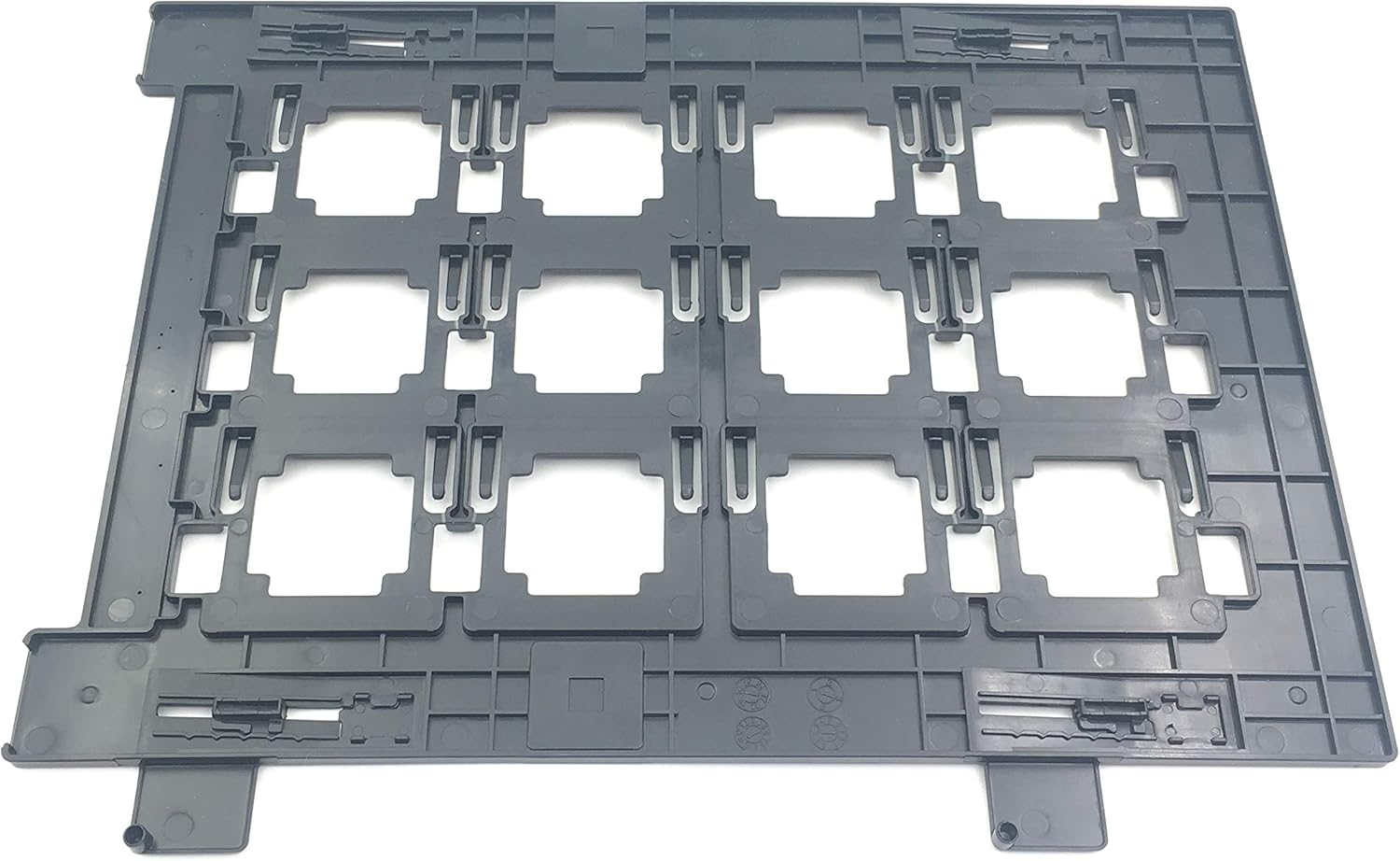

Compatibility
This 35mm Film Strip Holder is compatible with the following Epson Perfection scanner models:
- Epson Perfection V700
- Epson Perfection V750
- Epson Perfection V800
- Epson Perfection V850
Ensure your scanner model is listed above for proper functionality.
Setup and Loading
- Prepare the Scanner: Open the scanner lid and ensure the scanner glass is clean and free of dust or smudges.
- Load Film Strips: Carefully insert 35mm film strips into the designated slots on the holder. Ensure the film is flat and securely held by the clips. The holder accommodates up to 12 frames.
- Load Mounted Slides: For mounted slides, place each slide into a slot, ensuring it sits flat within the frame.
- Position the Holder: Place the loaded film holder onto the scanner glass, aligning it with the specific guides or markings on your Epson Perfection scanner. Refer to your scanner's manual for precise placement.
- Close Scanner Lid: Gently close the scanner lid, ensuring it is fully seated without applying excessive pressure to the film holder.
Operating Instructions
Once the film holder is correctly positioned in the scanner, proceed with the scanning process using your Epson scanner software. The software should automatically detect the film holder and allow you to select the appropriate film type (negative or positive) and scanning resolution.
- Software Settings: Open your Epson Scan software or other compatible scanning application.
- Select Film Type: Choose the correct film type (e.g., "Color Negative Film," "Color Positive Film," "Black and White Negative Film") in the software settings.
- Preview Scan: Perform a preview scan to ensure proper alignment and focus. Adjust the holder's position slightly if necessary.
- Scan: Initiate the final scan. The software will process each frame within the holder.
Maintenance
Proper maintenance ensures the longevity and optimal performance of your film holder.
- Cleaning: Use a soft, lint-free cloth to gently wipe the film holder. For stubborn dust or smudges, a slightly damp cloth with plain water can be used, followed by immediate drying. Avoid abrasive cleaners or solvents.
- Storage: Store the film holder in a clean, dry, and dust-free environment when not in use. Avoid exposing it to extreme temperatures or direct sunlight, which can cause warping.
- Handling: Handle the holder by its edges to prevent fingerprints or damage to the film slots.
Troubleshooting
If you encounter issues while using the film holder, consider the following:
- Scanner Not Recognizing Holder/Error Messages:
Ensure the holder is correctly seated and aligned with the guides on the scanner glass. Some scanner models require precise placement for detection. Verify that your scanner software is up-to-date.
- Warping/Focus Issues:
A warped holder can lead to inconsistent focus across the film or slides. Store the holder flat and away from heat sources. If significant warping occurs, it may affect scan quality. Ensure film strips are inserted flat and not bowed.
- Poor Scan Quality (Dust/Smudges):
Clean both the film holder and the scanner glass thoroughly before each use. Use a blower brush for dust on film and a lint-free cloth for the holder and glass.
- Film Not Holding Securely:
Ensure film strips are cut straight and fit snugly into the slots. The clips are designed to hold standard 35mm film. Avoid forcing oversized or damaged film into the holder.
Specifications
| Product Name | (12 holes) 35 mm Film Strip Holder Photo Scanner Slide Holder without glass |
| Brand | OKLILI |
| Model Number | 35 mm Photo Holder V850 |
| Compatibility | Epson Perfection V700, V750, V800, V850 |
| Item Weight | 3.7 ounces (105 grams) |
| Package Dimensions | 11.5 x 9 x 0.3 inches |
| Media Type Supported | 35mm Film Strips, Mounted 35mm Slides |
| Condition | Compatible NEW |
Warranty Information
Specific warranty details for this product are not provided in the available information. Please refer to the seller's return policy or contact the manufacturer, OKLILI, directly for warranty inquiries.
Customer Support
For further assistance or technical support regarding the OKLILI 35mm Film Strip Holder, please contact the seller from whom you purchased the product. You may also visit the official OKLILI brand store on Amazon for additional product information and contact options.
Note: This manual provides general guidance. Always refer to your specific Epson scanner's user manual for detailed scanning procedures and software settings.
Ask a question about this manual
Ask about setup, troubleshooting, compatibility, parts, safety, or missing instructions. Manuals+ will review the question and use this page’s manual context to help answer it.