
1. Product Overview
These YDYBZB replacement earpads are designed for compatibility with Mpow H5 Active Noise Cancelling Headphones. They are crafted from professional-grade leather and high elastic cotton, incorporating memory foam for enhanced comfort and durability. The design aims to improve sound isolation and overall sound quality by conforming to the ear.
Each package includes one pair of replacement earpads. The headphones themselves are not included.

Image 1.1: A pair of YDYBZB replacement earpads for Mpow H5 headphones, showcasing their black finish and cushioned design.
2. Installation Instructions
The installation process involves transferring the plastic buckle (retainer ring) from your original Mpow H5 earpads to the new YDYBZB replacement earpads. Please follow these steps carefully to avoid damage.
- Remove Old Earpads: Gently twist the existing earpad covers on your Mpow H5 headphones counter-clockwise. Continue twisting until they click and detach from the headphone cups. Avoid prying them off, as this may damage the plastic buckle.
- Detach Plastic Buckle: Once the old earpads are removed, carefully separate the plastic buckle (retainer ring) from them. This buckle is essential for securing the new earpads. Clean any residual adhesive from this plastic buckle.
- Insert Buckle into New Earpads: Take one of the new YDYBZB replacement earpads. Carefully slide the cleaned plastic buckle into the designated groove or opening within the new earpad. Ensure it is seated properly.
- Secure New Earpads: Align the new earpad (with the plastic buckle inserted) onto the headphone cup. Twist the earpad clockwise until it clicks firmly into place. Repeat the process for the second earpad.
- Optional: Enhance Security: For a more secure fit, similar to the original design, you may apply thin strips of double-sided adhesive tape to the plastic buckle before inserting it into the new earpad. This can help prevent the earpad from slipping off the buckle.
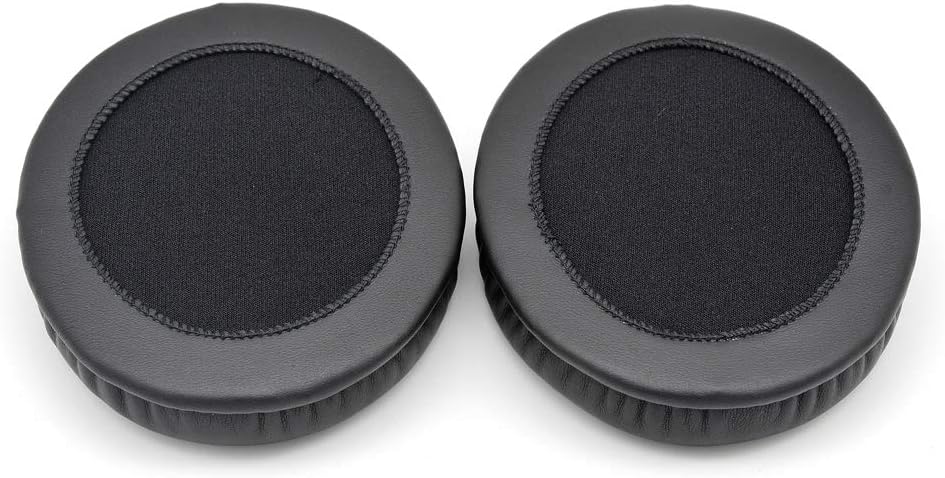
Image 2.1: Visual guide emphasizing the transfer of the plastic buckle from the old earpads to the new replacement earpads.

Image 2.2: A side profile of one replacement earpad, illustrating its depth and material construction.
3. Operating Instructions
Once installed, the YDYBZB replacement earpads function identically to the original earpads. They are designed to provide a comfortable fit and enhance the acoustic performance of your Mpow H5 headphones.
- The memory foam cushioning conforms to the shape of your ears, contributing to improved noise blocking.
- The professional-grade leather and high elastic cotton materials ensure comfort during extended listening sessions.
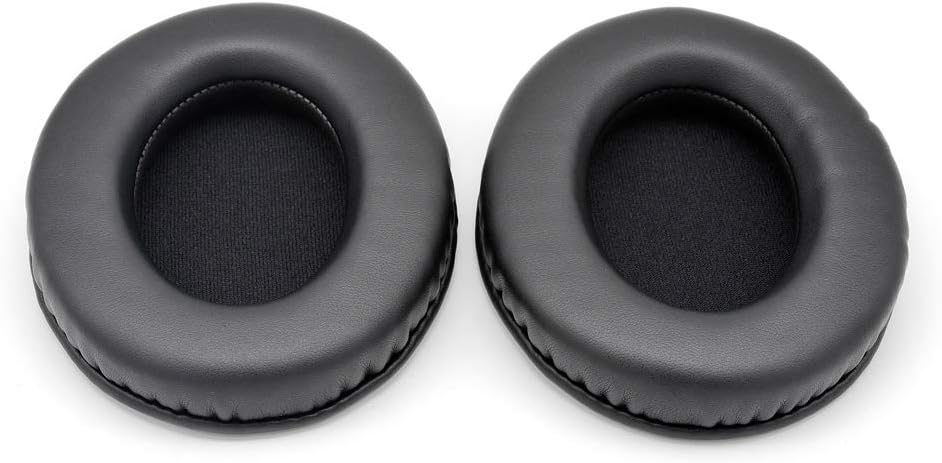
Image 3.1: Top view of the two replacement earpads, highlighting the texture of the materials.
4. Maintenance
Proper care will extend the lifespan and maintain the performance of your replacement earpads.
- Cleaning: Gently wipe the earpads with a soft, slightly damp cloth. Avoid using abrasive cleaners, solvents, or harsh chemicals, as these can damage the material.
- Drying: Allow the earpads to air dry completely before using your headphones. Do not expose them to direct sunlight or high heat.
- Storage: When not in use, store your headphones in a clean, dry environment to protect the earpads from dust and moisture.

Image 4.1: Front view of the replacement earpads, illustrating their circular form and the ear-fitting aperture.
5. Troubleshooting
If you encounter any issues with your replacement earpads, refer to the following common solutions:
- Earpads Not Staying On:
- Ensure the plastic buckle from your original earpads was correctly transferred and securely seated within the new earpads.
- Verify that the earpads are fully aligned and twisted clockwise until they click firmly into place on the headphone cups.
- If the issue persists, consider using thin strips of double-sided adhesive tape to secure the new earpads to the plastic buckle, mimicking the original attachment method.
- Reduced Noise Cancellation or Sound Quality:
- Confirm that the earpads are fully seated and create a proper seal around your ears. Adjust the headphone position for optimal fit.
- The memory foam requires a moment to conform to your ear shape, which contributes to effective sound isolation.

Image 5.1: An angled perspective of the earpads, highlighting their construction and texture.
6. Specifications
| Brand | YDYBZB |
| Compatible Model | Mpow H5 Active Noise Cancelling Headphones |
| Material | Professional-grade Leather, High Elastic Cotton, Memory Foam |
| Color | Black |
| Product Dimensions (L x W x H) | 3.94 x 3.15 x 0.39 inches (10 x 8 x 1 cm) |
| Item Weight | 0.634 ounces (18 grams) |

Image 6.1: A different angled view of the replacement earpads, emphasizing their soft, cushioned appearance.
7. Warranty and Support
Specific warranty information for this product is not provided in the available data. For any product-related inquiries or support, please refer to the seller or manufacturer directly through your purchase platform.