
Introduction
Welcome to the Gosky 20-60x80 Dual Focusing ED Spotting Scope user manual. This guide provides detailed instructions for the proper setup, operation, and maintenance of your new spotting scope. Please read this manual thoroughly before using the product to ensure optimal performance and longevity.

Image: The Gosky 20-60x80 Dual Focusing ED Spotting Scope, showing its main body and angled eyepiece. This image illustrates the overall design of the spotting scope.
Package Contents
Verify that all items are present in your package:
- Gosky 20-60x80 Dual Focusing ED Spotting Scope
- Carrying Case
- Smartphone Digiscoping Adapter
- Eyepiece Protection Covers
- Lens Protection Covers
- Cleaning Cloth
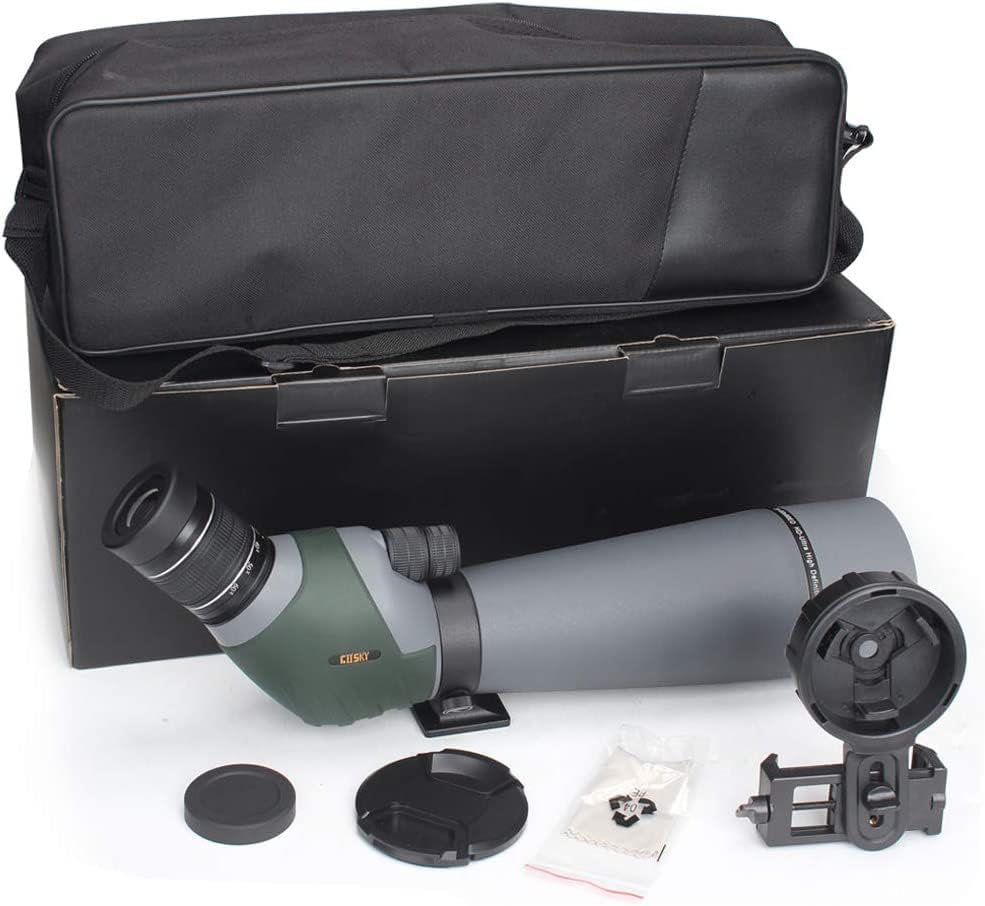
Image: All components included with the Gosky 20-60x80 Spotting Scope. This includes the scope, carrying bag, smartphone adapter, and lens caps.
Parts Identification
Familiarize yourself with the different parts of your spotting scope:
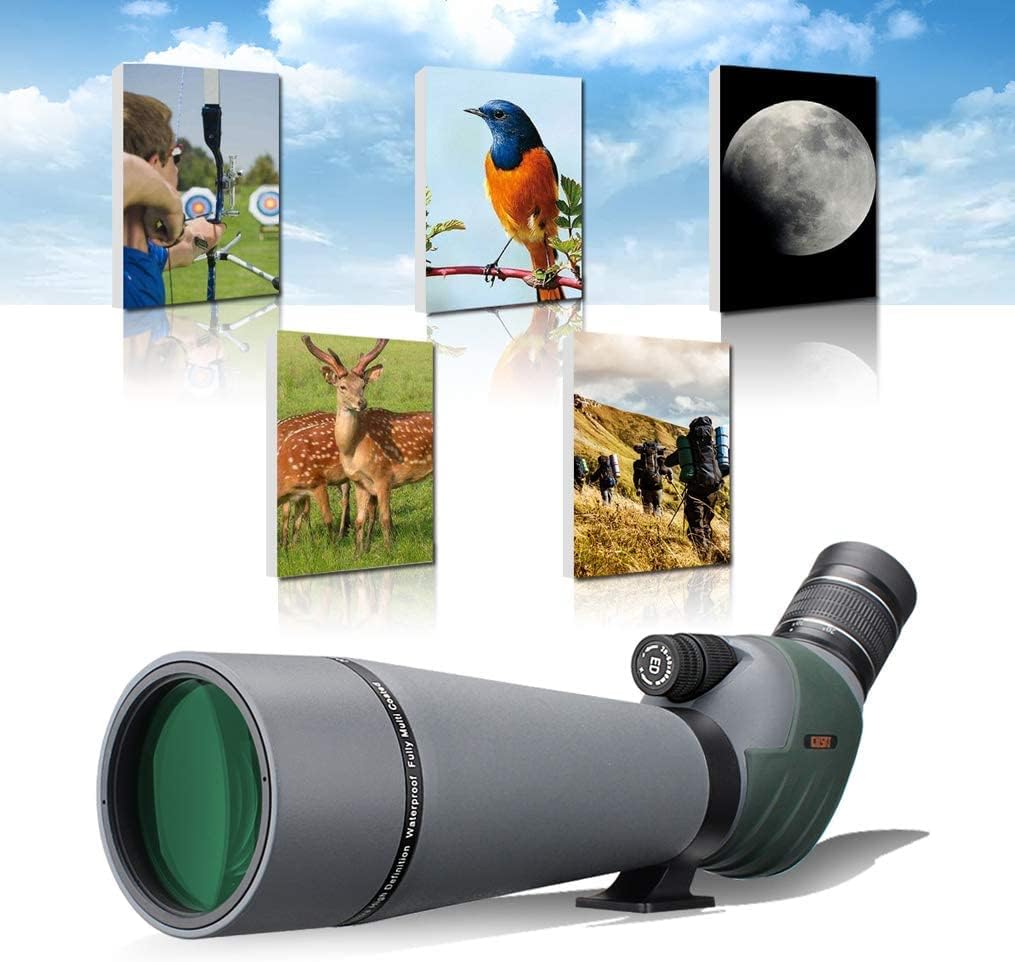
Image: Labeled diagram of the Gosky 20-60x80 Spotting Scope components. Key parts include the eyepiece, dual focusing knobs, objective lens, zoom magnification ring, adjustment collar, and tripod thread.
- High Configuration Eyepiece: 9PCS/5Groups BaK4 Eyepiece.
- Coaxial Dual Speed Focusing Knobs: For precise focus adjustments.
- Advanced FMC 80mm Objective Lens: Main lens for light gathering.
- Variable 20x to 60x Zoom Magnifications: Adjust magnification level.
- Adjustment Collar: For different viewing positions.
- 1/4" x 20 Screw Threads: For connecting to a standard tripod.
Setup
Attaching to a Tripod
For stable viewing, especially at higher magnifications, it is recommended to mount the spotting scope on a sturdy tripod. Locate the 1/4" x 20 screw threads on the bottom of the scope's mounting foot and attach it securely to your tripod's quick-release plate or mounting screw.
Adjusting Viewing Position
The spotting scope features an adjustment collar (part 5 in the diagram) that allows the eyepiece to rotate. Loosen the collar, rotate the eyepiece to a comfortable viewing angle, and then tighten the collar to secure it.

Image: Illustration showing the rotation of the eyepiece for different viewing positions. Arrows indicate the rotational movement of the scope body relative to the tripod mount.
Removing Lens Covers
Remove the objective lens cover and the eyepiece cover before use.
Operation
Adjusting Magnification (Zoom)
Rotate the variable zoom magnification ring (part 4 in the diagram) on the eyepiece to select your desired magnification level, from 20x to 60x. Start with a lower magnification (20x) to locate your target, then increase as needed for more detail.
Focusing
The Gosky spotting scope features a dual-speed focusing system (part 2 in the diagram):
- Fast Focusing Wheel: Use the larger wheel for quick adjustments to bring the image into approximate focus.
- Fine Focusing Wheel: Use the smaller wheel for precise, sharp focusing. This allows for detailed adjustments to achieve maximum clarity.
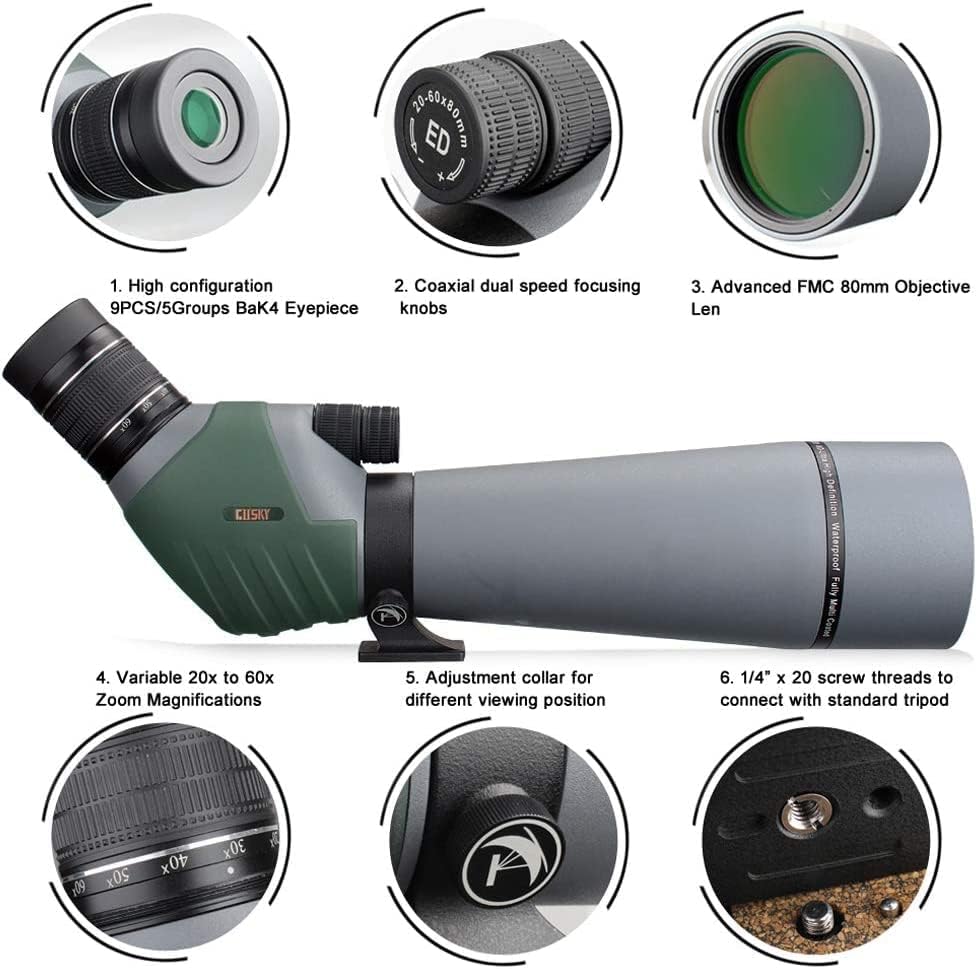
Image: Close-up view of the dual-speed focusing system and eyepiece. This highlights the two coaxial knobs for fast and fine focus adjustments, and the zoom ring.
Eyecup Adjustment
The adjustable eyecup can be folded up or down. Adjust it for comfortable viewing, whether you wear glasses or not. If you wear glasses, fold the eyecup down to see the full field of view.
Using the Smartphone Digiscoping Adapter
Attach the smartphone adapter to the eyepiece to capture photos and videos through the spotting scope. Follow the adapter's specific instructions for mounting your phone and aligning its camera with the eyepiece.
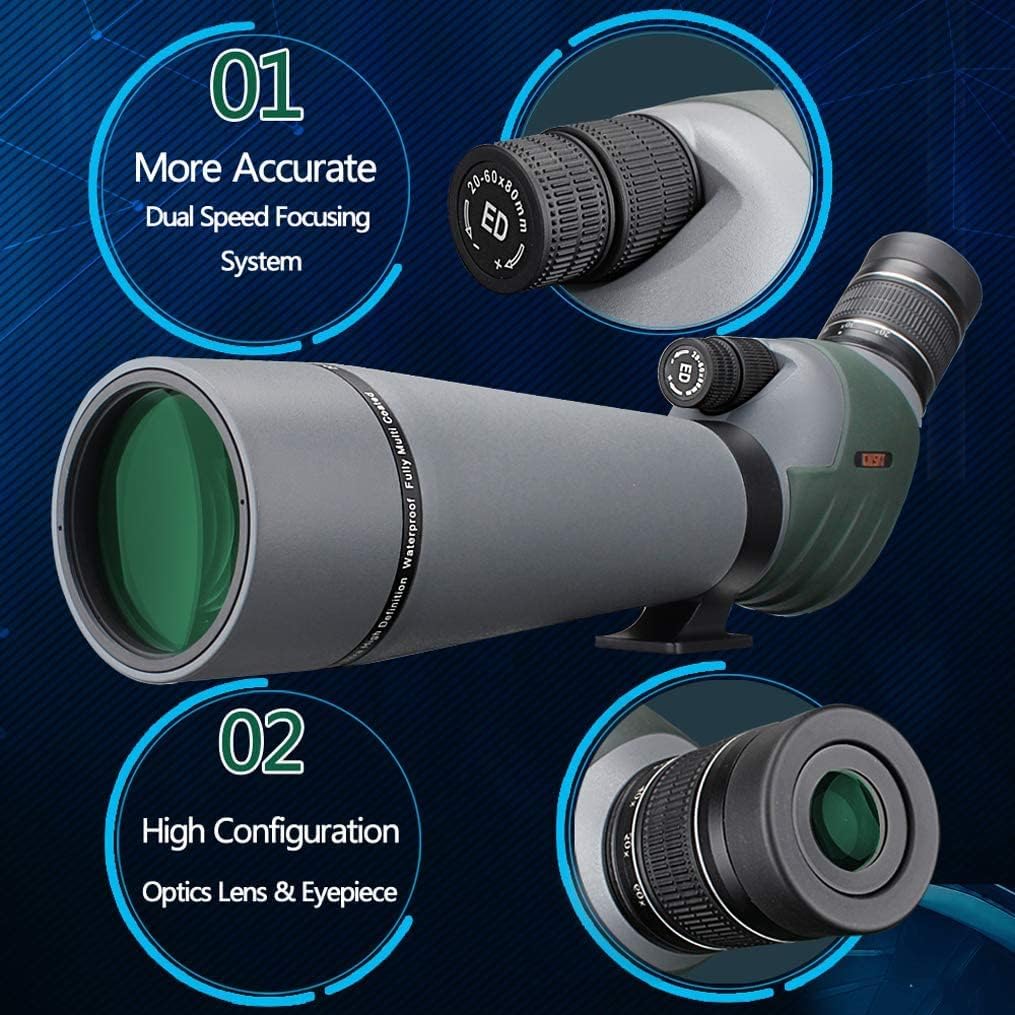
Image: The Gosky spotting scope with a smartphone mounted on the digiscoping adapter, ready for capturing images or videos. This demonstrates how to use the scope for photography.
Maintenance
Cleaning Lenses
Use the provided cleaning cloth or a soft, lint-free cloth specifically designed for optical lenses. Gently wipe the lens surfaces. For stubborn smudges, use a small amount of lens cleaning fluid applied to the cloth, not directly to the lens.
Cleaning Body
Wipe the body of the scope with a soft, damp cloth. Avoid using abrasive cleaners or solvents.
Storage
When not in use, always replace the objective lens and eyepiece covers. Store the spotting scope in its carrying case in a cool, dry place, away from direct sunlight and extreme temperatures.
Waterproof and Fog-proof Features
The scope is nitrogen-filled and O-ring sealed, making it waterproof and fog-proof. While designed to withstand tough environments, avoid submerging it in water for extended periods.

Image: The Gosky spotting scope partially submerged in water, illustrating its IPX7 nitrogen-purged waterproof and fog-proof design. This image highlights the durability of the scope in wet conditions.
Troubleshooting
| Problem | Possible Cause | Solution |
|---|---|---|
| Image is blurry or out of focus. | Incorrect focus adjustment. | Use the dual-speed focusing knobs to adjust for a sharp image. Start with the fast focus, then fine-tune with the slow focus. |
| Dark edges or "tunnel effect" in the view. | Eyecup not adjusted correctly or eye not positioned optimally. | Adjust the eyecup and reposition your eye slightly closer or further from the eyepiece until the full field of view is visible. |
| Image appears dim. | Low light conditions or lens covers still on. | Ensure lens covers are removed. The scope performs best in adequate lighting. |
| Image shakes excessively. | Scope not mounted on a stable surface or tripod. | Always use a sturdy tripod for stable viewing, especially at high magnifications. |
Specifications
- Model: 20-60x80 ED
- Item Model Number: SP-DUAL206080ED
- Magnification: 20x - 60x (Variable Zoom)
- Objective Lens Diameter: 80 mm
- Eyepiece: 9PCS/5Groups BaK4 Prism
- Optics: Fully Multi-Coated (FMC)
- Focus System: Dual Speed Coaxial Focusing
- Waterproof/Fog-proof: Nitrogen Filled, O-ring Sealed (IPX7)
- Mounting: 1/4" x 20 Tripod Thread
- Product Dimensions: 19.69 x 8.07 x 10.04 inches (approx.)
- Item Weight: 4.4 pounds (approx.)
Warranty and Support
For warranty information and customer support, please refer to the documentation included with your purchase or visit the official Gosky website. You can also contact Gosky-Direct, the seller on Amazon, for assistance.
Seller: Gosky-Direct
Protection Plans: Additional protection plans may be available for purchase. Please check the product listing for details.
- 3-Year Protection Plan
- Complete Protect (monthly plan)