Introduction
The Sony WH-CH510 Wireless On-Ear Headphones are designed for uninterrupted music listening throughout the day. These headphones are wireless, lightweight, and offer extended battery life. Their design prioritizes comfort and style.

Image: Sony WH-CH510 Wireless On-Ear Headphones in black, bundled with a USB Bluetooth dongle adapter.
What's in the Box
- Sony WH-CH510 Stamina Wireless On-Ear Headphones (Black)
- USB Bluetooth 5.0 Dongle Adapter
- USB Type-C Charging Cable (included with headphones)

Image: The Sony WH-CH510 headphones shown alongside their included USB-C charging cable.
Setup
Charging the Headphones
Before first use, fully charge your headphones. The WH-CH510 headphones feature a USB Type-C port for charging.
- Connect the supplied USB Type-C cable to the charging port on the left earcup of the headphones.
- Connect the other end of the USB cable to a USB charging adapter or a computer's USB port.
- The indicator light will illuminate during charging and turn off when charging is complete.
A 10-minute quick charge provides up to 90 minutes of playback time. A full charge can provide up to 35 hours of battery life.

Image: Close-up of the USB Type-C charging port on the Sony WH-CH510 headphones, with a charging cable connected.
Pairing with a Bluetooth Device
The WH-CH510 headphones can be paired with your smartphone, tablet, or computer using Bluetooth wireless technology.
- Ensure the headphones are turned off.
- Press and hold the power button (located in the middle of the control buttons on the left earcup) for approximately 7 seconds until the indicator light flashes blue rapidly. This indicates pairing mode.
- On your device (smartphone, tablet, or computer), enable Bluetooth and search for available devices.
- Select "WH-CH510" from the list of found devices.
- Once connected, the indicator light on the headphones will slowly flash blue.
The included USB Bluetooth 5.0 Dongle Adapter can be used to add Bluetooth capability to devices that do not have it, such as desktop computers.

Image: The Sony WH-CH510 headphones displayed next to the USB Bluetooth 5.0 dongle adapter.
Operating the Headphones
Controls
All controls are conveniently located on the left earcup.
- Power Button: Press and hold to turn on/off. Also used for Bluetooth pairing.
- Volume Buttons (+/-): Press to adjust the listening volume.
- Play/Pause/Skip: Use the central button (often the power button itself with short presses) to play/pause music or skip tracks.

Image: A close-up view of the control buttons, including volume and power, located on the left earcup of the Sony WH-CH510 headphones.
Hands-Free Calling and Voice Assistant
The built-in microphone allows for clear hands-free calling. A simple button press connects you to your smartphone's voice assistant for directions, music playback, and contacting others.
Adjusting Fit and Portability
The headphones feature an adjustable headband for a comfortable fit. The swivel earcups allow for easy storage and portability, making them convenient to slip into a bag when on the move.
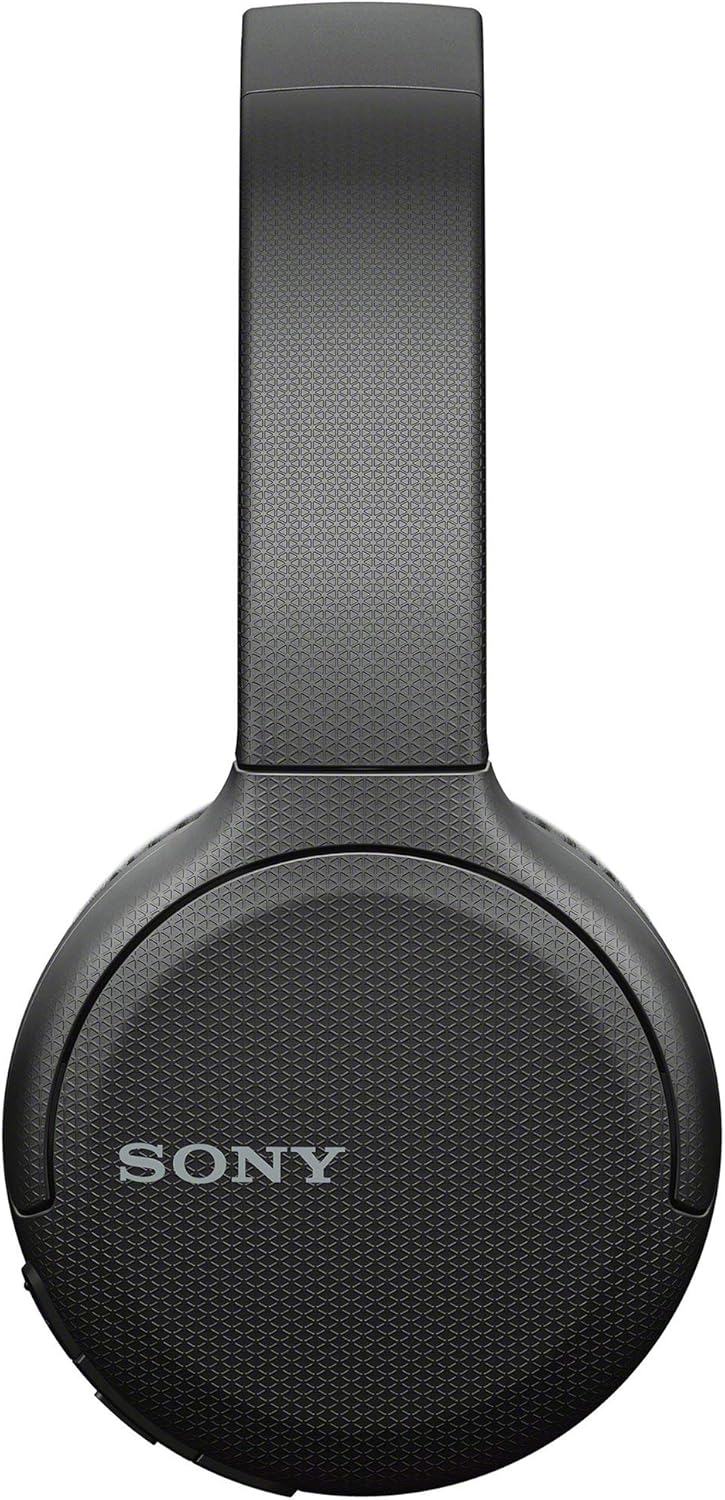
Image: The adjustable headband of the Sony WH-CH510 headphones, demonstrating its flexibility.

Image: The Sony WH-CH510 headphones with their earcups swiveled flat for compact storage.
Maintenance
To ensure the longevity and optimal performance of your Sony WH-CH510 headphones, follow these maintenance guidelines:
- Cleaning: Wipe the headphones with a soft, dry cloth. Do not use abrasive cleaners or solvents.
- Storage: When not in use, store the headphones in a cool, dry place, away from direct sunlight and extreme temperatures. Utilize the swivel earcups to make them more compact for storage.
- Battery Care: Avoid fully discharging the battery frequently. For long-term storage, charge the battery to about 50% every six months to prevent degradation.
- Moisture: These headphones are not water-resistant. Avoid exposure to water, rain, or excessive moisture.
Troubleshooting
If you encounter issues with your headphones, refer to the following common troubleshooting steps:
- No Power: Ensure the headphones are fully charged. Connect them to a power source using the supplied USB Type-C cable.
- Cannot Pair/Connect:
- Make sure the headphones are in pairing mode (rapidly flashing blue indicator light).
- Ensure Bluetooth is enabled on your device and it is within range (typically 10 meters or 33 feet).
- If using the USB Bluetooth Dongle Adapter, ensure it is correctly installed and recognized by your computer. Some users have reported better success with alternative Bluetooth dongles if issues persist.
- Try restarting both the headphones and your Bluetooth device.
- Delete the "WH-CH510" entry from your device's Bluetooth list and attempt to pair again.
- No Sound/Poor Sound Quality:
- Check the volume levels on both the headphones and your connected device.
- Ensure the headphones are selected as the audio output device on your computer or smartphone.
- Move closer to your Bluetooth device to avoid interference.
- If using the dongle, ensure its drivers are up to date.
- Voice Assistant Not Responding: Ensure your smartphone's voice assistant is enabled and properly configured.
Specifications
| Feature | Detail |
|---|---|
| Model Name | WH-CH510 |
| Connectivity Technology | Bluetooth 5.0, Wireless |
| Wireless Communication Technology | Bluetooth |
| Included Components | Headphones, USB Type-C Charging Cable, USB Bluetooth 5.0 Dongle Adapter (as part of bundle) |
| Age Range (Description) | Adult |
| Specific Uses For Product | Sports and Exercise, General Audio |
| Compatible Devices | Bluetooth 5.0 compatible devices |
| Control Type | Voice Control, Button Control |
| Cable Feature | Without Cable (Wireless) |
| Item Weight | 15 ounces (approx. 425 grams) |
| Water Resistance Level | Not Water Resistant |
| Frequency Range | 20 Hz–20,000 Hz |
| Battery Life | Up to 35 Hours |
| Audio Driver Type | Dynamic Driver |
| Earpiece Shape | Rounded, On-Ear |
| Manufacturer | Sony |
| Product Dimensions | 10.3 x 8.3 x 6.8 inches |
| Color | Black |
Warranty and Support
Your Sony WH-CH510 Wireless On-Ear Headphones are covered by Sony's standard warranty. Please retain your proof of purchase for warranty claims.
For products purchased from an authorized USA dealer like Focus Camera, your Sony USA warranty is valid.

Image: Information stating "Focus: Your Trusted Photo Source for Over 50 Years" and "Is an Authorized USA Dealer of Sony. Your Sony USA Warranty is Valid if Purchased from Focus Camera."
For further assistance, technical support, or warranty service, please contact Sony customer support or visit the official Sony support website.
Visit the official Sony Store: Sony Store on Amazon