
1. Introduction
This manual provides comprehensive instructions for the safe and effective use of your Easy@Home Smart Basal Thermometer EBT-300. Please read this manual thoroughly before using the device and retain it for future reference.
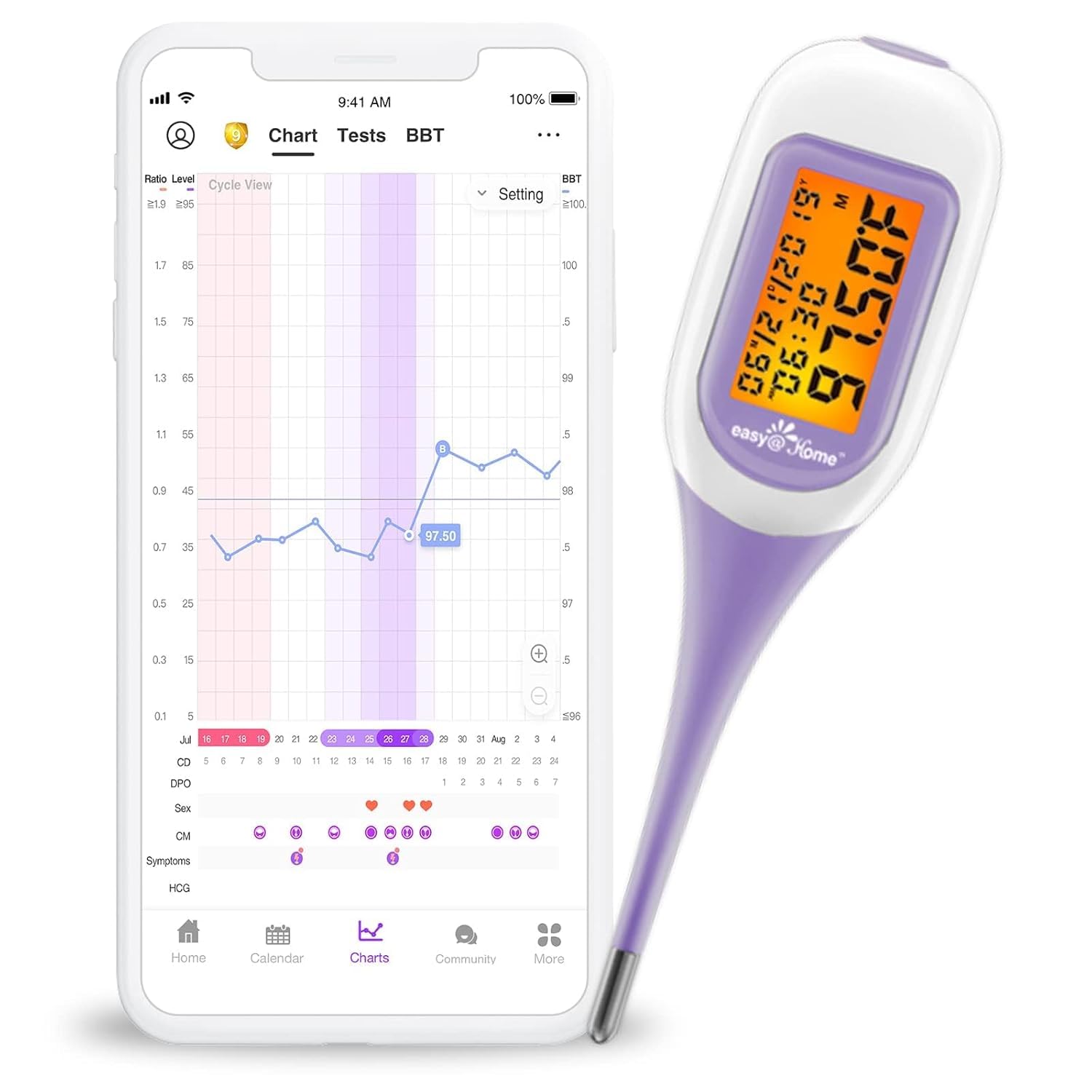
Image 1.1: The Easy@Home Smart Basal Thermometer EBT-300 shown alongside the Premom app interface displaying a basal body temperature chart.
The Easy@Home Smart Basal Thermometer EBT-300 is designed to measure basal body temperature (BBT) with high precision, assisting individuals in tracking their menstrual cycles and identifying fertile windows. It features Bluetooth connectivity for automatic synchronization with the Premom app, enabling convenient charting and analysis of temperature data.
2. Key Features
- Smart & Automatic Charting: Seamlessly syncs with the Premom app to automatically chart Basal Body Temperature (BBT) and generate coverlines for precise BBT spike identification.
- High Measurement Accuracy: Provides clinically accurate readings with a precision of ±0.09℉/±0.05℃.
- Quick Reading: Delivers results in approximately 1.5 to 2 minutes.
- Data Storage: Unlimited record storage on the cloud via your Premom account, with 30 records recallable directly from the device.
- Temperature Unit Selection: Allows switching between Fahrenheit (℉) and Celsius (℃).
- Intelligent Fertility Prediction: The Premom app utilizes an advanced algorithm incorporating BBT, ovulation test results, PdG test results, and period information for accurate fertility window prediction.
- Large Backlit LCD Screen: Ensures easy readability of temperature results, even in low-light conditions.
- Gentle Confirmation Beep: Indicates completion of measurement without requiring a timer.
- Flexible Tip: Designed for comfortable use.
- Waterproof Design: Facilitates easy cleaning and hygiene.

Image 2.1: Visual representation of the Easy@Home Smart Basal Thermometer's key features.
3. Setup Guide
3.1. Initial Preparation
- Unpack the Device: Carefully remove the thermometer from its packaging. Ensure all components, including the storage case, are present.
- Battery Installation: The thermometer comes with a pre-installed Lithium Metal battery. If replacement is needed, refer to the "Maintenance" section.
- Clean the Thermometer: Before first use, wipe the thermometer tip with a soft cloth moistened with rubbing alcohol or soap and water. Refer to the "Maintenance" section for detailed cleaning instructions.
3.2. Premom App Download and Pairing
The Easy@Home Smart Basal Thermometer EBT-300 is designed to work seamlessly with the Premom app for data tracking and analysis.
- Download the Premom App:
- For iOS devices, download from the Apple App Store.
- For Android devices, download from the Google Play Store.
- Create an Account: Open the Premom app and follow the on-screen instructions to create a new user account or log in to an existing one.
- Enable Bluetooth: Ensure Bluetooth is enabled on your smartphone.
- Pair the Thermometer:
- In the Premom app, navigate to the device pairing section (usually found in settings or a dedicated "Connect Device" area).
- Turn on your EBT-300 thermometer by pressing the power button.
- The app should detect the thermometer. Follow the prompts to complete the pairing process.
- A successful pairing will be indicated by a confirmation message in the app and/or a specific icon on the thermometer's display.

Image 3.1: Overview of the setup and data tracking process with the Premom app.
4. Operating Instructions
4.1. Taking a Basal Body Temperature (BBT) Measurement
For accurate BBT readings, it is crucial to measure your temperature at the same time each morning, immediately upon waking, and before any activity (eating, drinking, talking, or getting out of bed).
- Prepare for Measurement: Ensure the thermometer is clean and ready for use.
- Power On: Press the power button to turn on the thermometer. The display will show the last reading briefly, then indicate it's ready for a new measurement.
- Position the Thermometer: Place the flexible tip of the thermometer under your tongue, as far back as comfortable, and close your mouth. Hold it in place without moving.
- Wait for Completion: The thermometer will take approximately 1.5 to 2 minutes to complete the measurement. A gentle beep will sound when the reading is complete, and the final temperature will be displayed on the large backlit LCD screen.
- Record the Reading: Note the temperature displayed. The device will automatically store the last 30 readings.
- Power Off: Press the power button to turn off the thermometer, or it will automatically shut off after a period of inactivity.

Image 4.1: Proper use of the thermometer for morning BBT measurement.
4.2. Syncing Data with Premom App
After taking your temperature, ensure your phone's Bluetooth is on and the Premom app is open to sync the data.
- Open Premom App: Launch the Premom app on your smartphone.
- Turn on Thermometer: Press the power button on your EBT-300 thermometer.
- Automatic Sync: The thermometer will automatically attempt to connect to the app via Bluetooth and upload the latest temperature reading.
- Verify Data: Check the "BBT" or "Chart" section within the Premom app to confirm that your temperature reading has been successfully recorded and charted.

Image 4.2: Automatic data synchronization and charting in the Premom app.
4.3. Interpreting BBT Charts with Premom
The Premom app uses an advanced algorithm to analyze your BBT data along with other fertility signs to predict your fertile window and ovulation day.
- BBT Spike: A sustained rise in BBT typically indicates that ovulation has occurred. The app will automatically generate a "coverline" to help identify this shift.
- Fertile Window: The app will highlight your predicted fertile window based on your BBT and other input data (e.g., ovulation test results).

Image 4.3: Example of an ovulation day identified on a BBT chart within the Premom app.
5. Maintenance
5.1. Cleaning the Thermometer
Regular cleaning ensures hygiene and prolongs the life of your thermometer.
- After Each Use: Wipe the thermometer tip with a soft cloth or cotton swab moistened with rubbing alcohol (70% isopropyl alcohol is recommended) or soap and water.
- Disinfection: For thorough disinfection, you may immerse the tip in rubbing alcohol for a few seconds. Do not immerse the entire thermometer in liquid.
- Drying: Allow the thermometer to air dry completely before storing it in its protective case.
- Do Not Boil: Do not boil the thermometer or clean it with harsh chemical cleaners, as this can damage the device.
5.2. Battery Replacement
The EBT-300 thermometer uses one Lithium Metal battery. When the battery is low, a low battery indicator will appear on the display.
- Locate Battery Compartment: The battery compartment is typically located at the back or side of the thermometer, secured by a small screw or latch.
- Open Compartment: Use a small screwdriver (if applicable) or your fingernail to open the battery compartment cover.
- Remove Old Battery: Carefully remove the old battery. Dispose of used batteries according to local regulations.
- Insert New Battery: Insert a new Lithium Metal battery, ensuring the correct polarity (+/-) as indicated inside the compartment.
- Close Compartment: Securely close the battery compartment cover.
Warning: Keep batteries out of reach of children. Swallowing a coin battery can cause severe internal burns and lead to death. If a battery is swallowed, seek immediate medical attention.
6. Troubleshooting
| Problem | Possible Cause | Solution |
|---|---|---|
| Thermometer does not turn on. | Dead or incorrectly installed battery. | Replace the battery, ensuring correct polarity. |
| Temperature reading is inconsistent or inaccurate. |
|
|
| Thermometer does not connect to Premom app via Bluetooth. |
|
|
| Display backlight turns off too quickly. | Designed behavior to conserve battery. | This is a feature to save battery. The reading is saved and can be recalled. |
7. Specifications
| Feature | Detail |
|---|---|
| Model Number | EBT-300 |
| Measurement Accuracy | ±0.09℉ / ±0.05℃ |
| Connectivity | Bluetooth |
| Display Type | Digital, Large Backlit LCD Screen |
| Memory | Last 30 readings on device, unlimited on Premom app |
| Power Source | 1 Lithium Metal battery |
| Product Dimensions | 0.01 x 0.01 x 0.01 inches (approx. 3.17 ounces) |
| Material | Plastic |
| Special Features | Flexible tip, Waterproof, Switchable ℉/℃ |
| Included Components | Storage Case |
8. Warranty and Support
8.1. Warranty Information
Easy@Home products are manufactured to high-quality standards. For specific warranty details regarding your EBT-300 Smart Basal Thermometer, please refer to the warranty card included with your product or visit the official Easy@Home website. The warranty typically covers manufacturing defects under normal use.
8.2. Customer Support
If you encounter any issues or have questions about your Easy@Home Smart Basal Thermometer EBT-300 or the Premom app, please contact Easy@Home customer service. Experienced customer service agents are available to assist you.
- Online Support: Visit the official Easy@Home website for FAQs, troubleshooting guides, and contact forms.
- Email Support: Refer to your product packaging or the Easy@Home website for the customer support email address.
Please have your model number (EBT-300) and purchase information ready when contacting support.