
1. Introduction
Thank you for purchasing the Kmise Professional USB Condenser Microphone. This microphone is designed to deliver high-quality audio for various applications, including recording, streaming, gaming, and online communication. Its plug-and-play functionality ensures easy setup across multiple operating systems. Please read this manual carefully to ensure proper use and optimal performance.

Image: A person using the Kmise USB microphone in a professional studio environment, demonstrating its application in audio recording.
2. Key Features
- Cardioid Pickup Pattern: Focuses on sound directly in front of the microphone, minimizing background noise and isolating the main sound source.
- High-Quality Sound Chipset: Equipped with a 16mm electret condenser transducer for exquisite sound quality.
- Durable Construction: Features a robust metal body and metal mesh head for longevity.
- Adjustable Metal Stand: Allows for 180-degree rotation and flexible positioning to optimize sound capture.
- Real-time Headphone Monitoring: 3.5mm headphone jack for direct audio monitoring during recording.
- Integrated Controls: Easy-to-use controls for Echo adjustment, Volume control, and a Mute button.
- Plug and Play Connectivity: No drivers required for Mac, PC, Android, and iOS systems.
- USB Transmission Line: Includes a magnetic ring to block interference, ensuring clear audio.
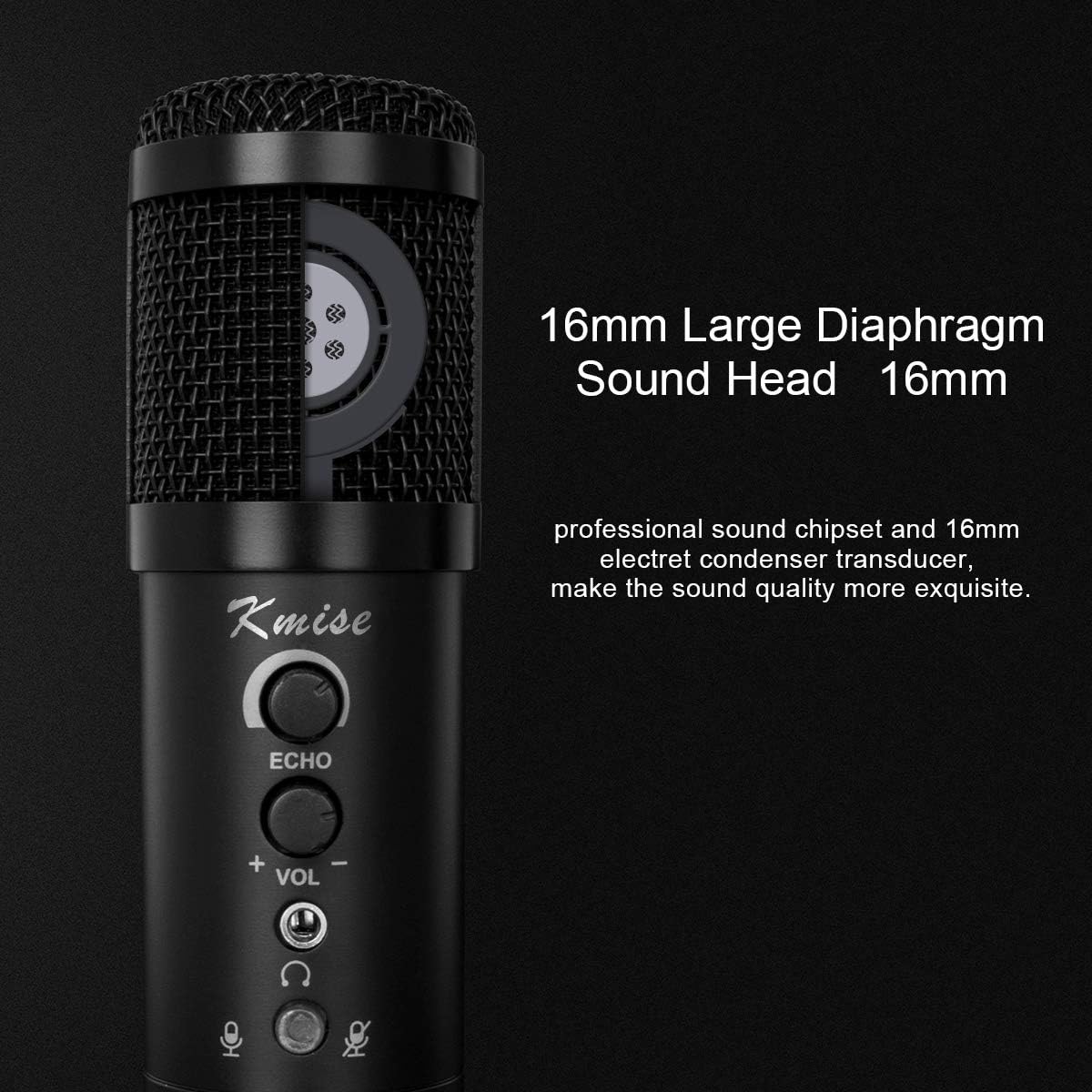
Image: A close-up view of the microphone's internal structure, highlighting the 16mm large diaphragm sound head and professional sound chipset.
3. Package Contents
Please check the package to ensure all items are present:
- Kmise USB Condenser Microphone
- Adjustable Tripod Stand
- USB Cable
- Foam Windscreen
- User Manual

Image: The complete package contents of the Kmise USB Condenser Microphone, showing the microphone, its tripod stand, the USB cable, a foam windscreen, and the product box.
4. Setup Guide
- Attach the Microphone to the Stand: Screw the microphone onto the adjustable tripod stand. Ensure it is securely fastened. The stand allows for 180-degree rotation for optimal positioning.
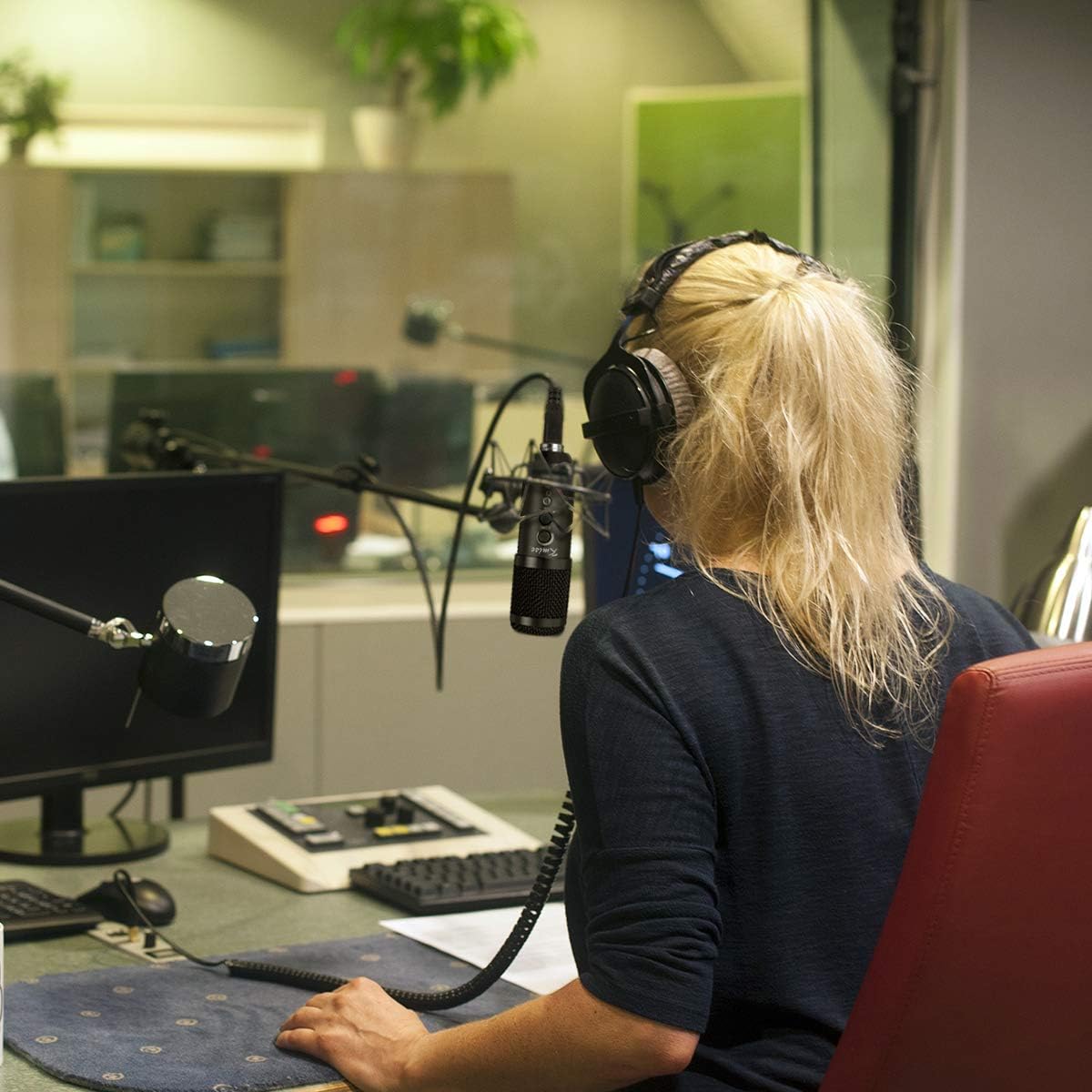
Image: The microphone mounted on its tripod stand, illustrating its 180-degree rotatable installation for flexible positioning.
- Connect the USB Cable: Insert the small end of the provided USB cable into the USB port at the bottom of the microphone.

Image: A detailed view of the microphone's base, highlighting the USB connection port.
- Connect to Computer/Device: Plug the larger end of the USB cable into an available USB port on your computer (PC or Mac), Android device, or iOS device (adapter may be required for some mobile devices).
- Operating System Recognition: The microphone is plug-and-play. Your operating system should automatically detect and install the necessary drivers. No additional software installation is typically required.
- Select as Input Device:
- Windows: Go to Control Panel > Sound > Recording tab. Select "Kmise Microphone" as your default recording device.
- macOS: Go to System Preferences > Sound > Input tab. Select "Kmise Microphone" as your input device.
- Android/iOS: The device should automatically recognize the microphone. You may need to select it within your recording application settings.
- Attach Foam Windscreen: Gently slide the foam windscreen over the microphone head to reduce plosives and wind noise during recording.
5. Operating Instructions
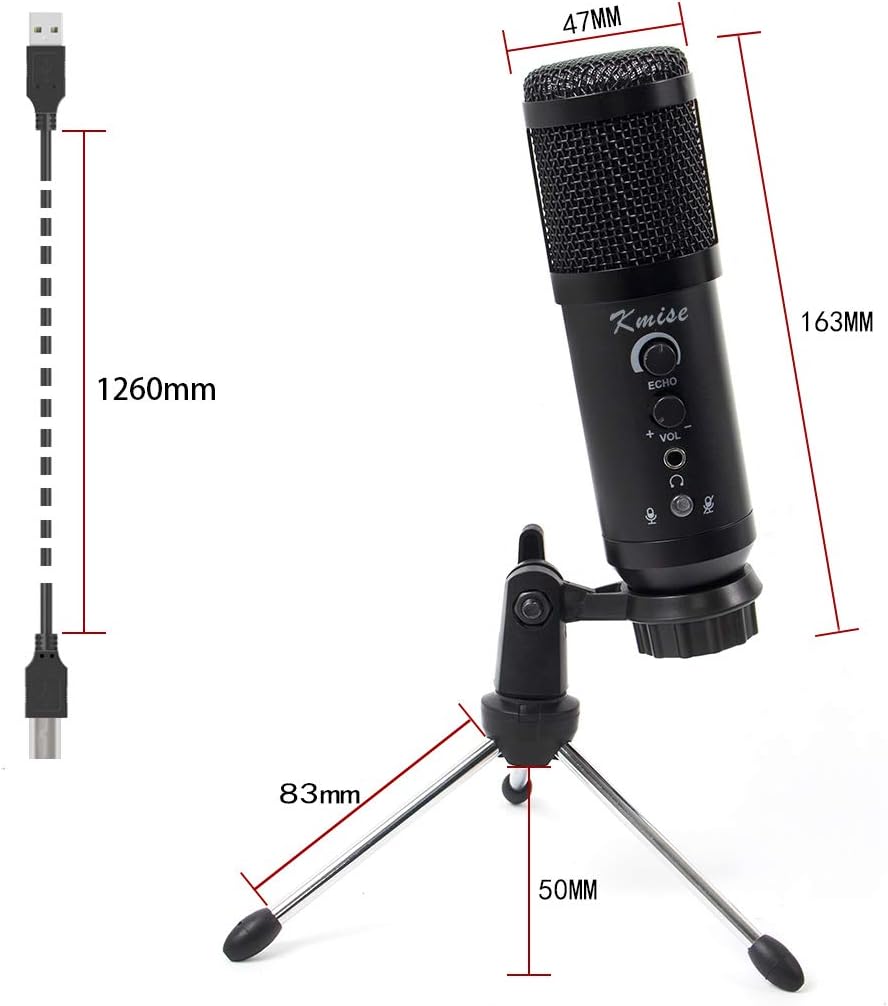
Image: A detailed diagram illustrating the various controls on the Kmise USB microphone, including Echo adjustment, Volume control, Mute button, and the Headphone monitoring jack.
- Echo Control (ECHO knob): Rotate the ECHO knob to adjust the reverb effect. This feature is particularly useful for singing or adding depth to vocals.
- Volume Control (VOL knob): Rotate the VOL knob to increase or decrease the microphone's output volume. Adjust this to achieve the desired recording level.
- Headphone Monitoring (3.5mm Jack): Plug your headphones into the 3.5mm jack at the bottom of the microphone to monitor your audio in real-time. This allows you to hear your voice as it's being recorded without latency.
- Mute Button: Press the mute button to instantly mute or unmute the microphone. The LED indicator will change color (if applicable) to show the mute status.
- Cardioid Polar Pattern: The microphone is designed with a cardioid pickup pattern, meaning it is most sensitive to sounds coming from directly in front of it and less sensitive to sounds from the sides or rear. Position the microphone with the front (where the Kmise logo is visible) facing the sound source for best results.

Image: A visual representation of the microphone's cardioid polar pattern, demonstrating how it reduces unwanted background noise by primarily capturing sound from the front.
6. Maintenance
To ensure the longevity and optimal performance of your Kmise microphone, follow these maintenance guidelines:
- Cleaning: Use a soft, dry cloth to wipe the microphone body. Do not use liquid cleaners or abrasive materials, as they may damage the finish or internal components.
- Storage: When not in use, store the microphone in a clean, dry place away from extreme temperatures, humidity, and direct sunlight.
- Handling: Handle the microphone with care. Avoid dropping it or subjecting it to strong impacts, which can damage the internal capsule.
- Cable Care: Do not bend or crimp the USB cable excessively. Store it neatly to prevent tangles and damage.
7. Troubleshooting
| Problem | Possible Cause | Solution |
|---|---|---|
| No sound output from microphone. |
|
|
| Distorted or low-quality sound. |
|
|
| Microphone not recognized by computer. |
|
|
8. Specifications
| Feature | Detail |
|---|---|
| Model Number | MI3011-KUS |
| Microphone Type | Condenser Microphone |
| Polar Pattern | Cardioid |
| Connectivity | USB |
| Material | Metal |
| Signal-to-Noise Ratio | 78 dB |
| Audio Sensitivity | 45 Decibels |
| Item Weight | 560 Grams |
| Compatible Devices | Laptop, PC, Android, iOS (with adapter) |
| Special Features | Volume Control, Echo Control, Headphone Monitoring, Mute Button |
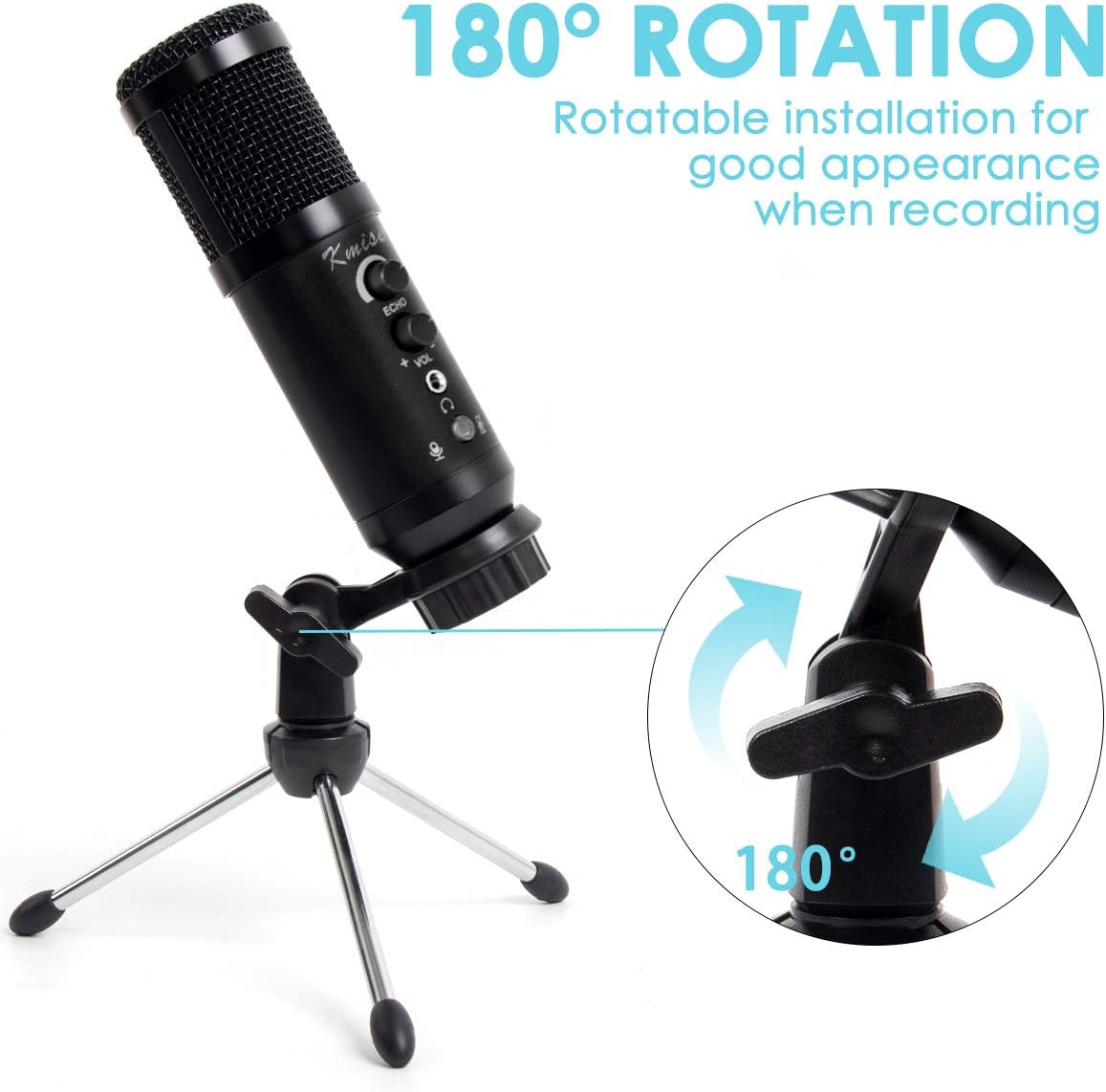
Image: Technical dimensions of the Kmise USB microphone and its accompanying tripod stand, including height, width, and cable length.
9. Warranty and Support
Kmise products are manufactured with high standards of quality. For information regarding warranty coverage, please refer to the warranty card included with your product or visit the official Kmise website. If you encounter any issues or have questions not covered in this manual, please contact Kmise customer support through their official channels or the retailer from whom you purchased the product.
For further assistance, you may visit the Kmise Brand Store on Amazon.