
NWOUIIAY YK002042es
NWOUIIAY 6A 12V Intelligent Automatic Battery Charger User Manual
Model: YK002042es
1. Introduction
Thank you for choosing the NWOUIIAY 6A 12V Intelligent Automatic Battery Charger. This manual provides essential information for the safe and effective operation, maintenance, and troubleshooting of your new battery charger. Please read this manual thoroughly before use and keep it for future reference.
This intelligent charger is designed to maintain and restore 12V lead-acid batteries, ensuring optimal performance and extending battery life for a wide range of vehicles including cars, motorcycles, ATVs, RVs, and boats.
2. Safety Information
WARNING: DO NOT charge lithium batteries with this device. This charger is designed exclusively for 12V lead-acid batteries (AGM, GEL, MF, SLA, VRLA, and flooded).
Always follow these safety precautions to prevent injury or damage:
- Ensure proper ventilation during charging.
- Avoid open flames or sparks near the battery.
- Wear eye protection and gloves when handling batteries.
- Keep out of reach of children.
- Do not expose the charger to rain or excessive moisture.
- Disconnect the power supply before connecting or disconnecting battery clamps.
Built-in Protections:
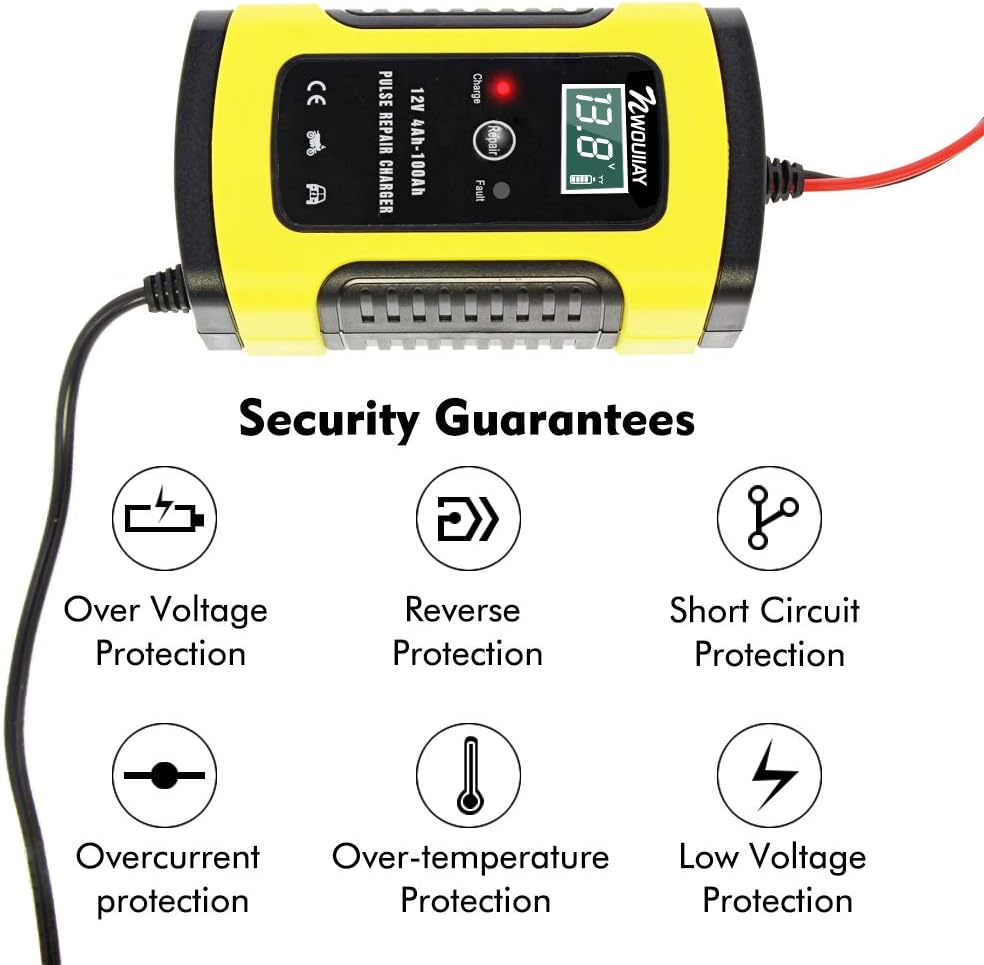
This image illustrates the comprehensive safety features of the charger, including protection against overvoltage, reverse connection, short circuits, overcurrent, over-temperature, and low voltage.
- Overvoltage Protection: Prevents damage from excessive voltage.
- Reverse Connection Protection: Safeguards against incorrect positive/negative terminal connections.
- Short Circuit Protection: Automatically shuts off in case of a short circuit.
- Overcurrent Protection: Protects against excessive current flow.
- Over-temperature Protection: Prevents overheating of the device.
- Low Voltage Protection: Ensures safe operation even with low battery voltage.
3. Product Overview and Features

An overall view of the NWOUIIAY 6A 12V Intelligent Automatic Battery Charger, showing its compact design, battery clamps (red for positive, black for negative), and power plug.
Key Features:
- Intelligent Digital Display: Automatically cycles through and displays current, voltage, and power.
- CPU Precision Control: Ensures intelligent charging without manual adjustments.
- Automatic Stop: Charger automatically stops when the battery is fully charged.
- Repair Function: Helps diagnose and repair battery issues, extending battery life.
- Wide Application: Suitable for various 12V lead-acid batteries in cars, motorcycles, ATVs, RVs, and boats.
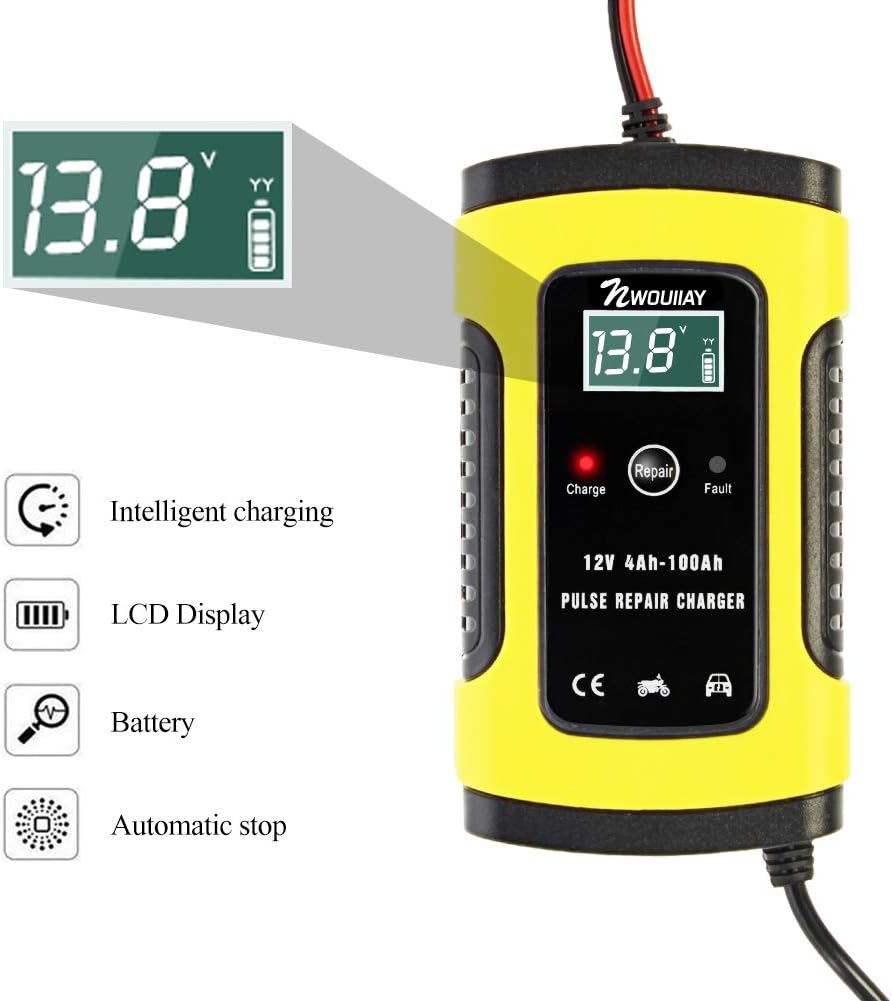
This image highlights the intelligent charging capabilities, LCD display, battery status indicator, and automatic stop feature of the charger.

A close-up of the intelligent LCD display, demonstrating its ability to show real-time temperature, electric current, voltage, and electric quantity (battery charge level).

This image illustrates the broad application range of the charger, suitable for batteries in SUVs, motorcycles, lawn mowers, personal watercraft, vans, and ATVs.
4. Setup
Before connecting the charger, ensure your vehicle is turned off and the ignition key is removed. Follow these steps for proper setup:
- Connect Battery Clamps:
- Connect the RED (+) positive clamp to the positive terminal of the battery.
- Connect the BLACK (-) negative clamp to the negative terminal of the battery.
Note: The charger will automatically detect the battery voltage once connected.
- Connect to Power Outlet: Plug the charger's power cord into a standard 110-240V AC power outlet.

This image shows the charger properly connected to a battery, with the digital display indicating the current battery voltage (e.g., 12.6V).
5. Operating Instructions
The NWOUIIAY charger is designed for ease of use with intelligent automatic functions.
Charging Process:
- Once the battery clamps are correctly connected and the charger is plugged into power, the charger will automatically begin the charging process.
- The intelligent digital display will show real-time charging data, including current, voltage, and battery charge level.
- The charger will automatically stop charging once the battery reaches full capacity, indicated by a 'FUL' message on the display.

This image demonstrates the intelligent charging process and the 'FUL' indicator on the display, signifying a fully charged battery and automatic stop.
Repair Function:
The charger includes a repair button to help recondition and extend the life of older or underperforming batteries.
- Connect the charger to the battery as described in the Setup section.
- Press the 'Repair' button on the charger. The charger will initiate a pulse repair cycle.
- Allow the repair cycle to complete. The duration may vary depending on the battery's condition.
Note: The repair function is most effective on lead-acid batteries that are not severely damaged or completely dead.
Voltage and Current Detection:
You can check the remaining voltage of your battery by simply connecting the battery clamps to the battery without plugging the charger into an AC power source. The display will show the current battery voltage, allowing you to assess if a recharge is needed.
6. Maintenance
To ensure the longevity and optimal performance of your NWOUIIAY battery charger, follow these maintenance guidelines:
- Cleaning: Wipe the charger's exterior with a soft, dry cloth. Do not use harsh chemicals or abrasive cleaners.
- Storage: Store the charger in a cool, dry place when not in use. Keep the clamps clean and free of corrosion.
- Cooling Fan: The charger is equipped with a cooling fan to dissipate heat and extend its service life. Ensure the fan vents are not obstructed during operation.

This image highlights the integrated cooling fan, which helps maintain optimal operating temperature and extends the charger's lifespan by efficiently dissipating heat.
7. Troubleshooting
If you encounter issues with your charger, refer to the following common problems and solutions:
| Problem | Possible Cause | Solution |
|---|---|---|
| Charger not turning on/no display. | No power from outlet; loose connection; faulty power cord. | Check power outlet; ensure power cord is securely plugged in; inspect cord for damage. |
| Charger not charging battery. | Incorrect battery connection (reverse polarity); battery is severely damaged/dead; battery type incompatible. | Ensure correct positive (+) and negative (-) clamp connection; try repair function if battery is not completely dead; confirm battery is 12V lead-acid. |
| Error message on display. | Indicates a protection mechanism has been triggered (e.g., reverse connection, short circuit). | Refer to the Safety Information section for protection types. Disconnect, resolve the issue (e.g., correct clamp connection), and reconnect. |
| Charger gets hot. | Normal during operation; obstructed cooling fan. | Ensure adequate ventilation around the charger; check that cooling fan vents are clear. |
8. Specifications
| Parameter | Value |
|---|---|
| Brand | NWOUIIAY |
| Model Number | YK002042es |
| UPC | 737798449307 |
| Input Voltage | 110-240 V, 50-60 Hz |
| Output Voltage | 12 V |
| Output Current | 6 A (72 W max) |
| Compatible Battery Type | All 12V SLA batteries (Wet, MF, GEL, VRLA, Flooded) |
| Compatible Battery Capacity | 4AH-100AH |
| Material | ABS + PC |
| Operating Temperature | -10 ~ 45 °C (14 ~ 113 °F) |
| Weight | 0.49 kg |
| Dimensions (L x W x H) | 22 x 11.2 x 6.5 cm (approx. 8.7 x 4.4 x 2.6 inches) |
| Color | Yellow & Black |
| Compliance | FCC |

This image provides a visual representation of the charger's dimensions and the approximate lengths of its power cord and battery clamp cables.
9. Warranty and Support
For warranty information and customer support, please refer to the documentation included with your purchase or contact NWOUIIAY directly through their official website or authorized retailers. Keep your purchase receipt as proof of purchase for any warranty claims.
Ask a question about this manual
Ask about setup, troubleshooting, compatibility, parts, safety, or missing instructions. Manuals+ will review the question and use this page’s manual context to help answer it.