
Canon 3829C002
Canon EOS-1D X Mark III User Manual
Model: 3829C002
Introduction
The Canon EOS-1D X Mark III is a professional-grade DSLR camera designed for high-performance still photography and advanced video recording. It features a 20.1 Megapixel Full-frame CMOS sensor and a DIGIC X image processor, enabling exceptional image quality and fast operation. This manual provides essential information for setting up, operating, maintaining, and troubleshooting your camera.
Setup
1. What's in the Box
Upon unboxing, ensure all components are present:
- Canon EOS-1D X Mark III Camera Body
- Battery Pack (LP-E19)
- Battery Charger (LC-E19)
- Power Cable
- Wide Strap
- Interface Cable (USB-C)
- Cable Protector
- Eyecup Eg
- User Manual (this document)
2. Battery Installation
Insert the included LP-E19 battery into the battery compartment located at the bottom of the camera. Ensure it clicks securely into place. Charge the battery fully before first use using the supplied charger.

Image: Bottom view of the camera, highlighting the battery compartment.
3. Memory Card Installation
The EOS-1D X Mark III supports CFexpress cards. Open the memory card slot cover on the side of the camera and insert the CFexpress card(s) until they click. Close the cover firmly.
4. Lens Attachment
Align the red or white index mark on the lens with the corresponding mark on the camera's lens mount. Rotate the lens clockwise until it locks into place with a click.
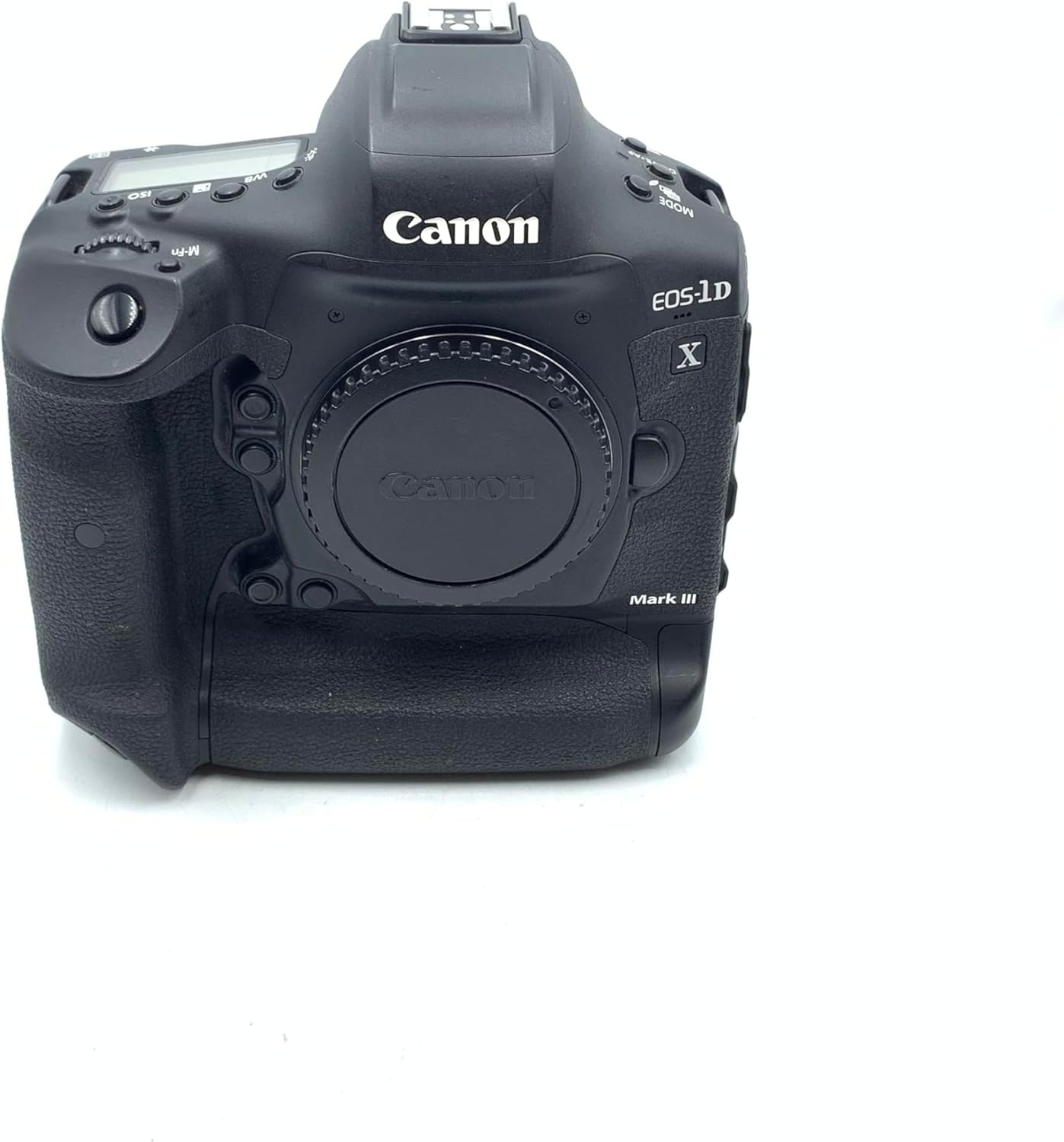
Image: Front view of the camera body, showing the lens mount.
5. WFT-E9A Wireless Adapter Installation
The WFT-E9A Wireless File Transmitter (sold separately) can be attached to the camera for enhanced wireless connectivity. Open the WFT port cover on the side of the camera. Align the adapter's connector with the port and insert it. Rotate the locking mechanism to secure the adapter firmly to the camera body. This adapter allows for high-speed wireless image transfer and remote camera control.

Image: Left side of the camera, highlighting the WFT port for wireless adapter attachment.
Operating the Camera
1. Power On/Off
To power on the camera, rotate the main switch to the ON position. To power off, rotate it to OFF.

Image: Right side of the camera, showing the power switch and ergonomic grip.
2. Basic Controls and Display
Familiarize yourself with the camera's main controls. The top panel features a display for quick access to settings like ISO, White Balance (WB), and Drive/AF modes. The rear panel includes the main LCD screen, viewfinder, and various buttons for menu navigation, playback, and autofocus point selection.

Image: Top view of the camera, displaying the top LCD panel and control layout.

Image: Rear view of the camera, showing the LCD screen, viewfinder, and control buttons.
3. Shooting Modes
The EOS-1D X Mark III offers various shooting modes, including Program AE, Shutter-priority AE, Aperture-priority AE, Manual Exposure, and Custom shooting modes. Select the appropriate mode using the Mode button and main dial.
4. Autofocus System
The camera features a new 191-point AF system with Head Detection AF technology (EOS iTR AF X) for precise subject tracking. In Live View mode, Dual Pixel CMOS AF provides fast and accurate autofocus with up to 3869 manual AF positions and 525 automatic positions. Use the AF-ON button to activate autofocus.
5. Video Recording
The EOS-1D X Mark III is capable of 4K 60p video recording and offers options for 5.5K RAW video or 10-bit video with Canon Log, all recorded internally to CFexpress cards. To start recording, press the Movie shooting button.
6. Wireless Connectivity
With built-in Wi-Fi and the optional WFT-E9A Wireless File Transmitter, you can transfer photos and videos wirelessly to a computer or mobile device. Refer to the camera's on-screen menu for detailed Wi-Fi setup instructions.
Maintenance
1. Cleaning
- Camera Body: Wipe with a soft, dry cloth. For stubborn dirt, use a slightly damp cloth and then dry thoroughly.
- Lens: Use a lens brush to remove dust, then a lens cloth with a specialized lens cleaning solution.
- Sensor: The camera has an integrated self-cleaning sensor unit. For persistent dust, consult a professional service center.
2. Storage
Store the camera in a cool, dry, well-ventilated area, away from direct sunlight and high humidity. Use a desiccant if storing for extended periods.
3. Battery Care
To prolong battery life, avoid extreme temperatures. Store batteries with some charge (not fully charged or fully depleted) if not used for a long time.
Troubleshooting
| Problem | Possible Cause | Solution |
|---|---|---|
| Camera not powering on | Battery depleted or incorrectly inserted. | Charge battery fully. Reinsert battery correctly. |
| Autofocus not working | Lens AF/MF switch set to MF. Low light conditions. | Set lens switch to AF. Use AF assist beam or manual focus. |
| Images appear blurry | Shutter speed too slow. Lens not clean. | Increase shutter speed. Clean lens elements. |
| Wireless transfer issues | Incorrect Wi-Fi settings. Interference. | Verify Wi-Fi settings. Move closer to access point. |
Specifications
- Brand: Canon
- Model Name: Canon EOS-1D X MARK III Body
- Item Model Number: 3829C002
- Product Dimensions: 9.5 x 7.9 x 7.8 inches
- Item Weight: 2.76 pounds
- Photo Sensor Technology: CMOS
- Maximum Webcam Image Resolution: 20.1 MP
- Compatible Mountings: Canon EF
- Image Stabilization: Digital
- Supported File Format: JPEG, Raw, HEIF
- Expanded ISO Minimum: 100
- Metering Description: Center-Weighted Average, Evaluative, Partial, Spot
- Batteries: 1 Lithium Ion batteries required. (included)
- Manufacturer: Canon USA
- Date First Available: January 30, 2020
Warranty and Support
For warranty information and technical support, please refer to the official Canon USA website or contact Canon customer service directly. Keep your proof of purchase for warranty claims.
Online Resources: Canon USA Support