
1. Introduction
This manual provides essential information for the safe and effective installation, operation, and maintenance of the FUJI SC-E03 AC 220V Contactor. Please read this manual thoroughly before attempting to install or operate the device. Keep this manual for future reference.
2. Safety Information
WARNING: Electrical shock hazard. Installation and maintenance should only be performed by qualified personnel.
- Always disconnect power before installing, servicing, or removing the contactor.
- Ensure all wiring complies with local and national electrical codes.
- Verify the voltage and current ratings of the contactor match the application requirements.
- Do not operate the contactor if it appears damaged.
- Wear appropriate personal protective equipment (PPE) when working with electrical systems.
3. Product Overview
The FUJI SC-E03 is an AC contactor designed for switching electrical power circuits. It is commonly used for controlling electric motors, heating elements, lighting, and other electrical loads. This model operates on an AC 220V coil voltage.
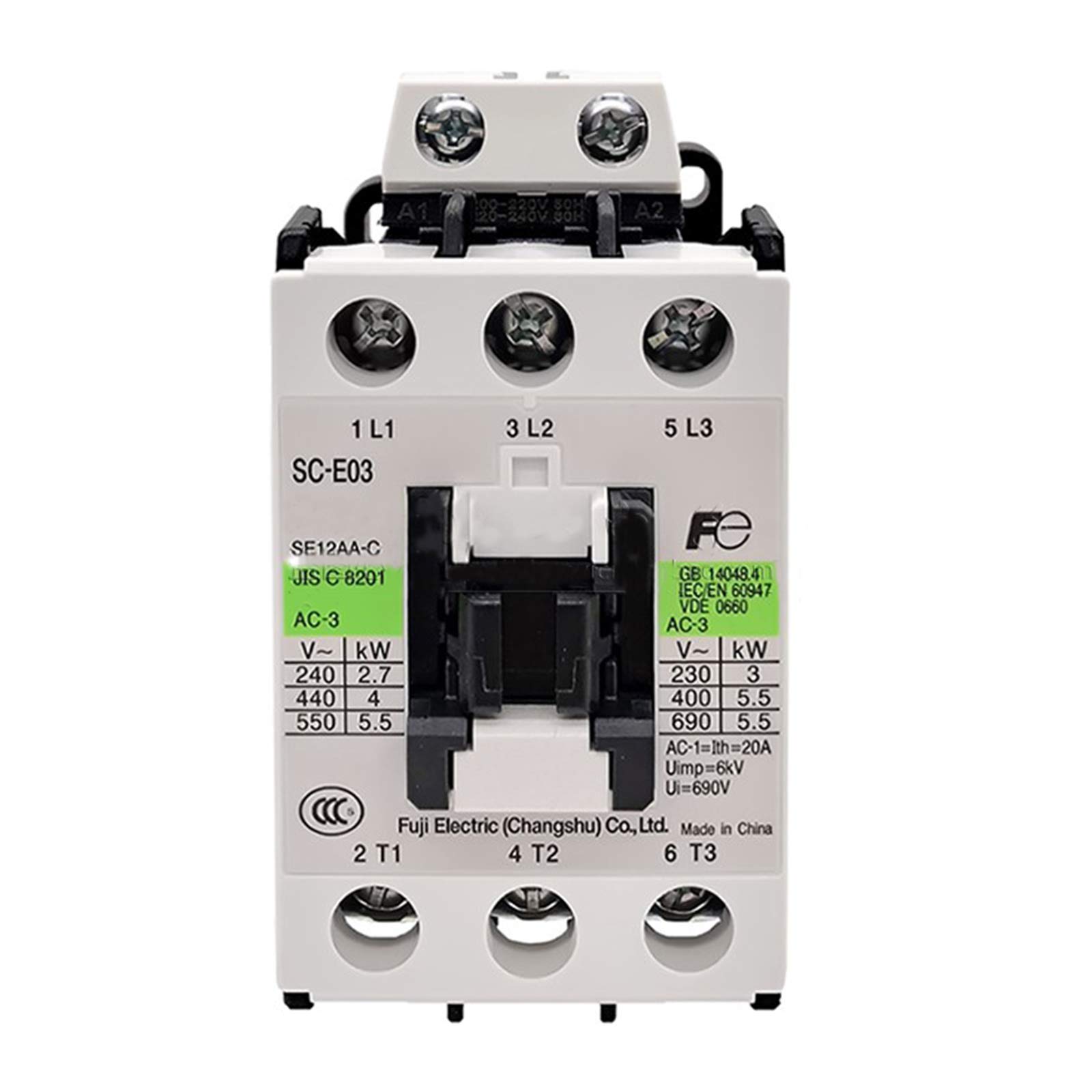
Figure 3.1: Front view of the FUJI SC-E03 Contactor, showing the main terminals (1 L1, 3 L2, 5 L3, 2 T1, 4 T2, 6 T3) and coil specifications.

Figure 3.2: Side view of the FUJI SC-E03 Contactor, displaying detailed electrical specifications and compliance markings.
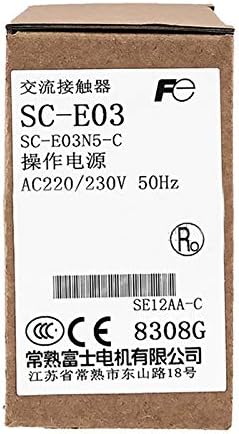
Figure 3.3: Packaging for the FUJI SC-E03 Contactor, showing model number and operational voltage.
4. Specifications
| Specification | Value |
|---|---|
| Manufacturer | Carus Tool |
| Part Number | SC-E03 220V |
| Material | Metal |
| Item Package Quantity | 1 |
| Number Of Pieces | 1 |
| ASIN | B082XMT9KC |
| Date First Available | December 20, 2019 |
5. Setup and Installation
Proper installation is crucial for the safe and reliable operation of the contactor. Consult a qualified electrician for installation if you are not experienced with electrical wiring.
5.1 Pre-Installation Checks
- Ensure the power supply is disconnected and locked out.
- Verify the contactor's voltage and current ratings match your application.
- Inspect the contactor for any physical damage.
5.2 Mounting
The contactor can typically be mounted on a DIN rail or directly to a panel using screws. Ensure it is securely fastened in a well-ventilated enclosure, away from excessive heat, moisture, or corrosive environments.
5.3 Wiring
- Connect the main power supply lines to the input terminals (L1, L2, L3).
- Connect the load lines to the output terminals (T1, T2, T3).
- Connect the control circuit wires to the coil terminals (A1, A2). Ensure the control voltage matches the coil voltage (AC 220V for this model).
- Tighten all terminal screws to the recommended torque to prevent loose connections and overheating.
- Double-check all wiring for correctness and security before restoring power.
6. Operating Instructions
The FUJI SC-E03 contactor operates by energizing its coil, which in turn closes the main power contacts, allowing current to flow to the connected load. When the coil is de-energized, the contacts open, interrupting the power flow.
- Energizing the Coil: Apply the rated control voltage (AC 220V) across the coil terminals (A1 and A2). You should hear a distinct click as the contacts close.
- De-energizing the Coil: Remove the control voltage from the coil terminals. The contacts will open, and the click sound will be heard again.
- Monitoring: Periodically check the contactor for unusual noises, excessive heat, or discoloration, which may indicate a problem.
7. Maintenance
Regular maintenance helps ensure the longevity and reliable operation of your contactor. Always disconnect power before performing any maintenance.
- Cleaning: Keep the contactor free from dust, dirt, and debris. Use a dry, soft brush or compressed air to clean the exterior. Do not use liquids.
- Terminal Inspection: Periodically check all terminal connections for tightness. Loose connections can cause overheating and arcing.
- Contact Inspection: While power is disconnected, visually inspect the main contacts for excessive wear, pitting, or carbon buildup. If contacts are severely worn, the contactor should be replaced.
- Arc Chutes: Ensure arc chutes are clear and free from obstructions.
8. Troubleshooting
If the contactor is not functioning as expected, refer to the following troubleshooting guide. Always ensure power is disconnected before inspecting the device.
| Problem | Possible Cause | Solution |
|---|---|---|
| Contactor does not energize (no click) | No control voltage to coil; Incorrect coil voltage; Damaged coil; Loose wiring. | Check control circuit power supply; Verify coil voltage matches supply; Test coil resistance; Inspect and tighten wiring. |
| Contactor hums loudly or overheats | Incorrect coil voltage; Mechanical obstruction; Shorted turns in coil; Loose connections. | Verify coil voltage; Check for foreign objects; Replace contactor if coil is faulty; Tighten terminals. |
| Contacts do not close fully or weld shut | Excessive load current; Worn contacts; Mechanical fault. | Reduce load or use higher rated contactor; Replace contactor. |
| Contactor trips circuit breaker | Short circuit in load; Contactor fault. | Inspect load for short circuits; Test contactor for internal faults; Replace if faulty. |
9. Warranty and Support
For warranty information or technical support regarding your FUJI SC-E03 AC 220V Contactor, please refer to the documentation provided at the point of purchase or contact Carus Tool customer service directly. Keep your purchase receipt as proof of purchase.