1. Introduction
This manual provides detailed instructions for the setup, operation, and maintenance of your Srihome SH024 Wireless Outdoor IP Security Camera. The SH024 is a 3MP Full HD 1296p camera designed for outdoor surveillance, featuring Wi-Fi connectivity, motion detection, and enhanced night vision.
Important Note: This camera supports 2.4GHz Wi-Fi networks only. It does not support 5GHz Wi-Fi networks.

2. Package Contents
Verify that all items are present in your package:
- 1x Srihome SH024 1296p Full HD Wifi Security Camera
- 1x Power Adapter
- 1x Quick User Guide
- 1x Screw accessories bag (for mounting)
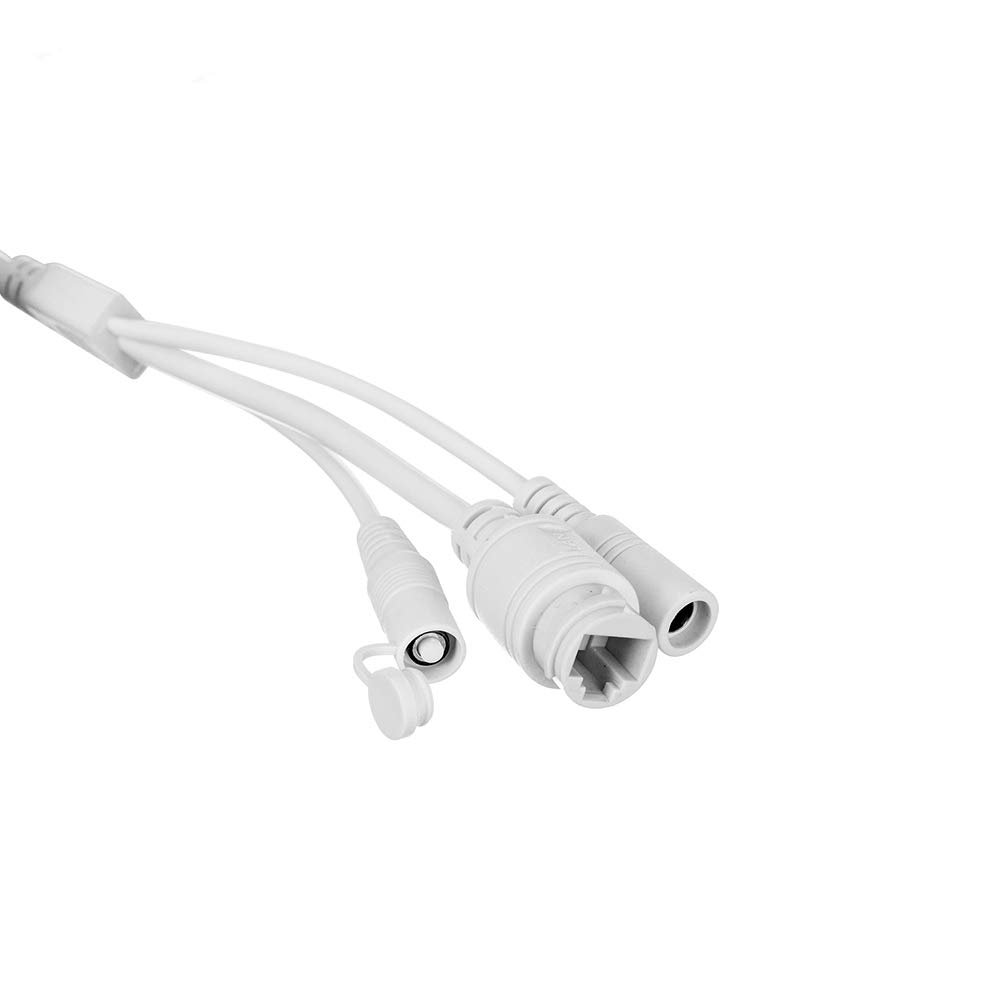
3. Setup and Installation
- Power Connection: Connect the camera to a power source using the provided power adapter.
- App Download: Download the "SriHome" application from your device's app store (available for iOS and Android).
- Account Registration: Register an account within the SriHome app.
- Camera Pairing: Follow the in-app instructions to add your SH024 camera. Ensure your mobile device is connected to a 2.4GHz Wi-Fi network during this process. The camera does not support 5GHz Wi-Fi.
- Mounting: The camera is IP66 waterproof and suitable for both indoor and outdoor installation. Use the provided screw accessories to securely mount the camera to a wall or desired surface. The metal body ensures durability.
- SD Card Installation (Optional): The camera supports a MicroSD card up to 128GB for local storage. A 32GB SD card can record approximately 3 days of continuous 24/7 footage. Insert the SD card into the designated slot.

Offline Monitoring with AP Hotspot: The camera can generate an AP Hotspot automatically. You can connect to this hotspot and monitor the camera normally even when it is offline from your main Wi-Fi network.
4. Operation
- Live View: Access live video feed 24/7 through the SriHome app on your iOS or Android device. You can view up to 4 cameras simultaneously on one mobile phone.
- Motion Detection & Alerts: Configure motion detection zones within the app. When motion is detected, the camera will send notifications to your phone.
- Night Vision: The camera features built-in IR LEDs (850nm) for clear night vision up to 10 meters (32 feet) in complete darkness.
- Two-Way Audio: Utilize the integrated microphone and speaker for two-way communication, allowing you to hear audio from the camera's location and speak through the camera.
- Multi-User Management: Share camera access with family members or friends. You can define each user as an operator or guest and hide specific private areas from guest users.
- Recording: Footage can be recorded to an installed MicroSD card. The camera uses unique encryption technology to secure stored content.

5. Maintenance
- Cleaning: Regularly clean the camera lens and housing with a soft, damp cloth to ensure clear image quality. Avoid abrasive cleaners.
- Firmware Updates: Check the SriHome app periodically for firmware updates to ensure optimal performance and security.
- SD Card Management: If using an SD card for recording, consider formatting it periodically through the app to maintain performance and prevent data corruption.
- Physical Inspection: For outdoor installations, periodically inspect the mounting bracket and cables for any signs of wear or corrosion, especially after severe weather conditions.
6. Troubleshooting
| Issue | Possible Cause / Solution |
|---|---|
| Camera not connecting to Wi-Fi |
|
| Recording skips or is inconsistent |
|
| Motion detection not working or inaccurate |
|
| Cannot manually set time/date | The camera automatically synchronizes time and date when connected to the internet. Ensure a continuous internet connection for accurate timekeeping. |
| General issues / Need assistance | For further assistance, please contact Srihome customer support. |
7. Specifications
| Feature | Detail |
|---|---|
| Model | SH024 |
| Resolution | 3.0MP, 2304x1296p (Full HD) |
| Lens | 3.6mm, 85° Viewing Angle |
| Night Vision | 850nm Infrared LEDs, up to 10 meters (32 feet) |
| Wireless Connectivity | Wi-Fi (2.4GHz only), WPA2 encryption, IEEE802.11b/g/n |
| Wired Connectivity | Ethernet LAN Port |
| Storage | MicroSD Card (up to 128GB) |
| Water Resistance | IP66 Rated |
| Material | Metal Body |
| Power Consumption | 3.5 Watts |
| Frame Rate | 20 frames per second |
| Video Format | AVI |
| Control Method | SriHome App (iOS & Android) |
| Dimensions (LxWxH) | 15 x 10 x 5 Centimeters |
| Weight | 400 Grams |
8. Warranty and Support
Warranty: This Srihome SH024 camera comes with a 6-month warranty from the date of purchase.
Support: For technical assistance, troubleshooting, or warranty claims, please refer to the contact information provided in your Quick User Guide or visit the official Srihome website for customer support details.


