
YUSTDA TNS30W-xy-z
YUSTDA AC/DC Adapter User Manual
Model: TNS30W-xy-z
1. Introduction
This user manual provides essential information for the safe and effective use of your YUSTDA AC/DC Adapter, Model TNS30W-xy-z. This adapter is designed to provide reliable power to compatible devices, specifically Wohome S11, S28, and S29 2.1 Channel Bluetooth TV Soundbars. Please read this manual thoroughly before using the product.
2. Product Overview
The YUSTDA AC/DC Adapter is a high-quality power supply unit featuring robust construction and multiple safety protections. It is designed for worldwide input voltage compatibility.
2.1 Components
- AC/DC Adapter Unit: The main power conversion brick.
- AC Input Cable: Connects the adapter to a wall outlet.
- DC Output Cable: Connects the adapter to your device.
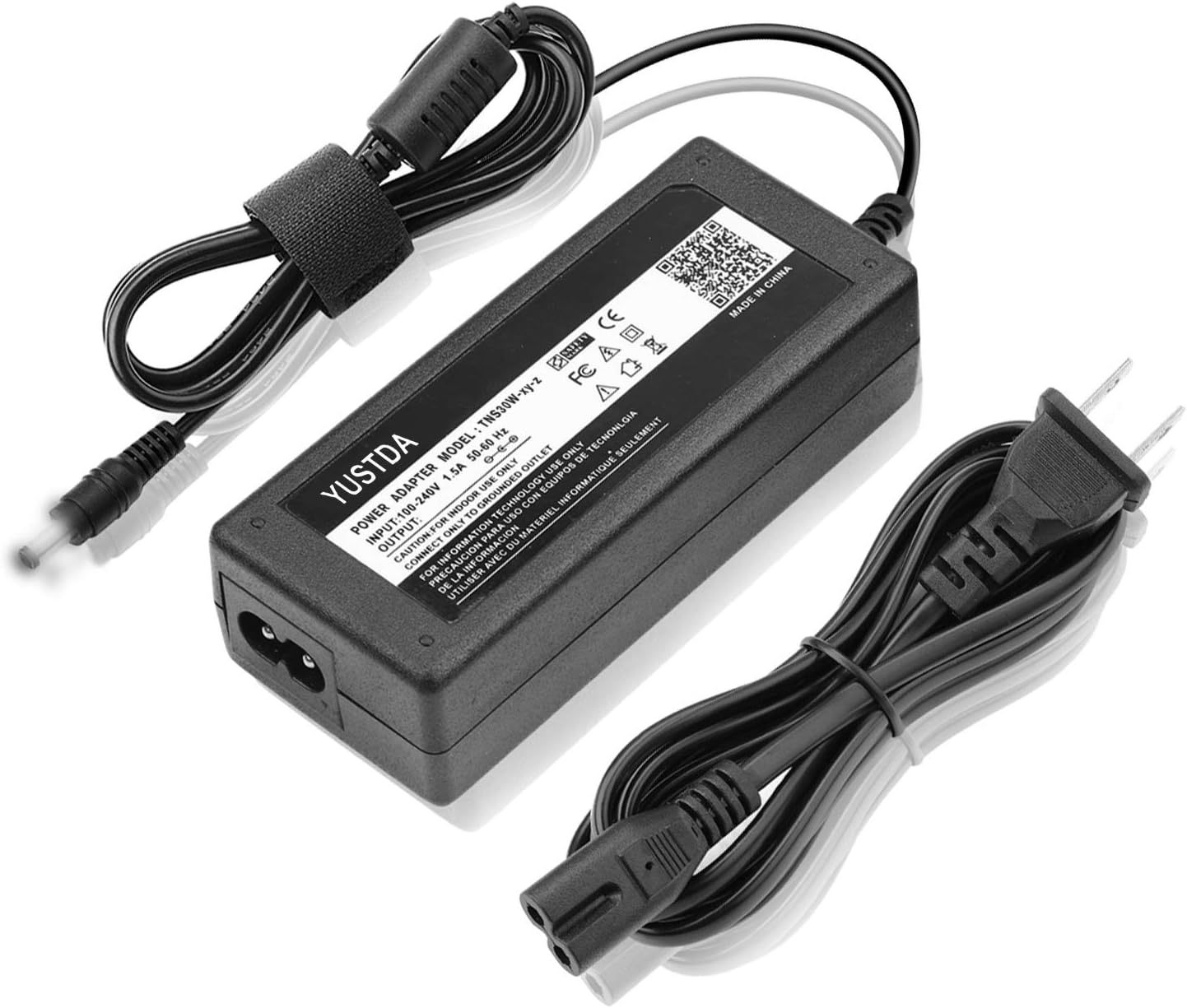
Figure 2.1: YUSTDA AC/DC Adapter with its associated power and output cables.

Figure 2.2: Detailed view of the adapter unit, highlighting its compact design and labeling.
2.2 Key Features
- Wide Input Voltage: Supports 100-240VAC, 50/60Hz for global use.
- Compatibility: Specifically designed for Wohome S11, S28, S29 2.1 Channel Bluetooth TV Soundbars.
- Extended Cable Length: Total 10 Ft (approximately 3 meters) long power cord for flexible placement.
- Safety Protections: Includes Over Current Protection, Total Power Protection, Over Voltage Protection, and Short Circuit Protection.
- Quality Construction: Manufactured with high-quality materials and certified by FCC, CE, and RoHS.
- Anti-interference Ring: Integrated magnetic ring on the output cable for improved signal stability.

Figure 2.3: Illustration of the high-quality power cable design, featuring copper wire and PVC insulation.

Figure 2.4: Diagram illustrating the cable lengths and the anti-interference magnetic ring for stable operation.

Figure 2.5: Visual representation of the multiple safety protections integrated into the adapter design.

Figure 2.6: The adapter's durable and compact design, ideal for various environments.
3. Setup and Connection
Follow these steps to properly connect your YUSTDA AC/DC Adapter to your device.
- Verify Compatibility: Ensure your device is a Wohome S11, S28, or S29 soundbar, or another device requiring a 20V DC power input with a compatible barrel connector.
- Connect to Device: Insert the DC output connector of the adapter firmly into the power input port of your soundbar.
- Connect to Power Outlet: Plug the AC input cable into the adapter unit, then plug the other end of the AC input cable into a standard wall power outlet (100-240VAC).
- Power On: Once connected, the adapter will supply power to your device. The LED indicator on the adapter unit will illuminate, indicating it is receiving power.
Important: Always ensure the adapter is connected to the device before plugging it into the wall outlet.
4. Operation
The YUSTDA AC/DC Adapter operates automatically once connected to a power source and a compatible device. It provides a stable 20V DC output to power your soundbar.
- The adapter is designed for continuous operation.
- An illuminated LED on the adapter indicates active power supply.
- The built-in safety features protect both the adapter and your connected device from electrical anomalies.
5. Safety Information and Precautions
To ensure safe operation and prevent damage, please observe the following precautions:
- Indoor Use Only: This adapter is designed for indoor use in dry locations. Do not expose it to water, rain, or excessive humidity.
- Proper Voltage: Ensure the wall outlet voltage is within the adapter's specified input range (100-240VAC).
- Grounding: Connect only to grounded outlets.
- Avoid Overloading: Do not connect devices that exceed the adapter's maximum output wattage (24W).
- Cable Care: Do not place heavy objects on the power cord. Avoid bending, twisting, or pulling the cord excessively.
- Ventilation: Ensure adequate ventilation around the adapter. Do not cover it or place it in an enclosed space that could lead to overheating.
- Disconnection: Disconnect the adapter from the power outlet when not in use for extended periods.
- No Disassembly: Do not attempt to open or repair the adapter. Refer all servicing to qualified personnel.
- Children and Pets: Keep the adapter and its cables out of reach of children and pets.
6. Maintenance and Care
The YUSTDA AC/DC Adapter requires minimal maintenance. Follow these guidelines to ensure its longevity:
- Cleaning: Disconnect the adapter from power before cleaning. Use a soft, dry cloth to wipe the surface. Do not use liquid cleaners or aerosols.
- Storage: Store the adapter in a cool, dry place when not in use. Avoid extreme temperatures.
- Inspection: Periodically inspect the cables and connectors for any signs of damage, fraying, or loose connections. If damage is found, discontinue use and replace the adapter.
7. Troubleshooting
If you encounter issues with your YUSTDA AC/DC Adapter, refer to the following common problems and solutions:
| Problem | Possible Cause | Solution |
|---|---|---|
| Adapter LED is off, device not powering on. | No power from wall outlet; loose connection; faulty adapter. | Check wall outlet with another device. Ensure all connections are secure. If problem persists, the adapter may need replacement. |
| Device powers on intermittently or not stably. | Loose connection; insufficient power; faulty adapter. | Ensure all connections are firm. Verify device power requirements match adapter output. Replace adapter if necessary. |
| Adapter feels excessively hot. | Poor ventilation; overloaded; internal fault. | Ensure adapter is in a well-ventilated area. Disconnect and check if the connected device exceeds 24W. Discontinue use if overheating persists and contact support. |
If the issue is not resolved by the above steps, please contact customer support.
8. Specifications
| Feature | Detail |
|---|---|
| Model Number | TNS30W-xy-z |
| Input Voltage | 100-240VAC, 50/60Hz |
| Output Voltage | 20V DC |
| Wattage | 24 Watts (Max) |
| Cable Length | Total 10 Ft (approx. 3 meters) |
| Compatible Devices | Wohome S11, S28, S29 2.1 Channel Bluetooth TV Soundbars |
| Safety Features | Over Current Protection, Total Power Protection, Over Voltage Protection, Short Circuit Protection |
| Certifications | FCC, CE, RoHS |
| Dimensions (Adapter Unit) | Approx. 6.93 x 4.25 x 1.57 inches (Package Dimensions) |
| Weight | Approx. 9.6 ounces |
9. Warranty and Customer Support
For any questions, concerns, or issues regarding your YUSTDA AC/DC Adapter, please do not hesitate to contact our customer support team.
Email: epcustomerservice@yahoo.com
Please provide your product model number (TNS30W-xy-z) and a detailed description of your issue when contacting support.