
1. Introduction
Thank you for choosing the Genius Invictus One Version 1.0 Handheld Vacuum Cleaner. This compact, cordless, and lightweight device is designed for quick and efficient cleaning tasks. Featuring a high-performance BLDC motor and a dual filtration system, it provides powerful suction for various surfaces. This manual provides essential information for safe operation, maintenance, and optimal performance of your vacuum cleaner. Please read it thoroughly before first use and keep it for future reference.
2. Safety Instructions
To reduce the risk of fire, electric shock, or injury, please observe the following safety precautions:
- Read all instructions before using the appliance.
- Do not use outdoors or on wet surfaces.
- Do not allow to be used as a toy. Close attention is necessary when used by or near children.
- Use only as described in this manual. Use only manufacturer's recommended attachments.
- Do not use with a damaged cord or plug. If appliance is not working as it should, has been dropped, damaged, left outdoors, or dropped into water, return it to a service center.
- Do not pull or carry by cord, use cord as a handle, close a door on cord, or pull cord around sharp edges or corners. Do not run appliance over cord. Keep cord away from heated surfaces.
- Do not unplug by pulling on cord. To unplug, grasp the plug, not the cord.
- Do not handle plug or appliance with wet hands.
- Do not put any object into openings. Do not use with any opening blocked; keep free of dust, lint, hair, and anything that may reduce airflow.
- Keep hair, loose clothing, fingers, and all parts of body away from openings and moving parts.
- Do not pick up anything that is burning or smoking, such as cigarettes, matches, or hot ashes.
- Do not use to pick up flammable or combustible liquids, such as gasoline, or use in areas where they may be present.
- Do not pick up toxic material, such as chlorine bleach, ammonia, or drain cleaner.
- Do not use without dust bin and filters in place.
- Turn off all controls before unplugging.
- Use extra care when cleaning on stairs.
- Do not charge the unit outdoors.
- Use only the charger specified by the manufacturer.
3. Package Contents
Carefully unpack your Genius Invictus One and ensure all components are present and in good condition. The package includes:
- 1x Main Unit (Handheld Vacuum Cleaner)
- 1x Dust Bin
- 1x Brush Nozzle
- 1x HEPA Filter
- 1x 18/10 Stainless Steel Filter
- 1x Charging Station
- 1x Crevice Tool
- 1x Charging Cable

4. Product Overview
Familiarize yourself with the different parts of your Invictus One handheld vacuum cleaner.
- Main Unit: Contains the motor, battery, and power button.
- Dust Bin: Transparent container for collecting dust and debris.
- Filter System: Consists of an 18/10 stainless steel pre-filter and a HEPA filter for efficient dust capture.
- Brush Nozzle: Ideal for cleaning upholstery, car interiors, and delicate surfaces.
- Crevice Tool: Perfect for reaching tight spaces, corners, and narrow gaps.
- Charging Station: Provides a convenient storage and charging solution for the vacuum.

5. Setup
- Initial Charge: Before first use, fully charge the vacuum cleaner.
- Connect the charging cable to the charging station and plug it into a power outlet.
- Place the main unit into the charging station. Ensure it is seated correctly.
- The charging indicator light will illuminate (refer to product for specific light behavior). A full charge typically takes 3-4 hours.
- Attaching Accessories:
- To attach the brush nozzle or crevice tool, align the accessory with the suction opening of the dust bin and push firmly until it clicks into place.
- To remove, pull the accessory away from the dust bin.

6. Operating Instructions
- Power On/Off: Press the power button located on the handle to turn the vacuum cleaner on or off.
- Cleaning:
- Select the appropriate attachment for your cleaning task. Use the brush nozzle for general surfaces and the crevice tool for tight spots.
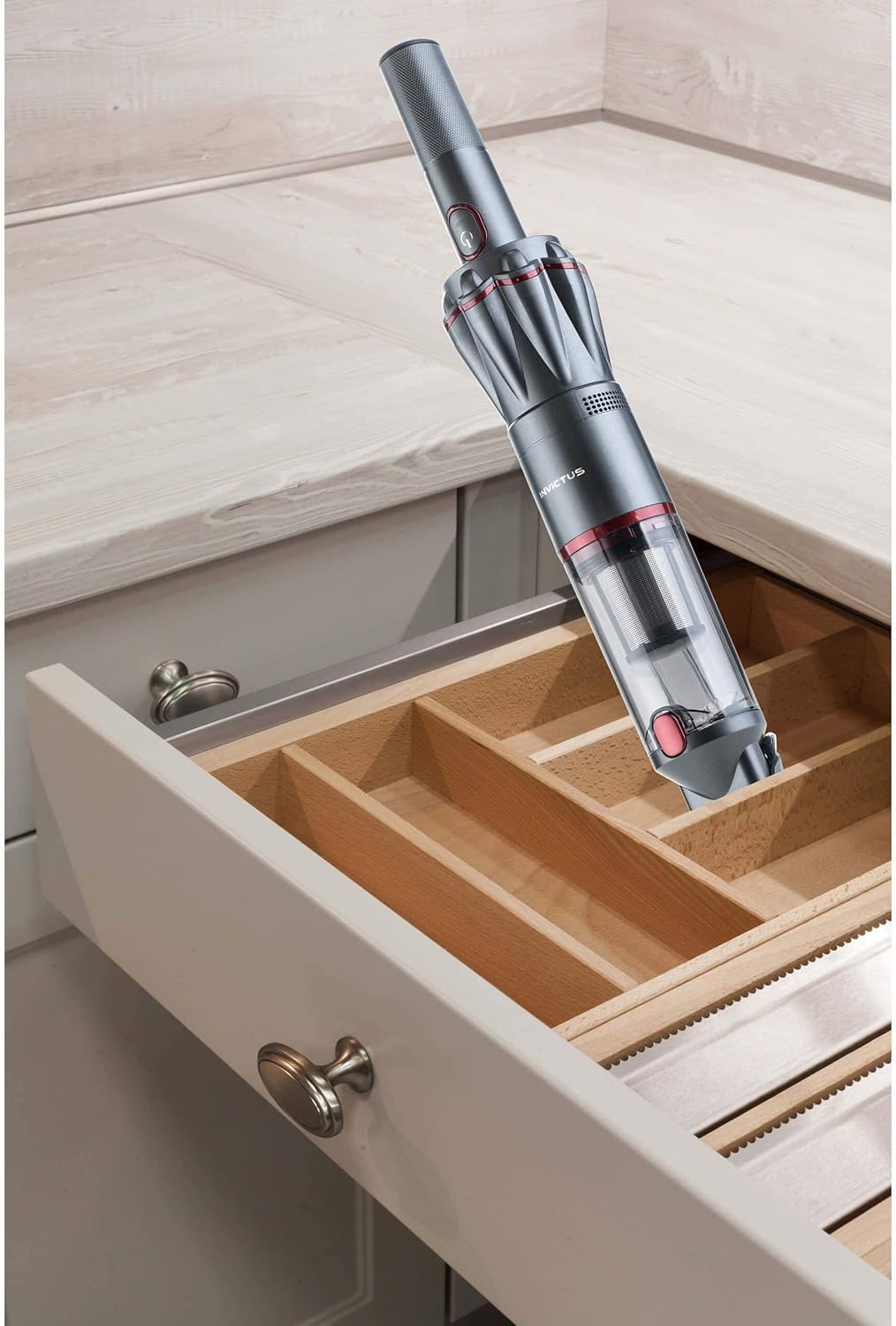
- Move the vacuum cleaner slowly over the surface to be cleaned, allowing the suction to pick up debris.
- The vacuum offers up to 15 minutes of continuous operation on a full charge.

7. Maintenance
Regular maintenance ensures the longevity and optimal performance of your vacuum cleaner.
- Emptying the Dust Bin:
- Press the release button on the dust bin to detach it from the main unit.
- Hold the dust bin over a trash receptacle and press the release button to open the bottom flap, allowing debris to fall out.
- Close the flap securely after emptying.
- Cleaning the Filters:
- After emptying the dust bin, carefully remove the stainless steel pre-filter and the HEPA filter.
- Tap the filters gently to dislodge any accumulated dust. For a more thorough cleaning, rinse the filters under cool running water.
- Ensure the filters are completely dry before reinserting them into the dust bin. Do not use the vacuum with wet filters.
- It is recommended to clean the filters after every few uses, or when suction power decreases.


8. Troubleshooting
If you encounter issues with your Invictus One, refer to the following table for common problems and solutions.
| Problem | Possible Cause | Solution |
|---|---|---|
| Vacuum does not turn on. | Battery is depleted. | Charge the vacuum cleaner fully. |
| Low suction power. | Dust bin is full or filters are clogged. | Empty the dust bin and clean the filters. Ensure filters are dry before reinserting. |
| Vacuum stops unexpectedly. | Battery is depleted or motor is overheating. | Charge the battery. If overheating, allow the unit to cool down for at least 30 minutes before resuming use. |
| Charging indicator not working. | Charging cable or station not properly connected. | Check all connections. Ensure the vacuum is correctly seated in the charging station. |
9. Specifications
| Feature | Detail |
|---|---|
| Brand | Genius |
| Model Number | A28110 |
| Power | 90 Watts |
| Battery Voltage | 11.1 Volts (Lithium-ion) |
| Noise Level | 76 Decibels |
| Battery Life | Up to 15 minutes |
| Battery Charge Time | 3-4 hours |
| Dust Bin Capacity | 90 ml |
| Filtration System | Dual filtration (18/10 Stainless Steel Pre-filter, HEPA Filter) |
| Dimensions (L x Diameter) | 418 x 73 mm |
| Weight | Approximately 0.5 kg (500 grams) |
| Special Features | Compact, Lightweight, Cordless, BLDC Motor |
10. Warranty and Support
For information regarding warranty coverage, returns, or technical support, please refer to the warranty card included with your purchase or contact your retailer directly. You may also visit the official Genius website for further assistance.
Manufacturer: Genius
ASIN: B082MKXXMD


