
1. Introduction
This manual provides essential information for the safe and effective use of your Surpassed Replacement Li-ion Battery Pack. This battery is designed as a high-quality replacement for various Samsung camera and camcorder models, specifically compatible with SB-LS70, SB-LS110, SB-LS220, and AD43-00070A battery codes. Please read this manual thoroughly before use and retain it for future reference.
2. Product Features
- New High Quality Lithium-ion Replacement Battery
- High Energy Density, High Recycle Life, Long Life Battery
- Newest Generation of CPU Control, IC Chip, Double PCB Panel, Built With Multiple Circuit Protection (Over-Charging, Over Current, Over Voltage, Short-Circuit, High-Temperature) for Fast and Safe operation
- 100% Decoded and 100% Compatible With the Original Cameras and Chargers
- Absolutely No Memory Effect, allowing you to charge and use the battery at any time
3. Safety Information and Precautions
WARNING: Failure to follow these safety instructions may result in fire, electric shock, injury, or damage to the battery or device.
- Do not connect improperly. Ensure correct polarity when inserting the battery.
- Do not dispose of in fire or expose to excess heat. High temperatures can cause the battery to explode or leak.
- Do not crush, puncture, incinerate, or short circuit external contacts. Physical damage can lead to internal short circuits and overheating.
- Keep the battery away from water and moisture.
- Do not disassemble the battery.
- Keep out of reach of children.
- If the battery shows signs of swelling, leakage, or damage, discontinue use immediately.

Image 1: Front view of the battery pack, displaying model compatibility and safety warnings.
4. Setup and Installation
- Unpack the Battery: Carefully remove the battery pack from its packaging.
- Identify Battery Compartment: Locate the battery compartment on your compatible Samsung camera or camcorder. Refer to your device's manual if unsure.
- Insert Battery: Align the battery pack with the compartment, ensuring the contacts match the terminals inside the device. Gently push the battery into place until it clicks or is securely seated. Do not force the battery.
- Close Compartment: Close the battery compartment door securely.

Image 2: Side view of the battery pack, illustrating its form factor for proper insertion.
5. Operating Instructions
- Initial Charge: For optimal performance, fully charge the battery before its first use.
- Charging: Use a compatible Samsung charger or a universal charger designed for Li-ion batteries. Insert the battery into the charger according to the charger's instructions. Charging indicators will typically show when the battery is charging and when it is full.
- Usage: Once charged, the battery is ready for use in your compatible camera or camcorder. Monitor your device's battery indicator for remaining power.
- No Memory Effect: This Li-ion battery has no memory effect, meaning you can recharge it at any time without needing to fully discharge it first.
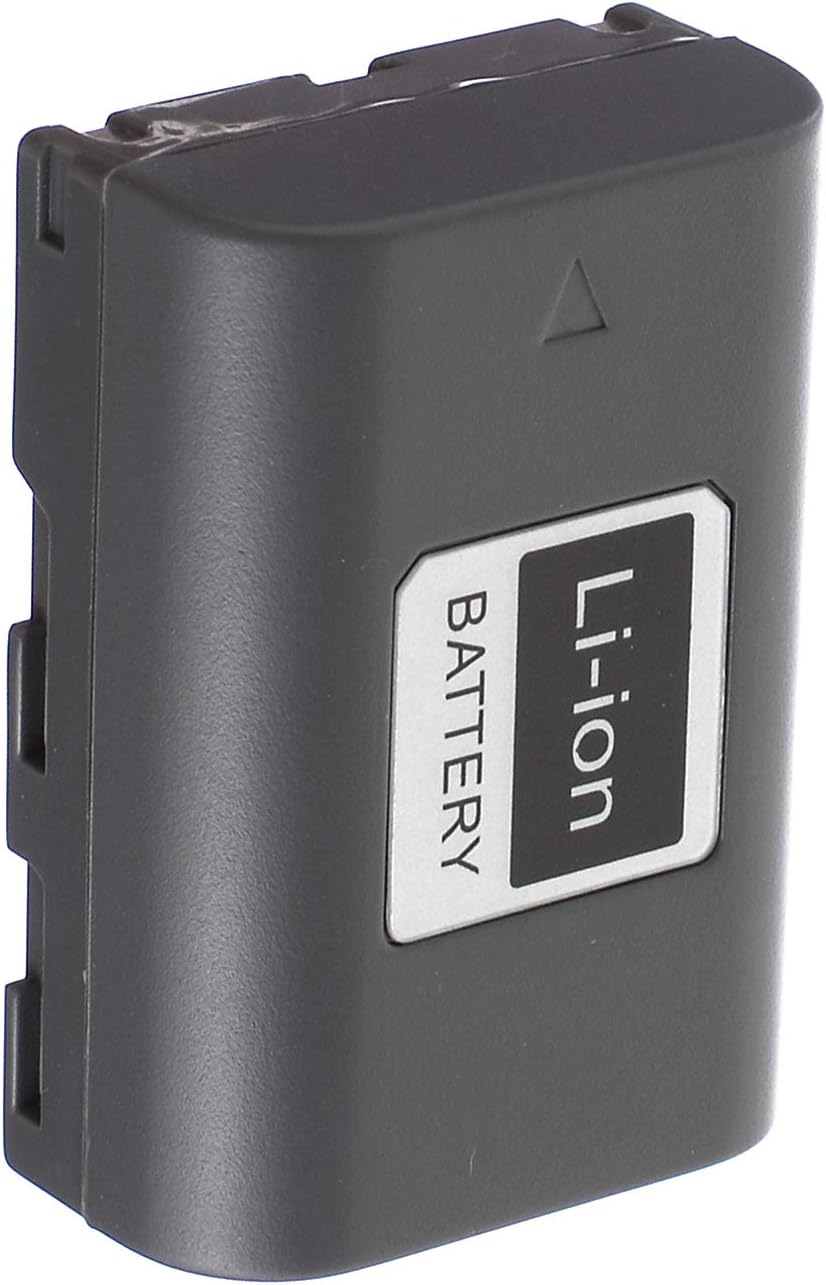
Image 3: Back view of the battery pack, indicating its Li-ion chemistry.
6. Maintenance and Storage
- Cleaning: Use a dry, soft cloth to clean the battery terminals if they become dirty. Do not use liquids or abrasive cleaners.
- Storage: Store the battery in a cool, dry place, away from direct sunlight and extreme temperatures. For long-term storage, it is recommended to store Li-ion batteries with a charge of approximately 50-70%.
- Disposal: Do not dispose of batteries with household waste. Follow local regulations for proper disposal of Li-ion batteries, which often involves recycling centers.
7. Troubleshooting
| Problem | Possible Cause | Solution |
|---|---|---|
| Battery not charging | Incorrectly inserted battery; faulty charger; dirty contacts. | Re-insert battery correctly; try a different charger; clean battery and charger contacts. |
| Device not powering on with battery | Battery not charged; battery not inserted correctly; battery fault. | Ensure battery is fully charged; re-insert battery; if problem persists, contact support. |
| Short battery life | Battery not fully charged; extreme operating temperatures; battery nearing end of life. | Ensure full charge; operate within recommended temperature range; consider replacing battery if old. |
8. Specifications
| Specification | Value |
|---|---|
| Battery Type | Li-ion (Lithium Ion) |
| Voltage | 7.4V |
| Capacity | 1300mAh |
| Compatible Battery Codes | Samsung SB-LS70, SB-LS110, SB-LS220, AD43-00070A |
| Manufacturer | Surpassed |
| Recommended Uses | Camcorder, Camera, Digital Devices |
9. Warranty and Support
This Surpassed battery pack comes with a 1-year warranty from the date of purchase. This warranty covers manufacturing defects and ensures the product meets its stated specifications under normal use.
For any questions, technical support, or warranty claims, please feel free to contact us. We are committed to providing quality power products and excellent customer service.
Please refer to your purchase documentation for specific contact details.