
1. Introduction
This manual provides instructions for the installation, use, and maintenance of your YDYBZB replacement ear pads. These ear pads are designed to restore comfort and sound quality to your compatible headphones.
2. Compatibility
These replacement ear pads are specifically designed for and compatible with the following headphone models:
- Sony Pulse Elite Edition Wireless CECHYA-0086 Headphones
- SONY 99037 PlayStation(R)3 Headphones
Note: These ear pads are not compatible with other Sony headphone models.

This image illustrates the specific headphone models compatible with these replacement ear pads, highlighting that only the Sony Pulse Elite Edition Wireless CECHYA-0086 and SONY 99037 PlayStation(R)3 headphones are supported.
3. Package Contents
Your package should contain the following items:
- 1 Pair of Black Protein Leather Ear Pads
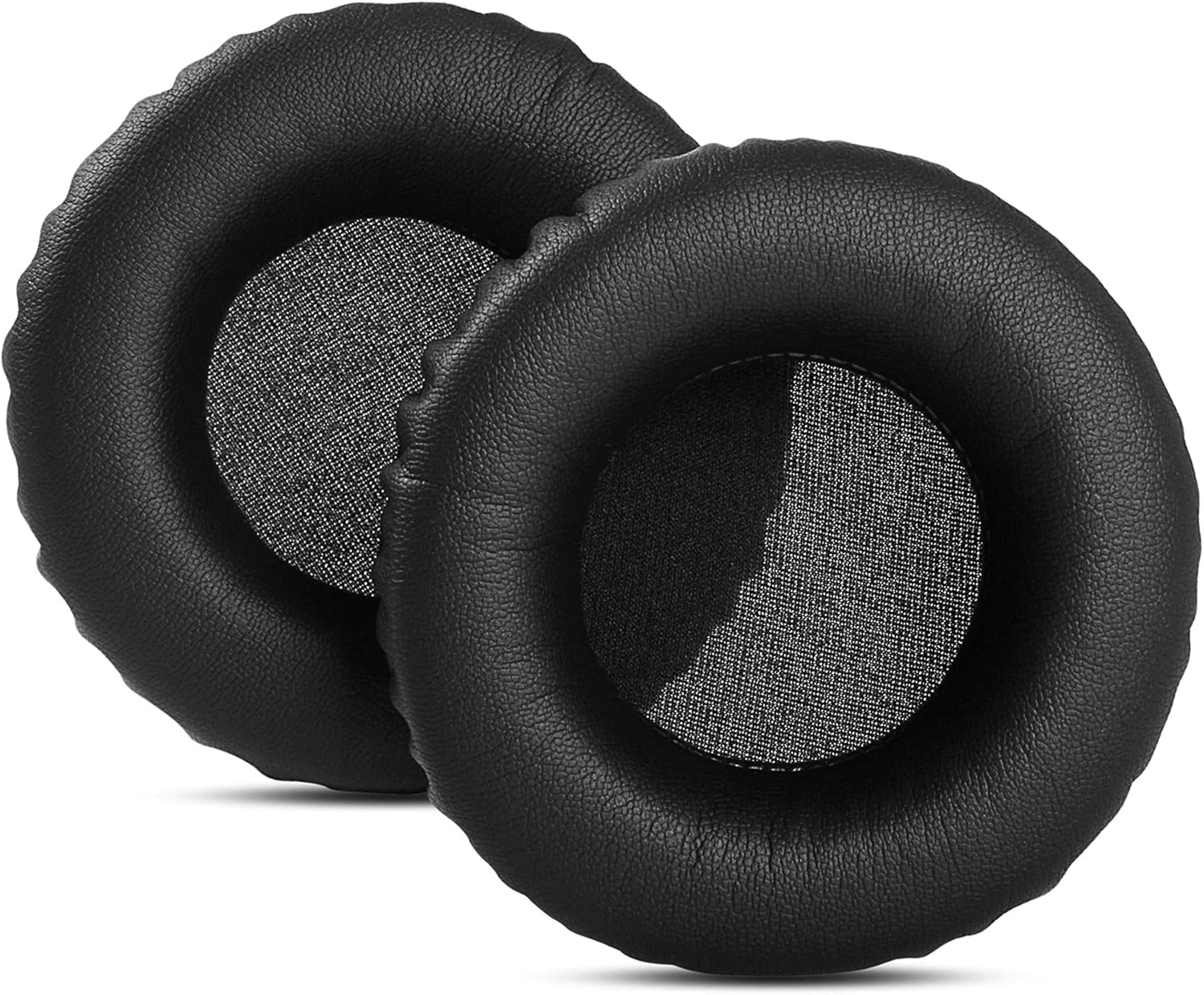
A top-down view of the two black protein leather ear pads included in the package, showing their circular shape and mesh center.
4. Setup (Installation)
Follow these steps to replace your headphone ear pads:
- Remove Old Ear Pads: Gently peel off the old ear pads from your headphones. They may be held in place by adhesive or a retaining ring. Take care not to damage the headphone speaker unit or any internal wiring.
- Clean Headphone Surface: Use a soft, dry cloth to clean any debris or residue from the headphone's ear cup surface where the new pads will attach. Ensure the surface is clean and dry.
- Align New Ear Pads: Carefully align the new YDYBZB ear pads with the headphone's ear cup. Ensure the orientation is correct (left and right, if applicable).
- Secure New Ear Pads: Press the edges of the new ear pads firmly around the headphone's ear cup, ensuring they are securely seated. If your headphones use a retaining ring, ensure the ear pad material is tucked under it completely. Apply gentle, even pressure until the ear pad is fully attached.

This image displays a single ear pad from both side and front perspectives, illustrating its thickness and the texture of the protein leather, which is important for proper installation.
5. Operating (Usage)
Once installed, the YDYBZB replacement ear pads are ready for use. Simply wear your headphones as usual. These ear pads are designed to provide:
- Enhanced Comfort: Made with soft protein leather and memory foam for extended wear without discomfort.
- Improved Noise Blocking: The memory foam conforms to your ears, helping to isolate sound from your environment.
- Enhanced Sound Quality: The ear-conforming fit contributes to a better audio experience by directing sound more effectively.
6. Maintenance
To ensure the longevity and hygiene of your ear pads, follow these maintenance guidelines:
- Regular Cleaning: Wipe the surface of the ear pads with a soft, slightly damp cloth. Avoid using harsh chemicals or abrasive cleaners, as these can damage the protein leather.
- Avoid Excessive Moisture: Do not submerge the ear pads in water. If they become wet, gently pat them dry and allow them to air dry completely before use.
- Storage: Store your headphones in a clean, dry place away from direct sunlight and extreme temperatures to prevent material degradation.

An angled view of two ear pads, highlighting the texture of the protein leather and the overall construction, which benefits from proper cleaning and care.
7. Troubleshooting
If you encounter any issues with your replacement ear pads, consider the following:
- Ear Pads Not Fitting Securely:
- Ensure you have the correct model of headphones (Sony Pulse Elite Edition Wireless CECHYA-0086 or SONY 99037 PlayStation(R)3).
- Re-check the installation steps to ensure the ear pads are properly aligned and fully seated around the headphone's ear cup or retaining ring.
- Reduced Sound Quality or Noise Isolation:
- Verify that the ear pads are fully sealed against your ears when worn. Adjust headphone position for a better fit.
- Ensure the ear pads are installed correctly and not obstructing the headphone speakers.
- Discomfort During Use:
- Allow a short break-in period for the memory foam to fully adapt to your ear shape.
- Ensure the headphones are adjusted correctly on your head to distribute pressure evenly.
8. Specifications
| Brand | YDYBZB |
| Model Number | rui |
| Material | Faux Leather, Memory Foam |
| Color | Black Protein Leather |
| Compatible Devices | Sony Pulse Elite Edition Wireless CECHYA-0086 Headphones, SONY 99037 PlayStation(R)3 Headphones |
| Item Weight | 1.44 ounces |
| Package Dimensions | 6.97 x 3.46 x 1.22 inches |

A view from the bottom of the two ear pads, detailing the stitching and the material's finish, which contributes to the product's specifications and durability.
9. Warranty and Support
Specific warranty information for this product is not provided in the available documentation. For any warranty claims, product support, or further assistance, please contact the manufacturer, YDYBZB, directly through their official channels or the retailer from whom the product was purchased.