
1. Introduction
Welcome to the user manual for your Linktech LBS-Q215 Portable Bluetooth Speaker. This guide provides essential information for setting up, operating, and maintaining your device to ensure optimal performance and longevity. Please read this manual thoroughly before using the speaker.
Package Contents
- 1 x Linktech LBS-Q215 Portable Bluetooth Speaker
- 1 x Micro-USB Charging Cable
- 1 x 3.5mm Audio Cable
- 1 x User Manual
Product Overview
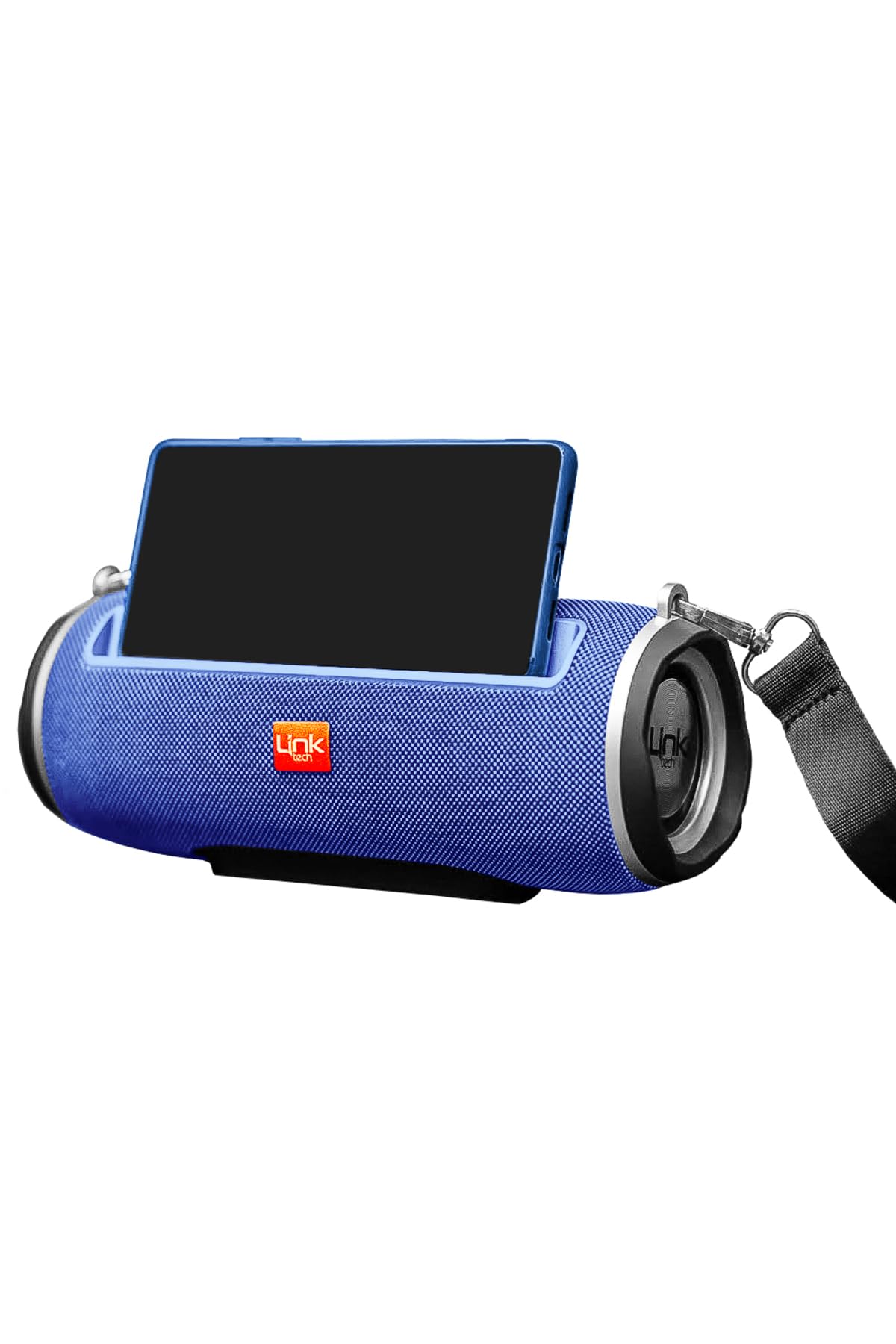
Image: The Linktech LBS-Q215 Portable Bluetooth Speaker, showcasing its compact design and integrated carrying handle.
The LBS-Q215 is a versatile portable speaker designed for various audio needs. It features multiple connectivity options and a durable build, making it suitable for both indoor and outdoor use.
2. Product Features
- Bluetooth V4.2 Connectivity: For wireless audio streaming from compatible devices.
- Micro SD Card Support: Play audio files directly from a Micro SD card.
- USB Flash Drive Support: Play audio files directly from a USB flash drive.
- FM Radio Function: Enjoy your favorite radio stations on the go.
- 3.5mm AUX Audio Input: Connect non-Bluetooth devices via an audio cable.
- Integrated Carrying Handle: For easy portability and transport.
- Durable Fabric Covering: Stylish and protective exterior.
- High Performance Sound: Delivers clear and powerful audio.
3. Setup
3.1 Charging the Speaker
- Connect the Micro-USB charging cable to the speaker's charging port.
- Connect the other end of the cable to a USB power adapter (not included) or a computer's USB port.
- The charging indicator light will illuminate, typically red, to show that the speaker is charging.
- Once fully charged, the indicator light may change color or turn off. A full charge provides approximately 2 hours of playback time.
3.2 Powering On/Off
- To Power On: Press and hold the Power button for a few seconds until you hear an audible prompt or see an indicator light.
- To Power Off: Press and hold the Power button again for a few seconds until the speaker powers down.
4. Operating Instructions
4.1 Bluetooth Pairing
- Ensure the speaker is powered on and in Bluetooth mode (it usually defaults to Bluetooth mode or you can switch modes using the Mode button). The Bluetooth indicator light will flash, indicating it's ready for pairing.
- On your smartphone, tablet, or other Bluetooth-enabled device, go to the Bluetooth settings.
- Search for available devices and select "LBS-Q215" from the list.
- Once paired, the speaker will emit a confirmation sound, and the Bluetooth indicator light will stop flashing and remain solid.
- You can now play audio from your device through the speaker.
4.2 Micro SD Card / USB Flash Drive Playback
- Insert a Micro SD card or USB flash drive (with supported audio files) into the corresponding slot on the speaker.
- The speaker should automatically detect the storage device and switch to playback mode.
- Use the speaker's control buttons (e.g., Play/Pause, Next/Previous Track) to manage playback.
4.3 AUX Input Mode
- Connect one end of the 3.5mm audio cable to the AUX input port on the speaker.
- Connect the other end of the cable to the audio output (headphone jack) of your external device.
- Press the Mode button on the speaker until it switches to AUX mode.
- Play audio from your external device. Volume can be controlled from both the speaker and the connected device.
4.4 FM Radio Function
- Press the Mode button to switch to FM Radio mode.
- To auto-scan and save available stations, press and hold the Play/Pause button. The speaker will scan and store stations automatically.
- Use the Next/Previous Track buttons to navigate between saved stations.
5. Maintenance
- Cleaning: Use a soft, dry cloth to clean the speaker's surface. Do not use abrasive cleaners or solvents.
- Storage: Store the speaker in a cool, dry place away from direct sunlight and extreme temperatures when not in use for extended periods.
- Water Resistance: The speaker is indicated as waterproof. However, avoid submerging it in water or exposing it to heavy rain for prolonged periods to prevent damage.
- Battery Care: To prolong battery life, fully charge the speaker before first use and recharge it regularly, even if not used frequently.
6. Troubleshooting
- No Power:
- Ensure the speaker is fully charged. Connect it to a power source using the Micro-USB cable.
- Press and hold the Power button for a few seconds to turn it on. - No Sound:
- Check the volume level on both the speaker and your connected device.
- Ensure the correct input mode (Bluetooth, AUX, SD, USB) is selected.
- If using Bluetooth, ensure the speaker is properly paired and connected. - Cannot Pair via Bluetooth:
- Make sure the speaker is in Bluetooth pairing mode (indicator light flashing).
- Ensure your device's Bluetooth is enabled and within 10 meters of the speaker.
- Turn off and on both the speaker and your device's Bluetooth, then try pairing again.
- Clear the speaker from your device's Bluetooth list and re-pair. - FM Radio Reception is Poor:
- Ensure the speaker is in an open area, away from obstructions or interference.
- Try repositioning the speaker to improve signal reception.
7. Specifications
| Brand | LinkTech |
| Model Name | LBS-Q215 |
| Bluetooth Version | V4.2 |
| Signal-to-Noise Ratio | ≥95dB |
| Frequency Range | 50Hz - 20KHz |
| Dimensions (L x W x H) | 245mm x 112mm x 118mm |
| Weight | 309 grams |
| Wireless Range | 10 meters |
| Operating Time | Up to 2 hours |
| Speaker Driver Size | 2 x 52mm |
| Battery | 3.7V 2000 mAh Lithium-Ion (included) |
| Connectivity Technology | Bluetooth, USB |
| Mounting Type | Desktop Mount |
| Speaker Type | Outdoor |
| Features | FM Radio, Micro SD Card Slot |
| Waterproof | Yes |
| Control Method | Touch |
| Compatible Devices | Smartphones, Laptops, Tablets |
| Power Source | Battery Powered |
8. Warranty and Support
For warranty information, technical support, or any inquiries regarding your Linktech LBS-Q215 speaker, please refer to the warranty card included in your package or visit the official Linktech website. Keep your purchase receipt as proof of purchase for warranty claims.


