
1. Introduction
Thank you for purchasing the Linktech LBS-B214 Portable Bluetooth Speaker. This manual provides essential information for setting up, operating, and maintaining your device. Please read it carefully before use to ensure optimal performance and longevity of your speaker.
Package Contents
- Linktech LBS-B214 Portable Bluetooth Speaker
- Micro-USB Charging Cable
- 3.5mm Audio Cable
- User Manual
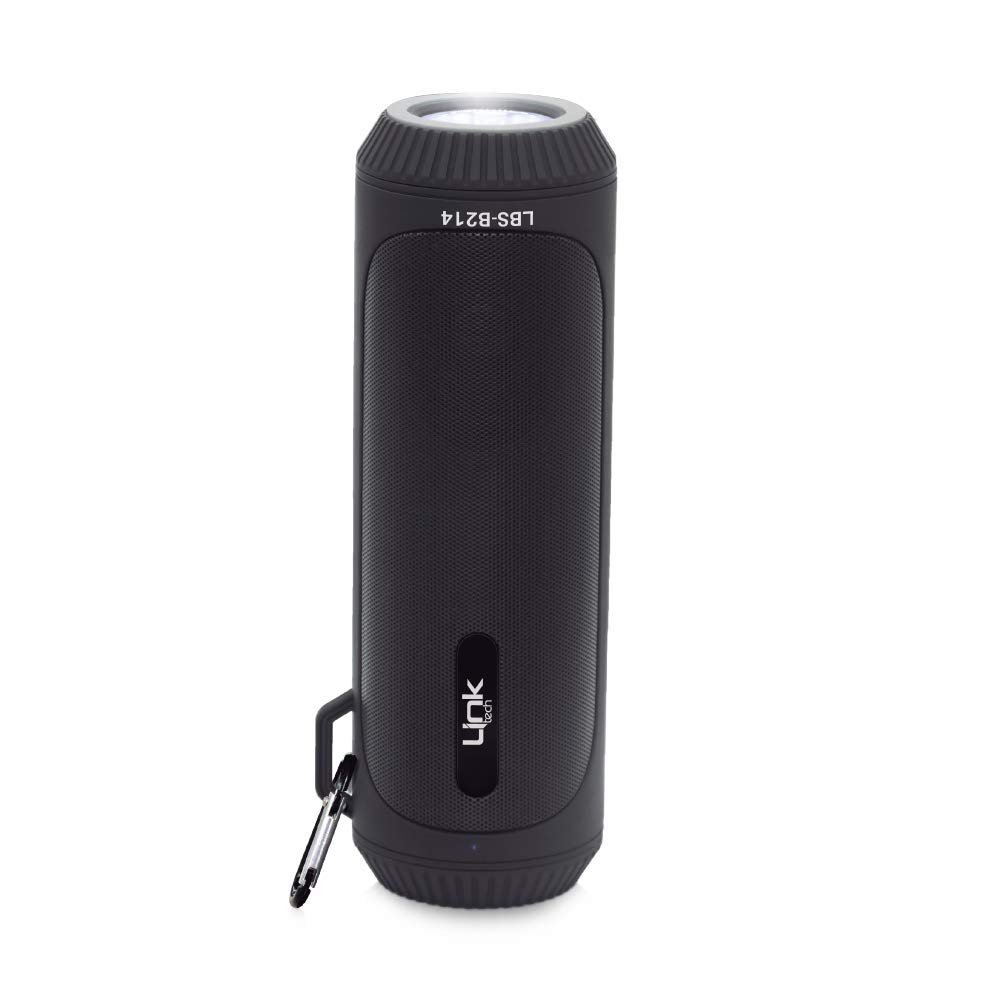
Figure 1.1: Linktech LBS-B214 Portable Bluetooth Speaker, shown in red and held in hand.
2. Product Features
The Linktech LBS-B214 is designed for outdoor use, combining audio playback with practical features.
- Bluetooth 5.0 + EDR: Ensures stable and fast wireless connection.
- Stereo Sound: Delivers clear and immersive audio quality.
- Integrated LED Lantern: Provides illumination for outdoor environments.
- FM Radio: Built-in tuner for listening to local radio stations.
- Multiple Playback Options: Supports Micro SD card and USB flash drive for direct music playback.
- 3.5mm Audio Input: Allows wired connection to non-Bluetooth devices.
- Portable Design: Features a built-in carrying handle for easy transport.
- Durable Construction: Designed for outdoor use.

Figure 2.1: Linktech LBS-B214 Portable Bluetooth Speaker, shown in black with a carabiner attached to its carrying handle.
3. Setup
3.1. Charging the Speaker
- Connect the Micro-USB charging cable to the speaker's charging port.
- Connect the other end of the cable to a USB power adapter (not included) or a computer's USB port.
- The charging indicator light will illuminate. Charging typically takes approximately 4 hours.
- Once fully charged, the indicator light may change or turn off. Disconnect the speaker from the power source.
3.2. Powering On/Off
- To Power On: Press and hold the Power button for a few seconds until you hear an audible prompt or see an indicator light.
- To Power Off: Press and hold the Power button again for a few seconds until the speaker powers down.
4. Operating Instructions
4.1. Bluetooth Pairing
- Ensure the speaker is powered on and in Bluetooth pairing mode (an indicator light may flash, or an audible prompt will sound).
- On your mobile device (smartphone, tablet, laptop), enable Bluetooth.
- Search for available Bluetooth devices. The speaker will appear as "LBS-B214" or a similar name.
- Select "LBS-B214" to connect. Once paired, the speaker will provide an audible confirmation.
- You can now play audio from your device through the speaker.
4.2. Connecting via 3.5mm Audio Cable (AUX Mode)
- Connect one end of the 3.5mm audio cable to the AUX input port on the speaker.
- Connect the other end to the headphone jack of your audio device.
- The speaker should automatically switch to AUX mode. If not, press the Mode button (if available) to cycle through modes until AUX is selected.
4.3. Using Micro SD Card / USB Flash Drive
- Insert a Micro SD card or USB flash drive (with supported audio files) into the corresponding slot on the speaker.
- The speaker should automatically detect the storage device and begin playing music.
- Use the speaker's control buttons to play, pause, skip tracks, or adjust volume.
4.4. FM Radio Function
- Press the Mode button to switch to FM Radio mode.
- Press the Play/Pause button to automatically scan and save available FM stations.
- Use the Previous/Next track buttons to navigate between saved stations.
4.5. LED Lantern Operation
- Locate the dedicated button for the LED lantern (refer to the speaker's physical controls).
- Press the button once to turn the lantern on.
- Press it again to cycle through different brightness levels or light modes (if available).
- Press and hold or press multiple times to turn the lantern off.
5. Maintenance
5.1. Cleaning
- Ensure the speaker is powered off and disconnected from any power source before cleaning.
- Use a soft, dry, lint-free cloth to wipe the exterior of the speaker.
- Do not use abrasive cleaners, alcohol, benzene, or other chemical solvents, as these may damage the surface.
5.2. Storage
- Store the speaker in a cool, dry place away from direct sunlight and extreme temperatures.
- If storing for an extended period, charge the battery to approximately 50% every few months to maintain battery health.
5.3. Battery Care
- Avoid fully discharging the battery frequently.
- Do not expose the speaker to temperatures above 60°C (140°F) as this can damage the battery.
- Use only the provided charging cable or a certified equivalent.
6. Troubleshooting
If you encounter issues with your speaker, refer to the following common problems and solutions:
| Problem | Possible Cause | Solution |
|---|---|---|
| Speaker does not turn on. | Low battery; Power button not pressed correctly. | Charge the speaker fully. Press and hold the Power button for a longer duration. |
| No sound. | Volume too low; Incorrect input mode; Device not paired. | Increase speaker and device volume. Ensure correct mode (Bluetooth, AUX, SD/USB). Re-pair Bluetooth device. |
| Bluetooth connection unstable or failing. | Distance too far; Interference; Device not in pairing mode. | Move device closer to speaker. Avoid obstacles. Ensure speaker is in pairing mode. Forget device on your phone and re-pair. |
| FM Radio not working or poor reception. | Weak signal; No automatic scan performed. | Ensure you are in an area with good FM signal. Perform an automatic station scan. |
| Micro SD/USB playback not working. | Unsupported file format; Corrupted card/drive; Incorrect mode. | Ensure audio files are in a supported format. Check if the card/drive is functional. Switch to SD/USB mode. |
7. Specifications
| Feature | Detail |
|---|---|
| Brand | LinkTech |
| Model Name | LBS-B214 |
| Connectivity Technology | Bluetooth, USB |
| Bluetooth Version | V:5.0 + EDR |
| Speaker Type | Outdoor |
| Key Features | FM Radio, SD Card Support, Stereo Pairing, LED Lantern |
| Control Method | Touch |
| Horn Output Power | 2*3W / 40-45mm |
| Charging Time | 4 hours |
| Playback Time | 6-7 hours |
| Product Dimensions | 69mm x 212mm x 79mm |
| Item Weight | 428 grams |
| Battery Capacity | 1200 mAh |
| Battery Type | 1 Lithium Ion battery (included) |
| Compatible Devices | Smartphone, Laptop |
| Waterproof | Yes |
| Manufacturer | Linktech |
| ASIN | B082FH62PM |
8. Warranty and Support
8.1. Warranty Information
Specific warranty details for the Linktech LBS-B214 speaker may vary by region and retailer. Please refer to the warranty card included in your package or contact your point of purchase for detailed information regarding warranty coverage and terms.
8.2. Customer Support
For further assistance, technical support, or inquiries not covered in this manual, please contact Linktech customer service or your authorized dealer. Contact information can typically be found on the product packaging or the official Linktech website.