Introduction
Thank you for choosing the CubiCubi 55 Inch Computer Desk. This manual provides detailed instructions for the assembly, operation, maintenance, and troubleshooting of your new desk. Please read this manual thoroughly before assembly and use to ensure proper setup and safe operation.
Important Safety Information
For your safety and to prevent damage to the product, please adhere to the following guidelines:
- Always assemble the desk on a stable, level surface.
- Do not exceed the maximum weight recommendation of 150 lbs (68 kg) for the desk top.
- Keep the desk away from heat sources.
- Do not place heavy objects on the edges to avoid damage or instability.
- Ensure all screws and fasteners are tightened securely before use and periodically check for looseness.
Product Overview
The CubiCubi 55 Inch Computer Desk is designed for home office, study, or gaming use, featuring a rustic brown wood top and a sturdy metal frame.

Image: The CubiCubi 55 Inch Computer Desk, showcasing its spacious design suitable for a monitor, keyboard, and other office essentials.

Image: The desk integrated into a modern home office environment, demonstrating its aesthetic appeal and functional space.
Key Features:
- Spacious Desktop: 55 inches wide, providing ample space for multiple monitors, laptops, and office supplies.
- Monitor Stand: Includes a raised monitor stand for ergonomic viewing and additional storage space.
- Integrated Hook: A convenient iron hook for hanging headphones, bags, or other accessories.
- Sturdy Construction: Features extra strong metal legs for enhanced stability and durability.
- Rustic Brown Finish: The desktop features a rustic brown wood finish, complementing various interior designs.

Image: A detailed view of the included monitor stand, highlighting its design and potential for additional storage underneath.
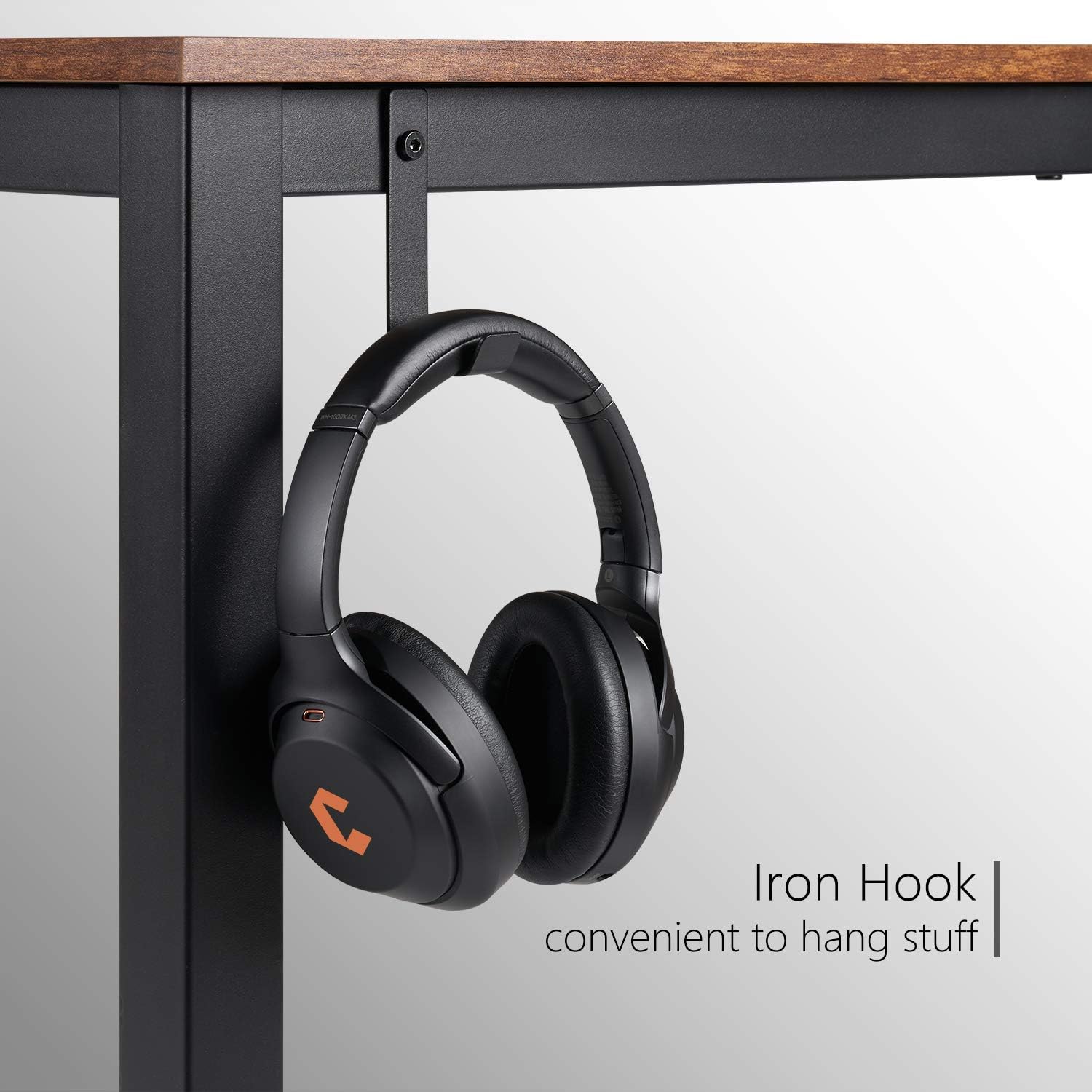
Image: A close-up of the sturdy iron hook attached to the desk frame, ideal for hanging headphones or other items.

Image: A detailed shot of the desk leg, emphasizing its 1.6-inch thickness and robust construction for stability.

Image: A close-up view of the rustic brown wood grain desktop, showcasing its texture and color.
Setup and Assembly
The CubiCubi 55 Inch Computer Desk requires assembly. Please follow the instructions provided in the packaging carefully. Ensure all parts are present before beginning assembly.
Dimensions:

Image: A diagram illustrating the overall dimensions of the desk (55"W x 23.6"D x 30"H) and the monitor stand (19.7"W x 7.9"D x 5.4"H).
Before Assembly:
- Unpack all components and lay them out on a clean, soft surface (e.g., a carpet or blanket) to prevent scratches.
- Verify that all parts listed in the assembly manual are present. If any parts are missing or damaged, contact customer support immediately.
- Gather the necessary tools (usually a screwdriver or Allen wrench, often included).
Assembly Steps (General Guidance):
- Attach the metal frame components together using the provided screws and fasteners. Do not overtighten initially.
- Secure the desktop panels to the assembled frame.
- Attach the monitor stand to the designated area on the desktop.
- Install the iron hook on the side of the desk frame as desired.
- Once all components are in place, gently tighten all screws and fasteners to ensure stability.
- Place the desk in its desired location, ensuring it is level. Adjust the leveling feet if necessary.
Operating and Usage
The CubiCubi 55 Inch Computer Desk is designed for versatile use in various settings.
- Computer Workstation: Utilize the spacious desktop for your computer monitor(s), keyboard, mouse, and other peripherals. The monitor stand helps elevate your screen to an ergonomic height.
- Study Table: Ideal for students or anyone needing a dedicated space for reading, writing, and homework.
- Gaming Setup: Provides ample room for gaming monitors, consoles, and accessories. The integrated hook is useful for hanging gaming headsets.
- Home Office: Suitable for general office tasks, paperwork, and organizing office supplies.

Image: An example of how multiple CubiCubi desks can be arranged to create a larger workspace or collaborative environment.
Maintenance
Proper maintenance will extend the life and appearance of your CubiCubi desk.
- Cleaning: Wipe the desktop and metal frame with a soft, damp cloth. Avoid using harsh chemicals, abrasive cleaners, or excessive moisture, as these can damage the finish.
- Spills: Immediately wipe up any spills to prevent staining or damage to the wood finish.
- Fasteners: Periodically check all screws and fasteners to ensure they remain tight. Retighten if necessary to maintain stability.
- Heat and Moisture: Avoid placing hot items directly on the desktop. Use coasters or protective pads for drinks. Keep the desk away from direct sunlight and high humidity.
- Weight Distribution: Distribute weight evenly across the desktop. Avoid concentrating heavy items on one side or edge.
Troubleshooting
If you encounter any issues with your CubiCubi desk, refer to the following common problems and solutions:
| Problem | Possible Cause | Solution |
|---|---|---|
| Desk is wobbly. | Loose fasteners; uneven floor; improper assembly. |
|
| Missing parts or damaged components upon arrival. | Shipping damage; packaging error. |
|
| Scratches or marks on the desktop. | Sharp objects; abrasive cleaning; heavy use. |
|
If the problem persists or is not listed here, please contact CubiCubi customer support for further assistance.
Specifications
| Feature | Detail |
|---|---|
| Brand | CubiCubi |
| Product Dimensions (D x W x H) | 23.6"D x 55"W x 30"H |
| Color | Rustic Brown (Top), Black (Frame) |
| Style | Modern |
| Base Material | Metal |
| Top Material Type | Wood |
| Finish Type | Wood |
| Room Type | Bedroom, Living Room, Office |
| Included Components | Monitor Stand, Hook |
| Item Weight | 20 Kilograms |
| Number Of Shelves | 1 (Monitor Stand) |
| Tabletop Thickness | 0.75 Inches |
| Working Surface Diagonal Length | 60.85 Inches |
| Required Assembly | Yes |
| Maximum Weight Recommendation | 150 Pounds |
| Mounting Type | Freestanding |
| Storage Options | Monitor shelf |
| Is Customizable? | No |
| Is Electric | No |
| Shape | Rectangular |
| Desk Design | Computer Desk |
| Warranty Type | 1 year |
| UL Listed | No |
Warranty and Support
Warranty: The CubiCubi 55 Inch Computer Desk comes with a 1-year warranty from the date of purchase. This warranty covers manufacturing defects and material flaws under normal use. It does not cover damage caused by misuse, accidents, unauthorized modifications, or normal wear and tear.
Customer Support: For any questions, concerns, missing parts, or warranty claims, please contact CubiCubi customer support.
You can visit the official CubiCubi store for more information and contact options: CubiCubi Store on Amazon.


