
ATOTO AC-44P2
ATOTO AC-44P2 1080P USB DVR On-Dash Camera User Manual
Brand: ATOTO | Model: AC-44P2
1. Product Overview
The ATOTO AC-44P2 is a 1080P USB DVR On-Dash Camera designed to record video independently. It integrates seamlessly with compatible ATOTO Android Car Stereos, which serve as the primary operation interface. The camera utilizes a Sony Sensor for enhanced image quality.
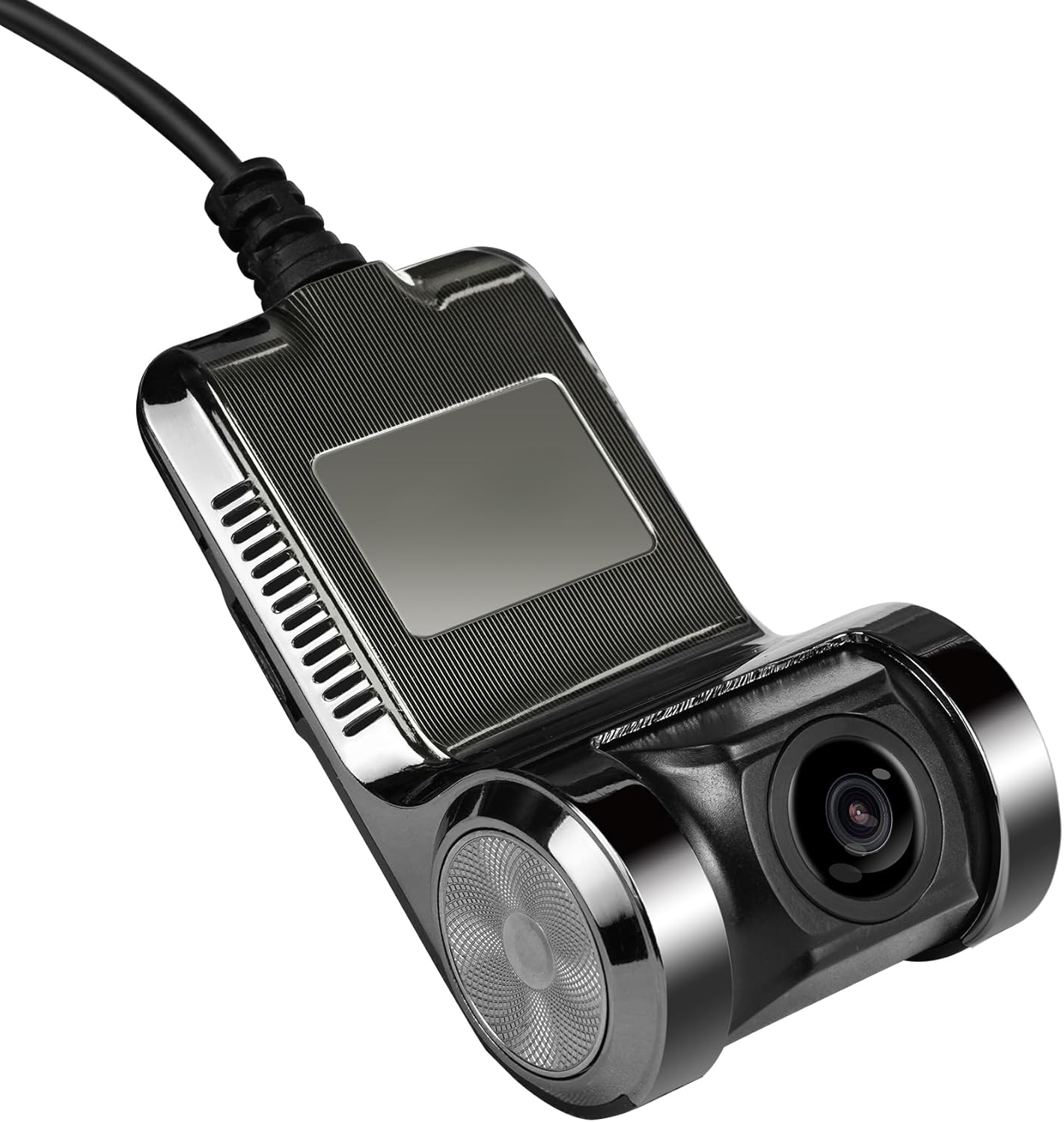
Figure 1: ATOTO AC-44P2 On-Dash Camera
Key Features:
- 1080P Video Recording: Records high-definition video directly to its Micro SD card.
- Integrated Operation: Operates via the 'DVR CAM' app on compatible ATOTO Android Car Stereos.
- Independent Storage: Features a Micro SD slot (card not included, supports up to 64 GB) for video storage, not utilizing the car stereo's internal space.
- Automatic Recording: Initiates recording automatically upon receiving power from the Android car stereo via USB, even if the 'DVR CAM' app is not actively running.
- Video Protection: Allows users to lock important videos to prevent accidental deletion by recurring recordings.
- Snapshot Function: Enables taking still pictures with a single click.
- Built-in Microphone: Includes an internal microphone with an option for user-controlled disabling.
- Large Screen Viewing: Facilitates easy browsing and viewing of recorded files on the car stereo's HD touchscreen.
2. Setup and Installation
Package Contents:
- ATOTO AC-44P2 On-Dash Camera
- USB Cable
- Note: Micro SD memory card is not included and must be purchased separately. Supports up to 64 GB.
Installation Steps:
- Mounting: Securely mount the AC-44P2 camera on your vehicle's dashboard. Ensure it is positioned to capture the desired field of view. Note: This camera is unsuitable for vertical car windshields.
- Connect USB Cable: Connect the provided USB cable from the AC-44P2 camera to a compatible USB port on your ATOTO Android Car Stereo.
- Insert Micro SD Card: Insert a Micro SD card (up to 64 GB) into the designated slot on the camera.
- Power On: Once connected, the camera will power on with the car stereo and automatically begin recording.

Figure 2: Connecting the AC-44P2 to an ATOTO Car Stereo

Figure 3: AC-44P2 Camera and USB Cable
3. Operating the AC-44P2
Using the 'DVR CAM' App:
- The 'DVR CAM' app is pre-installed on compatible ATOTO Android Car Stereos for managing the AC-44P2.
- Access the app from your car stereo's main menu to view live footage, browse recorded videos, and adjust settings.
Recording Functions:
- Auto Recording: Enabled by default, the camera starts recording automatically when powered on.
- Video Locking: During recording or playback, you can lock important video segments to prevent them from being overwritten.
- Snapshot: Use the dedicated function within the 'DVR CAM' app to take instant pictures.
- Microphone Control: The built-in microphone can be enabled or disabled via the app settings.

Figure 4: Wide-angle view captured by AC-44P2
Demonstration of ATOTO S8 Car Stereo (Compatible with AC-44P2):
Video 1: This video demonstrates the features and interface of the ATOTO S8G2B74MS 7-inch Android Car Stereo, which is compatible with the AC-44P2 dash camera. It showcases how the stereo's functionalities enhance the user experience with integrated accessories like the dash cam.
4. Maintenance
Micro SD Card Management:
- Regularly check the Micro SD card for available storage space.
- Format the Micro SD card periodically to maintain optimal recording performance and prevent data corruption. Refer to your car stereo's manual or the 'DVR CAM' app for formatting options.
- Replace the Micro SD card if it shows signs of wear or performance degradation.
Cleaning:
- Gently wipe the camera lens with a soft, lint-free cloth to ensure clear video capture.
- Avoid using harsh chemicals or abrasive materials that could damage the lens or camera body.
5. Compatibility
The ATOTO AC-44P2 On-Dash Camera is specifically designed for use with selected ATOTO Android Car Stereo models. It is crucial to verify compatibility before purchase and installation.
Compatible ATOTO Car Stereo Series:
- ATOTO A5 Series
- ATOTO A6 Series
- ATOTO S8 Series
- ATOTO P9 Series
- ATOTO X10 Series
NOT Compatible With:
- ATOTO F7 Series
- ATOTO P5 Series
- ATOTO P8 Series
- Head units from other brands

Figure 5: ATOTO AC-44P2 Compatibility Chart
6. Specifications
| Feature | Detail |
|---|---|
| Brand | ATOTO |
| Model Name | AC-44P2 |
| Video Capture Resolution | 1080p |
| Frame Rate | 30 FPS |
| Field of View | 156 Degrees |
| Connectivity Technology | USB |
| Special Feature | Touch Screen (via compatible head unit) |
| Mounting Type | Dashboard Mount |
| Optical Sensor Technology | CMOS |
| Flash Memory Type | MicroSD (up to 64 GB) |
| Included Components | USB cable (Micro SD memory card not included) |
| Color | Black |
7. Warranty and Support
ATOTO provides product care for the AC-44P2. For specific warranty details and support, please refer to the information provided at the time of purchase or contact ATOTO customer service directly.
Product Care Period:
- 12 + 6 Months Product Care (refer to ATOTO for terms and conditions)
Seeking Assistance:
If you encounter any issues or have questions regarding your ATOTO AC-44P2, you can seek help via:
- Your order center on the platform of purchase.
- ATOTO's official e-product case support.
- Emailing support@atotoglobal.com.
Related documentsAC-44P2


Ask a question about this manual
Ask about setup, troubleshooting, compatibility, parts, safety, or missing instructions. Manuals+ will review the question and use this page’s manual context to help answer it.