
1. Introduction
The Retekess TT106 Wireless Tour Guide System is designed to facilitate clear and efficient communication in various environments such as factory tours, school visits, museums, and conferences. This system ensures that your message is heard clearly by all participants, even in noisy settings, thanks to its stable 2.4GHz digital signal transmission.
The system supports dual transmitter functionality, allowing two guides to speak simultaneously, and offers a wide working range of up to 150 meters (492 feet). With 9999 available channels, interference is minimized, ensuring a reliable audio experience.
Video: Retekess TT106 in various scenarios. This video demonstrates the versatility of the Retekess TT106 system across different usage environments.
2. Package Contents
The Retekess TT106 Tour Guide System (4 Transmitters, 60 Receivers, Charging Case) includes the following components:
- 4 x Wireless Transmitters (TT106T)
- 60 x Wireless Receivers (TT106R)
- 4 x Lavalier Microphones
- 4 x Lanyards
- 64 x USB Charging Cables
- 1 x Charging Case (accommodates up to 64 devices)
- 1 x User Manual

Image: Detailed view of all components included in the Retekess TT106 system package, including transmitters, receivers, microphones, cables, and the charging case.
3. Product Overview
3.1. Transmitter (TT106T)
The transmitter is used by the tour guide or speaker. It features a clear display and intuitive controls for channel selection and muting.
- Display Screen: Shows channel number, battery status, and microphone status.
- ON/OFF/Confirm Button: Powers the unit on/off and confirms selections.
- Volume - / D Setting Button: Decreases volume or navigates menu options.
- Volume + / D Setting Button: Increases volume or navigates menu options.
- MIC Port: 3.5mm jack for connecting the lavalier microphone.
- USB Port: For charging the transmitter.
- Antenna: Ensures stable signal transmission.
- Lock Switch: Prevents accidental changes to settings.
3.2. Receiver (TT106R)
The receiver is worn by participants and provides clear audio from the transmitter. It is lightweight and designed for comfortable use.
- Power Switch: Turns the receiver on/off.
- Volume + Button: Increases listening volume.
- Volume - Button: Decreases listening volume.
- Mini USB Charging Port: For charging the receiver.
- Ear Hook: Designed for comfortable wear on the right ear.
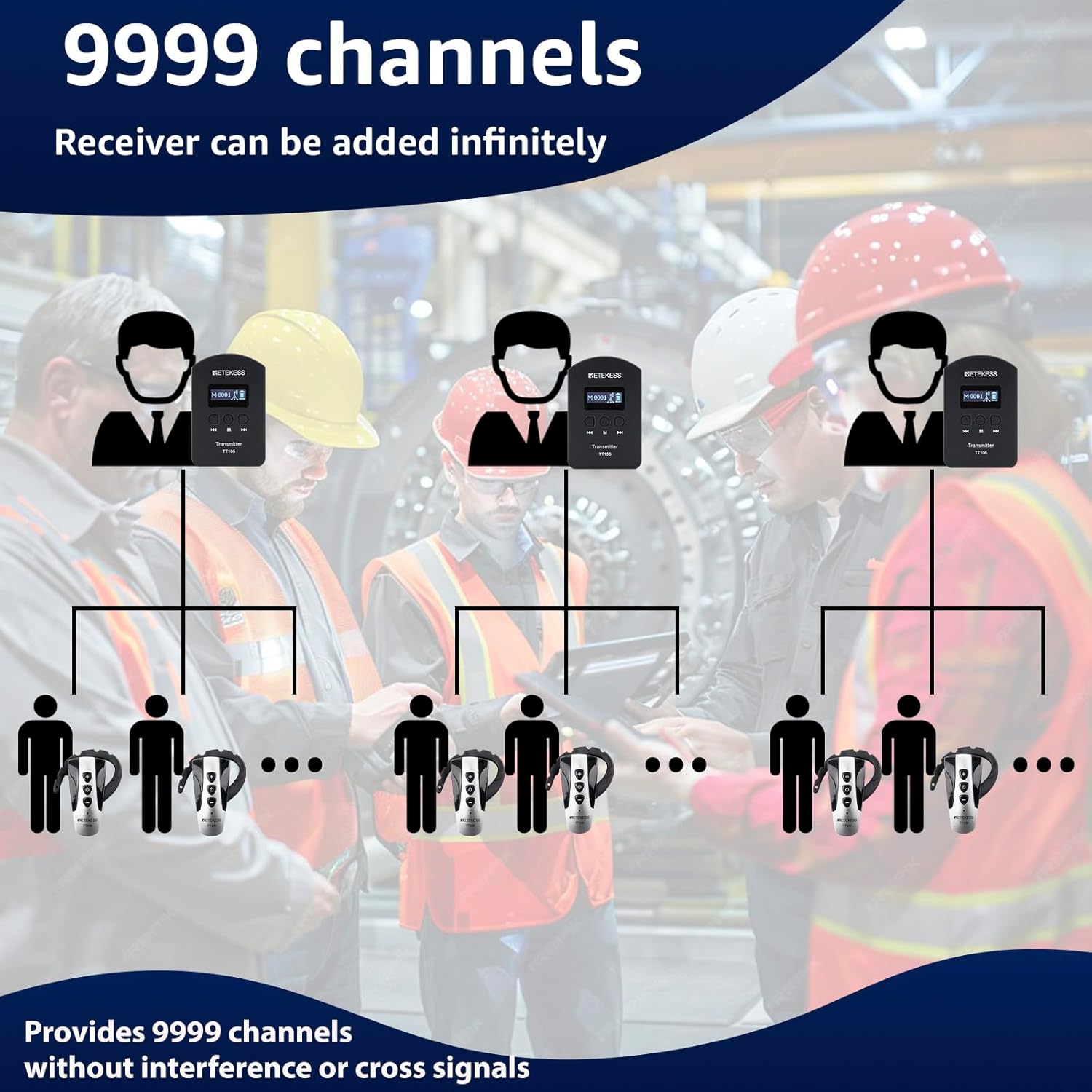
Image: Close-up view of the Retekess TT106 transmitter and receiver, highlighting their respective buttons and ports for user interaction.
4. Setup Instructions
4.1. Initial Charging
Before first use, fully charge all transmitters and receivers using the provided USB cables and charging case. A full charge typically takes 2-3 hours.
- Connect the USB charging cables to the transmitters/receivers and the charging case.
- Ensure the charging case is plugged into a power source.
- The battery indicator on the devices will show charging status.

Image: Illustration of the battery capacity for both the transmitter (25 hours) and receiver (23 hours) after a 2-3 hour charge.
4.2. Connecting Microphone and Earpiece
- Transmitter: Plug the lavalier microphone into the "MIC" port on the transmitter.
- Receiver: The ear hook receiver is integrated.
4.3. Pairing Transmitters and Receivers
The TT106 system features one-button frequency pairing for ease of use.
- Ensure both the transmitter and receivers are powered on.
- On the transmitter, press and hold the designated pairing button (refer to the "Product Overview" section for button identification).
- The transmitter will enter pairing mode, and receivers within range will automatically synchronize to the transmitter's channel.
- Confirm that all receivers display the same channel as the transmitter.
Video: Demonstration of how to pair the Retekess TT106 transmitter and receiver units. This video illustrates the one-button pairing process.
5. Operating Instructions
5.1. Power On/Off
- Transmitter: Slide the ON/OFF switch to the "ON" position.
- Receiver: Press and hold the power button on the receiver for approximately 2 seconds.
- To power off, repeat the process. The system also supports one-click shutdown for all connected receivers from the transmitter.
5.2. Adjusting Volume
- Transmitter: Use the Volume + and Volume - buttons to adjust the microphone input level.
- Receiver: Use the Volume + and Volume - buttons on the ear hook to adjust the listening volume.
5.3. Changing Channels
The system offers 9999 channels to prevent interference. Ensure the transmitter and all receivers are on the same channel for proper communication.
- Transmitter: Use the Channel + and Channel - buttons to select the desired channel.
- Receiver: After pairing, receivers will automatically follow the transmitter's channel. Manual adjustment may be possible if not locked.
5.4. Mute Function
The transmitter features a one-click mute function. Press the mute button on the transmitter to temporarily stop audio transmission to all connected receivers.
Video: Demonstration of the one-button functions of the Retekess TT106 tour guide system, including mute and channel selection.
6. Maintenance
6.1. Cleaning
Wipe the devices with a soft, dry cloth. Do not use harsh chemicals or abrasive cleaners. Ensure no moisture enters the ports.
6.2. Storage
When not in use, store the system components in the provided charging case in a cool, dry place. Avoid extreme temperatures and direct sunlight.
6.3. Battery Care
To prolong battery life, fully charge the devices before long-term storage and recharge them every 3-6 months if not in use.
7. Troubleshooting
| Problem | Possible Cause | Solution |
|---|---|---|
| No audio from receiver | Receiver not powered on; Low battery; Incorrect channel; Out of range | Ensure receiver is on; Charge receiver; Verify channel matches transmitter; Move closer to transmitter |
| Poor audio quality/Interference | Environmental interference; Weak signal; Transmitter microphone muted | Change to a different channel; Move closer to transmitter; Unmute transmitter microphone |
| Transmitter not working | Low battery; Microphone not connected properly | Charge transmitter; Ensure microphone is securely plugged in |
| Receivers not pairing | Transmitter not in pairing mode; Receivers out of range | Initiate pairing on transmitter; Ensure receivers are close to transmitter during pairing |
8. Specifications
| Feature | Detail |
|---|---|
| Brand | Retekess |
| Model Number | FF9423D-F9469CX4-F9469BX20 |
| Microphone Form Factor | Lavalier |
| Connectivity Technology | Wireless (2.4GHz) |
| Number of Channels | 9999 |
| Working Range | Up to 150m / 492ft |
| Transmitter Battery Life | Up to 25 hours |
| Receiver Battery Life | Up to 23 hours |
| Charging Time | 2-3 hours |
| Receiver Weight | 18g / 0.04lb |
| Signal-to-Noise Ratio | 80 dB |
| Special Features | Digital signal transmission, One-click shutdown, One-click mute, Dual transmitter support |
| Product Dimensions | 22.64 x 11.42 x 5.51 inches |
| Item Weight | 21.1 pounds |
9. Warranty and Support
Retekess products come with a 12-month guarantee and a three-year service commitment. For technical support, troubleshooting assistance, or warranty claims, please contact Retekess customer service.
Refer to the official Retekess website or your purchase documentation for specific contact details and the most up-to-date warranty information.