1. Introduction
The UMIDIGI Uwatch3 is a versatile fitness tracker and smartwatch designed to monitor your daily activities and health metrics. Featuring a 1.3-inch full-touch IPS color screen, 5ATM water resistance, and comprehensive health tracking capabilities, it serves as a reliable companion for your fitness journey.
Key features include 24-hour continuous heart rate monitoring, automatic sleep analysis, and support for 9 different sports modes. It connects to your smartphone via Bluetooth 5.0, providing alerts for calls, messages, and app notifications. The Uwatch3 offers an ultra-long battery life, supporting up to 10 days of usage on a single charge.

Image: Front view of the UMIDIGI Uwatch3 Smart Watch, displaying the time and battery status.
2. What's in the Box
Upon opening the package, you should find the following items:
- 1 x UMIDIGI Uwatch3 Smart Watch
- 1 x Charging Cable
- 1 x User Manual (this document)
3. Setup Guide
3.1 Charging the Device
Before first use, fully charge your Uwatch3. Connect the charging cable to the charging contacts on the back of the watch and plug the USB end into a standard USB power adapter (not included) or a computer's USB port.

Image: The Uwatch3 Smart Watch being charged, illustrating the charging process and battery indicator.
A full charge typically takes approximately 2 hours. The watch can support up to 10 days of usage or 30-40 days of standby time on a single charge.
3.2 App Download and Installation
To unlock the full functionality of your Uwatch3, download and install the "VeryFitPro" app on your smartphone. You can find it on the Apple App Store (for iOS devices) or Google Play Store (for Android devices), or by scanning the QR code provided in the quick start guide (if applicable).
- Compatibility: Requires iOS 9.0 or above, or Android 4.4 or above, and Bluetooth 4.0 or later.
3.3 Device Pairing
- Ensure Bluetooth is enabled on your smartphone.
- Open the VeryFitPro app.
- Follow the on-screen instructions within the app to search for and pair with your Uwatch3. The app will guide you through the connection process.
- Once paired, the watch will synchronize time and data with your phone.
4. Operating Instructions
4.1 Basic Navigation
The Uwatch3 features a full-touch IPS color screen for intuitive control. Swipe left, right, up, or down to navigate through menus and tap to select options.
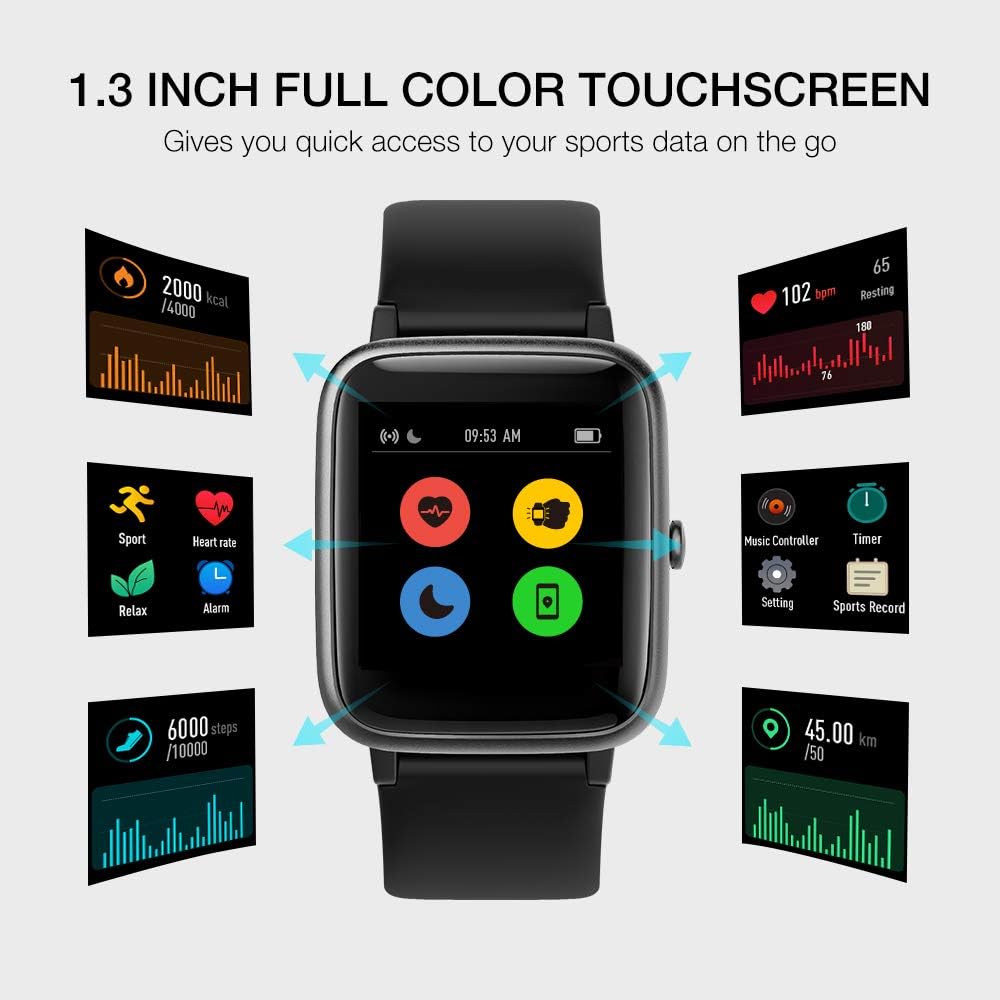
Image: The Uwatch3's touchscreen interface displaying various function icons.
4.2 Activity Tracking
The watch automatically tracks daily steps, distance, and calories burned. Detailed data can be viewed in the VeryFitPro app.
- Sports Modes: The Uwatch3 supports 9 sports modes: Walking, Running, Hiking, Riding, Treadmill, Yoga, Climbing, Spinning, and Workout. Select and control these modes directly from the VeryFitPro app.
- GPS Tracking: Connect to your smartphone's GPS via the app to track your route, pace, and distance during outdoor activities.

Image: The Uwatch3 tracking a user's activity, highlighting its multiple sports modes.
4.3 Heart Rate Monitoring
The Uwatch3 provides 24-hour continuous heart rate monitoring. View your real-time heart rate on the watch or access historical data and detailed analysis in the VeryFitPro app.
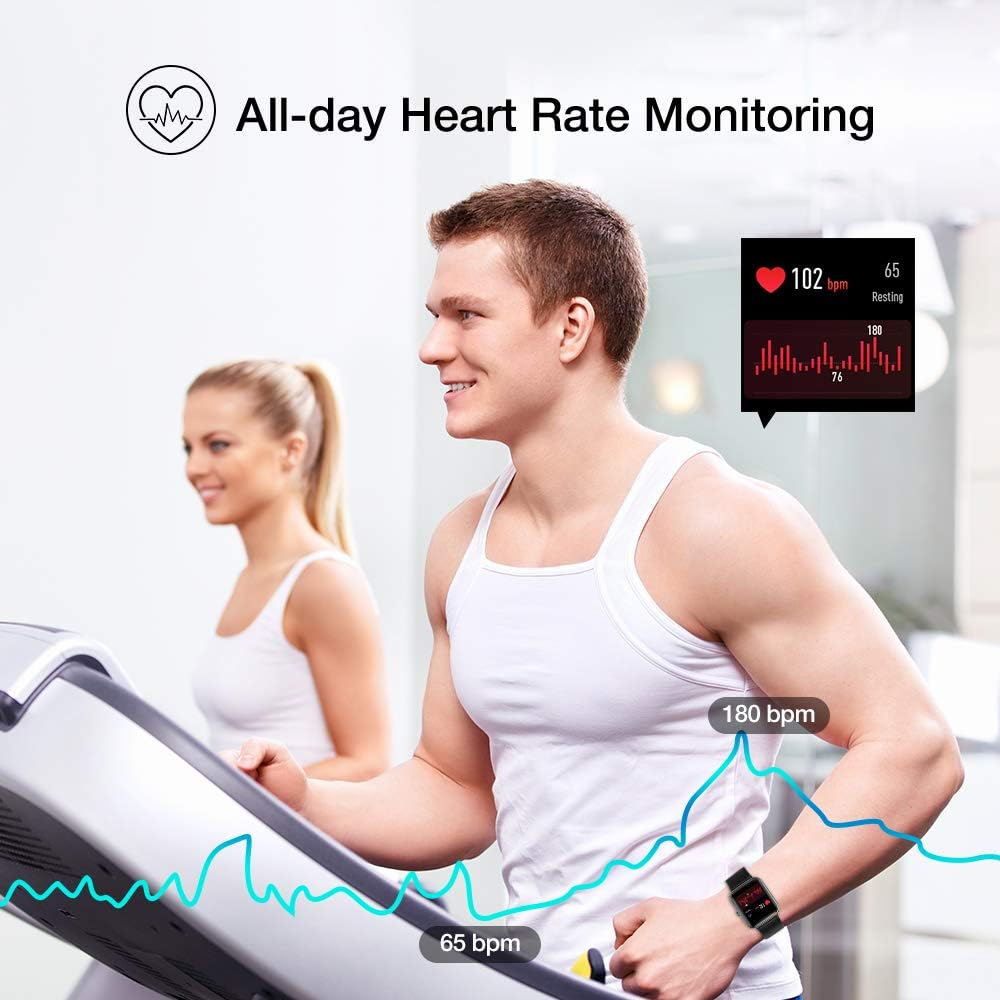
Image: The Uwatch3 monitoring heart rate during exercise, showing real-time data.
4.4 Sleep Monitoring
Wear the watch to bed, and it will automatically monitor and analyze your sleep quality, including deep sleep, light sleep, and awake times. Detailed sleep reports are available in the VeryFitPro app.
4.5 Smart Notifications
Once paired with your smartphone, the Uwatch3 can receive alerts for incoming calls, SMS messages, emails, and notifications from various social media apps (e.g., Facebook, Twitter, YouTube, WhatsApp, LinkedIn, Instagram). Enable these notifications within the VeryFitPro app settings.
4.6 Other Functions
- Music Control: Control music playback on your smartphone directly from the watch.
- Alarm Clocks: Set silent vibrating alarms through the app.
- Sedentary Remind: Get alerts to move if you've been inactive for too long.
- Relax Mode: Guided breathing exercises to help reduce stress.
- Stopwatch & Timer: Built-in tools for timing activities.
- Clock Faces: Choose from 4 stylish clock faces to personalize your watch.
5. Maintenance
5.1 Water Resistance (5ATM)
The Uwatch3 is 5ATM waterproof, meaning it can withstand pressures equivalent to a depth of 50 meters. This allows for wearing during swimming and showering. However, it is not recommended for use in hot water (above 100.4°F / 38°C), such as hot showers, saunas, or hot tubs, as steam can damage the seals.

Image: The Uwatch3 being used during swimming, demonstrating its 5ATM water resistance.
5.2 Cleaning and Care
- Regularly clean the watch and strap with a soft, damp cloth.
- Ensure the charging contacts are clean and dry before charging.
- Avoid exposing the watch to extreme temperatures or harsh chemicals.
6. Troubleshooting
- Watch not turning on: Ensure the watch is fully charged. Connect it to the charging cable and a power source for at least 10 minutes.
- Cannot pair with phone:
- Ensure Bluetooth is enabled on your phone.
- Make sure the watch is within Bluetooth range (typically 10 meters).
- Restart both your phone and the watch.
- Check if the VeryFitPro app is updated to the latest version.
- If previously paired, try unpairing and re-pairing the device from your phone's Bluetooth settings and the app.
- Notifications not received:
- Ensure the watch is successfully paired with the app.
- Check notification settings within the VeryFitPro app to ensure desired apps are enabled.
- Verify that your phone's notification settings allow the VeryFitPro app to display notifications.
- Inaccurate data (heart rate/steps):
- Ensure the watch is worn snugly on your wrist, about one finger's width above the wrist bone.
- Clean the sensor on the back of the watch.
- For steps, ensure natural arm swing during walking.
7. Specifications
| Model Name | Uwatch3 |
| Screen | 1.3-inch IPS Full Touch Color Screen |
| Control Method | Touchscreen |
| Water Resistance | 5ATM (up to 50 meters) |
| Battery Life | Up to 10 days usage, 30-40 days standby |
| Charge Time | Approx. 2 hours |
| App Name | VeryFitPro |
| Compatibility | iOS 9.0+ / Android 4.4+ (Bluetooth 4.0+) |
| Connectivity | Bluetooth 5.0 |
| Dimensions | 1.65 x 1.45 x 0.47 inches |
| Item Weight | 1.31 ounces (37 grams) |
| Color | Onyx Black |
| Manufacturer | UMIDIGI |
8. Warranty and Support
8.1 Warranty Information
The UMIDIGI Uwatch3 comes with a 1-year after-sale service, which includes a money-back guarantee or free replacement for issues covered under warranty. Please retain your proof of purchase for warranty claims.
8.2 Customer Support
If you encounter any questions or problems with your Uwatch3, please contact UMIDIGI customer support. Our team is ready to assist you.
For the most up-to-date support contact information, please visit the official UMIDIGI website or refer to the contact details provided with your purchase.