
1. Introduction
The YUSTDA 12V AC/DC Adapter, Model TNS30W-xy, is designed to provide a stable and reliable power source for compatible electronic devices, such as Best Choice Products ATV Quad Four Wheelers. This manual contains important information regarding the safe setup, operation, maintenance, and troubleshooting of your adapter. Please read it thoroughly before use.
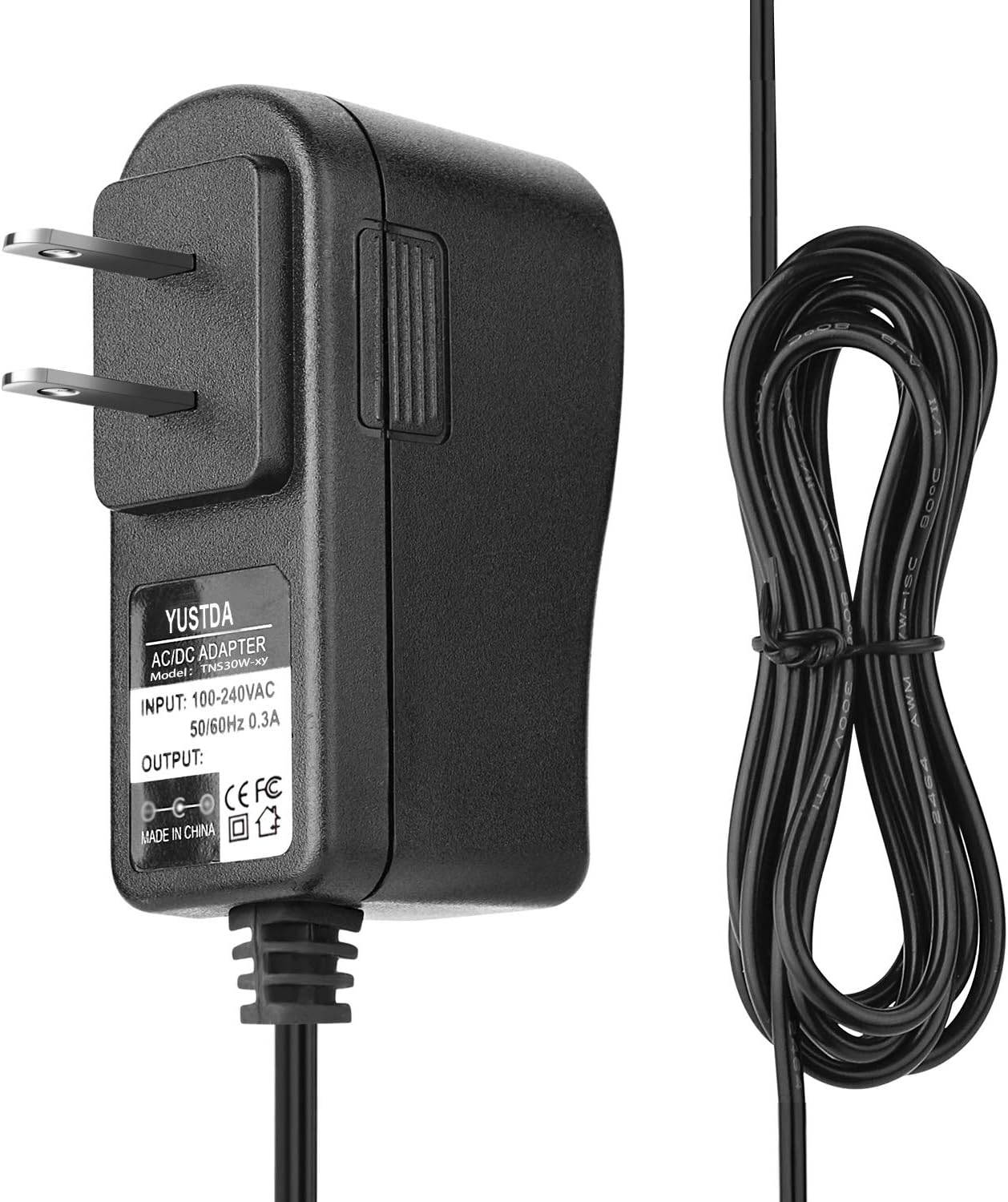
Image 1.1: The YUSTDA 12V AC/DC Adapter with its integrated power cord and barrel connector.
2. Safety Information
To ensure safe operation and prevent damage, observe the following safety guidelines:
- Indoor Use Only: This adapter is designed for indoor use in dry environments. Do not expose it to rain, moisture, or extreme temperatures.
- Electrical Shock Risk: Do not open the adapter casing. Refer all servicing to qualified personnel.
- Heat Warning: The adapter may become warm during normal operation. If it becomes excessively hot, disconnect it immediately.
- Input Voltage: The adapter supports a wide input voltage range of 100-240VAC, 50/60Hz. Ensure your power outlet matches these specifications.
- Protection Features: The adapter includes built-in safety features such as over current protection, total power protection, over voltage protection, and short circuit protection.

Image 2.1: Visual representation of the adapter's multiple safety protection features.
3. Setup
Follow these steps to set up your YUSTDA AC/DC Adapter:
- Verify Compatibility: Ensure your device requires a 12V DC input and uses a compatible barrel connector.
- Connect to Device: Insert the barrel connector of the adapter firmly into the power input port of your device.
- Connect to Power Outlet: Plug the adapter's AC prongs into a standard wall outlet (100-240VAC, 50/60Hz).

Image 3.1: The YUSTDA adapter connected to a power strip, illustrating proper connection to a power source.
4. Operating Instructions
Once properly connected, the adapter will automatically begin supplying power to your device. No further action is required for basic operation.
- Ensure the adapter is placed in a well-ventilated area to allow for heat dissipation.
- Avoid covering the adapter during operation.
5. Maintenance
Proper maintenance ensures the longevity and performance of your adapter:
- Cleaning: Disconnect the adapter from the power outlet and your device before cleaning. Use a dry, soft cloth to wipe the exterior. Do not use liquid cleaners.
- Storage: When not in use, store the adapter in a cool, dry place, away from direct sunlight and moisture.
- Cable Care: Avoid bending or kinking the power cord excessively. Do not place heavy objects on the cord.
- Inspection: Periodically inspect the adapter and its cord for any signs of damage, such as cuts, fraying, or exposed wires. If damage is found, discontinue use and replace the adapter.

Image 5.1: Illustration of the high-quality power cable design, featuring copper wire and PVC insulation for durability.
6. Troubleshooting
If you encounter issues with your adapter, refer to the following troubleshooting guide:
| Problem | Possible Cause | Solution |
|---|---|---|
| No power output to device | Adapter not fully plugged in; Wall outlet not functional; Device not compatible; Damaged adapter/cable. | Ensure adapter is securely plugged into both the wall and device. Test the wall outlet with another appliance. Verify device's power requirements. Inspect adapter and cable for damage; replace if necessary. |
| Adapter feels excessively hot | Poor ventilation; Overload; Internal fault. | Ensure adapter is in a well-ventilated area and not covered. Disconnect immediately. If problem persists, discontinue use. |
| Device not charging/powering on | Incorrect voltage/current; Loose connection; Device fault. | Confirm device's input specifications match the adapter's output (12V). Ensure barrel connector is fully inserted. Test device with its original power source if available. |
7. Specifications
- Model Number: TNS30W-xy
- Input Voltage: 100-240VAC, 50/60Hz
- Output Voltage: 12 Volts
- Output Current: 0.3A (as per label on image)
- Connector Type: Barrel connector
- Compatible Devices: All-Terrain-Vehicles (e.g., Best Choice Products ATV Quad Four Wheeler)
- Safety Features: Over current protection, Total power protection, Over voltage protection, Short Circuit Protection
- Certifications: FCC, CE, RoHS
- Manufacturer: YUSTDA

Image 7.1: Detailed view of the adapter's label, displaying model, input, output, and certification information.
8. Warranty and Support
The YUSTDA AC/DC Adapter is manufactured with high-quality materials and adheres to strict quality control procedures, evidenced by its FCC, CE, and RoHS certifications. For any questions, concerns, or support needs regarding your product, please contact our customer service team.
Email: epcustomerservice@yahoo.com