
1. Introduction and Overview
This manual provides essential information for the safe and effective use of your YUSTDA AC/DC Adapter. This adapter is designed as a replacement power supply for compatible devices, specifically the Vizio Crave 360 Wi-Fi Smartcast Speaker models SP50-D5 and DYS650-120300W-1.
Key features of this adapter include:
- World Wide Input Voltage: 100-240VAC 50/60Hz, ensuring global compatibility.
- Total Power Cord Length: Approximately 10 feet (3 meters) for flexible placement.
- Comprehensive Safety Features: Includes over current protection, total power protection, over voltage protection, and short circuit protection.
- High-Quality Construction: Manufactured with durable materials and certified to FCC, CE, and RoHS standards.
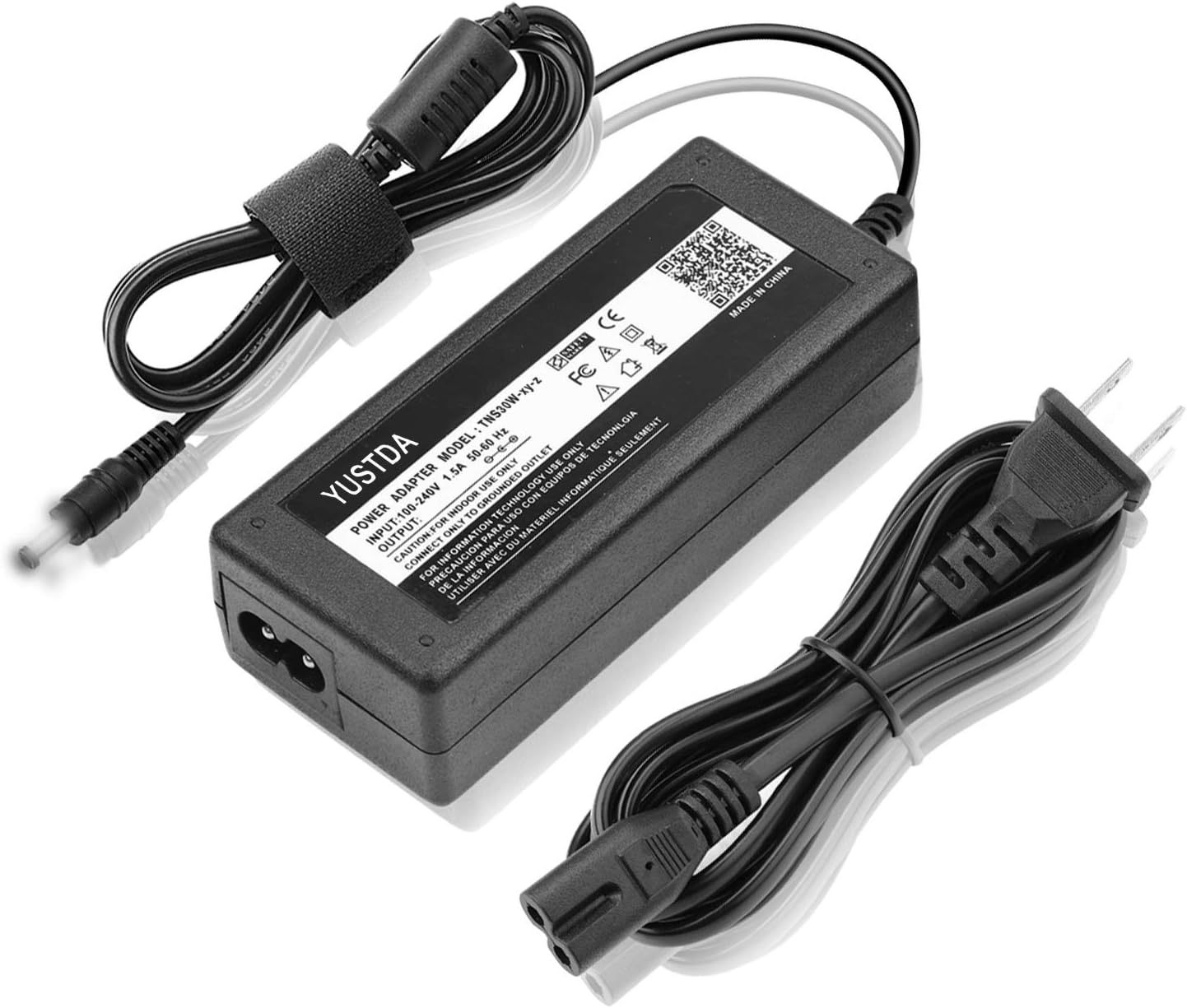
Figure 1.1: Overview of the YUSTDA AC/DC Adapter, showing the main unit, input power cable, and output DC connector.
2. Setup
Follow these steps to set up your AC/DC adapter:
- Unpack the Adapter: Carefully remove the adapter and its cables from the packaging.
- Connect the Input Cable: Insert the 2-pin input power cable into the adapter's input port.
- Connect to Power Outlet: Plug the 2-pin input power cable into a standard wall outlet (100-240VAC, 50/60Hz). Ensure the outlet is easily accessible.
- Connect to Device: Insert the DC output connector of the adapter into the power input port of your compatible device (e.g., Vizio Crave 360 Wi-Fi Smartcast Speaker). Ensure a firm connection.
- Verify Connection: The adapter features an LED indicator light to confirm power is being supplied.

Figure 2.1: Adapter cable configuration, highlighting the anti-interference ring for stable operation and approximate cable lengths (4ft output, 6ft input).
3. Operating Instructions
Once properly connected, the YUSTDA AC/DC Adapter will provide continuous power to your compatible device. No further user interaction is required for operation.
- Compatibility: This adapter is specifically designed for Vizio Crave 360 Wi-Fi Smartcast Speaker models SP50-D5 and DYS650-120300W-1.
- Intended Use: This product is a power supply adapter and is not a charging base. It provides direct power to the device.

Figure 3.1: Clarification that the product is an AC/DC adapter for power supply, not a charging base for devices.
4. Maintenance
To ensure the longevity and optimal performance of your YUSTDA AC/DC Adapter, follow these maintenance guidelines:
- Cleaning: Disconnect the adapter from the power outlet and the device before cleaning. Use a soft, dry cloth to wipe the surface. Do not use liquid cleaners or sprays.
- Storage: When not in use for extended periods, store the adapter in a cool, dry place away from direct sunlight and extreme temperatures.
- Cable Care: Avoid bending or crimping the cables excessively. Do not place heavy objects on the cables.
- Environmental Conditions: Do not expose the adapter to water, moisture, or high humidity. Use indoors only.

Figure 4.1: Illustration of the high-quality power cable design, featuring high-quality copper wire and PVC insulation jacket for durability.

Figure 4.2: The adapter's durable and compact design ensures safe, reliable operation and portability for home, office, and travel.
5. Troubleshooting
If you encounter issues with your YUSTDA AC/DC Adapter, refer to the following common problems and solutions:
- No Power Output:
- Ensure the adapter is securely plugged into a working wall outlet.
- Verify the DC output connector is firmly inserted into your device's power port.
- Check if the wall outlet is functional by plugging in another device.
- Device Not Charging/Powering On:
- Confirm that your device is compatible with this adapter (Vizio Crave 360 Wi-Fi Smartcast Speaker SP50-D5/DYS650-120300W-1).
- Ensure the adapter's specifications (voltage, amperage) match your device's requirements.
- If the adapter feels unusually hot, disconnect it immediately and allow it to cool.
- Flickering Power/Intermittent Connection:
- Check for any visible damage to the cables or connectors.
- Ensure all connections are tight and not loose.
The adapter is equipped with multiple safety protections to prevent damage to itself and your device:

Figure 5.1: Safety features include protection against over-temperature, over voltage, over current, and short circuits.
6. Specifications
| Feature | Specification |
|---|---|
| Brand | YUSTDA |
| Model Number | TNS30W-xy-z |
| Input Voltage | 100-240VAC, 50/60Hz |
| Amperage | 0.5 Amps |
| Connector Type | 2-Pin (Input) |
| Compatible Devices | Vizio Crave 360 Wi-Fi Smartcast Speaker (SP50-D5, DYS650-120300W-1) |
| Included Components | 2 x Power Adapter |
| Special Features | Short Circuit Protection, Over Current Protection, Over Voltage Protection, Total Power Protection |
7. Support
For any questions or problems regarding your YUSTDA AC/DC Adapter, please do not hesitate to contact our customer support team.
Email: epcustomerservice@yahoo.com