
YUSTDA TNS30W-xy
YUSTDA 5V AC/DC Adapter User Manual
Model: TNS30W-xy
Brand: YUSTDA
Introduction
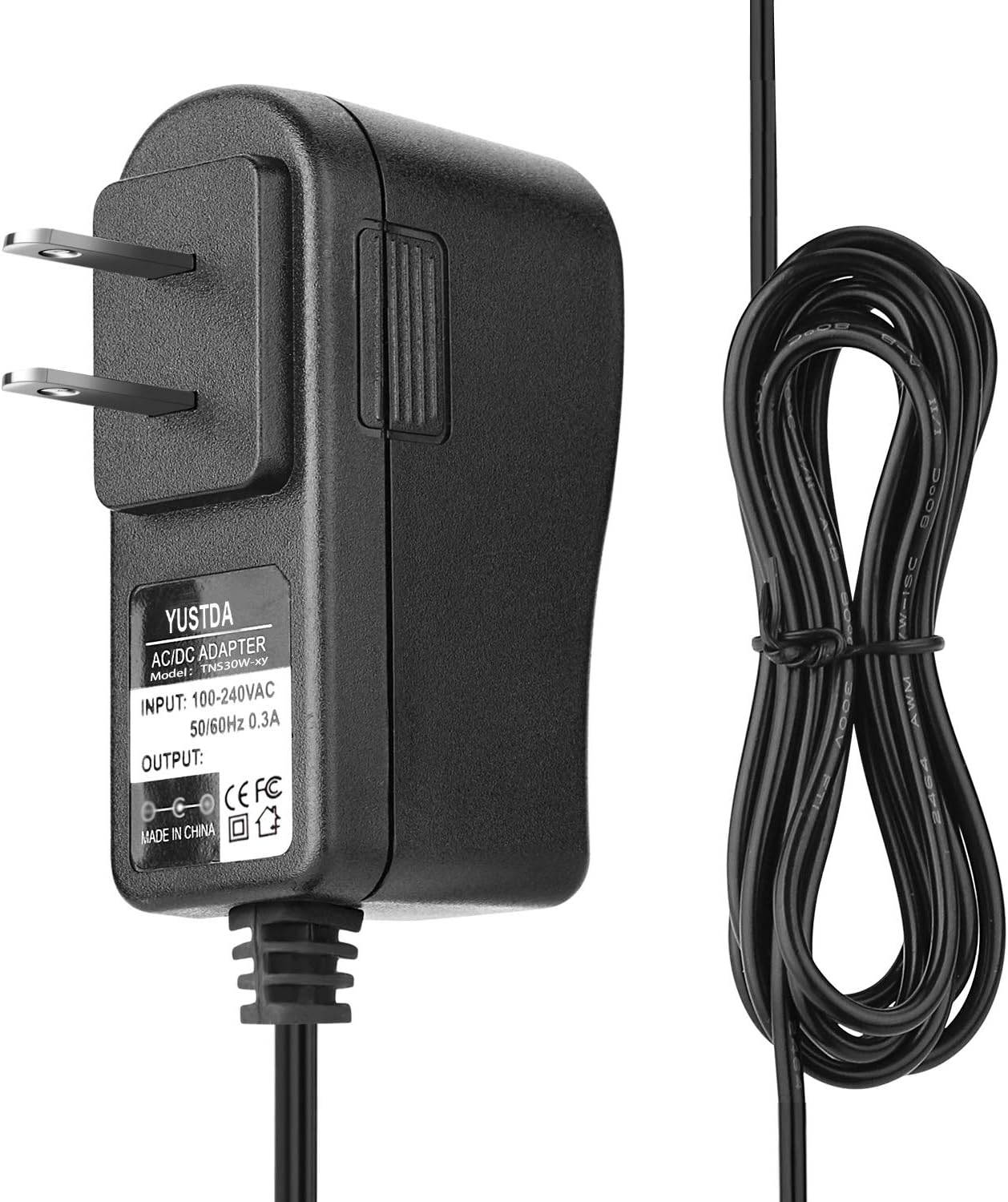
This manual provides essential information for the safe and effective use of your YUSTDA 5V AC/DC Adapter, Model TNS30W-xy. This power supply is designed to provide reliable and stable power to compatible electronic devices, such as the Hyper Tough 9977 1200-Lumen Rechargeable LED Work Light.
Key features of this adapter include:
- Wide input voltage range: 100-240VAC, 50/60Hz, suitable for worldwide use.
- Designed as a direct replacement AC adapter/charger, ensuring 100% compatibility with specified devices.
- Equipped with a 6.5-foot long power cord for convenient reach.
- Incorporates multiple safety features including over current protection, total power protection, over voltage protection, and short circuit protection.
- Manufactured with high-quality materials and certified with FCC, CE, and RoHS standards.
Setup
Follow these steps to set up your AC/DC adapter:
- Inspect the Adapter: Before use, visually inspect the adapter and its cable for any signs of damage. Do not use if damaged.
- Connect to Device: Plug the barrel connector end of the adapter cable into the power input port of your compatible device (e.g., Hyper Tough 9977 LED Work Light). Ensure a secure connection.
- Connect to Power Outlet: Insert the two-prong plug of the adapter into a standard wall power outlet (100-240VAC, 50/60Hz).
- Verify Connection: Once connected, your device should begin to receive power or charge, indicated by its power indicator light (if applicable).

Operating Instructions
The YUSTDA 5V AC/DC Adapter is designed for simple plug-and-play operation. Once properly connected to a power source and your device, it will automatically supply the necessary power.
- Ensure the adapter is always used within its specified input and output voltage ranges.
- Do not overload the adapter by connecting devices that exceed its maximum wattage output.
- Disconnect the adapter from the wall outlet when not in use for extended periods.

Maintenance
Proper maintenance ensures the longevity and safe operation of your adapter:
- Cleaning: Disconnect the adapter from all power sources before cleaning. Use a soft, dry cloth to wipe the surface. Do not use liquid cleaners or abrasive materials.
- Storage: Store the adapter in a cool, dry place away from direct sunlight and extreme temperatures. Avoid tightly coiling the cable to prevent damage.
- Handling: Do not drop, disassemble, or attempt to repair the adapter yourself. This can void the warranty and pose safety risks.
- Cable Care: Avoid bending or crimping the power cord excessively, especially near the connectors, as this can lead to internal wire damage.

Troubleshooting
If you encounter issues with your YUSTDA AC/DC Adapter, refer to the following common problems and solutions:
- No Power Output:
- Ensure the adapter is securely plugged into a working wall outlet. Test the outlet with another device.
- Verify that the barrel connector is fully inserted into your device's power input.
- Check the adapter cable for any visible damage or kinks.
- Confirm that your device is compatible with a 5V DC power supply and that its power requirements do not exceed the adapter's output.
- Device Not Charging/Powering On:
- Ensure the device itself is functioning correctly and not the source of the issue.
- Confirm the device's battery (if applicable) is not completely depleted or faulty.
- The adapter may have entered a protection mode due to an overload or short circuit. Disconnect it from both the wall and the device, wait a few minutes, then reconnect.
- Adapter Overheating:
- It is normal for adapters to feel warm during operation. However, if it is excessively hot to the touch, disconnect it immediately.
- Ensure the adapter is not covered or placed in an area with poor ventilation.
- Verify that the connected device's power draw does not exceed the adapter's specifications.

Specifications
| Feature | Detail |
|---|---|
| Model Number | TNS30W-xy |
| Brand | YUSTDA |
| Input Voltage | 100-240VAC |
| Input Frequency | 50/60Hz |
| Output Voltage | 5 Volts DC |
| Wattage | 120 watts |
| Connector Type | Barrel Connector |
| Cable Length | 6.5 feet (approx. 2 meters) |
| Special Feature | Short Circuit Protection |
| Certifications | CE, FCC, RoHS |
| Mounting Type | Wall Mount |
| Power Source | Corded Electric |
| Date First Available | November 28, 2019 |

Warranty Information
Please refer to the seller or product packaging for specific warranty details and terms. Typically, power adapters come with a limited manufacturer's warranty covering defects in materials and workmanship under normal use.
Keep your purchase receipt as proof of purchase for any warranty claims.
Customer Support
For any questions, concerns, or technical assistance regarding your YUSTDA 5V AC/DC Adapter, please contact our customer support team:
- Email: epcustomerservice@yahoo.com
When contacting support, please provide your product model number (TNS30W-xy) and a detailed description of your issue.