
Bang & Olufsen 1648300
Bang & Olufsen Beoplay E8 3rd Generation User Manual
Model: 1648300
Product Overview
The Bang & Olufsen Beoplay E8 3rd Generation are truly wireless in-ear Bluetooth earphones designed to provide a seamless and completely cordless audio experience. These earphones combine Bang & Olufsen's Signature Sound with extended playtime, offering up to 35 hours of listening with the included wireless charging case. Each component is carefully selected to support convenient technologies like QI certified wireless charging and Bluetooth 5.1 connectivity. The sound profile is meticulously curated by acclaimed Bang & Olufsen acousticians to deliver a superior sound experience. Compact and powerful, the Beoplay E8 3rd Gen aims to provide best-in-category sound and market-leading features in a beautifully designed form factor.
Key Features:
- Extended Playtime: Enjoy up to 35 hours of playtime with 7 hours from the earphones and an additional four charges from the case.
- Wireless Charging Case: The crafted leather carrying case supports QI wireless charging, allowing for convenient on-the-go power.
- Bang & Olufsen Signature Sound: Tuned by expert acousticians for an authentic and rich audio experience.
- Transparency Mode: Easily switch to Transparency Mode to tune into your surroundings with a simple gesture.
- Bluetooth 5.1: Features the latest Qualcomm technology and Bluetooth 5.1 for a fast, flawless wireless connection with minimal battery consumption. Supports AAC and Qualcomm aptX codecs.
- Compact, Ergonomic Design: Designed for a better fit across various ear shapes and sizes, offering a comfortable and less intrusive experience.
- Integrated Microphones: Both earbuds include microphones for clear call quality.
- Touch Control: Intuitive touch controls on the earbuds for managing playback, calls, and transparency mode.
What's in the Box
- Bang & Olufsen Beoplay E8 3rd Generation Earphones (Left and Right)
- Wireless Charging Case (Black leather)
- USB Charging Cable
- 4 pairs of silicone ear tips (XS, X, M, L)
- Comply foam ear tips
- User Manual (this document)
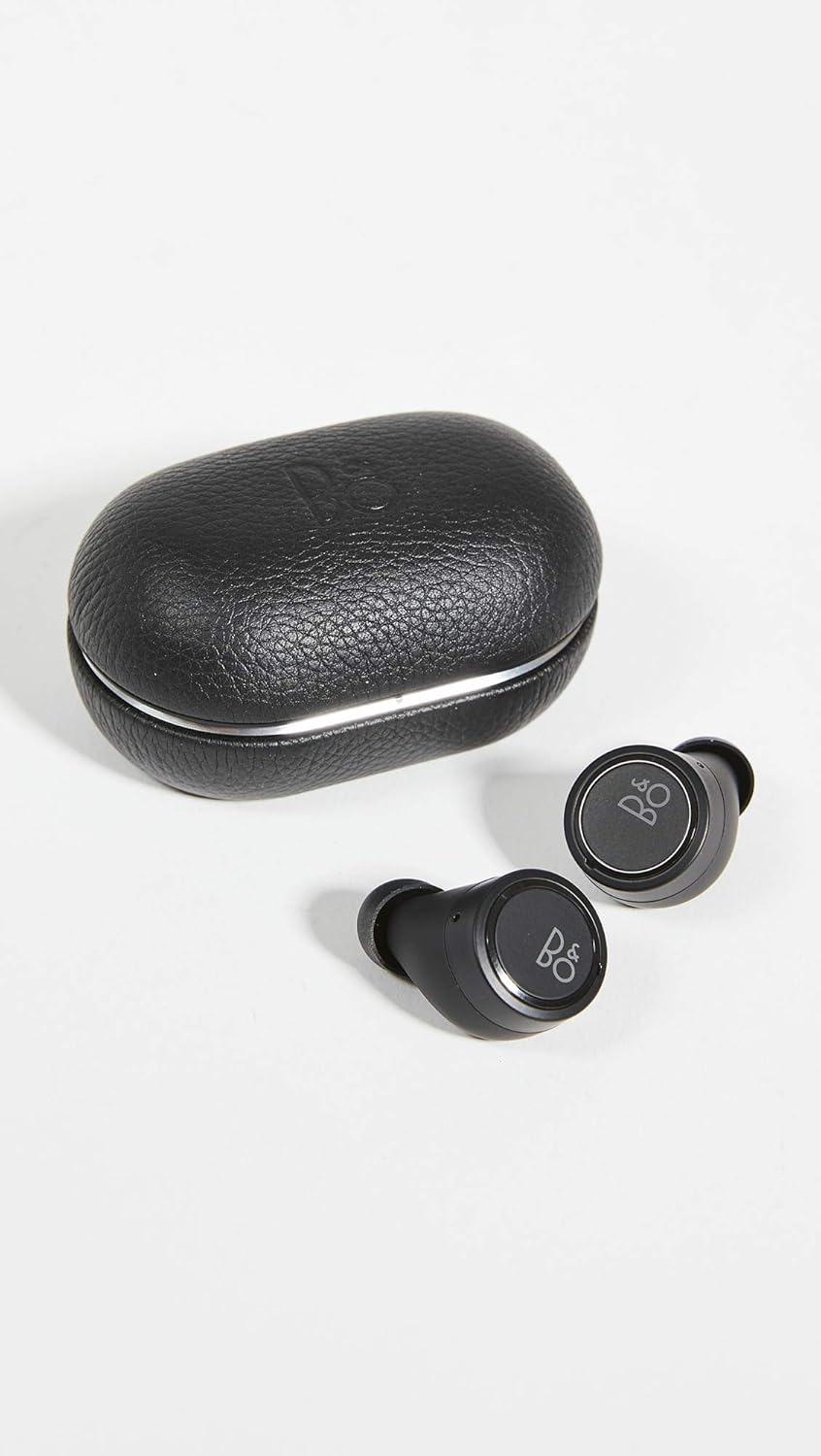
Image: The Beoplay E8 3rd Generation earphones, both left and right earbuds, displayed alongside their black leather charging case.
Setup
Charging the Case and Earphones
Before first use, ensure the charging case and earphones are fully charged. The charging case can be charged wirelessly on a Qi-certified charging pad or via the included USB-C cable.
- Place the charging case on a wireless charging pad or connect the USB-C cable to the port on the back of the case and to a power source.
- The LED indicator on the front of the case will show charging status.
- To charge the earphones, place them securely into their respective slots inside the charging case. The earphones will begin charging automatically.

Image: A close-up view of the black leather charging case for the Beoplay E8 3rd Generation earphones, highlighting the USB-C charging port.
Initial Pairing with a Device
The Beoplay E8 3rd Generation earphones are designed for easy pairing.
- Ensure the earphones are in the charging case and the case lid is open.
- On your device (smartphone, tablet, etc.), go to the Bluetooth settings and enable Bluetooth.
- The earphones should appear in the list of available devices as "Beoplay E8 3rd Gen". Select it to pair.
- Alternatively, to initiate pairing manually, tap and hold both earbuds for 5 seconds until the light indicator flashes blue.
- Once paired, the earphones will automatically connect to your device when removed from the case and within range.

Image: The Beoplay E8 3rd Generation earphones resting in their open charging case, ready for use or charging.
Operating the Earphones
Touch Controls
The Beoplay E8 3rd Generation earphones feature intuitive touch controls on the surface of each earbud. These controls allow you to manage various functions without needing to access your connected device.
- Play/Pause: Single tap on the right earbud.
- Next Track: Double tap on the right earbud.
- Previous Track: Double tap on the left earbud.
- Volume Up: Tap and hold on the right earbud.
- Volume Down: Tap and hold on the left earbud.
- Answer/End Call: Single tap on either earbud.
- Reject Call: Double tap on either earbud.
- Activate Voice Assistant: Triple tap on the right earbud.

Image: A detailed view of a single Beoplay E8 3rd Generation earbud, highlighting its sleek design and the touch-sensitive outer surface.
Transparency Mode
Transparency Mode allows you to hear your surroundings without removing your earphones. This is useful for situational awareness, such as hearing announcements or engaging in brief conversations.
- Activate/Deactivate: Single tap on the left earbud.
- You can customize the level of transparency through the Bang & Olufsen app.
Maintenance
To ensure the longevity and optimal performance of your Beoplay E8 3rd Generation earphones, follow these maintenance guidelines:
- Cleaning: Regularly wipe the earphones and charging case with a soft, dry cloth. Avoid using abrasive materials or harsh chemicals.
- Ear Tips: Remove ear tips periodically and clean them with a damp cloth. Ensure they are completely dry before reattaching.
- Storage: When not in use, always store the earphones in their charging case to protect them and keep them charged.
- Water Resistance: The earphones are IP54 dust and splash resistant. This means they can withstand light rain and sweat, but they are not designed for submersion in water. Avoid exposing them to excessive moisture or liquids.

Image: The Beoplay E8 3rd Generation earphones displayed outside of their charging case, showing their compact design.
Troubleshooting
If you encounter issues with your Beoplay E8 3rd Generation earphones, try the following common troubleshooting steps:
- No Sound/Connection Issues:
- Ensure earphones are charged and removed from the case.
- Check Bluetooth on your device is enabled and connected to "Beoplay E8 3rd Gen".
- Try unpairing and re-pairing the earphones from your device's Bluetooth settings.
- Restart your connected device.
- One Earbud Not Working:
- Place both earbuds back into the charging case, close the lid, wait a few seconds, then open and remove them.
- Ensure both earbuds are charged.
- Perform a factory reset (refer to the Bang & Olufsen app or online support for specific instructions).
- Charging Issues:
- Verify the USB-C cable is securely connected to both the case and the power source.
- If using wireless charging, ensure the case is correctly positioned on the charging pad.
- Clean the charging contacts on both the earbuds and inside the case with a dry cotton swab.
- Touch Controls Unresponsive:
- Ensure your fingers are clean and dry when using touch controls.
- Try resetting the earphones by placing them in the case and then removing them.
For more detailed troubleshooting or advanced issues, please refer to the official Bang & Olufsen support website or contact customer service.
Specifications
| Feature | Detail |
|---|---|
| Model Name | Bang & Olufsen Beoplay E8 3rd Generation |
| Model Number | 1648300 |
| Connectivity Technology | Bluetooth 5.1 |
| Wireless Communication Technology | Bluetooth |
| Earphone Battery Life | Up to 7 hours |
| Total Playtime (with case) | Up to 35 hours |
| Charging Time | Approx. 2 hours (earphones and case) |
| Material | Leather, Aluminium, Polymer, Silicon |
| Carrying Case Material | Leather |
| Water Resistance Level | IP54 (Dust and Splash Resistant) |
| Frequency Range | 20 Hz - 20 kHz |
| Impedance | 16 Ohm |
| Item Weight (each earbud) | 6 Grams (0.212 ounces) |
| Product Dimensions | 1.02 x 0.98 x 0.74 inches |
| Control Type | Touch Control, App Control |
| Noise Control | Sound Isolation |
Official Product Videos
Bang & Olufsen Beoplay E8 3rd Generation Earphones Overview
Video: An official overview of the Bang & Olufsen Beoplay E8 3rd Generation earphones, showcasing their design, features, and key functionalities.
Warranty and Support
Bang & Olufsen products are covered by a limited warranty. For detailed information regarding warranty terms, conditions, and duration, please refer to the warranty card included with your product or visit the official Bang & Olufsen website.
For customer support, technical assistance, or service inquiries, please visit the Bang & Olufsen support page or contact their authorized service centers. Keep your proof of purchase for warranty claims.
Official User Guide (PDF): Download User Guide
Instructions for Use (PDF): Download Instructions
Related documents1648300


Ask a question about this manual
Ask about setup, troubleshooting, compatibility, parts, safety, or missing instructions. Manuals+ will review the question and use this page’s manual context to help answer it.