
DELTACO GAMING GAM-085
DELTACO GAM-085 Optical Gaming Mouse User Manual
Model: GAM-085 | Brand: DELTACO GAMING
Product Overview
The DELTACO GAM-085 is an optical gaming mouse designed for both right and left-handed users, embodying the principle that "Gaming is for everyone." It features dynamic RGB lighting with 9 different modes, a high-precision sensor, and a durable build quality, making it suitable for extended gaming sessions.
This mouse is equipped with LED strips on both sides, a glossy surface for enhanced aesthetics, and a scroll wheel and logo that illuminate to indicate the active DPI setting. Its robust design ensures reliability and comfort.
Setup
Setting up your DELTACO GAM-085 gaming mouse is straightforward. Follow these steps to get started:
- Unpack the Mouse: Carefully remove the mouse from its packaging. Ensure all components are present.
- Connect to Your Computer: Locate an available USB port on your computer. Insert the USB connector of the GAM-085 mouse into the USB port.
- Driver Installation: Your operating system (Windows, macOS, Linux) should automatically detect and install the necessary drivers for the mouse. This process usually takes a few seconds. No additional software installation is required for basic functionality.
- Optional Software: For advanced customization of DPI settings, button assignments, and RGB lighting effects, you may download the dedicated DELTACO GAMING software from the official DELTACO website.

Image: The DELTACO GAM-085 gaming mouse, showcasing its sleek black design and USB cable connection.
Operating Instructions
The DELTACO GAM-085 mouse offers various features for an optimized gaming experience. Here's how to operate its key functions:
DPI Adjustment
The mouse features a PMW3325 sensor with adjustable DPI settings ranging from 400 to 5000 DPI. The scroll wheel and DELTACO GAMING logo will change color to indicate the current DPI level.
- To cycle through DPI settings, press the dedicated DPI button located behind the scroll wheel. Each press will switch to the next predefined DPI level.
- The specific DPI levels and their corresponding colors can be customized via the optional DELTACO GAMING software.

Image: Top view of the mouse, highlighting the scroll wheel and the DPI adjustment button.
RGB Lighting Modes
The GAM-085 mouse features 9 different RGB lighting modes, plus an option to turn the lighting completely off. The glossy surface enhances the visual effect of the RGB lighting.
- To switch between RGB lighting modes, simultaneously press the scroll wheel and the right-click button. Each combination press will cycle to the next lighting mode.
- To turn off the LEDs, cycle through the modes until the lighting is off, or press and hold the scroll wheel for 5 seconds (undocumented feature).
- Further customization of lighting effects, colors, and speed is available through the DELTACO GAMING software.

Image: The DELTACO GAM-085 mouse illuminated with purple RGB lighting, showcasing the side LED strips.

Image: The DELTACO GAM-085 mouse illuminated with blue RGB lighting, highlighting the scroll wheel and logo.
Programmable Buttons
The GAM-085 mouse features 6 buttons, including the standard left/right click, scroll wheel click, DPI button, and two side buttons. These buttons can be reprogrammed for various functions using the DELTACO GAMING software.
- By default, the two side buttons function as "page up" and "page down."
- Refer to the software's user interface for detailed instructions on button remapping.

Image: Side view of the DELTACO GAM-085 mouse, clearly showing the two programmable side buttons.
Maintenance
Proper maintenance ensures the longevity and optimal performance of your DELTACO GAM-085 gaming mouse.
- Cleaning: Use a soft, dry, lint-free cloth to wipe the surface of the mouse. For stubborn dirt, slightly dampen the cloth with water or a mild cleaning solution. Avoid using harsh chemicals, abrasive cleaners, or solvents.
- Sensor Cleaning: Occasionally, dust or debris may accumulate around the optical sensor on the bottom of the mouse. Use a cotton swab or compressed air to gently clean the sensor area. Do not touch the sensor directly with your fingers.
- Cable Care: The mouse features a fabric-covered USB cable. Avoid sharp bends, kinks, or excessive pulling on the cable to prevent damage. Store the cable neatly when not in use.
- Storage: When not in use for extended periods, store the mouse in a clean, dry environment away from direct sunlight and extreme temperatures.

Image: The underside of the DELTACO GAM-085 mouse, showing the optical sensor and glide pads.
Troubleshooting
If you encounter issues with your DELTACO GAM-085 gaming mouse, refer to the following common troubleshooting steps:
| Problem | Possible Cause | Solution |
|---|---|---|
| Mouse is not responding. | Loose USB connection, faulty USB port, driver issue. |
|
| DPI settings not changing. | DPI button not pressed correctly, software conflict. |
|
| RGB lighting is off or not changing modes. | Lighting mode is off, incorrect button combination, software override. |
|
| Mouse cursor erratic or not moving smoothly. | Dirty optical sensor, unsuitable mouse pad surface. |
|
Specifications
| Feature | Detail |
|---|---|
| Model Number | GAM-085 |
| Brand | DELTACO GAMING |
| Connectivity Technology | USB (Wired) |
| Sensor Type | Optical (PMW 3325) |
| DPI Range | 400-5000 DPI |
| Polling Rate | 1000 Hz |
| Number of Buttons | 6 |
| Switch Type | Huano (up to 10 million clicks) |
| RGB Lighting | 9 LED modes, customizable via software |
| Cable Length | 1.85m fabric-covered USB cable |
| Hand Orientation | Ambidextrous |
| Color | Black |
| Compatible Devices | PC, Gaming Consoles (where USB mouse input is supported) |
Warranty and Support
DELTACO GAMING products are built with quality and durability in mind. For information regarding warranty coverage, technical support, or to download the latest software and drivers for your GAM-085 mouse, please visit the official DELTACO GAMING website or contact their customer support.
- Official Website: www.deltaco.eu (or relevant regional site)
- Customer Support: Refer to the contact section on the official website for support channels (email, phone, etc.).
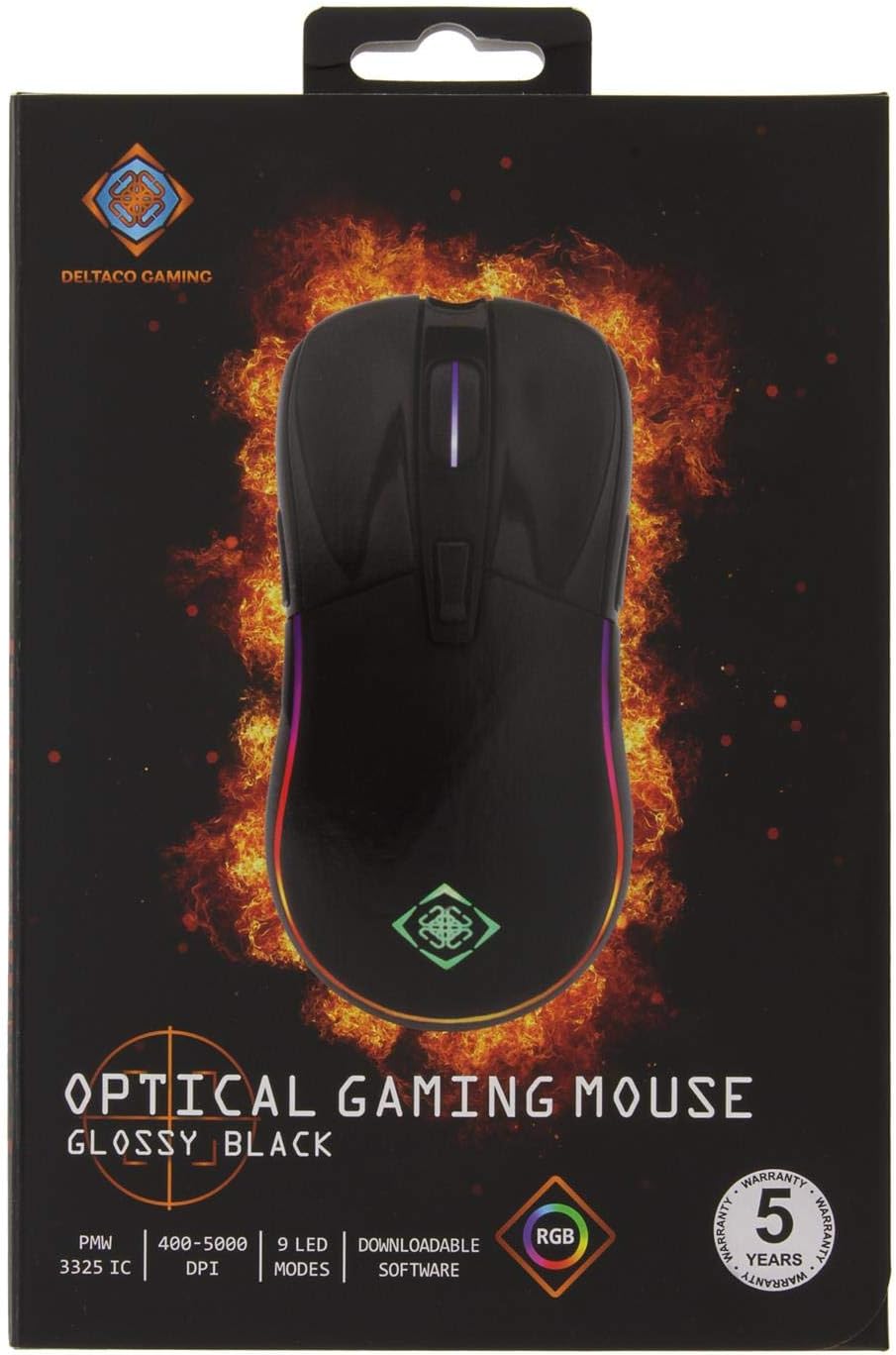
Image: The retail packaging for the DELTACO GAM-085 Optical Gaming Mouse, highlighting key features and branding.
Related documentsGAM-085


Ask a question about this manual
Ask about setup, troubleshooting, compatibility, parts, safety, or missing instructions. Manuals+ will review the question and use this page’s manual context to help answer it.