
Introduction
This manual provides essential information for the safe and efficient use of your Karbonn K24 Plus Pro basic mobile phone. Please read this manual carefully before operating your device to ensure optimal performance and longevity. Keep this manual for future reference.
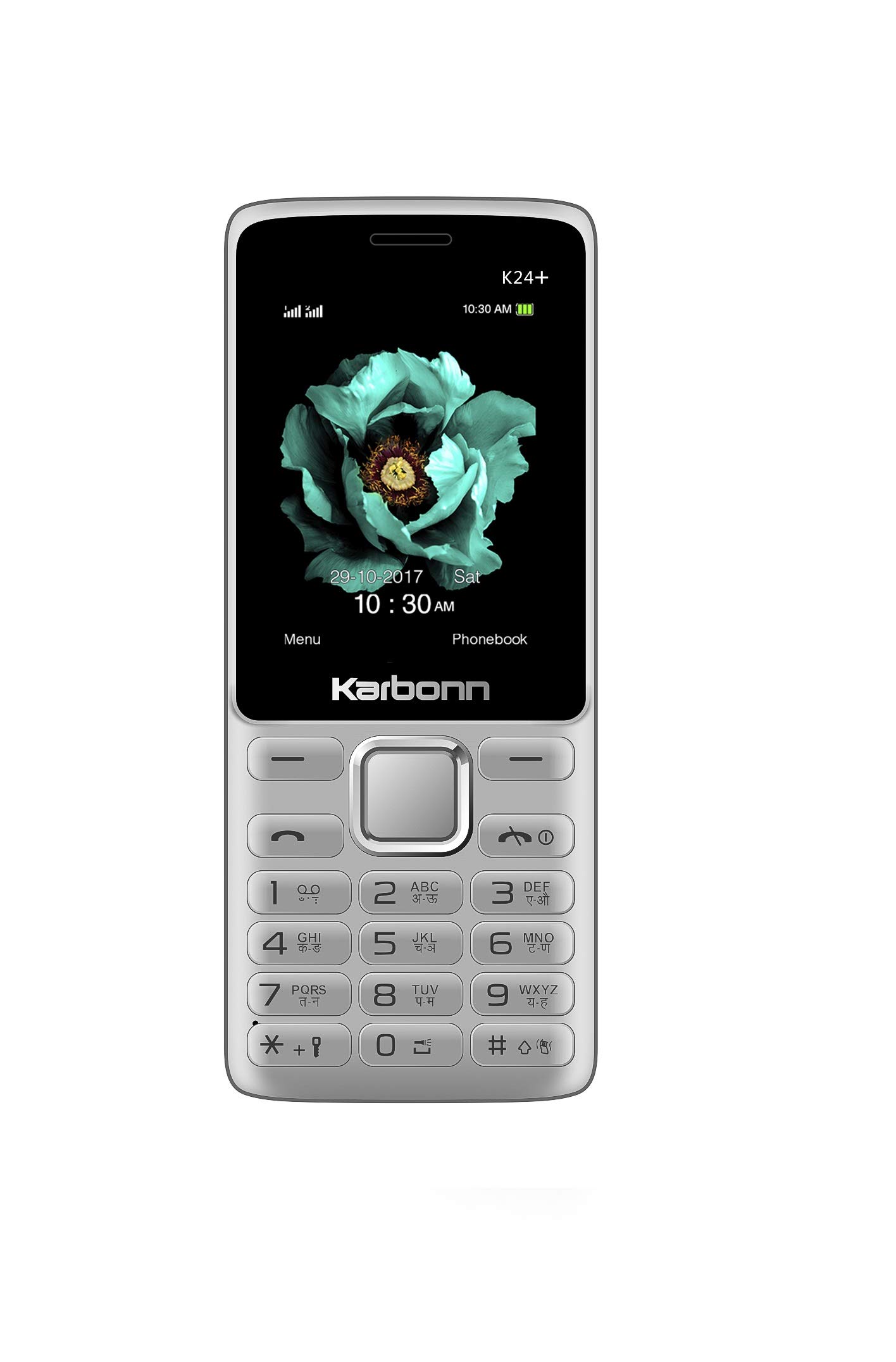
Image: Karbonn K24 Plus Pro basic mobile phone in grey black.
What's in the Box
Upon opening your Karbonn K24 Plus Pro package, you should find the following items:
- Handset
- Charger
- Battery
- User Manual
- Warranty Card
Video: A brief overview of the Karbonn K24 Plus Pro, highlighting its features and what's included in the box.
Setup
1. Inserting the SIM Card(s)
- Power off the phone and remove the back cover.
- Carefully insert your SIM card(s) into the designated SIM slots. This device supports Dual SIM functionality.
- Ensure the SIM card is correctly oriented as indicated on the phone.
2. Inserting the Battery
- Align the battery contacts with the terminals in the battery compartment.
- Gently press the battery down until it clicks into place.
- Replace the back cover.
3. Charging the Device
- Connect the charger to the charging port on your phone.
- Plug the charger into a power outlet.
- Allow the phone to charge completely before initial use. The battery indicator will show charging status.
4. Inserting a Memory Card (Optional)
- Power off the phone and remove the back cover and battery.
- Locate the memory card slot.
- Insert a microSD card (up to 32GB) into the slot, ensuring correct orientation.
- Replace the battery and back cover.
Operating Instructions
Power On/Off
- To power on, press and hold the Power/End Call button until the screen lights up.
- To power off, press and hold the Power/End Call button, then select 'Power off' from the options.
Navigation
- Use the navigation keys (up, down, left, right) to move through menus and options.
- Press the 'OK' or 'Select' key (usually the center key) to confirm a selection.
- Use the 'Back' or 'Clear' key to return to the previous screen or delete characters.
Making Calls
- From the home screen, dial the phone number using the keypad.
- Press the 'Call' button (usually green) to initiate the call.
- To end a call, press the 'End Call' button (usually red).
Sending Messages
- Go to 'Menu' > 'Messages'.
- Select 'Write message' or 'New SMS'.
- Enter your message using the keypad.
- Enter the recipient's number or select from contacts.
- Select 'Send'.
Using the Camera
The phone features a 0.3MP primary camera with digital zooming.
- Go to 'Menu' > 'Camera'.
- Frame your shot using the display.
- Press the 'OK' or 'Capture' key to take a photo.
FM Radio
The device includes an FM Radio feature. Ensure headphones are connected as they often act as the antenna.
- Go to 'Menu' > 'FM Radio'.
- Use the navigation keys to tune to stations.
- The phone also supports FM Recording.
Music and Video Player
Enjoy your media files with the built-in Music Player and Video Player.
- Transfer music and video files to your memory card.
- Access 'Menu' > 'Music Player' or 'Video Player' to browse and play your files.
Other Features
- Auto Call Recorder: Automatically records phone calls. Check settings for activation.
- Bluetooth: For wireless connectivity with other devices.
- Mobile Tracker: Helps locate your phone if lost or stolen.
- Pre Embedded Games: Enjoy pre-installed games for entertainment.
- Tools: Includes Calculator, Stopwatch, Calendar, and Alarm functions.
Maintenance
- Keep the device dry. Precipitation, humidity, and all types of liquids or moisture can contain minerals that will corrode electronic circuits.
- Do not use or store the device in dusty, dirty areas. Its moving parts and electronic components can be damaged.
- Do not store the device in high temperatures. High temperatures can shorten the life of electronic devices, damage batteries, and warp or melt certain plastics.
- Do not store the device in cold temperatures. When the device returns to its normal temperature, moisture can form inside the device and damage electronic circuit boards.
- Do not attempt to open the device other than as instructed in this manual.
- Do not drop, knock, or shake the device. Rough handling can break internal circuit boards and fine mechanics.
- Do not use harsh chemicals, cleaning solvents, or strong detergents to clean the device.
- Use only the supplied or approved replacement battery and charger.
Troubleshooting
Phone does not power on
- Ensure the battery is correctly inserted and charged.
- Try charging the phone for at least 30 minutes.
- Check if the battery contacts are clean.
Cannot make or receive calls
- Check if the SIM card is properly inserted.
- Ensure you have network coverage.
- Verify that your SIM card is active and has sufficient balance/plan.
Poor sound quality
- Check the volume settings.
- Ensure the speaker/earpiece is not blocked.
- Move to an area with better network reception.
Battery drains quickly
- Reduce screen brightness.
- Close unused applications.
- Limit background data usage if applicable.
- Ensure the battery is not old or damaged.
Specifications
| Feature | Specification |
|---|---|
| Brand | Karbonn |
| Model | K24 Plus Pro |
| Operating System | SYMBIAN |
| RAM Memory Installed Size | 32 MB |
| Memory Storage Capacity | 32 GB (Expandable up to 32GB) |
| Screen Size | 2.4 Inches (6.1 cm) |
| Display Type | TFT Display |
| Resolution | 240 x 320 Pixels |
| Colour | Grey Black |
| SIM Card Slot Count | Dual SIM |
| Form Factor | Bar |
| Biometric Security Feature | Face Recognition |
| Product Features | Dual SIM, FM Radio, Music Player, Video Player, Auto Call Recorder, Bluetooth, Mobile Tracker, Pre Embedded Games |
| Material Features | Plastic |
| Camera Description | Rear, 0.3MP primary camera with digital zooming |
| Cellular Technology | 2G |
| Network Connectivity Technology | GSM (1900/1800/850/900 MHz) |
| Wireless Provider | Unlocked for All Carriers |
| Battery Capacity | 1800 mAh Lithium-Ion |
| Item Weight | 200 Grams |
| Item Dimensions | 15 x 6.6 x 10.4 Centimeters |
Warranty and Support
Your Karbonn K24 Plus Pro comes with a standard manufacturer's warranty:
- Device Warranty: 1 year from the date of purchase.
- Accessories Warranty: 6 months for in-box accessories, including batteries, from the date of purchase.
For warranty claims, technical support, or further assistance, please refer to the contact information provided on your Warranty Card or visit the official Karbonn support website.