
1. Introduction
This manual provides essential instructions for the safe and efficient operation, installation, and maintenance of your YJINGRUI CW-3000DK Industrial Chiller Cooler. Please read this manual thoroughly before operating the unit and retain it for future reference. This chiller is designed for cooling CO2 glass laser tubes under 80W, ensuring stable working conditions and extending the lifespan of laser devices.
2. Safety Information
Always observe the following safety precautions to prevent injury or damage to the equipment:
- Ensure the power supply matches the chiller's voltage (AC 1P 110V) and frequency (50/60Hz).
- Connect the chiller to a properly grounded electrical outlet.
- Do not operate the chiller with damaged power cords or plugs.
- Keep the chiller away from flammable materials and direct sunlight.
- Ensure adequate ventilation around the chiller to prevent overheating.
- Do not immerse the chiller in water or expose it to excessive moisture.
- Only use purified or distilled water in the tank. Tap water can cause mineral buildup and damage.
- In case of an alarm, immediately investigate the cause and resolve the issue before continuing operation.
3. Product Overview
3.1 Components
The YJINGRUI CW-3000DK chiller features a compact design with clearly labeled components for ease of use.
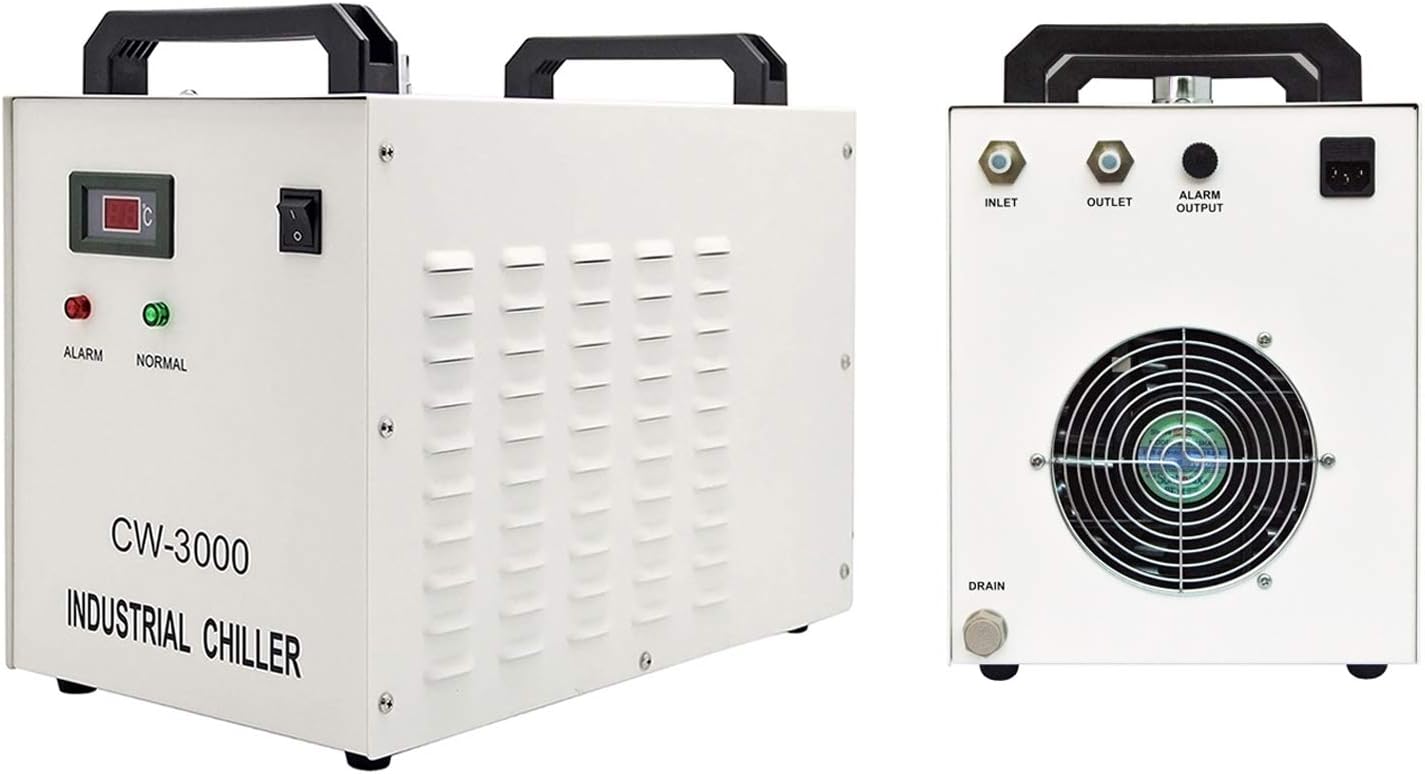
Image: Front and rear views of the CW-3000DK Industrial Chiller. The front panel shows the temperature display, power switch, and alarm/normal indicators. The rear panel displays the inlet, outlet, alarm output, power socket, radiator fan, and drain.

Image: Detailed diagram illustrating the various components of the CW-3000DK chiller, including the water supply inlet, power switch, temperature displayer, system alarm indicator, running indicator, power socket (with fuse), alarm signal output terminal, outlet, inlet, radiator fan, air inlet, machine parameters, serial number, and drain. Dimensions are also shown: 49cm (length), 27cm (width), and 38cm (height).
3.2 Key Features
- Thermolysis Type: Utilizes thermolysis for cooling, suitable for small water cooling applications.
- Stable Operation: Provides stable working conditions for laser devices.
- Water Flow Alarm: Integrated protection system for low water flow.
- Over Temperature Alarm: Alerts users to excessively high temperatures.
- High Heat Dissipation: Efficient heat dissipation capacity.
- Long Water Usage: Allows for extended use of cooling water.
- Protection Features: Alarm output port for sensitive component protection.
- Tank Capacity: 9L cooling tank capacity.
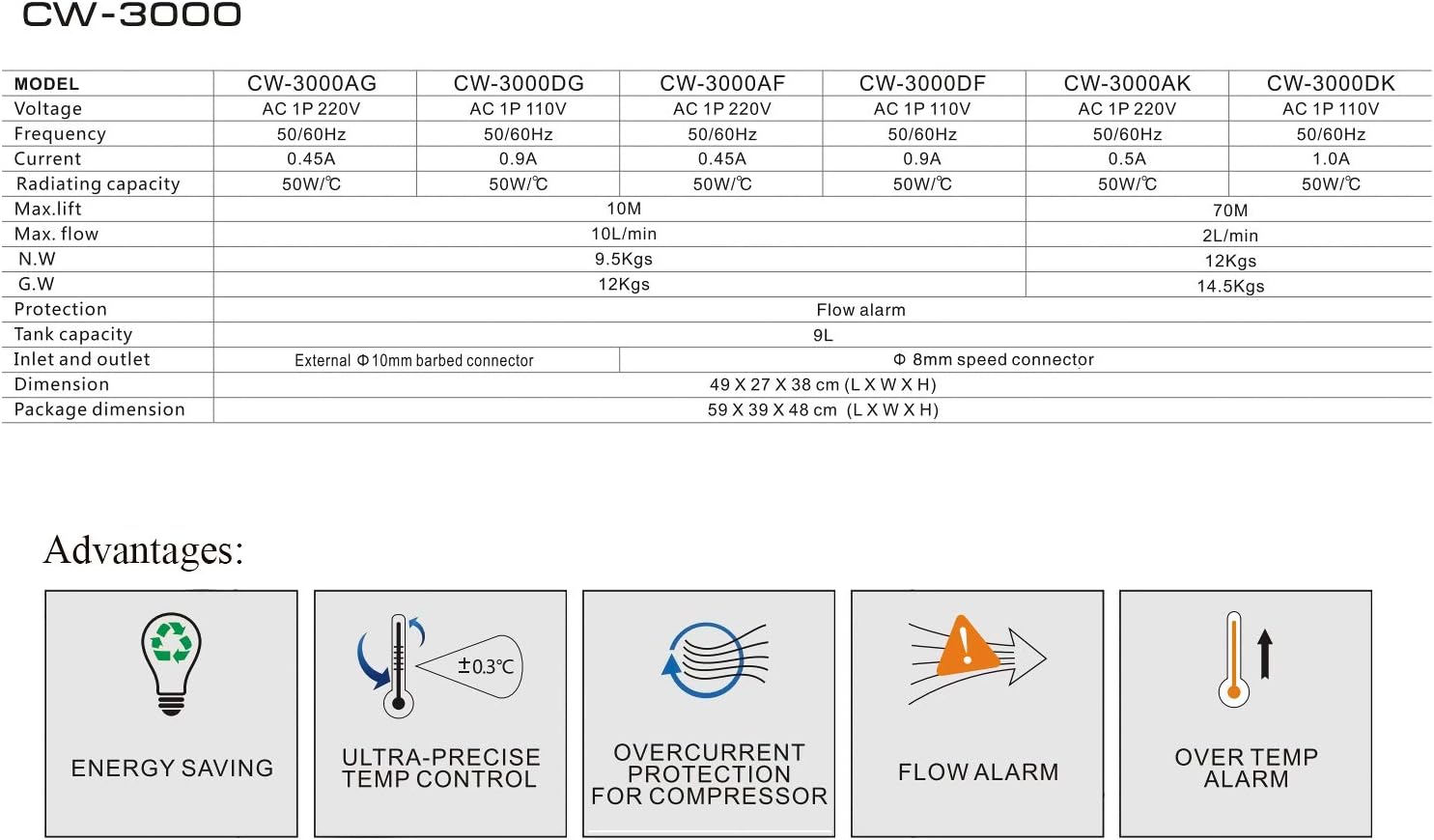
Image: Icons illustrating the advantages of the CW-3000 chiller, including Energy Saving, Ultra-Precise Temperature Control (±0.3°C), Overcurrent Protection for Compressor, Flow Alarm, and Over Temperature Alarm.
4. Setup
4.1 Unpacking
Carefully remove the chiller from its packaging. Inspect the unit for any signs of damage during transit. Report any damage to your supplier immediately.
4.2 Placement
Place the chiller on a stable, level surface in a well-ventilated area. Ensure there is sufficient space around the unit for air circulation, especially around the radiator fan and air inlets/outlets.
4.3 Water Filling
- Ensure the chiller is powered off and unplugged.
- Locate the water supply inlet (usually at the top or side).
- Fill the tank with approximately 9 liters of purified or distilled water. Do not use tap water.
- Monitor the water level indicator on the rear panel. Fill until the water level is within the 'NORMAL' or 'FULL' range.

Image: A close-up view of the water level indicator located on the rear panel of the chiller. The indicator shows 'FULL' and 'PULL' markings, with green and red sections to denote appropriate water levels.
4.4 Connections
- Water Connections: Connect the water inlet and outlet ports of the chiller to the corresponding ports on your CO2 laser tube using appropriate tubing. Ensure connections are secure to prevent leaks. The CW-3000DK uses an Ø8mm speed connector.
- Power Connection: Plug the chiller's power cord into a grounded AC 110V power outlet.
- Alarm Output (Optional): If your laser system supports it, connect the alarm output terminal of the chiller to your laser's control system. This allows the laser to shut down automatically in case of a chiller alarm.

Image: A detailed view of the rear panel connections, showing the 'INLET' and 'OUTLET' water ports, the 'ALARM OUTPUT' terminal, the power socket, and the 'DRAIN' valve at the bottom. The radiator fan is also visible.
5. Operating Instructions
5.1 Initial Start-up
- After ensuring all connections are secure and the water tank is filled, turn on the power switch on the front panel.
- The chiller will begin circulating water. Observe the water flow to ensure there are no blockages or leaks.
- The temperature display will show the current water temperature.
5.2 Normal Operation
Once started, the chiller will continuously circulate water to cool the laser tube. The CW-3000DK is a thermolysis type chiller and does not have a compressor, meaning it cools by air and water circulation and cannot adjust the temperature. It maintains a stable temperature relative to the ambient environment.
5.3 Display and Indicators

Image: A close-up view of the chiller's front panel, featuring a digital temperature display, a red 'ALARM' indicator light, a green 'NORMAL' indicator light, and the main power switch.
- Temperature Displayer: Shows the current water temperature in degrees Celsius.
- ALARM Indicator (Red): Illuminates when a fault condition is detected (e.g., low water flow, over-temperature).
- NORMAL Indicator (Green): Illuminates when the chiller is operating correctly.
5.4 Shut Down
To shut down the chiller, simply turn off the power switch and unplug the unit from the power source.
6. Maintenance
Regular maintenance ensures optimal performance and extends the lifespan of your chiller.
6.1 Regular Cleaning
- Radiator Fan: Periodically clean the radiator fan and air inlets/outlets to remove dust and debris. Blocked vents can reduce cooling efficiency.
- Exterior: Wipe the exterior of the chiller with a soft, damp cloth. Do not use abrasive cleaners or solvents.
6.2 Water Replacement
It is recommended to replace the cooling water every 1 to 3 months, depending on usage and water quality. To replace the water:
- Turn off and unplug the chiller.
- Place a suitable container under the drain valve on the rear panel.
- Open the drain valve to empty the tank.
- Close the drain valve and refill the tank with fresh purified or distilled water as described in Section 4.3.
7. Troubleshooting
The CW-3000DK chiller is equipped with alarm functions to indicate potential issues. Refer to the following for common problems:
- Low Flow Alarm: If the red 'ALARM' indicator lights up and the flow alarm activates, check the water circulation path. Ensure there are no kinks in the tubing, the water pump is functioning, and the water level is adequate. This protection prevents damage to the laser device if water circulation is interrupted.
- Over Temperature Alarm: If the red 'ALARM' indicator lights up due to high temperature, check for proper ventilation around the chiller. Ensure the radiator fan is clean and operating. Verify that the ambient temperature is not excessively high.
- No Power: Check the power cord connection, the power outlet, and the fuse in the power socket.
If you encounter persistent issues not covered here, please contact customer support.
8. Specifications
8.1 Technical Parameters (CW-3000DK)
| Parameter | Value |
|---|---|
| Model | CW-3000DK |
| Voltage | AC 1P 110V |
| Frequency | 50/60Hz |
| Current | 1.0A |
| Radiating Capacity | 50W/°C |
| Max. Lift | 70M |
| Maximum Flow | 2L/min |
| Tank Capacity | 9L |
| Protection | Flow alarm |
| Inlet and Outlet | Ø8mm speed connector |
| Net Weight | 12kg (26.5lb) |
| Shipping Weight | 14.5kg (32lb) |
| Dimension (L x W x H) | 49 x 27 x 38cm (19 x 10.6 x 15inch) |
| Package Dimensions (L x W x H) | 59 x 39 x 48cm (23 x 15.3 x 19inch) |
| Material | Metal |
| UPC | 888596765707 |

Image: A table detailing specifications for different CW-3000 models, including CW-3000AG, CW-3000DG, CW-3000AF, CW-3000DF, CW-3000AK, and CW-3000DK. Parameters listed are Voltage, Frequency, Current, Radiating capacity, Max. lift, Max. flow, Net Weight, Gross Weight, Protection, Tank capacity, Inlet and outlet, Dimension, and Package dimension. The CW-3000DK model is highlighted with a Max. lift of 70M and Max. flow of 2L/min.
9. Warranty and Support
Your YJINGRUI CW-3000DK Industrial Chiller Cooler is covered by a manufacturer's warranty. Please refer to your purchase documentation for specific warranty terms and conditions. For technical support, troubleshooting assistance, or spare parts, please contact your original vendor or the YJINGRUI customer service department.