Introduction
This manual provides instructions for the AULCMEET AKB74935611 Replacement Remote Control, designed for use with various LG Sound Bar Speaker models including SJ9, SJC8, SJ6B, SJ8, SJ6, and SPJ5-W. This remote control is a direct replacement and requires no programming for operation.
Package Contents
- 1 x AULCMEET AKB74935611 Replacement Remote Control
Setup
Before using the remote control, batteries must be installed correctly.
- Open the Battery Cover: Locate the battery compartment on the back of the remote control and slide the cover downwards to open it.
- Install Batteries: Insert two (2) AAA alkaline batteries into the compartment, ensuring the positive (+) and negative (-) terminals align with the indicators inside the compartment.
- Close the Battery Cover: Slide the battery cover back into place until it clicks securely.
- Initial Use: Point the remote control directly towards the IR sensor on your LG Sound Bar. Ensure there are no obstructions between the remote and the sound bar. No programming is required; the remote should function immediately.
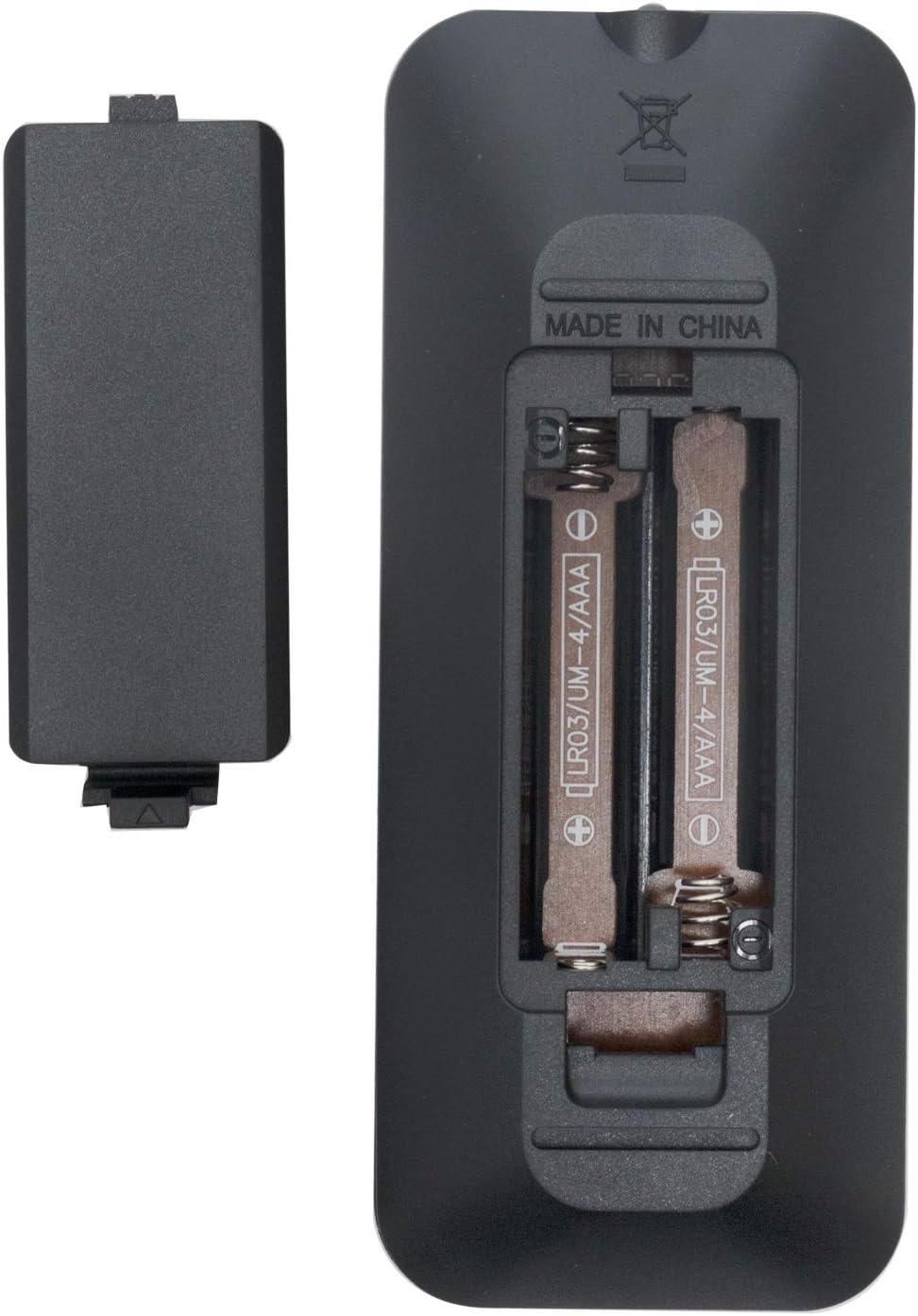
Image: Rear view of the remote control with the battery compartment open, illustrating the correct orientation for AAA battery installation.
Operating Instructions
The AULCMEET AKB74935611 remote control provides intuitive access to your LG Sound Bar's functions. The maximum effective range is approximately 33 feet (10 meters).

Image: Front view of the remote control, displaying the layout of its 30 buttons.
Button Functions:
- Power Button (●): Turns the sound bar on or off.
- VOL + / -: Adjusts the volume level up or down.
- Mute: Silences or restores the sound.
- Sound Effect: Cycles through available sound effects/modes.
- Previous Track (⏮): Skips to the beginning of the current track or the previous track.
- Play/Pause (⏯): Plays or pauses media playback.
- Next Track (⏭): Skips to the next track.
- INFO: Displays information about the current status or media.
- REPEAT: Toggles repeat playback modes.
- AUTO VOL: Activates or deactivates automatic volume leveling.
- SLEEP: Sets a timer for the sound bar to automatically turn off.
- AUTO POWER: Manages automatic power on/off features.
- AV SYNC: Adjusts audio-video synchronization.
- F (Function): Cycles through input sources or functions.
- Moon/Night Mode: Activates or deactivates night listening mode.
- Shuffle/Random Play: Toggles shuffle playback mode.
Maintenance
Battery Replacement:
If the remote control becomes unresponsive or its range decreases, replace the batteries. Always use new AAA alkaline batteries. Do not mix old and new batteries, or different types of batteries.
Cleaning:
Wipe the remote control with a soft, dry cloth. Do not use liquid cleaners or abrasive materials, as these can damage the remote's surface or internal components.
Troubleshooting
- Remote not responding:
- Check if the batteries are installed correctly with the correct polarity.
- Replace the batteries with new AAA alkaline batteries.
- Ensure there are no obstructions between the remote control and the sound bar's IR sensor.
- Make sure you are within the effective operating range (approximately 33 feet).
- Intermittent response:
- This may indicate low battery power. Replace the batteries.
- Ensure the remote is pointed directly at the sound bar.
Specifications
| Brand | AULCMEET |
| Model Name | AKB74935611 |
| Connectivity Technology | Infrared |
| Compatible Devices | LG Sound Bar Speaker (SJ9, SJC8, SJ6B, SJ8, SJ6, SPJ5-W) |
| Battery Type | 2 x AAA Alkaline Batteries (not included) |
| Button Quantity | 30 |
| Maximum Range | 33 Feet (10 meters) |
| Item Weight | 1.23 Ounces (approximately 35 grams) |
| Item Dimensions (L x W x H) | 5"L x 1"W x 0.5"H (approximately 12.7cm x 2.54cm x 1.27cm) |
| Color | Black |
Warranty Information
Specific warranty details for this replacement remote control are not provided in this manual. Please refer to the product packaging or contact the seller or manufacturer directly for warranty terms and conditions.
Customer Support
For any questions, issues, or assistance with your AULCMEET AKB74935611 Replacement Remote Control, please contact the seller through the platform where the purchase was made or reach out to the AULCMEET customer support channels if available.