
1. Introduction
Thank you for purchasing the Geepas Audio Amplifier with Remote Control and Microphone. This device is designed to enhance your audio experience by amplifying sound from various sources and providing microphone input for public address or karaoke. Please read this manual carefully before operating the device to ensure proper use and to prevent damage.
This manual provides essential information on setup, operation, maintenance, and troubleshooting to help you get the most out of your amplifier.
2. Safety Instructions
- Power Source: Ensure the amplifier is connected to a power source that matches the voltage specified on the device.
- Ventilation: Do not block any ventilation openings. Ensure adequate airflow around the unit to prevent overheating.
- Water and Moisture: Do not expose the amplifier to rain, moisture, or dripping/splashing liquids. Do not place objects filled with liquids, such as vases, on the apparatus.
- Heat Sources: Keep the unit away from heat sources such as radiators, heat registers, stoves, or other apparatus (including amplifiers) that produce heat.
- Cleaning: Unplug the unit from the wall outlet before cleaning. Use a dry cloth only.
- Servicing: Do not attempt to service this product yourself. Refer all servicing to qualified service personnel.
- Children: Keep the device and its accessories out of reach of children.
3. Package Contents
Please check that all items are present and in good condition:
- Geepas Audio Amplifier
- Remote Control
- Microphone
- Power Cable
- User Manual (this document)
4. Product Features
- High-fidelity audio amplification.
- Multiple audio input options for versatile connectivity.
- Includes a wired microphone for vocal input.
- Full-function remote control for convenient operation.
- Compatible with devices such as laptops and smartphones.
5. Setup
5.1 Unpacking and Placement
Carefully remove the amplifier from its packaging. Place the unit on a stable, flat surface with sufficient space around it for proper ventilation. Avoid placing it near direct sunlight, heat sources, or areas with high humidity.
5.2 Connecting Speakers
Connect your passive speakers to the speaker output terminals on the rear of the amplifier. Ensure correct polarity (positive to positive, negative to negative) for optimal sound quality. Refer to the speaker's manual for specific connection instructions.
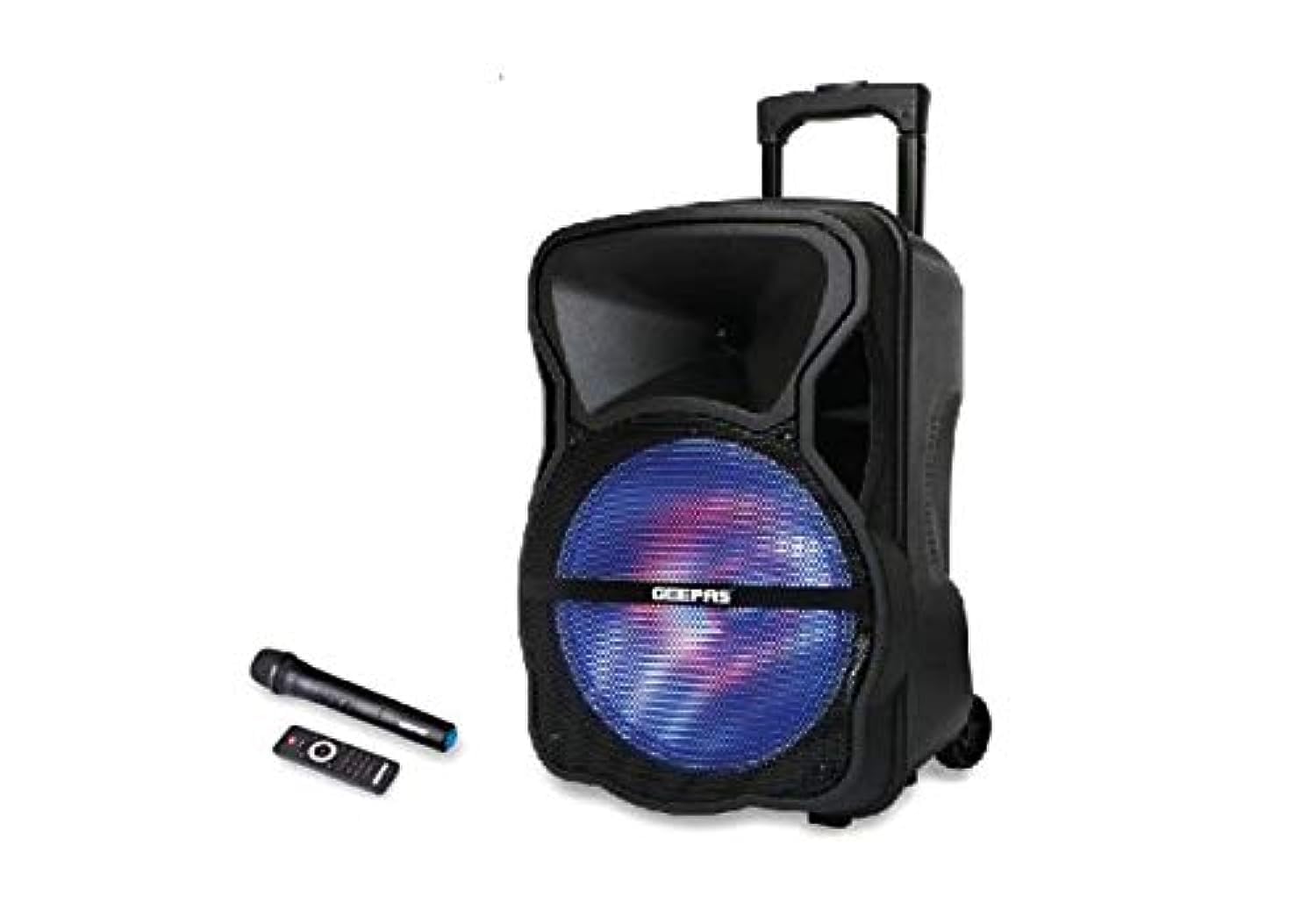
Image 1: Front view of the Geepas Audio Amplifier, showing the main unit with various controls and inputs. This image illustrates the general appearance of the amplifier.
5.3 Connecting Audio Sources
Use appropriate audio cables (e.g., RCA, 3.5mm AUX) to connect your audio sources (laptop, smartphone, CD player, etc.) to the input jacks on the amplifier. Ensure the input source is selected correctly on the amplifier after connection.
5.4 Connecting the Microphone
Plug the microphone into the designated microphone input jack on the front or rear panel of the amplifier.
5.5 Power Connection
Connect the power cable to the amplifier's power input and then plug it into a suitable wall outlet.
6. Operating Instructions
6.1 Powering On/Off
Press the Power button on the front panel or the remote control to turn the amplifier on or off. The power indicator light will illuminate when the unit is on.
6.2 Volume Control
Adjust the master volume using the large rotary knob on the front panel or the Volume Up/Down buttons on the remote control. Start with a low volume and gradually increase it to a comfortable listening level.
6.3 Input Selection
Use the Input Selector button on the front panel or the remote control to switch between different audio sources (e.g., AUX, USB, Bluetooth, etc., depending on available inputs).
6.4 Microphone Usage
Once the microphone is connected, speak into it. Adjust the microphone volume knob (if available) on the amplifier's front panel to control the microphone's output level. Some amplifiers may also feature echo or tone controls for the microphone.
6.5 Remote Control Functions
The remote control provides convenient access to various functions, including power, volume, input selection, mute, and potentially playback controls for connected media (if applicable). Ensure the remote control has working batteries and is pointed towards the amplifier's IR receiver.
7. Maintenance
7.1 Cleaning
Wipe the exterior of the amplifier with a soft, dry cloth. Do not use liquid cleaners, aerosols, or abrasive materials, as these can damage the finish or internal components. Ensure the unit is unplugged before cleaning.
7.2 Storage
If storing the amplifier for an extended period, unplug it from the power outlet and store it in a cool, dry place, away from direct sunlight and extreme temperatures.
8. Troubleshooting
| Problem | Possible Cause | Solution |
|---|---|---|
| No power | Power cable not connected; Power outlet faulty; Amplifier fuse blown. | Check power cable connection; Try a different outlet; Contact service personnel. |
| No sound output | Incorrect input selected; Volume too low; Speaker cables loose/incorrectly connected; Mute function active. | Select correct input; Increase volume; Check speaker connections; Deactivate mute. |
| Remote control not working | Batteries depleted/incorrectly inserted; Obstruction between remote and amplifier; Remote sensor blocked. | Replace batteries; Remove obstructions; Ensure clear line of sight to sensor. |
| Microphone not working | Microphone not connected properly; Microphone volume too low; Microphone faulty. | Ensure microphone is fully plugged in; Increase microphone volume; Test with another microphone if possible. |
9. Specifications
- Brand: Geepas
- Compatible Devices: Laptop, Smartphone
- Speaker Type: Audio Amplifier
- Manufacturer: Geepas
- ASIN: B081V8DCTQ
- Number of Speakers: Not available (refers to integrated speakers, this is an amplifier)
10. Warranty and Support
This product is covered by a standard manufacturer's warranty. For specific warranty terms and conditions, please refer to the warranty card included with your purchase or contact your retailer. If you encounter any issues or require technical assistance, please contact Geepas customer support or your local dealer.
Please have your product model (B081V8DCTQ) and purchase information ready when contacting support.