
Introduction
This manual provides detailed instructions for the assembly, operation, and maintenance of your FCD Ergonomic Multi-Function Mesh Office Chair. Designed for comfort and support, this chair features a breathable mesh back, lumbar support, and adjustable components to enhance your sitting experience. Please read this manual thoroughly before assembly and use to ensure proper function and longevity of your chair.

Image: The FCD Ergonomic Multi-Function Mesh Office Chair in black and white, without a headrest, showcasing its design.
Setup and Assembly
Your FCD office chair is designed for straightforward assembly. All necessary tools are included, and the process typically takes 10-15 minutes. Follow the steps below for proper setup.
Assembly Steps
- Unpack all components and verify against the parts list in the included instruction sheet.
- Attach the casters to the chair base.
- Insert the gas lift into the center hole of the chair base.
- Attach the seat mechanism to the underside of the seat cushion.
- Connect the backrest to the seat cushion.
- Place the assembled seat and backrest onto the gas lift.

Image: A diagram illustrating the step-by-step assembly process of the office chair, showing components like the base, casters, gas lift, seat, and backrest.

Image: A page from the instructional manual showing detailed assembly steps with illustrations and a list of parts.
Disassembly Guidance
The following videos provide guidance on how to remove certain components, which can be helpful for understanding assembly or for future maintenance and replacement.
Video: Demonstrates how to remove the gas lift and feet from an office chair. This can assist with understanding the chair's construction for assembly or part replacement.
Video: A short instructional video showing the process of detaching the gas lift from the office chair base.
Video: Illustrates the method for removing the feet (casters) from the office chair base.
Operating Instructions
Your FCD office chair offers multiple adjustments to customize your seating position for optimal comfort and ergonomics.
Adjustable Features:
- Height Adjustment: Use the lever located under the seat on the right side to raise or lower the chair. Lift the lever while seated to lower, or lift the lever while standing to raise.
- Back Recline Control: The chair back can recline to provide a comfortable angle. Engage the recline mechanism using the lever on the left side.
- Tilt Tension Adjustment: Rotate the knob located under the front of the seat to adjust the resistance of the recline function. Turn clockwise for more resistance, counter-clockwise for less.
- 360-Degree Swivel: The chair features a full 360-degree swivel for easy movement and access to your workspace.
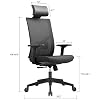
Image: An FCD office chair highlighting its adjustable features, including seat height, back recline, and tilt tension controls.
Maintenance
Regular maintenance ensures the longevity and optimal performance of your FCD office chair.
Cleaning:
- Wipe clean with a damp cloth. Avoid harsh chemicals or abrasive cleaners that may damage the mesh or frame materials.
- For mesh areas, a soft brush can be used to gently remove dust or debris.
Inspection:
- Periodically check all screws and bolts to ensure they are tight. Retighten as necessary.
- Inspect casters for any accumulated hair or debris that might hinder smooth movement. Clean as needed.
Troubleshooting
If you encounter any issues with your FCD office chair, refer to the common problems and solutions below.
Common Issues and Solutions:
- Squeaking Noises: If the chair produces squeaking sounds, check all connection points, especially where the seat and backrest attach to the mechanism, and where the mechanism attaches to the gas lift. Tighten any loose bolts. Applying a small amount of silicone-based lubricant to moving parts or connection points may also resolve the issue.
- Difficulty Adjusting Height: Ensure the height adjustment lever is fully engaged or disengaged. If the gas lift is not responding, check for any obstructions or damage to the lever mechanism.
- Recline Mechanism Not Holding Position: Verify that the recline lock lever is fully engaged. Adjust the tilt tension knob to increase resistance if the chair reclines too easily.
- Casters Not Rolling Smoothly: Remove any hair, dust, or debris that may be caught in the caster wheels. Ensure the casters are securely inserted into the chair base.
Specifications
| Feature | Detail |
|---|---|
| Brand | FCD |
| Model Number | 568d7dab-b6df-4631-9bf0-43546c2bd455 |
| Color | Black-white |
| Material | Stainless Steel (Frame), Nylon (Seat), Sponge (Fill) |
| Size | without Headrest |
| Maximum Weight Recommendation | 330 pounds |
| Adjustable Features | Height, Back Recline, Tilt Tension, 360-degree Swivel |
| Recommended Uses | Office |
| Included Components | Caster, User Manual |
| Product Care Instructions | Wipe Clean |
Warranty and Support
FCD stands behind the quality of its products. We offer a comprehensive warranty and support for your office chair.
Warranty Information:
- Free exchange for installation issues, damage, and missing parts within 2 years of purchase.
Customer Support:
For any questions, assistance with assembly, troubleshooting, or warranty claims, please contact our customer service team. Our team is based in California and is ready to provide prompt support.
Seller: The Great Equipment Group
Please refer to your purchase documentation for specific contact details or visit the FCD brand store on Amazon for further information.
Visit the FCD Store on Amazon