
QT Shopping V9 Ear Hooks
QT S Wireless Earbuds User Manual
Brand: QT Shopping | Model: V9 Ear Hooks
1. Introduction
The QT S Wireless Earbuds are designed for high-quality audio performance, comfort, and smart functionality, suitable for various activities including sports and daily use. This headset features a built-in HD and noise-cancelling microphone for clear communication. It supports voice assistant activation (Siri/Google Assistant) and offers a rotatable speaker for use on either ear, providing a true wireless hands-free experience.
2. What's in the Box
- QT S Wireless Earbud (V9 Ear Hooks)
- USB Charging Cable
- Multiple Sizes of Ear Tips (Small, Medium, Large)
- User Manual
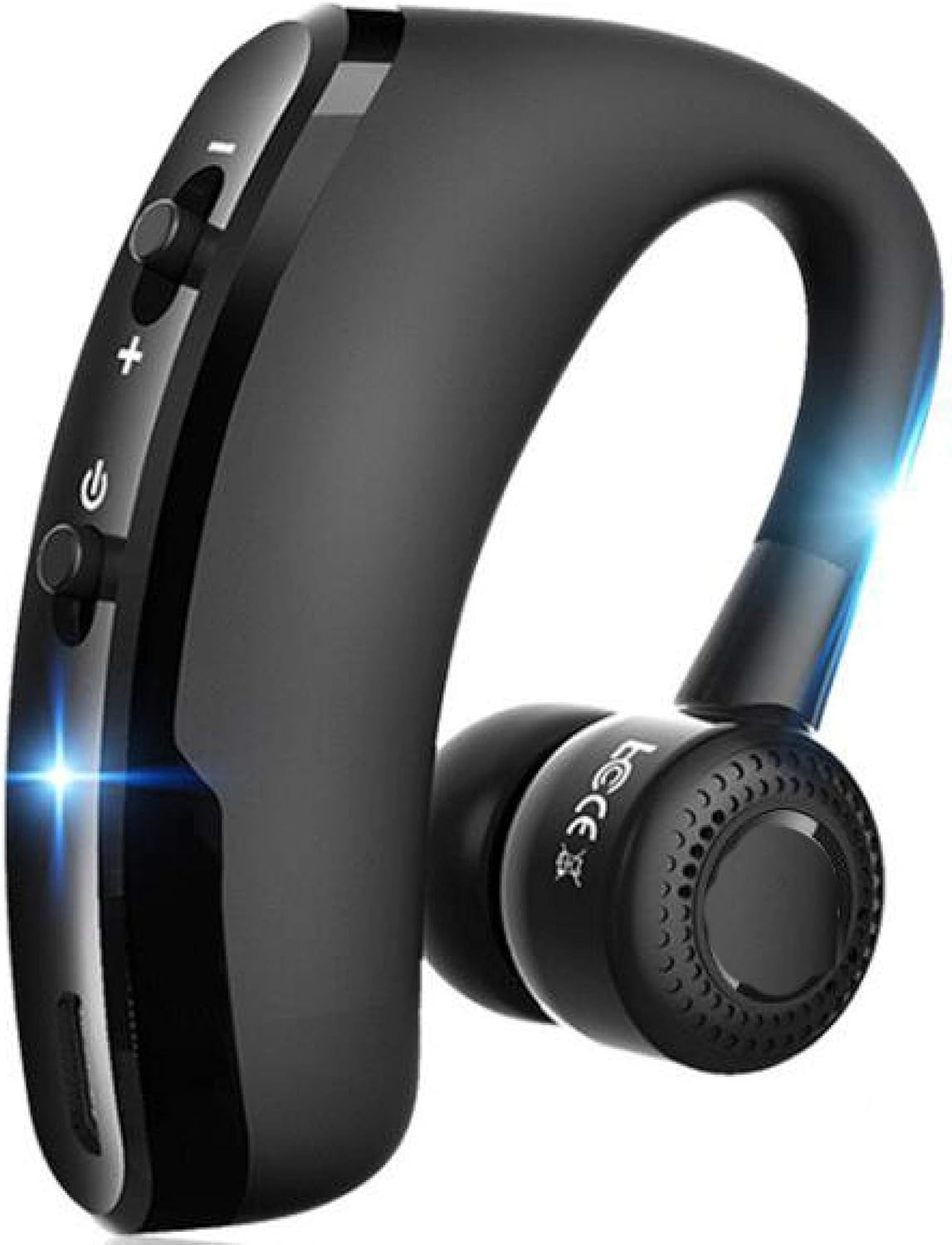
Image: The QT S Wireless Earbud, showcasing its sleek black design and ear hook.
3. Product Features
- Bluetooth V4.1 Technology: Ensures fast pairing and auto-connection with Android and iOS devices.
- Extended Battery Life: Up to 8+ hours of continuous talking or music playback on a single 2-hour charge.
- Voice & Smart Intelligence: Activate Google Assistant or Siri with a long press of the main button for hands-free control.
- Noise Cancellation Microphone (CVC 6.0): Advanced technology for reducing background and wind noise, delivering clear voice calls.
- Lightweight & Comfortable Design: Weighs only 0.39g, with a 270° rotatable ear hook for comfortable wear on either ear. Includes 3 sizes of ear tips for optimal fit.
- Water Resistant: Designed to withstand sweat and light splashes, suitable for sports and exercise.
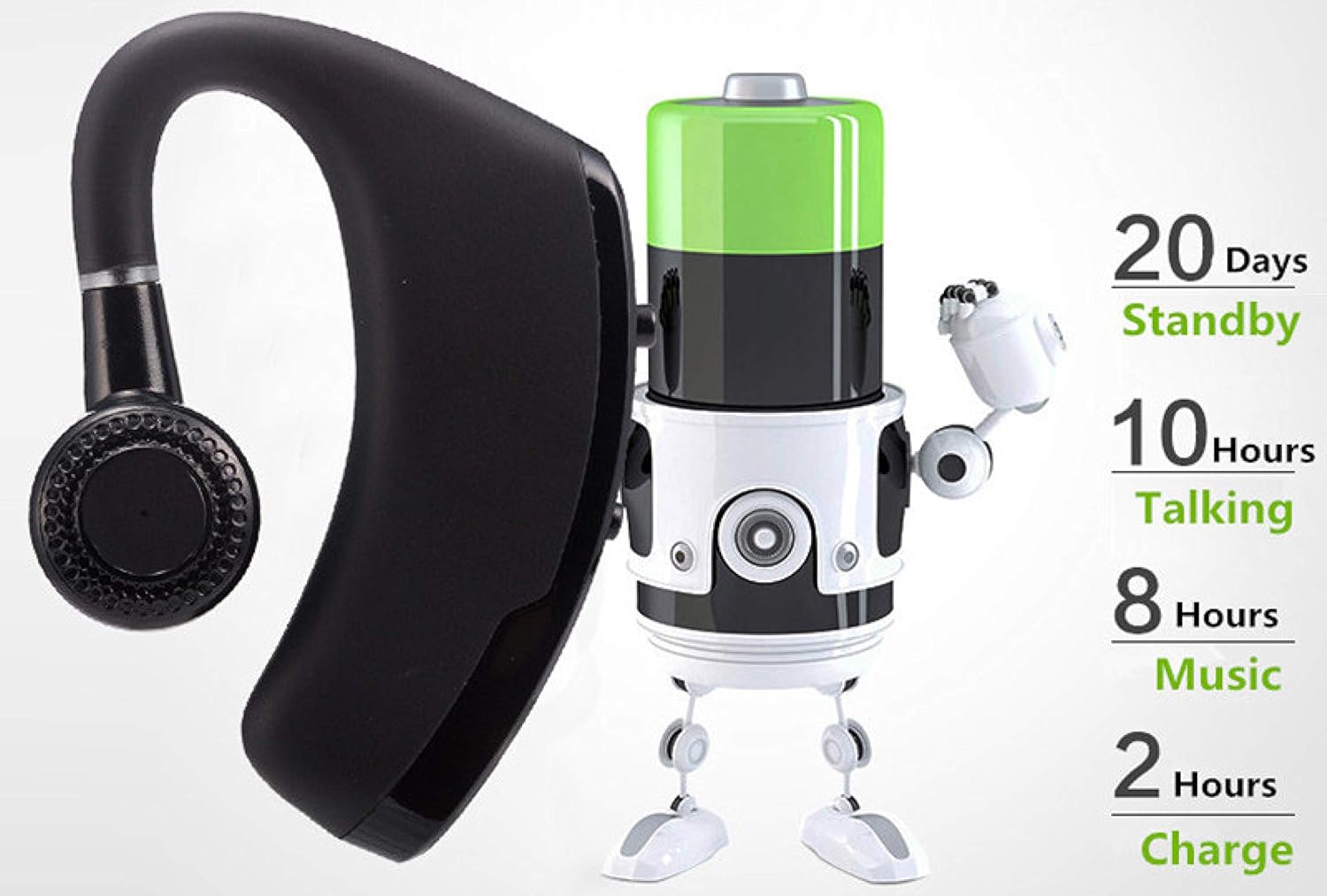
Image: An illustration depicting the battery performance: 20 days standby, 10 hours talking, 8 hours music, and 2 hours charging time.

Image: A man wearing the QT S Wireless Earbud, demonstrating its ergonomic design and secure fit during use.

Image: A woman wearing the QT S Wireless Earbud, highlighting its comfortable and discreet fit.

Image: An illustration demonstrating the stable Bluetooth V4.1 + EDR signal, ensuring a crystal clear call experience.
4. Setup Guide
4.1 Charging the Earbud
Before first use, fully charge the earbud. Connect the provided USB charging cable to the charging interface on the earbud and plug the other end into a USB power source (e.g., computer USB port, wall adapter). The LED signal light will indicate charging status. A full charge takes approximately 2 hours.

Image: A diagram highlighting the dual microphone, multifunction button, On/Off button, charging interface, headset interface, volume adjustment, and LED signal light.
4.2 Pairing with a Device
- Ensure the earbud is charged and turned off.
- Press and hold the On/Off button (main button) for a few seconds until the LED signal light flashes, indicating it is in pairing mode.
- On your smartphone or Bluetooth-enabled device, go to Bluetooth settings and turn Bluetooth on.
- Search for available devices. The earbud will appear as "Ambar EP 01".
- Select "Ambar EP 01" to connect. Once connected, the LED light will change, usually to a slow flash or solid blue, indicating successful pairing.
- The earbud will automatically reconnect to the last paired device when turned on and within range.

Image: An illustration demonstrating the earbud's smart compatibility, connecting with various Bluetooth devices such as smartphones, tablets, and laptops.
5. Operating Instructions
5.1 Button Functions (Refer to "Function display" image)
| Button/Action | Function |
|---|---|
| On/Off Button (Main Button) |
|
| Volume Up (+) Button |
|
| Volume Down (-) Button |
|
5.2 Making and Receiving Calls
- Answering a Call: Press the Main Button once.
- Ending a Call: Press the Main Button once during a call.
- Rejecting a Call: Long press the Main Button when a call comes in.
- Redialing Last Number: Double quick press the Main Button.
- The CVC 6.0 noise cancellation microphone ensures clear voice transmission even in noisy environments.
5.3 Music Playback
- Play/Pause: (Assumed, typically Main Button single press when not on call).
- Next Track: Long press the Volume Up (+) button.
- Previous Track: Long press the Volume Down (-) button.
- Adjust Volume: Short press the Volume Up (+) or Volume Down (-) buttons.
5.4 Voice Assistant
To activate your device's voice assistant (Siri for iOS, Google Assistant for Android), long press the Main Button for 2-3 seconds. The assistant will start listening for your commands.
6. Maintenance
- Cleaning: Use a soft, dry, lint-free cloth to clean the earbud. Do not use harsh chemicals or abrasive materials. Gently clean ear tips with a damp cloth and mild soap if necessary, ensuring they are completely dry before reattaching.
- Storage: Store the earbud in a cool, dry place away from direct sunlight and extreme temperatures.
- Battery Care: To prolong battery life, avoid fully discharging the earbud frequently. Charge it regularly, even if not in use for extended periods.
- Water Resistance: While water resistant, avoid submerging the earbud in water or exposing it to heavy rain. Dry thoroughly if it gets wet.
7. Troubleshooting
| Problem | Possible Solution |
|---|---|
| Earbud does not turn on. | Ensure the earbud is fully charged. Connect it to a power source and check the LED indicator. |
| Cannot pair with device. |
|
| No sound or low volume. |
|
| Call quality is poor. |
|
| Battery indicator is inaccurate. | The battery indicator on your device may not always reflect the exact remaining battery life. Rely on the earbud's own low battery warnings or charge regularly to ensure continuous use. |
8. Specifications
| Feature | Detail |
|---|---|
| Model Name | V9 Ear Hooks |
| Connectivity Technology | Wireless (Bluetooth) |
| Bluetooth Version | 4.1 |
| Bluetooth Range | 10 Meters |
| Noise Control | Active Noise Cancellation (CVC 6.0) |
| Battery Life (Music/Talk) | Up to 8+ hours |
| Charging Time | Approx. 2 hours |
| Item Weight | 0.67 ounces (19 Grams) |
| Dimensions | 2 x 1 x 0.05 inches |
| Water Resistance Level | Water Resistant |
| Ear Placement | In Ear (with ear hook) |
| Control Method | Touch / Button |
| Manufacturer | QT Shopping LLC |
| First Available Date | November 20, 2019 |

Image: A technical drawing showing the dimensions of the earbud: 55mm height, 42mm width, and 11mm thickness.
9. Warranty and Support
QT Shopping provides a 30-Day No Question Asked Guarantee for this product. If you encounter any issues or have questions regarding your QT S Wireless Earbuds, please contact QT Shopping customer support for assistance.
Manufacturer: QT Shopping LLC
For the most up-to-date support information, please refer to the official QT Shopping website or contact their customer service directly.
Ask a question about this manual
Ask about setup, troubleshooting, compatibility, parts, safety, or missing instructions. Manuals+ will review the question and use this page’s manual context to help answer it.