
NEBO BIG Poppy
NEBO BIG Poppy User Manual
Rechargeable Lantern, Flashlight & Power Bank
Product Overview
The NEBO BIG Poppy is a versatile lighting device that combines the functions of a rechargeable spotlight flashlight, an LED lantern, and a portable power bank. It is designed for various uses, including camping, outdoor activities, and emergency situations such as power outages. Its robust construction ensures durability and water resistance.

Image: The NEBO BIG Poppy shown in its compact flashlight form and extended lantern form, highlighting its dual functionality.
Setup and Initial Use
Unpacking
Carefully remove the NEBO BIG Poppy from its packaging. Ensure all components are present, including the BIG Poppy unit and the Micro-USB charging cable.
Initial Charging
Before first use, it is recommended to fully charge the device. Connect the included Micro-USB cable to the charging port on the BIG Poppy and the other end to a USB power source (e.g., wall adapter, computer USB port). The backlit button will indicate charging status.

Image: A hand connecting the Micro-USB charging cable to the NEBO BIG Poppy's charging port, illustrating the charging process.
- A full charge typically takes approximately 2 hours.
- The backlit button serves as a charging indicator.
Operating Instructions
Power On/Off and Mode Selection
The NEBO BIG Poppy features a single button for power control and cycling through its three light modes:
- Spotlight Mode: Press the power button once to activate the focused spotlight. This mode provides up to 120 lumens of brightness.
- Lantern Mode: While the unit is closed, pull the top section upwards to extend it into lantern form. Press the power button to activate the wide-area LED lantern, providing up to 300 lumens.
- Flame Emulator Mode: With the lantern extended, press the power button again to switch to the flickering flame emulator mode, which provides a soft, ambient light at 10 lumens.
- To turn off the device, cycle through the modes until the light turns off, or press and hold the power button.

Image: A visual representation of the three distinct light modes: Spotlight for focused illumination, Flame Emulator for ambient light, and Lantern for wide-area lighting.
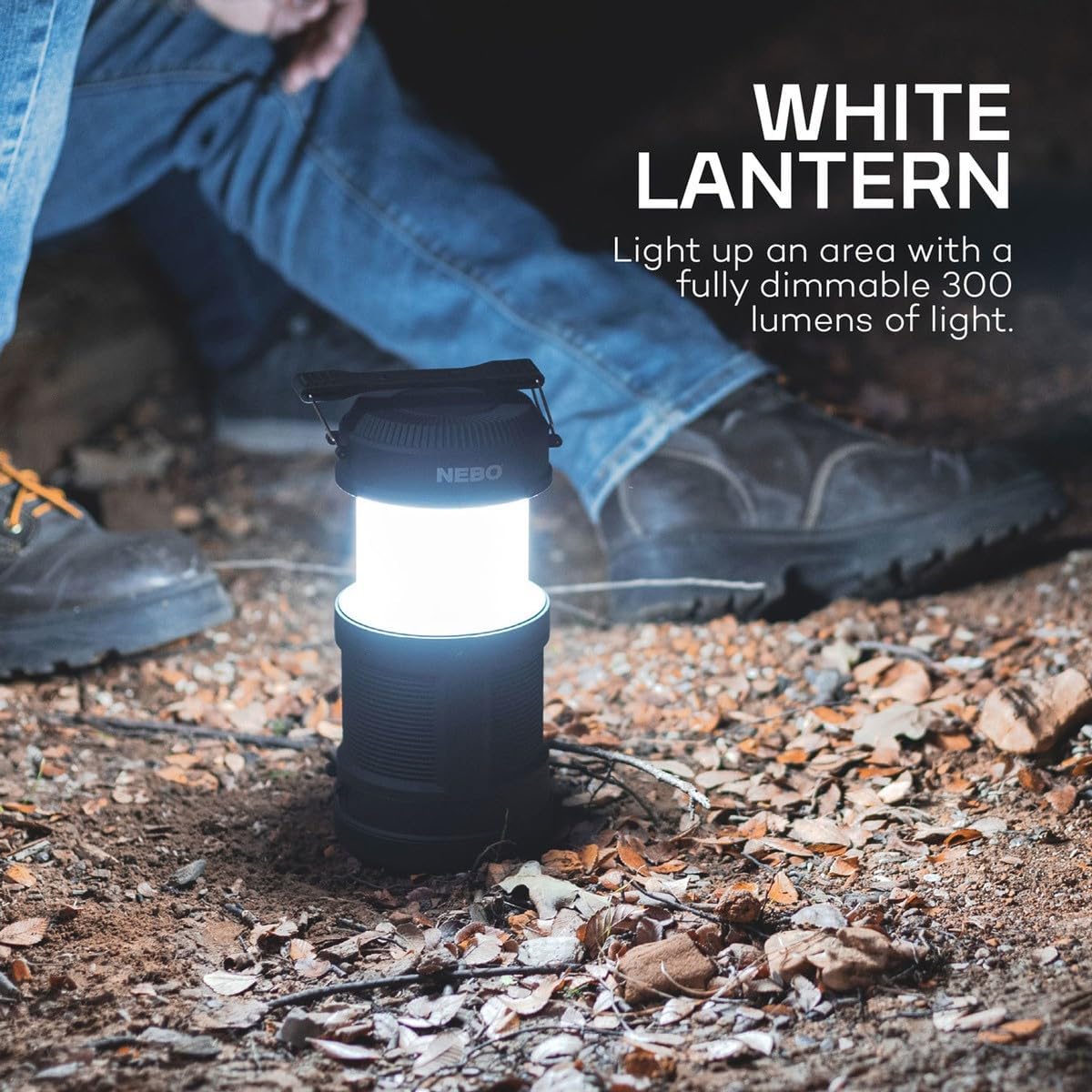
Image: The NEBO BIG Poppy operating in its white lantern mode, providing bright, omnidirectional light in an outdoor setting.

Image: The NEBO BIG Poppy displaying its flame emulator mode, creating a warm, flickering ambiance suitable for indoor or outdoor use.
Using the Power Bank Feature
The BIG Poppy includes a built-in power bank to charge your USB-powered devices. Locate the USB-A output port on the device. Connect your device's charging cable to this port. The BIG Poppy will begin charging your device.

Image: The NEBO BIG Poppy connected to a smartphone via a USB cable, demonstrating its functionality as a portable power bank.
- Ensure the BIG Poppy has sufficient charge to power your external device.
- This feature is useful for charging phones or other small electronics during camping trips or power outages.
Maintenance
Cleaning
To clean the NEBO BIG Poppy, wipe it with a soft, damp cloth. Do not use abrasive cleaners or solvents, as these may damage the finish or internal components. Ensure the charging port cover is securely closed to prevent water ingress during cleaning.
Storage
When storing the device for extended periods, ensure it is fully charged. Store in a cool, dry place away from direct sunlight and extreme temperatures. Periodically recharge the battery (every 3-6 months) to maintain battery health and longevity.
Battery Care
The NEBO BIG Poppy uses a built-in rechargeable Lithium-ion battery. To maximize battery life:
- Avoid fully discharging the battery frequently.
- Recharge the battery promptly when the light output diminishes.
- Do not expose the device to temperatures below -10°C (14°F) or above 40°C (104°F) for prolonged periods.
Troubleshooting
| Problem | Possible Cause | Solution |
|---|---|---|
| Device does not turn on. | Battery is depleted. | Charge the device using the Micro-USB cable. |
| Light output is dim. | Low battery level. | Recharge the device. |
| Device not charging external devices. | BIG Poppy battery is low or depleted; cable issue. | Ensure BIG Poppy is fully charged. Try a different USB cable. |
| Light modes are not cycling correctly. | Temporary software glitch. | Turn the device off and then on again. If issue persists, fully discharge and recharge. |
If you encounter issues not listed here or if the suggested solutions do not resolve the problem, please refer to the support section.
Specifications
- Model: BIG Poppy
- Light Source Type: Light Emitting Diode (LED)
- Color: Black
- Power Source: Battery Powered (2,600 mAh Lithium-ion rechargeable battery)
- Finish Type: Rubberized
- Dimensions (Closed): Height: 5.94 inches
- Dimensions (Open): Height: 8.375 inches
- Diameter: 4.06 inches
- Weight: 0.3 lbs
- Lumens:
- Spotlight: Up to 120 lumens
- Lantern: Up to 300 lumens
- Flame Emulator: 10 lumens
- Run Time: Up to 15 hours (Spotlight mode)
- Charging Time: Approximately 2 hours
- Water Resistance: Yes
- Included Accessories: Micro-USB charging cable
Warranty and Support
For warranty information, product support, or to inquire about replacement parts, please contact NEBO customer service directly. Details regarding specific warranty terms and conditions are typically provided with the product packaging or can be found on the official NEBO website.
You can also visit the official NEBO store for more information and support resources: