
1. Introduction
The LANMU Trigger Lock is an accessory designed to provide continuous power for compatible Dyson cordless vacuum cleaners, eliminating the need to constantly hold down the power trigger. This device helps reduce finger fatigue during extended cleaning sessions.
1.1. Product Overview
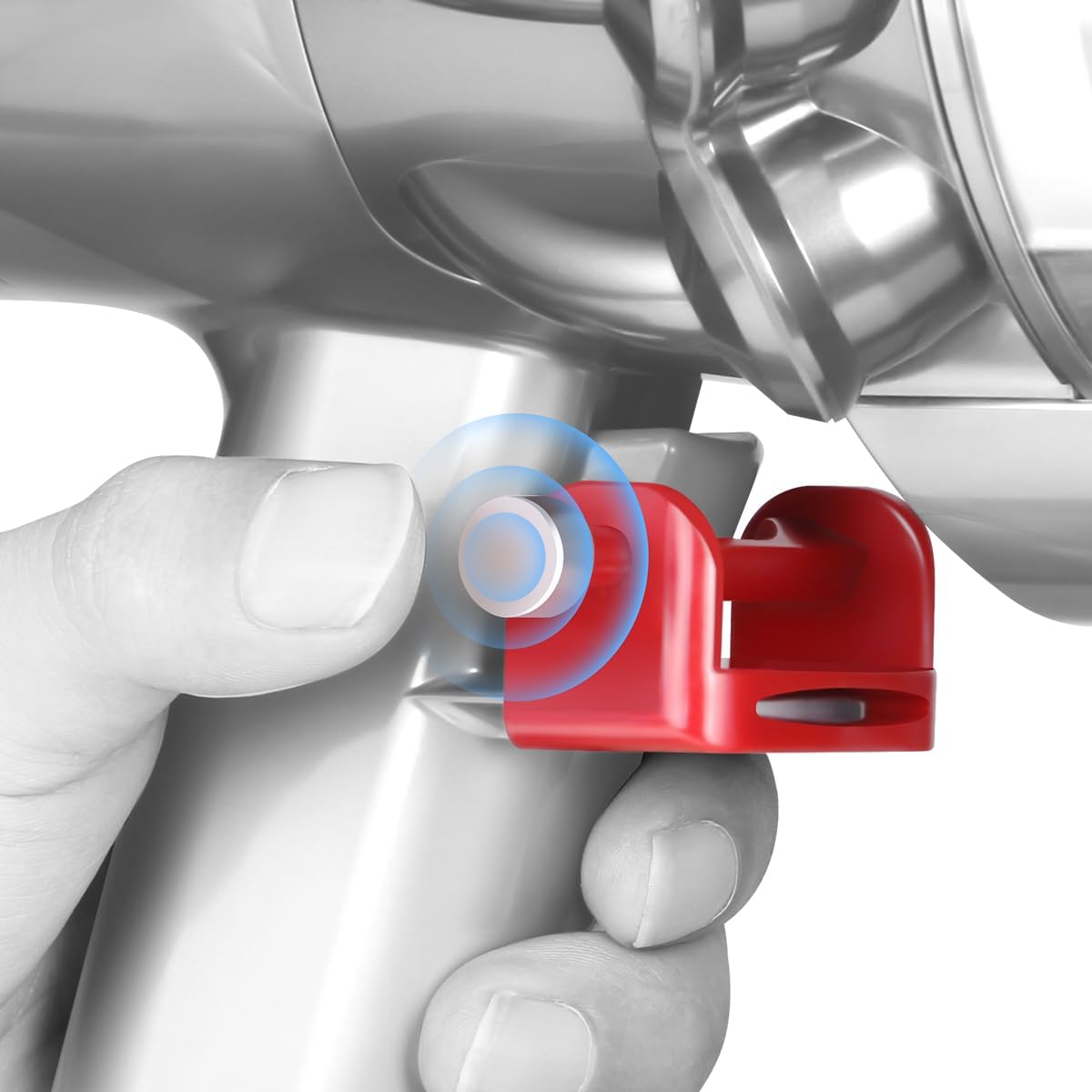
Image 1.1: The LANMU Trigger Lock attached to a Dyson vacuum cleaner handle, showing its compact design.
1.2. Compatibility
This trigger lock is specifically designed for use with Dyson V10, V11, and V15 series stick cordless vacuum cleaners.
Note: This product is NOT compatible with Dyson V11 Outsize, V6, V7, V8, Outsize, or DC Series vacuum cleaners.

Image 1.2: Visual representation of compatible Dyson vacuum models (V10, V11, V15) and a clear warning for incompatible models.
2. Setup and Installation
Follow these steps to correctly install the LANMU Trigger Lock on your compatible Dyson vacuum cleaner.
- Positioning: Align the trigger lock with the power trigger of your Dyson vacuum cleaner.
- Insertion: Directly insert the trigger lock onto the trigger mechanism. Push the clamp firmly until it is securely in place.
- Adjustment: Adjust the trigger lock to the proper position to ensure it engages the power button effectively and does not interfere with the vacuum's operation.

Image 2.1: Step-by-step visual guide for installing the trigger lock onto the vacuum's handle.
Important: If the trigger lock feels loose or cannot be pushed deep enough during installation, consider applying a small piece of tape under the vacuum's trigger board for a more secure fit, or ensure the clamp is pushed firmly into position.
3. Operating Instructions
The LANMU Trigger Lock features an intuitive design for easy activation and deactivation of your vacuum cleaner's power.
3.1. Power ON/OFF
- To turn ON: Press the button head located on the side of the trigger lock that aligns with your right index finger. This will engage the vacuum's power trigger, keeping the vacuum running continuously.
- To turn OFF: Press the button bar, which is the prominent opposite side of the right thumb. This will release the vacuum's power trigger, turning the vacuum off.

Image 3.1: Illustration of how to activate and deactivate the vacuum using the trigger lock's push buttons.
3.2. Ambidextrous Design
The trigger lock is designed for both left-handed and right-handed users. Both the metal head and the red plastic bar can serve as push switches, allowing comfortable operation regardless of your dominant hand.
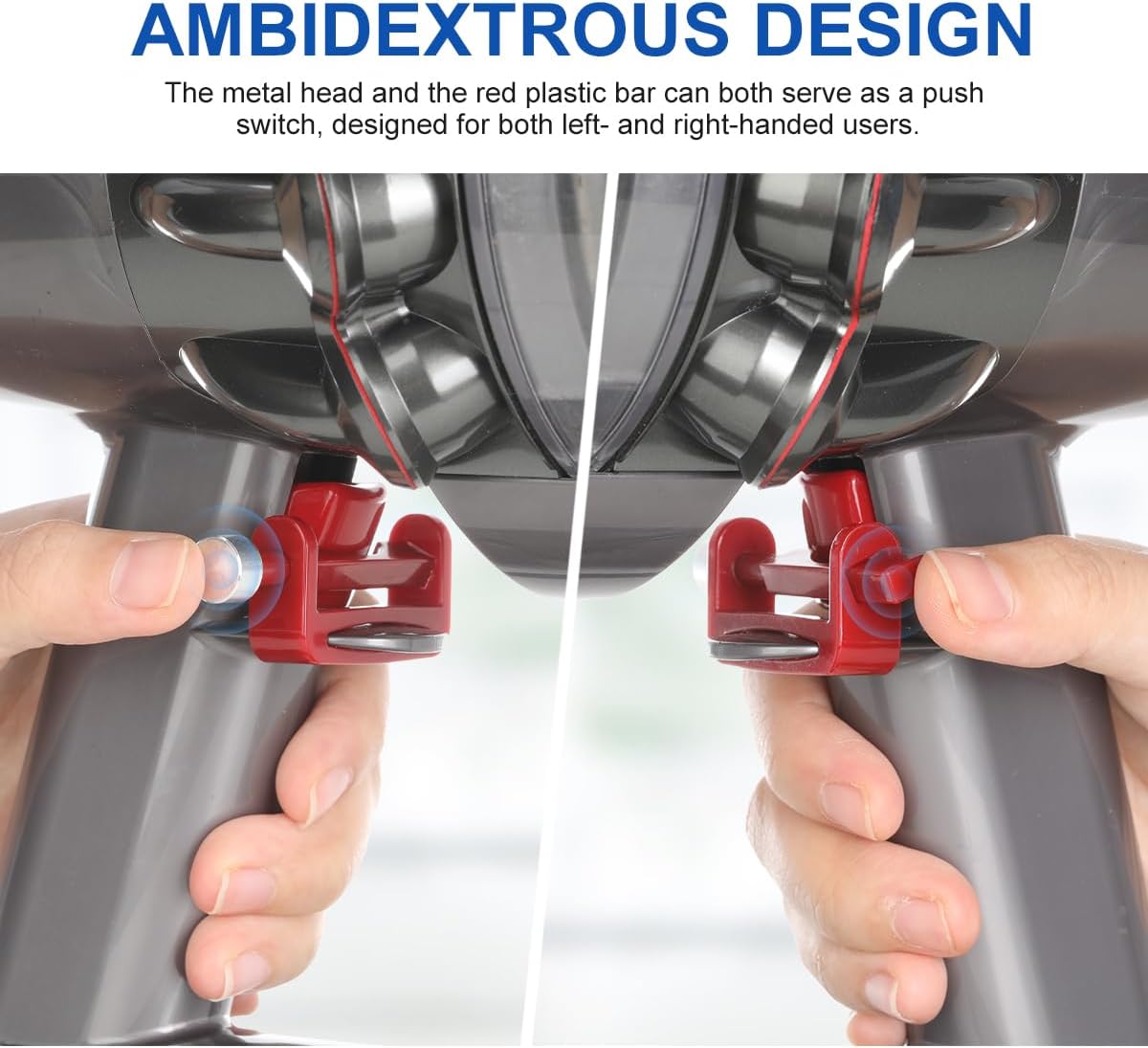
Image 3.2: Demonstrates the flexibility of the trigger lock for both left and right-handed users.
3.3. Benefits of Use
Once installed, the trigger lock allows you to operate your vacuum cleaner without continuously pressing the power button. This frees your finger, reduces strain, and makes cleaning easier and more comfortable.

Image 3.3: Comparison illustrating the relief from holding the trigger when the lock is in use.

Image 3.4: An example of comfortable vacuuming with the trigger lock engaged, allowing the user to focus on cleaning.
4. Maintenance
The LANMU Trigger Lock requires minimal maintenance.
- Cleaning: Wipe the trigger lock with a soft, damp cloth as needed to remove dust or debris. Avoid using harsh chemicals or abrasive cleaners.
- Storage: When not in use, store the trigger lock in a clean, dry place away from direct sunlight and extreme temperatures.
5. Troubleshooting
If you encounter any issues with your LANMU Trigger Lock, refer to the following common solutions:
- Issue: The trigger lock feels loose or does not stay in place.
Solution: Ensure the clamp is pushed firmly onto the vacuum's trigger. If the issue persists, a small piece of tape can be applied under the vacuum's trigger board to create a tighter fit. - Issue: The vacuum turns off unintentionally or the lock slips.
Solution: Re-adjust the position of the trigger lock to ensure it is securely gripping the trigger. Verify that the lock is fully engaged in the 'ON' position. - Issue: Difficulty operating the ON/OFF buttons.
Solution: Familiarize yourself with the button locations. The design allows for easy toggling; ensure you are pressing the correct part of the lock for the desired action.
6. Specifications
| Feature | Detail |
|---|---|
| Manufacturer | Lanmu Direct |
| Item Weight | 0.317 ounces |
| Product Dimensions | 2.76 x 1.97 x 1.18 inches |
| Material | Plastic |
| Color | Red |
| Item Package Quantity | 1 |
| Compatible Devices | Dyson V10, V11, V15 Vacuum Cleaner |
7. Warranty and Support
For warranty information or technical support regarding your LANMU Trigger Lock, please contact the manufacturer directly. Refer to the product packaging or the seller's information for specific contact details.