Introduction
This manual provides essential information for the safe and effective use of your YUSTDA 2-Prong Polarized AC Power Cord. Please read these instructions carefully before use and retain them for future reference.

Image: YUSTDA Professional Safety Power Supply branding. This image introduces the YUSTDA brand and its commitment to safety in power supply products.
Product Overview
The YUSTDA 2-Prong Polarized AC Power Cord is designed as a replacement or spare power cable for various electronic devices, including the VocoPro GigMan Plus All in One Karaoke System. It features a polarized 2-prong connector for safe and reliable power delivery.
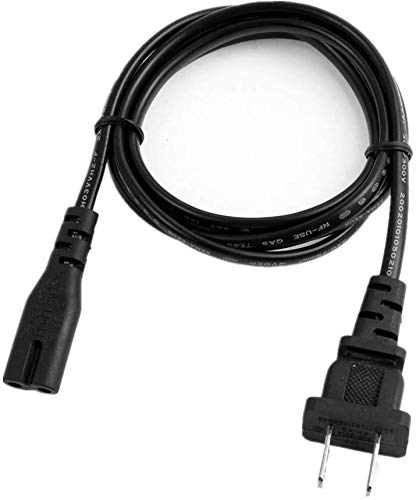
Image: A general view of the YUSTDA 2-Prong Polarized AC Power Cord. This image displays the overall design and connector type of the power cord.
Setup Instructions
- Identify the Power Port: Locate the compatible 2-prong power input port on your electronic device (e.g., VocoPro GigMan Plus Karaoke System).
- Connect the Cord to the Device: Insert the female end of the YUSTDA power cord firmly into the device's power input port. Ensure a snug fit.
- Connect to Power Outlet: Insert the polarized 2-prong male plug of the power cord into a standard 100-240V AC wall outlet. Ensure the outlet is easily accessible.
- Verify Connection: Confirm that both ends of the power cord are securely connected before powering on your device.
Operating Guidelines
This power cord is designed for simple plug-and-play operation. Once connected, it provides the necessary power to your compatible electronic device. No additional configuration is required for the power cord itself.
- Always ensure the power cord is not kinked, twisted, or placed under heavy objects.
- Avoid using the power cord in wet or damp environments to prevent electrical hazards.
- Do not attempt to modify or repair the power cord. Refer to qualified personnel for any issues.
Maintenance and Care
Proper care extends the life of your power cord and ensures safe operation.
- Cleaning: Disconnect the power cord from both the device and the wall outlet before cleaning. Wipe the cord with a dry, soft cloth. Do not use liquid cleaners or abrasive materials.
- Storage: When not in use, coil the power cord loosely. Avoid tight coiling or bending at sharp angles, which can damage the internal wires. Store in a cool, dry place away from direct sunlight and extreme temperatures.
- Inspection: Periodically inspect the power cord for any signs of damage, such as frayed insulation, exposed wires, or bent prongs. If damage is found, discontinue use immediately and replace the cord.
Troubleshooting
If your device is not receiving power, follow these steps:
- Check Connections: Ensure both ends of the power cord are securely plugged into the device and the wall outlet.
- Test Outlet: Plug another working appliance into the same wall outlet to confirm the outlet is functional. If the outlet is not working, check your circuit breaker.
- Inspect Cord: Visually inspect the entire length of the power cord for any visible damage (cuts, kinks, fraying). If damaged, replace the cord.
- Device Power: Confirm that the device itself is turned on and functioning correctly. Refer to your device's manual for specific power-on procedures.
If the issue persists after these steps, contact customer support.
Specifications and Features
- Connector Type: 2-Prong Polarized (Male-to-Female)
- Cable Length: 6 feet (approximately 1.8 meters or 70.87 inches)
- Input Voltage: 100-240V AC
- Certifications: FCC, CE, RoHS, UL Listed
- Material: High-quality copper wire with PVC insulation jacket

Image: Diagram illustrating the high-quality power cable design, highlighting the copper wire and PVC insulation jacket for durability and safety.
Safety Features
The YUSTDA power cord incorporates advanced safety features to protect your devices and ensure reliable operation:
- Over Current Protection: Prevents damage from excessive current flow.
- Total Power Protection: Safeguards against general power fluctuations.
- Over Voltage Protection: Protects against voltage spikes.
- Short Circuit Protection: Automatically cuts power in case of a short circuit.
- Over Temperature Protection: Prevents overheating of the power cord.

Image: Visual representation of the safety design, featuring icons for Over-Temperature, Over Voltage, Over Current, and Short Circuit Protection.
Design Characteristics
- Durable Design: Manufactured with high-quality materials and control procedures for long-lasting performance.
- Compact Design: Ideal for home, office, and travel needs, ensuring portability.

Image: Illustration highlighting the durable and compact design aspects of the power cord, emphasizing its quality and portability.
Warranty and Support
YUSTDA products are manufactured with the highest quality materials and undergo rigorous testing. For any questions, problems, or support needs, please contact our customer service team.
Email: epcustomerservice@yahoo.com