
1. Introduction and Safety Information
Thank you for choosing the WARMTECH WTCME2000DFO 2000W Wall-Mounted Convector Heater. This manual provides essential information for the safe and efficient use of your appliance. Please read all instructions carefully before installation and operation, and retain this manual for future reference.
Important Safety Instructions:
- Always ensure the heater is unplugged from the power outlet before cleaning, maintenance, or relocation.
- Do not cover the heater. Covering the heater can lead to overheating and fire hazards.
- Keep flammable materials (e.g., curtains, furniture, paper) at least 1 meter (3 feet) away from the front and sides of the heater.
- This heater is designed for indoor use only. Do not use it in bathrooms, laundry areas, or similar wet locations where it may come into contact with water. The IP24 rating indicates protection against splashing water, but not immersion or direct water jets.
- Do not operate the heater with a damaged cord or plug, or after the heater malfunctions or has been dropped or damaged in any manner.
- Children should be supervised to ensure they do not play with the appliance.
- Ensure the power supply voltage matches the rating label on the heater.
- Do not insert or allow foreign objects to enter any ventilation or exhaust opening as this may cause an electric shock or fire, or damage the heater.

Figure 1: WARMTECH 2000W Convector Heater. This image displays the heater's main features, including 2000W power, 4 operating modes (Comfort, Eco, Frost-Free, Standby), a 24-hour timer, an LCD thermostat, wall fixation, and an aluminum heating element.
2. Package Contents
Before installation, please check that all items are present and undamaged:
- WARMTECH WTCME2000DFO Convector Heater
- Wall mounting bracket
- Instruction Manual
- Screws and wall plugs for mounting
3. Installation
The WARMTECH WTCME2000DFO heater is designed for wall-mounted installation. Ensure the mounting surface is solid and can support the weight of the heater.
Wall Mounting Steps:
- Choose a suitable location on a wall, ensuring there is sufficient clearance from corners, furniture, and curtains (minimum 1 meter). Avoid placing directly under a power outlet.
- Detach the wall mounting bracket from the back of the heater.
- Hold the bracket against the wall at the desired height and mark the drilling points. Use a spirit level to ensure it is straight.
- Drill holes at the marked points using an appropriate drill bit for your wall type. Insert the wall plugs.
- Secure the mounting bracket to the wall using the provided screws. Ensure it is firmly attached.
- Carefully align the heater with the mounted bracket and attach it. Ensure the heater clicks securely into place.
- Once mounted, plug the heater into a grounded electrical outlet.
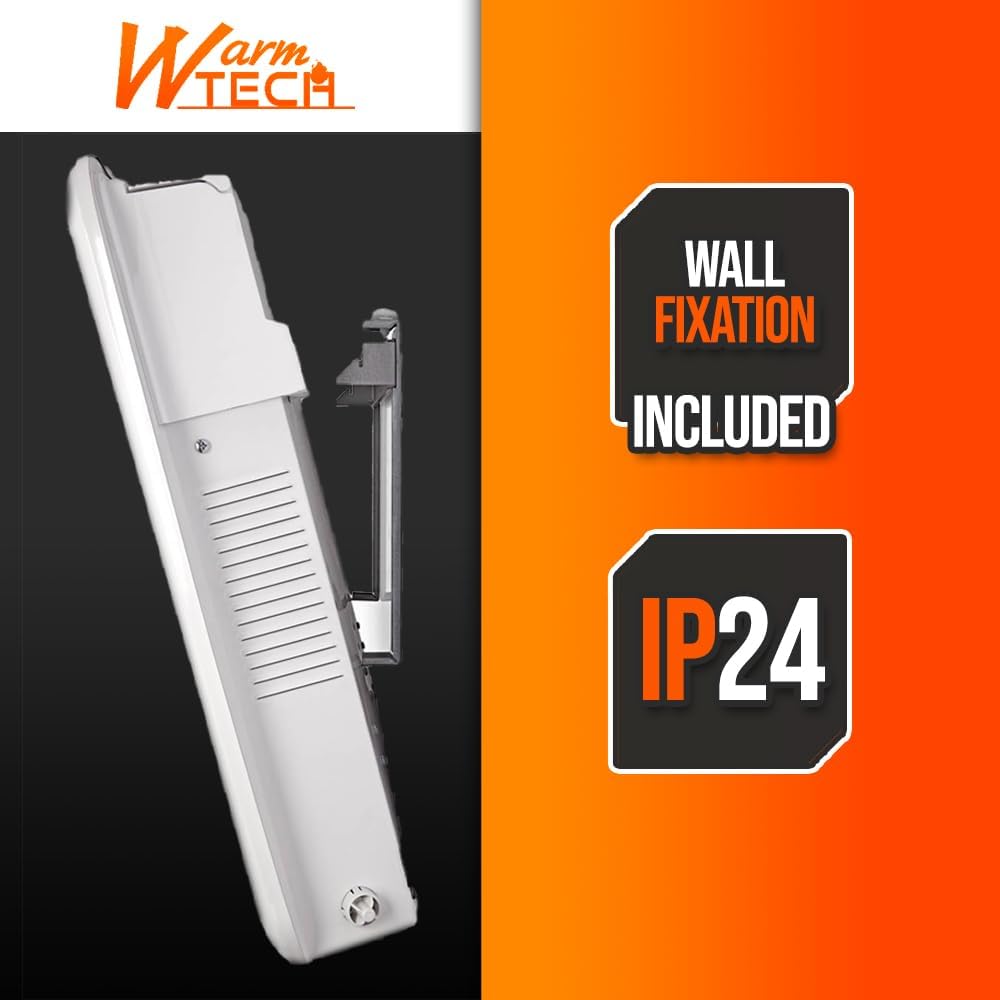
Figure 2: Side view of the WARMTECH Convector Heater, illustrating the integrated wall fixation mechanism for secure mounting.
4. Operating Instructions
The heater features a digital LED thermostat and various operating modes for optimal comfort and energy efficiency.
Control Panel Overview:

Figure 3: Close-up of the heater's control panel, showing the LCD display, temperature adjustment buttons (+/-), mode selection (M), power button, and timer button. The display indicates temperature settings from 5-35°C and icons for the 4 modes: Comfort, Eco, Frost-Free, and Standby.
Basic Operation:
- Power On/Off: Press the power button (⏻) to turn the heater on or off.
- Mode Selection: Press the 'M' button to cycle through the available operating modes: Comfort, Eco, Frost-Free, and Standby.
- Temperature Adjustment: Use the '+' and '-' buttons to set your desired temperature between 5°C and 35°C. The digital LED display will show the current setting.
Operating Modes:
- Comfort Mode: Heats to the user-set temperature for continuous comfort.
- Eco Mode: Operates at a slightly lower temperature than Comfort mode to save energy while maintaining a comfortable environment.
- Frost-Free Mode: Maintains a minimum temperature (typically 5°C) to prevent freezing in the room.
- Standby Mode: The heater is on but not actively heating, awaiting further commands or timer activation.
Timer Function:
The 24-hour timer allows you to program the heater to turn on or off at specific times. Refer to the detailed instructions in the full manual for setting daily and weekly programs.
Open-Window Function:
This heater is equipped with an open-window detection function. If a sudden drop in temperature is detected (indicating an open window or door), the heater will automatically pause operation to conserve energy. It will resume heating once the temperature stabilizes or the function is manually overridden.
5. Maintenance
Regular cleaning and maintenance will ensure the longevity and efficient operation of your heater.
Cleaning:
- Always unplug the heater and allow it to cool completely before cleaning.
- Wipe the exterior surfaces with a soft, damp cloth. Do not use abrasive cleaners, solvents, or harsh chemicals, as these can damage the finish.
- Do not allow water to drip into the interior of the heater.
- Clean the air inlet and outlet grilles regularly with a vacuum cleaner or a soft brush to remove dust and lint buildup.
Storage:
If storing the heater for an extended period, ensure it is clean and dry. Store it in a cool, dry place, preferably in its original packaging, to protect it from dust and damage.
6. Troubleshooting
If you experience issues with your heater, please consult the following table before contacting customer support.
| Problem | Possible Cause | Solution |
|---|---|---|
| Heater does not turn on. | No power supply. Power button not pressed. Overheat protection activated. | Check if the plug is securely in the outlet and the power supply is active. Press the power button. Unplug the heater, let it cool for 30 minutes, then plug it back in. Ensure vents are not blocked. |
| Heater produces no heat. | Temperature setting is too low. Heater is in Frost-Free or Standby mode. Open-window function activated. | Increase the desired temperature setting. Select Comfort or Eco mode. Close windows/doors or manually override the function. |
| Unusual noise or smell. | New heater smell (normal initially). Dust buildup. | This is normal for the first few uses and will dissipate. Unplug and clean the heater, especially the grilles. |
| Display shows an error code. | Internal malfunction. | Unplug the heater for a few minutes and plug it back in. If the error persists, contact customer support. |
7. Specifications
| Feature | Detail |
|---|---|
| Model Number | WTCME2000DFO |
| Brand | WARM TECH |
| Power Output | 2000 Watts |
| Power Source | Electric Cable |
| Heating Method | Convection |
| Heating Element Type | Coil (Aluminum) |
| Operating Modes | 4 (Comfort, Eco, Frost-Free, Standby) |
| Temperature Range | 5°C to 35°C |
| Special Features | Digital LED Thermostat, 24-hour Timer, Frost Protection, Overheat Protection, Open-Window Function, Quiet Operation |
| Protection Index | IP24 (Splash-proof) |
| Mounting Type | Wall Mount |
| Color | White |
| Dimensions (L x H x D) | 81.5 cm x 43 cm x 6.5 cm |
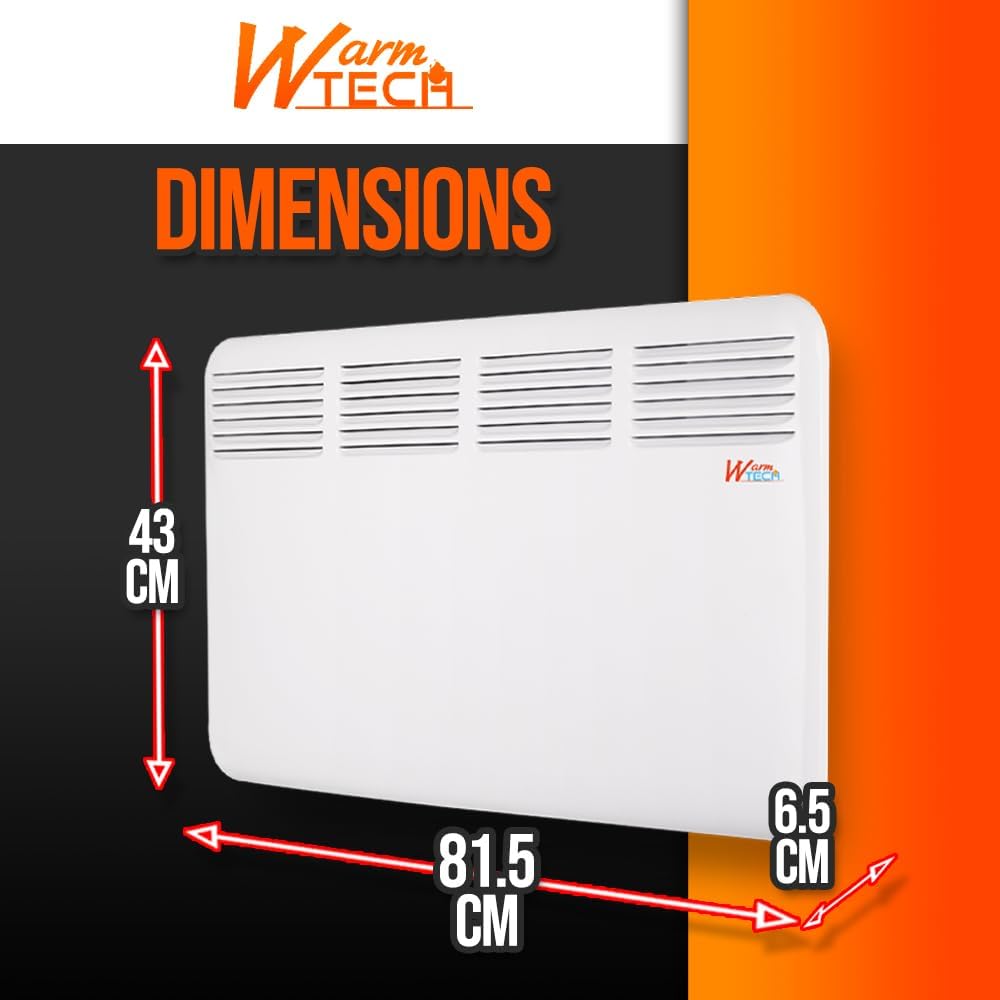
Figure 4: Dimensional diagram of the WARMTECH Convector Heater, indicating a length of 81.5 cm, a height of 43 cm, and a depth of 6.5 cm.
8. Warranty and Support
WARMTECH products are manufactured to high-quality standards. For information regarding warranty coverage, please refer to the warranty card included with your purchase or contact your retailer. For technical support or service inquiries, please contact the retailer where the product was purchased.