
BONAI FY1601
BONAI 16-Slot Smart Battery Charger with 2800mAh AA Rechargeable Batteries Instruction Manual
Model: FY1601
Introduction
This manual provides essential instructions for the safe and efficient use of your BONAI 16-Slot Smart Battery Charger and accompanying 2800mAh AA NiMH rechargeable batteries. Please read this manual thoroughly before operation and retain it for future reference.
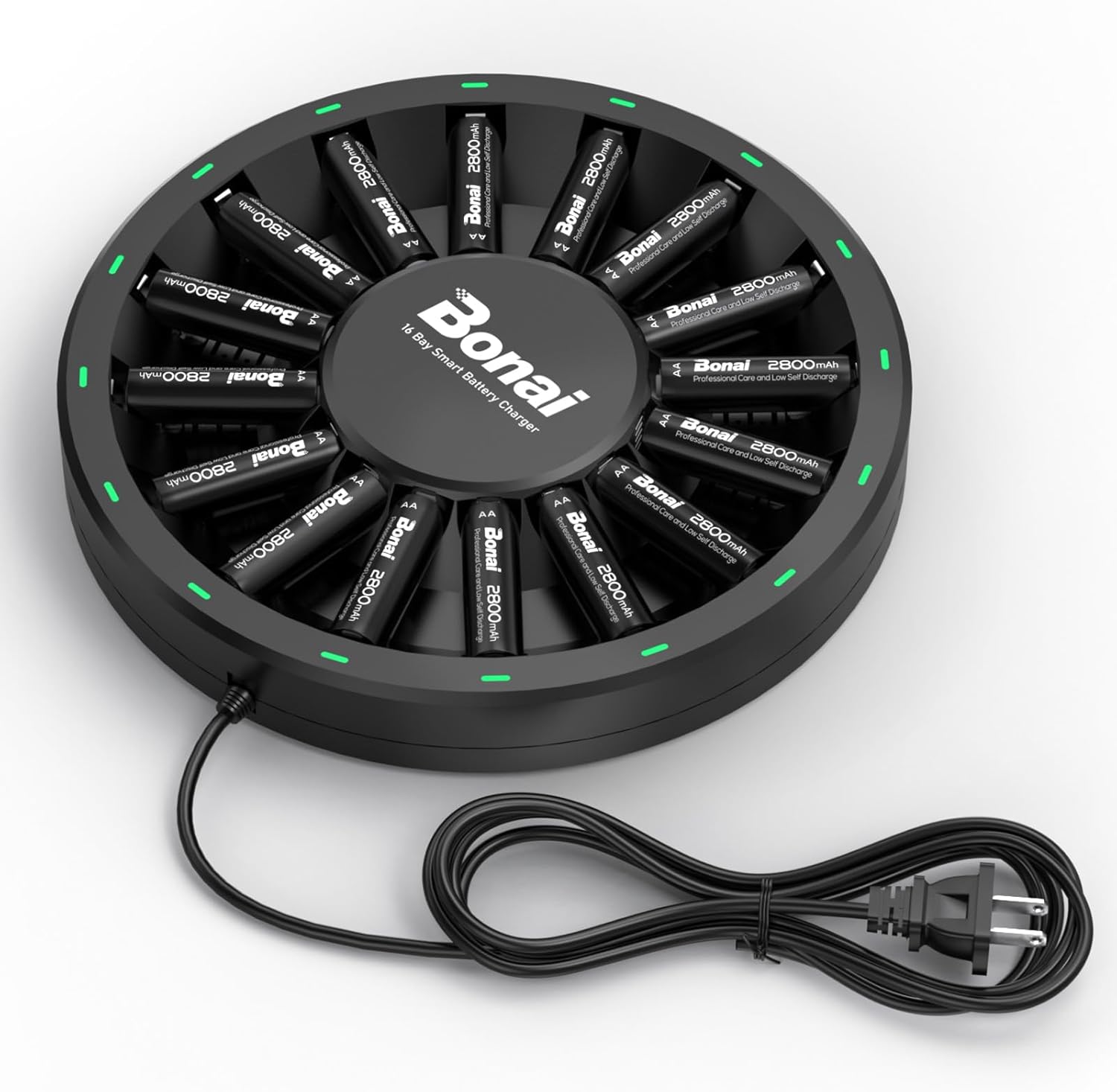
Image: The BONAI 16-Slot Smart Battery Charger with 16 AA batteries inserted, ready for use.
Product Features
- High Capacity Batteries: 2800mAh 1.2V NiMH rechargeable AA batteries for extended power supply.
- Independent Charging Slots: Each of the 16 slots can charge AA or AAA batteries independently, allowing for flexible charging of 1-16 batteries simultaneously.
- LED Indicators: Individual LED lights display the charging status for each battery: Red for charging (flashes every minute), Green for fully charged, and Red Flashing for non-rechargeable or broken batteries.
- Low Self-Discharge: Batteries maintain approximately 75% capacity after 3 years of non-use.
- High Cycle Life: Batteries are designed for up to 1200 recharge cycles.
- Efficient and Convenient Design: Features an independent slot design and an integrated AC plug.
- Safety Protections: Includes over-current, over-pressure, reverse polarity protection, and constant current charging mode.
- Good Cooling System: Built-in ventilation holes and a large gap between the charger and batteries facilitate efficient cooling during operation.
Package Contents
- 1 x BONAI 16-Bay Smart Battery Charger
- 16 x 2800mAh AA Rechargeable Batteries
Setup Guide
1. Connecting the Charger
Connect the integrated AC plug of the charger directly into a standard 100V-240V AC 50/60Hz wall outlet. The charger is designed with a one-piece US AC plug, eliminating the need for separate charging cables.

Image: The BONAI charger's integrated AC plug connected to a power outlet.
2. Inserting Batteries
Insert 1 to 16 AA or AAA NiMH rechargeable batteries into the individual charging slots. Ensure the positive (+) and negative (-) terminals of the batteries align correctly with the markings in the charger slots. Incorrect insertion can prevent charging or damage the batteries/charger.
Video: Demonstrates the process of inserting batteries into the BONAI 16-slot charger and observing the charging indicators.
Operating Instructions
Charging Process and Indicators
Once batteries are correctly inserted and the charger is powered, the LED indicators around each slot will illuminate to show the charging status:
- Red Light: Indicates that the battery is currently charging. The red light will flash approximately every minute during the charging process.
- Green Light: Indicates that the battery is fully charged. The charger will automatically switch to trickle charge mode to maintain battery capacity.
- Red Flashing Light: Indicates a non-rechargeable or broken battery. Remove such batteries immediately.

Image: Diagram illustrating the meaning of the red, green, and red flashing LED indicators on the charger.
Automatic Shut-off
The charger features an automatic shut-off function. Once a battery reaches full charge, the charger will cease active charging for that slot, indicated by a solid green light. This prevents overcharging and helps prolong battery life.

Image: The charger with all batteries showing green lights, indicating they are fully charged and the auto shut-off feature is active.
Battery Detection Function
The charger incorporates a battery detection function. It takes approximately 15 seconds to detect the battery type. If a non-rechargeable or faulty battery is inserted, the corresponding red light will flash, indicating a problem. Remove such batteries to prevent potential issues.

Image: The charger displaying a flashing red light for a slot, indicating a non-rechargeable or broken battery has been detected.
Care and Maintenance
Cleaning
To clean the charger, disconnect it from the power outlet and use a soft, dry cloth. Do not use liquid cleaners or abrasive materials. Ensure the charging slots are free of dust and debris.
Storage
Store the charger and batteries in a cool, dry place away from direct sunlight and extreme temperatures. For long-term storage, it is recommended to store batteries with a partial charge (around 50-70%) to maintain their health.
Battery Longevity
The BONAI NiMH batteries are designed for high performance and durability. They feature advanced low self-discharge technology, retaining approximately 75% of their capacity even after 3 years of non-use. With up to 1200 recharge cycles, these batteries offer a long service life.

Image: A comparison chart demonstrating the superior low self-discharge rate of BONAI batteries over typical rechargeable batteries.
Cooling System
The charger is equipped with a good cooling system, featuring built-in ventilation holes and a large gap between the charger and battery slots. This design promotes airflow and helps dissipate heat, ensuring stable and safe charging operation.
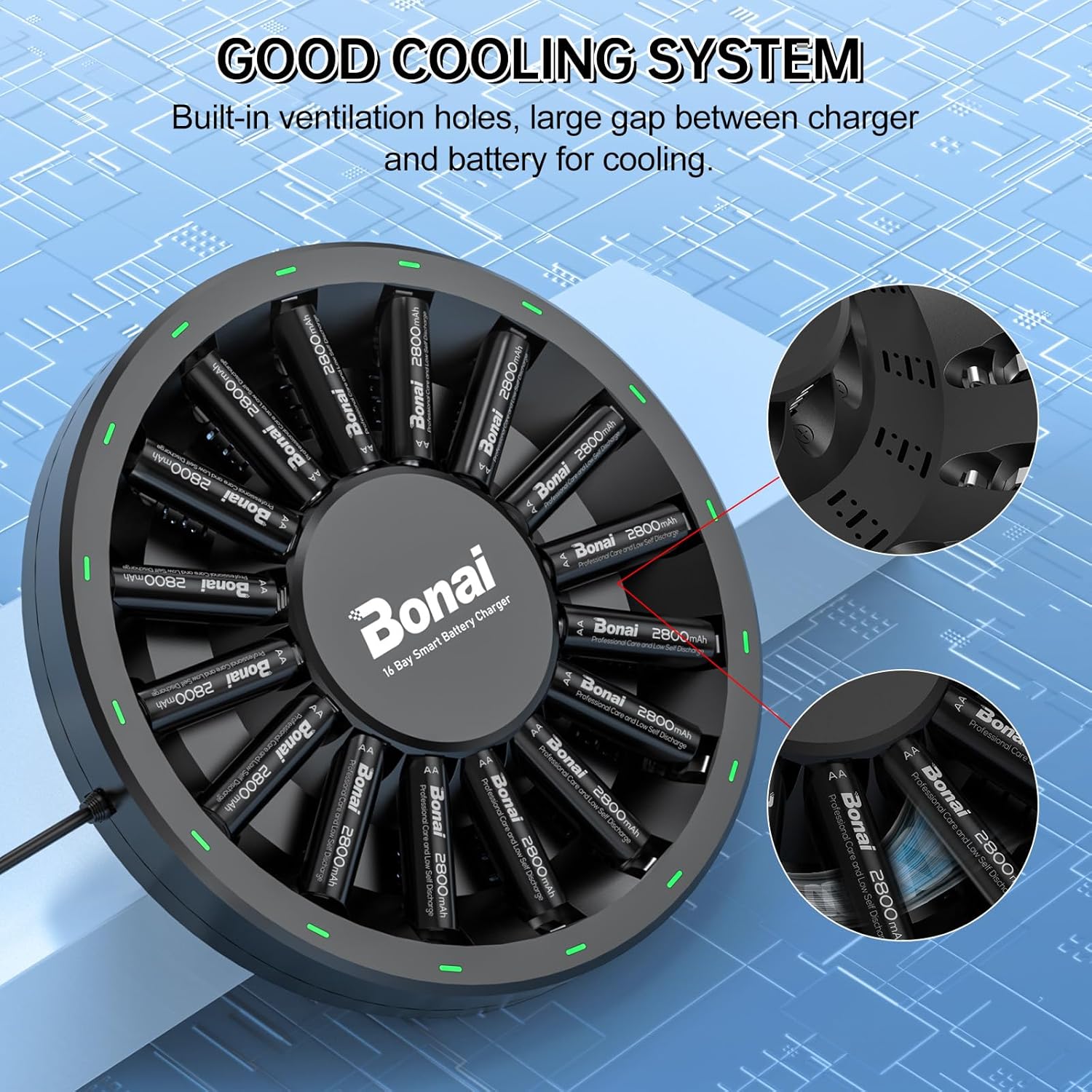
Image: An illustration highlighting the built-in ventilation holes and design features that contribute to the charger's effective cooling system.
Troubleshooting
- No LED light when battery is inserted: Ensure the charger is properly plugged into a live power outlet. Verify that the battery is inserted with correct polarity (+/-). If the issue persists, the battery might be completely drained or faulty.
- Red flashing light: This indicates a non-rechargeable battery, a broken battery, or a battery with incorrect voltage. Remove the battery from the slot. Do not attempt to charge non-rechargeable batteries.
- Batteries not fully charging: Ensure the batteries are NiMH type. Check for proper contact between the battery terminals and charger contacts. If using older batteries, their capacity may have degraded over time.
- Charger feels warm during operation: It is normal for the charger to become slightly warm during charging. The built-in cooling system is designed to manage heat. If the charger becomes excessively hot, disconnect it immediately and contact customer support.
Technical Specifications
| Specification | Value |
|---|---|
| Model Number | FY1601 |
| Input Voltage | 100V - 240V AC 50/60Hz |
| Output Voltage | DC 1.4V |
| Output Current (AA) | 200mA |
| Output Current (AAA) | 150mA |
| Battery Type Supported | NiMH AA, NiMH AAA |
| Number of Slots | 16 (Independent) |
| AA Battery Capacity | 2800mAh |
| Battery Cycle Life | Up to 1200 cycles |
| Dimensions | 8.9 x 8.58 x 2.17 inches |
| Item Weight | 1.95 pounds (0.89 Kilograms) |
Safety Information
To ensure safe operation and prolong the life of your charger and batteries, observe the following safety guidelines:
- Only charge NiMH AA and AAA rechargeable batteries. Do not attempt to charge alkaline, carbon-zinc, lithium, or any other battery types, as this may lead to explosion, rupture, or leakage.
- Do not disassemble, modify, or short-circuit the charger or batteries.
- Avoid exposing the charger and batteries to water, moisture, or high humidity.
- Keep out of reach of children and pets.
- Do not use the charger if it is damaged or appears to be malfunctioning.
- Ensure proper ventilation during charging. Do not cover the charger.
- The charger is equipped with multiple safety features including:
- Over-current protection: Prevents excessive current flow.
- Over-pressure protection: Safeguards against internal pressure buildup.
- Reverse protection: Prevents damage from incorrect battery insertion.
- Constant current mode: Ensures stable and efficient charging.
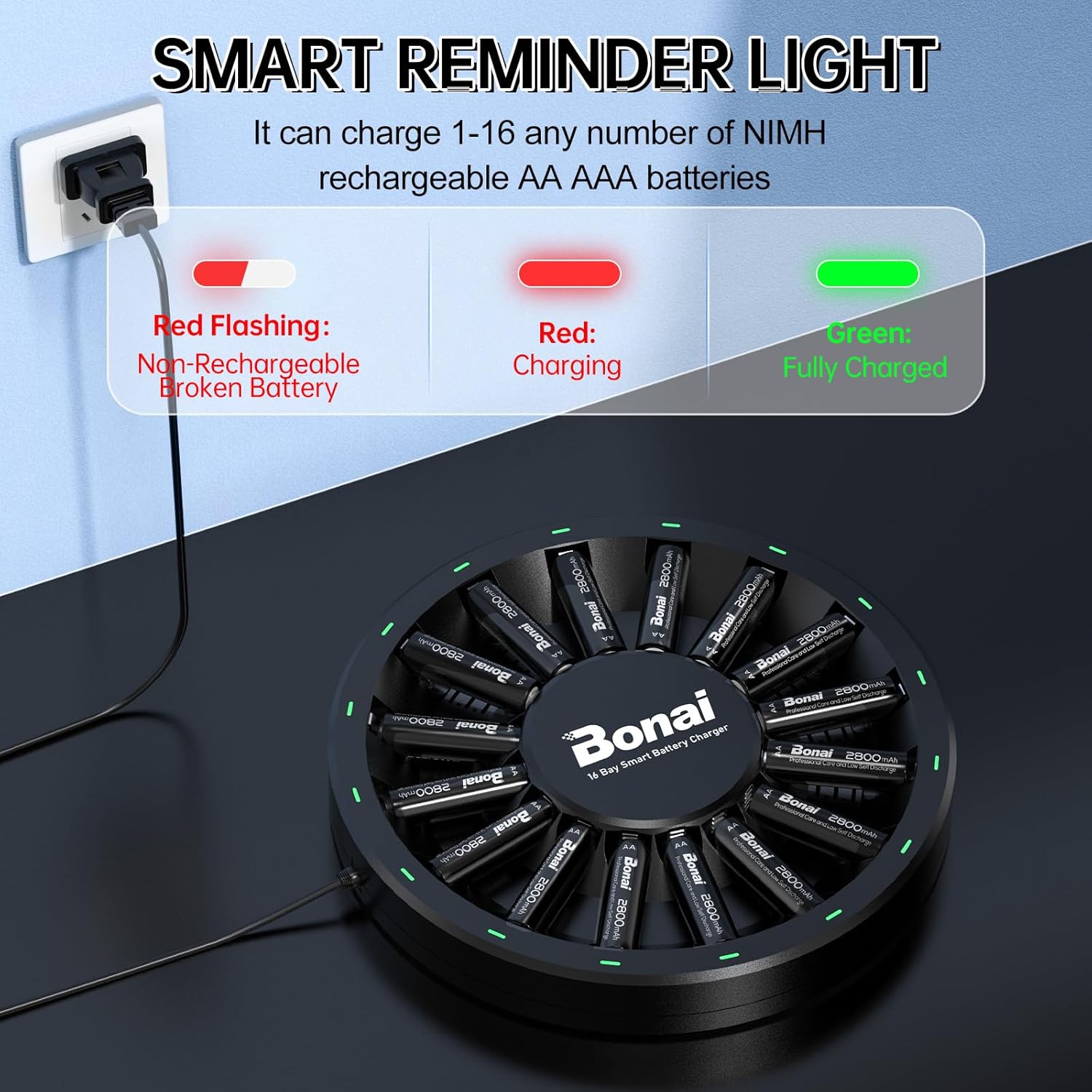
Image: Visual representation of the safety protections integrated into the BONAI charger, including over-current, over-pressure, and reverse protection.
Warranty and Support
For any questions, concerns, or assistance with your BONAI 16-Slot Smart Battery Charger or batteries, please contact BONAI customer service. We are committed to providing satisfactory service and will do our best to help you.
Ask a question about this manual
Ask about setup, troubleshooting, compatibility, parts, safety, or missing instructions. Manuals+ will review the question and use this page’s manual context to help answer it.