
Introduction
The Fenix ARE-D1 is a single-channel smart charger designed for versatility and ease of use. It features both Micro USB charging and USB discharging functions, making it a convenient tool for managing various rechargeable batteries. The charger is compatible with a wide range of Li-ion and Ni-MH/Ni-Cd battery types. Its high-definition LCD screen provides clear information on charging, discharging, and overall battery status. Built-in multi-protection circuits ensure safe operation and extended battery life.

Image: Fenix ARE-D1 Smart Charger with key features listed: single channel, charging and discharging, different battery types, high-definition LCD screen, multiple built-in protection circuits, and 2A large charging current.
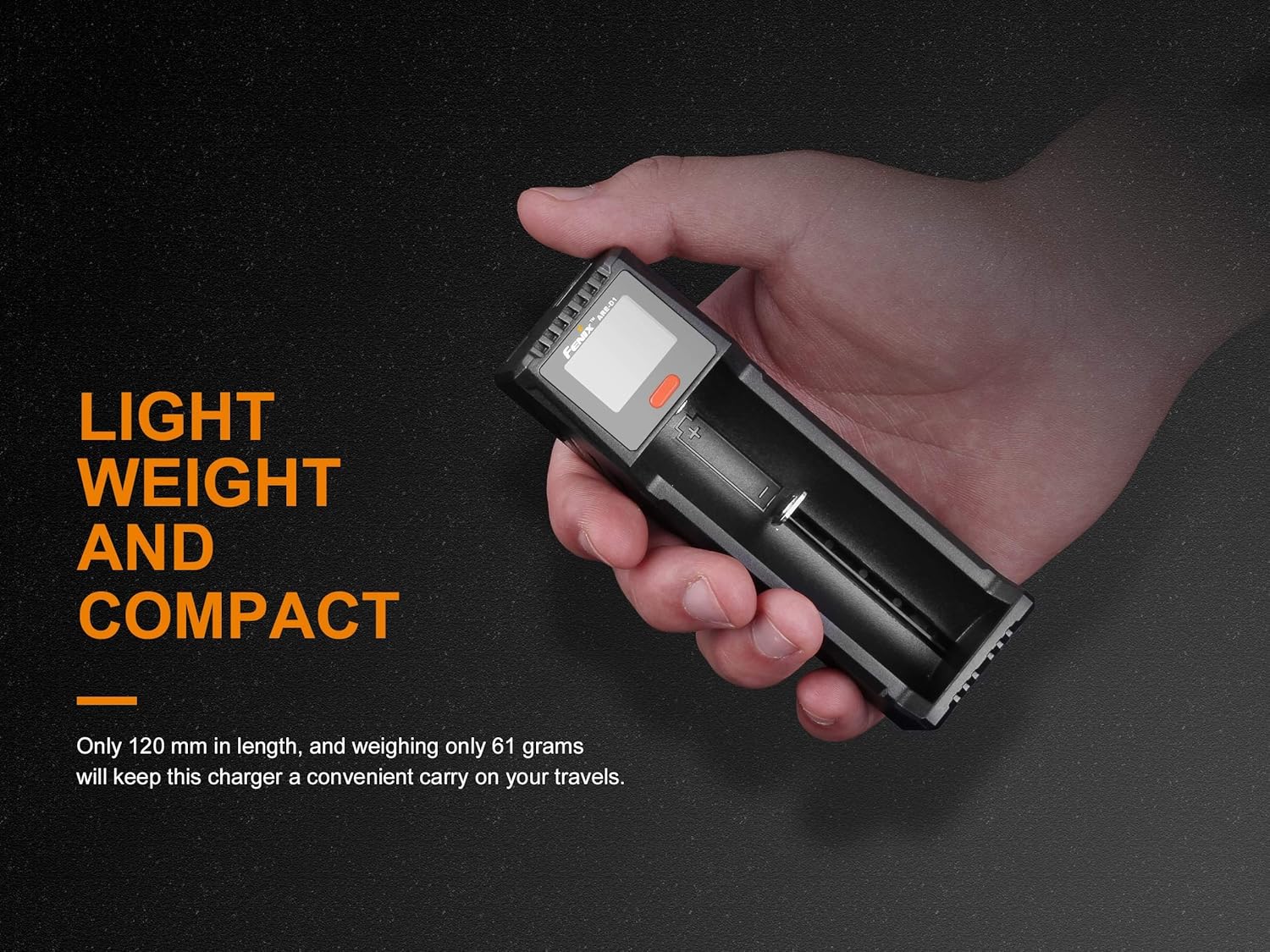
Image: A hand holding the Fenix ARE-D1 charger, illustrating its lightweight and compact design for portability.
Setup
- Connect Power: Connect the Micro USB cable to the charger's input port and plug the other end into a 5V/2A USB power source (e.g., USB adapter, power bank, computer USB port). For optimal performance, a 5V/2A power adapter is recommended.
- Insert Battery: Carefully insert a compatible rechargeable battery into the charging slot, ensuring correct polarity (+ and - terminals). The charger will automatically detect the battery type and begin charging.
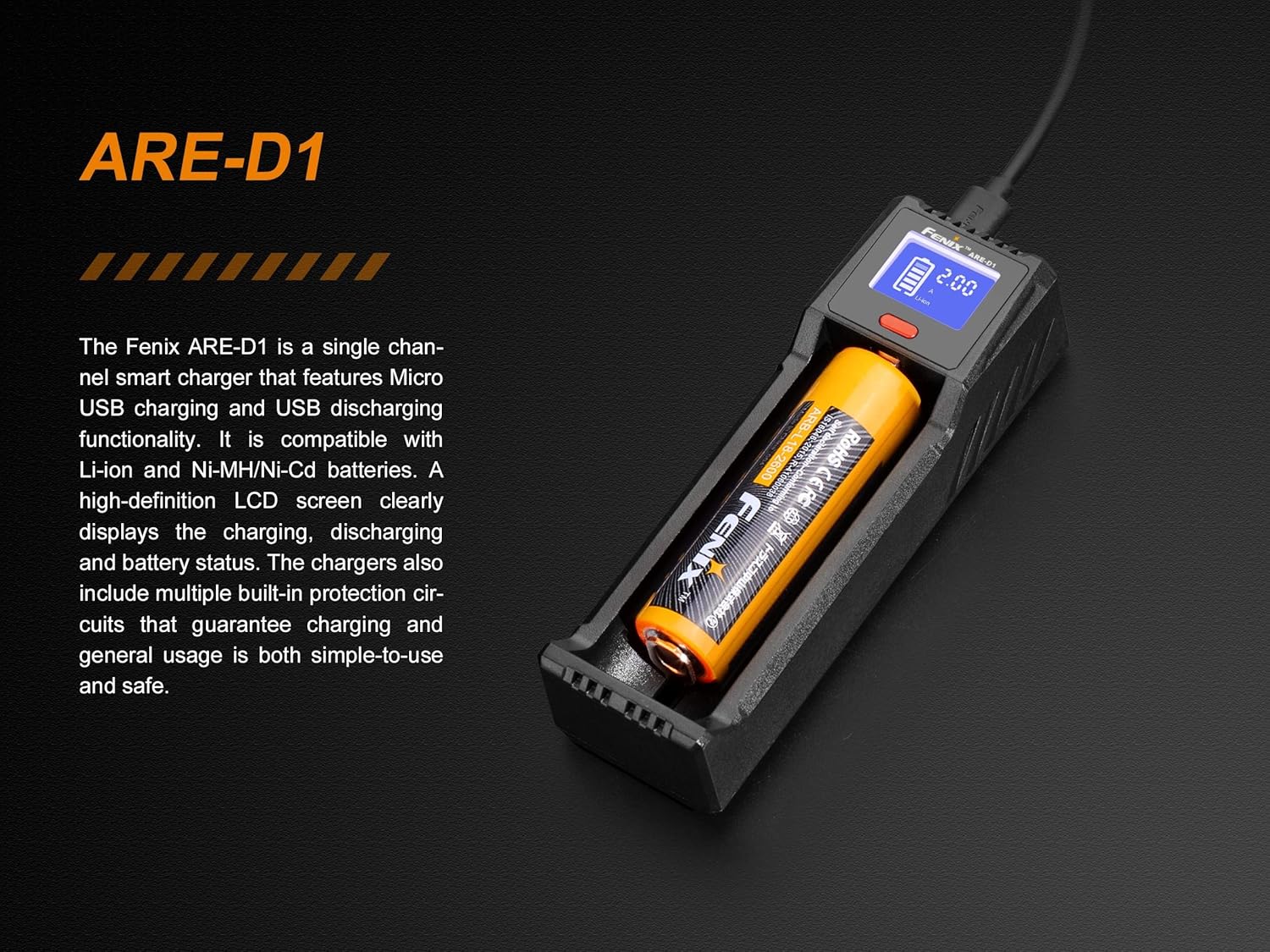
Image: The Fenix ARE-D1 charger with a battery correctly inserted into the charging slot, showing the LCD screen actively displaying charging information.
Operating Instructions
Charging Batteries
- Battery Compatibility: The ARE-D1 supports Li-ion batteries (10440, 14500, 16340, 18650, 21700, 26650) and Ni-MH/Ni-Cd batteries (AAA, AA, C).
- Charging Current Selection: The charger offers three charging current options: 0.5A, 1.0A, and 2.0A. Press the button on the charger to cycle through these options. The selected current will be displayed on the LCD screen. For faster charging of high-capacity batteries, select 2.0A.
- LCD Display: The high-definition LCD screen displays real-time information including battery level, charging current, voltage, and charging time elapsed.
- Automatic Detection: The charger automatically detects the battery type (Li-ion or Ni-MH/Ni-Cd) and applies the appropriate charging algorithm.

Image: The Fenix ARE-D1 charger shown alongside various compatible battery types, including Li-ion (10440, 14500, 16340, 18650, 21700, 26650) and Ni-MH/Ni-Cd (AAA, AA, C).

Image: The Fenix ARE-D1 charger connected to a power source via Micro USB, illustrating its rapid charging capability with a 2A current and an estimated charging time for a 2600mAh battery.
USB Discharging (Power Bank Function)
- The ARE-D1 can function as a power bank. Insert a charged Li-ion battery into the slot.
- Connect an external device (e.g., smartphone) to the USB output port (5V/2A) to charge it. The LCD screen will display discharging status.
Maintenance
- Keep the charger clean and dry. Avoid exposure to extreme temperatures or humidity.
- Operating temperature range: -20°C to 50°C.
- Operating humidity range: 5% to 90%.
- Storage temperature range: -20°C to 80°C.
- Do not disassemble the charger. Refer to qualified personnel for repairs.
Troubleshooting
- Charger not powering on: Ensure the Micro USB cable is securely connected to both the charger and a functional 5V/2A power source.
- Battery not charging: Verify that the battery is inserted with correct polarity. Check if the battery is compatible with the charger. Ensure the battery is not completely depleted beyond recovery.
- Slow charging: Confirm that your USB power adapter provides at least 2A output. Some computer USB ports may provide lower current, resulting in slower charging.
- LCD display issues: If the display is blank or erratic, try reconnecting the power source. If the issue persists, contact support.
Specifications
| Feature | Detail |
|---|---|
| Input | Micro USB 5V/2A |
| Rated Output Power | 3W (Ni-MH/Ni-Cd), 8.4W (Li-ion) |
| Charging Current (Li-ion) | 0.5A / 1.0A / 2.0A (4.2V/3.65V) |
| Charging Current (Ni-MH/Ni-Cd) | 0.5A / 1.0A (1.5V) |
| Compatible Li-ion Battery Types | 10440, 14500, 16340, 18650, 21700, 26650 |
| Compatible Ni-MH/Ni-Cd Battery Types | AAA, AA, C |
| USB Output | 5V/2A |
| Display | LCD screen for battery level, charging/discharging status |
| Protection Features | Short circuit, over-current, over-voltage, reverse-polarity |
| Dimensions | 4.72'' x 1.50'' x 1.18'' (120 x 38 x 30 mm) |
| Weight | 61±3 grams (excluding charging cable) |
| Operating Temperature | -20°C to 50°C |
| Operating Humidity | 5% to 90% |
| Storage Temperature | -20°C to 80°C |
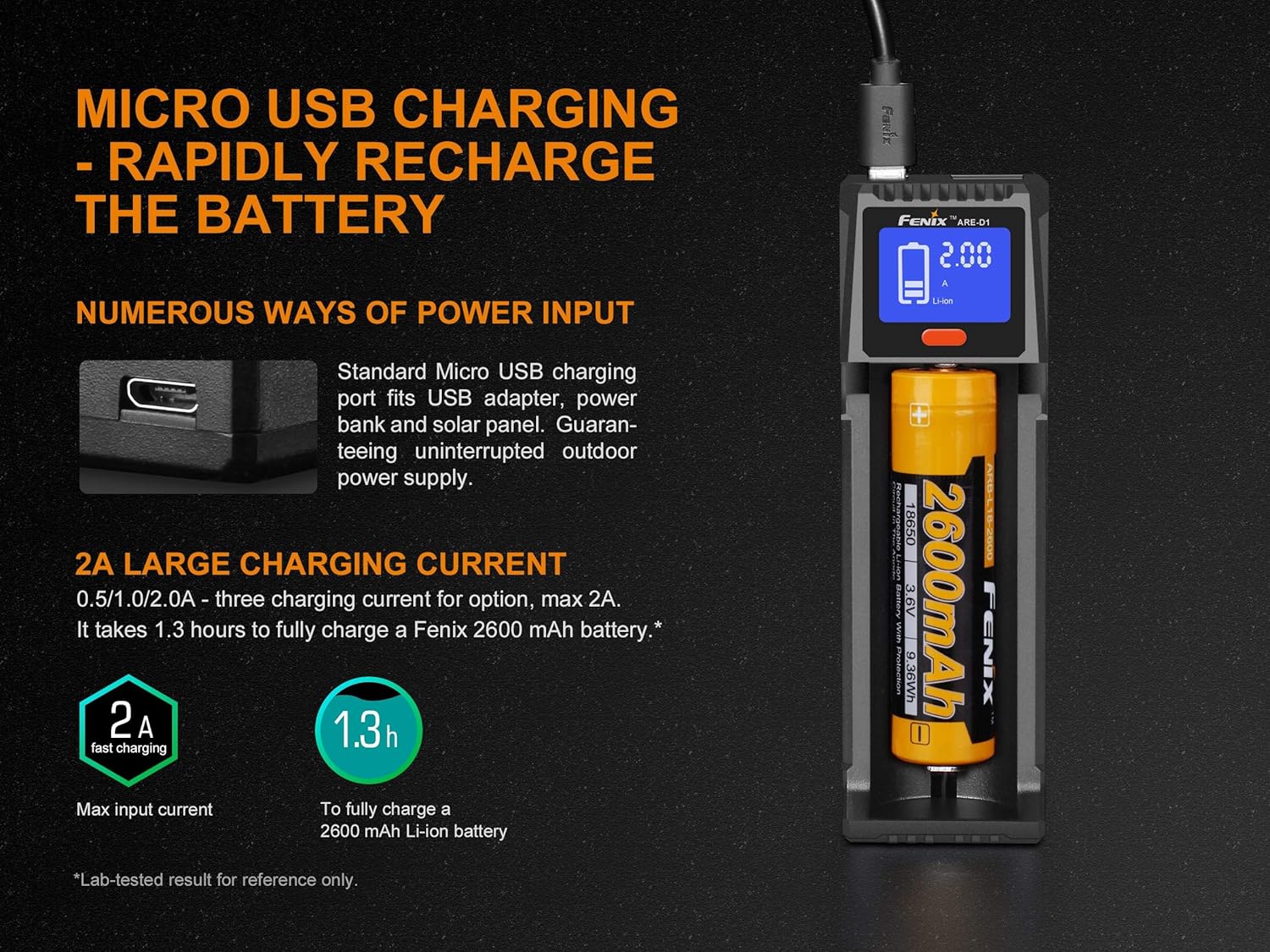
Image: The Fenix ARE-D1 charger displayed next to a comprehensive list of its technical specifications, including input/output, battery compatibility, dimensions, and operating conditions.
Package Contents
- Fenix ARE-D1 Smart Battery Charger
- Micro USB Charging Cable
- EdisonBright BBX5 Battery Carry Case (for 21700 batteries)
- User Manual
Note: Batteries are NOT included with this product.

Image: The Fenix ARE-D1 charger shown in its retail packaging, with a clear indication of the package contents: the ARE-D1 charger, Micro USB charging cable, and user manual.
Safety Information
- Use only with batteries and power adapters of high-quality standards. Incorrect power supply may damage the charger or batteries.
- Do not charge non-rechargeable batteries.
- Avoid short-circuiting the battery terminals.
- Keep out of reach of children.
- The charger features built-in protections against short circuit, over-current, over-voltage, and reverse-polarity to ensure safe operation.