
Vida IT V506
Vida IT V506 5000mAh Slim Portable Power Bank User Manual
Model: V506 | Brand: Vida IT
1. Introduction
Thank you for choosing the Vida IT V506 5000mAh Slim Portable Power Bank. This device is designed to provide reliable and portable power for your mobile phones, tablets, heated clothing, and other USB-powered devices. Its slim and lightweight design makes it an ideal companion for travel, outdoor activities, or daily use. This manual provides essential information on how to set up, operate, maintain, and troubleshoot your power bank to ensure optimal performance and longevity.
2. Product Features
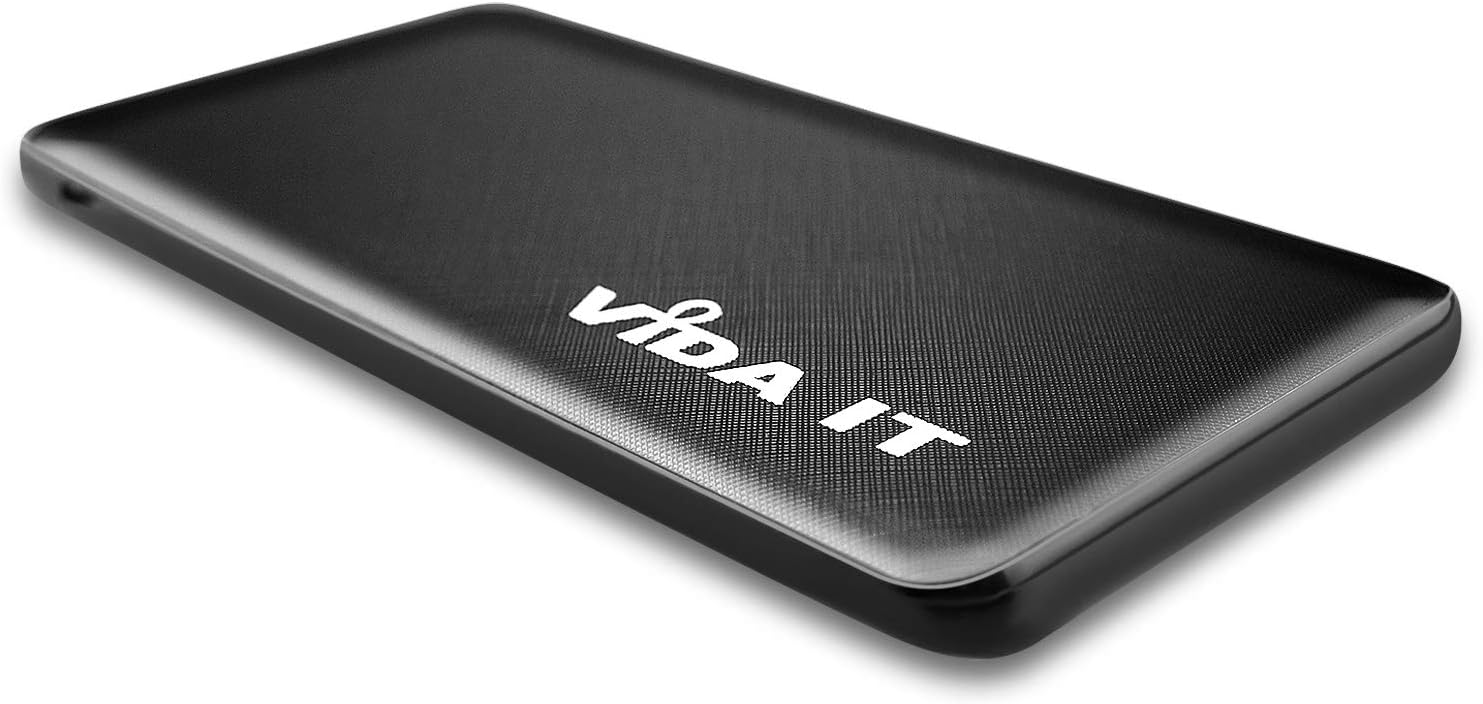
The Vida IT V506 power bank offers a range of features designed for convenience and efficiency:
- Slim and Lightweight Design: Measuring only 9mm thick and weighing 110g, it is highly portable.
- High Capacity: 5000mAh battery capacity, suitable for daily charging needs.
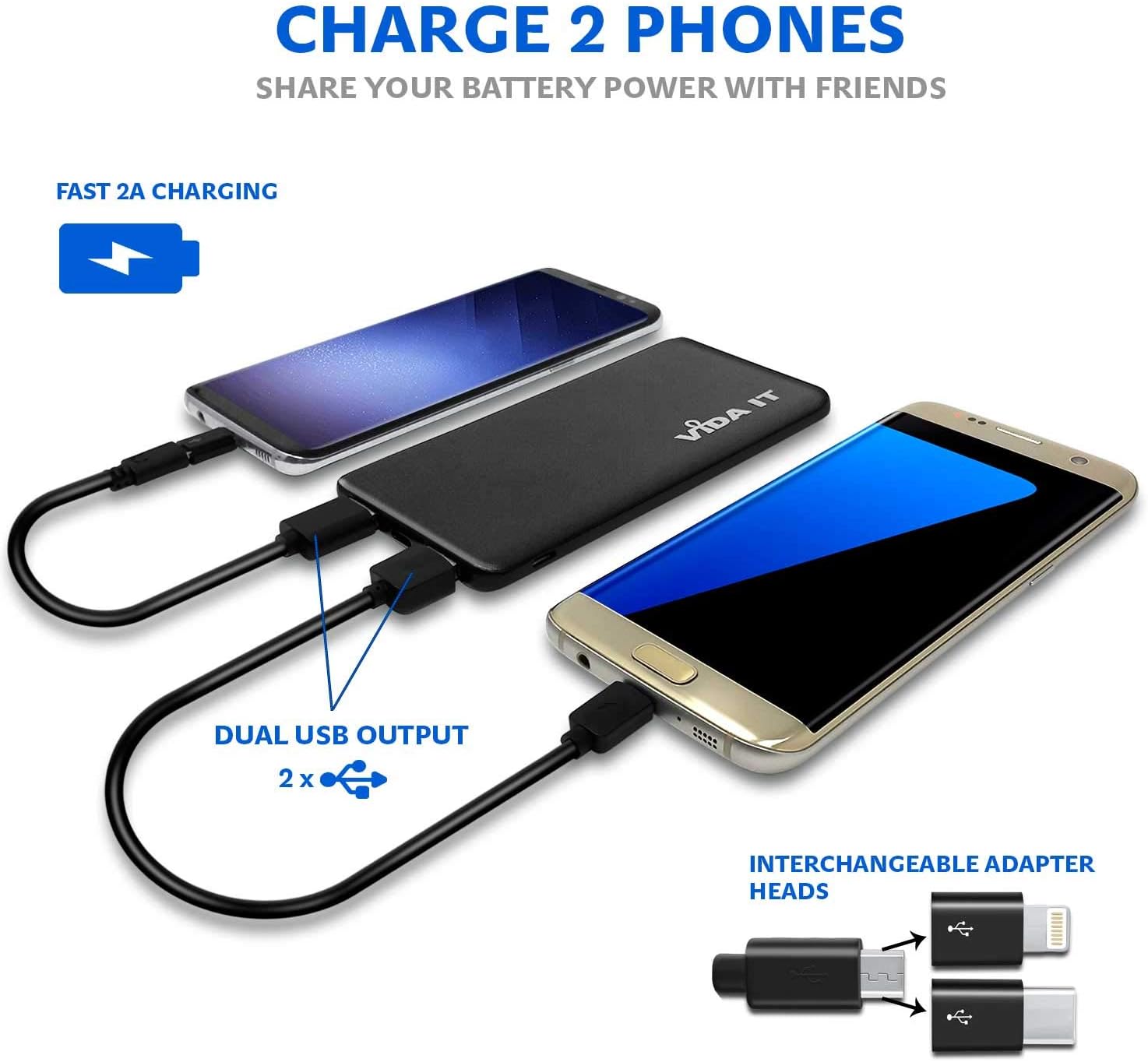
- Multiple Output Ports: Equipped with 2 x USB-A ports and 1 x USB-C port, allowing simultaneous charging of up to three devices.
- Fast Charging: Supports 2.1A fast charging for quick power delivery to your devices.
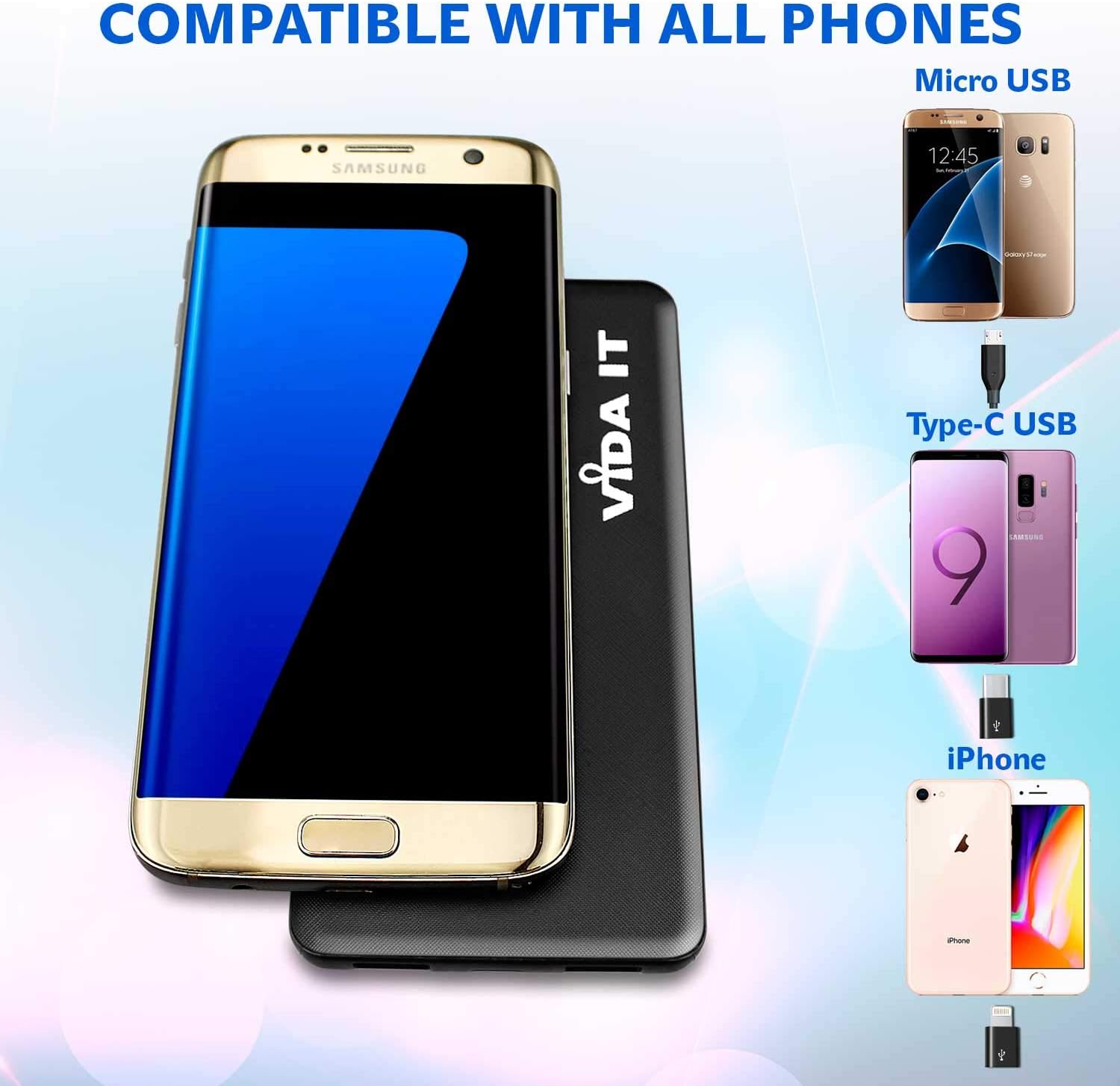
- Wide Compatibility: Includes adapters for iPhone, Micro USB, and USB-C, making it compatible with virtually all USB-powered devices, including smartphones, tablets, and heated clothing.
- Safety Assured: Features Class A battery cells tested for safety according to UN 38.3 and MSDS guidelines. Certified CE, RoHS, and FCC. Includes over-current and over-voltage protection.


3. Setup
3.1 Initial Charging of the Power Bank
Before first use, fully charge your Vida IT V506 power bank. This ensures optimal battery performance and longevity.
- Connect the provided Micro USB charging cable to the power bank's Micro USB input port.
- Connect the other end of the cable to a USB wall adapter (not included) or a computer's USB port.
- The LED indicator lights on the power bank will illuminate to show the charging progress. All lights will be solid when fully charged.
3.2 Connecting Your Devices
The V506 power bank is designed to charge a wide array of devices.
- Identify the correct charging cable for your device (e.g., USB-A to Lightning for iPhone, USB-A to USB-C for Android, etc.).
- If your device uses a different port than the standard USB-A, use the appropriate adapter head (iPhone, Micro USB, Type-C) provided with the power bank.
- Plug the USB-A end of your device's charging cable into one of the power bank's USB-A output ports. For USB-C devices, you can use the dedicated USB-C output port.
- Connect the other end of the cable to your device.
4. Operating Instructions
4.1 Charging Your Devices
Once your device is connected, the power bank should automatically begin charging. If not, press the power button on the side of the power bank to initiate charging.
- The power bank can charge up to three devices simultaneously using its 2 USB-A ports and 1 USB-C port.
- The 2.1A output ensures efficient and fast charging for compatible devices.

4.2 LED Indicator Lights
The LED lights on the power bank indicate the remaining battery level and charging status:
- Solid Lights: Indicate the current battery level. More lights mean more charge.
- Flashing Lights: Indicate that the power bank is currently being charged.
- When all lights are solid and no longer flashing, the power bank is fully charged.
5. Maintenance
Proper care and maintenance will extend the life of your Vida IT V506 power bank.
- Storage: Store the power bank in a cool, dry place away from direct sunlight and extreme temperatures.
- Cleaning: Use a soft, dry cloth to clean the exterior of the power bank. Do not use harsh chemicals or abrasive materials.
- Battery Longevity: To maintain battery health, fully charge the power bank at least once every three months, even if not in regular use. Avoid completely draining the battery frequently.
- Avoid Drops: Protect the device from physical shocks and drops, which can damage internal components.
6. Troubleshooting
If you encounter issues with your Vida IT V506 power bank, refer to the following common problems and solutions:
| Problem | Possible Cause | Solution |
|---|---|---|
| Power bank not charging | Charging cable faulty; Wall adapter insufficient; Power bank port damaged. | Try a different charging cable and wall adapter. Ensure the adapter provides at least 2.0A output. Check the charging port for debris. |
| Device not charging from power bank | Power bank battery empty; Device cable faulty; Power bank not activated; Incompatible device. | Ensure power bank is charged. Try a different device charging cable. Press the power button on the power bank. Verify device compatibility. |
| Slow charging | Cable resistance; Device input limit; Multiple devices charging. | Use a high-quality charging cable. Some devices may limit charging speed. Charging multiple devices simultaneously may reduce individual charging speeds. |
| LED indicators not working | Internal malfunction. | If the power bank still functions, this may be a minor issue. If not, contact customer support. |
7. Specifications
Detailed technical specifications for the Vida IT V506 Power Bank:
| Feature | Specification |
|---|---|
| Model Name | V506 |
| Battery Capacity | 5000 mAh (Milliampere-hour) |
| Battery Composition | Lithium-Polymer |
| Input | 5V / 2.0A |
| Output | 5V / 2.1A |
| Output Ports | 2 x USB Type-A, 1 x USB Type-C |
| Connector Type | USB Type A |
| Special Features | Slim design, UN 38.3 tested battery cell, includes iPhone and USB-C adapters. |
| Recommended Uses | Tablet, Mobile Phone, Heated Clothing |
| Power Source | Battery Powered |
8. Safety Information
Please read and follow these safety guidelines to prevent damage to the power bank or injury to yourself:
- Do not expose the power bank to water, moisture, or extreme temperatures.
- Do not disassemble, puncture, or modify the power bank.
- Keep out of reach of children.
- Avoid dropping or subjecting the power bank to severe impacts.
- Do not use if the power bank is visibly damaged, swollen, or leaking.
- Dispose of the power bank responsibly according to local regulations for electronic waste.
- The power bank is certified CE, RoHS, and FCC, and its battery cells are tested to UN 38.3 and MSDS safety standards.
9. Warranty and Support
Your Vida IT V506 Power Bank comes with a 12-month limited warranty from the date of purchase. This warranty covers manufacturing defects and workmanship under normal use.
The warranty does not cover damage caused by:
- Accident, abuse, misuse, or improper operation.
- Unauthorized repair or modification.
- Failure to follow the instructions in this manual.
For warranty claims or technical support, please contact Vida IT customer service through the retailer where you purchased the product or visit the official Vida IT website for contact information.
Related documentsV506

Ask a question about this manual
Ask about setup, troubleshooting, compatibility, parts, safety, or missing instructions. Manuals+ will review the question and use this page’s manual context to help answer it.