
Cecotec 05606
Cecotec Big Dry 4000 Expert Dehumidifier User Manual
Model: 05606
1. Introduction
Thank you for purchasing the Cecotec Big Dry 4000 Expert Dehumidifier. This manual provides important information for the proper use, maintenance, and troubleshooting of your appliance. Please read it thoroughly before operation and keep it for future reference.
Safety Information
- Always place the dehumidifier on a flat, stable surface.
- Ensure proper ventilation around the unit. Do not block air inlets or outlets.
- Do not operate the unit near water or in excessively wet environments.
- Unplug the unit before cleaning or performing any maintenance.
- Keep out of reach of children and pets.
- Do not insert objects into the air vents.
- Use only the specified power supply.
2. Product Components
Familiarize yourself with the main parts of your Cecotec Big Dry 4000 Expert Dehumidifier.

Figure 2.1: Front view of the Cecotec Big Dry 4000 Expert Dehumidifier. This image shows the overall design of the dehumidifier, highlighting its compact and modern appearance with the Cecotec logo visible.

Figure 2.2: Side view of the dehumidifier with the removable water tank. The image clearly indicates the location and design of the 2.5-liter water collection tank, which slides out for easy emptying.

Figure 2.3: Close-up of the top control panel. This view displays the LED screen showing humidity and temperature, along with touch controls for Timer, Setting, and Power functions.

Figure 2.4: Top view showing the air outlet. This image illustrates the dehumidifier's top grille where dry air is expelled, with visual cues of air circulation.
Key Components:
- Control Panel: LED display for humidity and temperature, touch buttons for various functions.
- Air Inlet/Outlet: Located on the back and top for air circulation.
- Water Tank: Removable 2.5-liter tank for collecting condensed water.
- Wheels: For easy portability.
- Air Filter: Located at the air inlet, requires regular cleaning.
3. Setup
- Unpacking: Carefully remove the dehumidifier from its packaging. Retain packaging materials for future storage or transport.
- Placement:
- Place the unit on a firm, level surface in the area where dehumidification is desired.
- Ensure there is at least 20 cm (8 inches) of clear space around all sides of the unit for proper airflow.
- Avoid placing the unit near heat sources, direct sunlight, or in areas with excessive dust.
- Power Connection: Plug the power cord into a grounded electrical outlet. Ensure the voltage matches the specifications of the unit.
- Initial Check: Before first use, ensure the water tank is correctly inserted and empty.
4. Operating Instructions
Power On/Off
- Press the Power button (refer to Figure 2.3 for button location) on the control panel to turn the unit ON or OFF. The LED display will illuminate when the unit is on.
Setting Desired Humidity
- Press the Setting button (refer to Figure 2.3 for button location) repeatedly to cycle through desired humidity levels (e.g., 40%, 50%, 60%, 70%, 80% or continuous operation). The display will show the selected humidity.
- The unit will automatically operate to maintain the set humidity level.
Timer Function
- Press the Timer button (refer to Figure 2.3 for button location) to set the operating time (e.g., 1-24 hours). The unit will automatically turn off after the set time.
- To cancel the timer, press the Timer button until "00" or "OFF" is displayed.
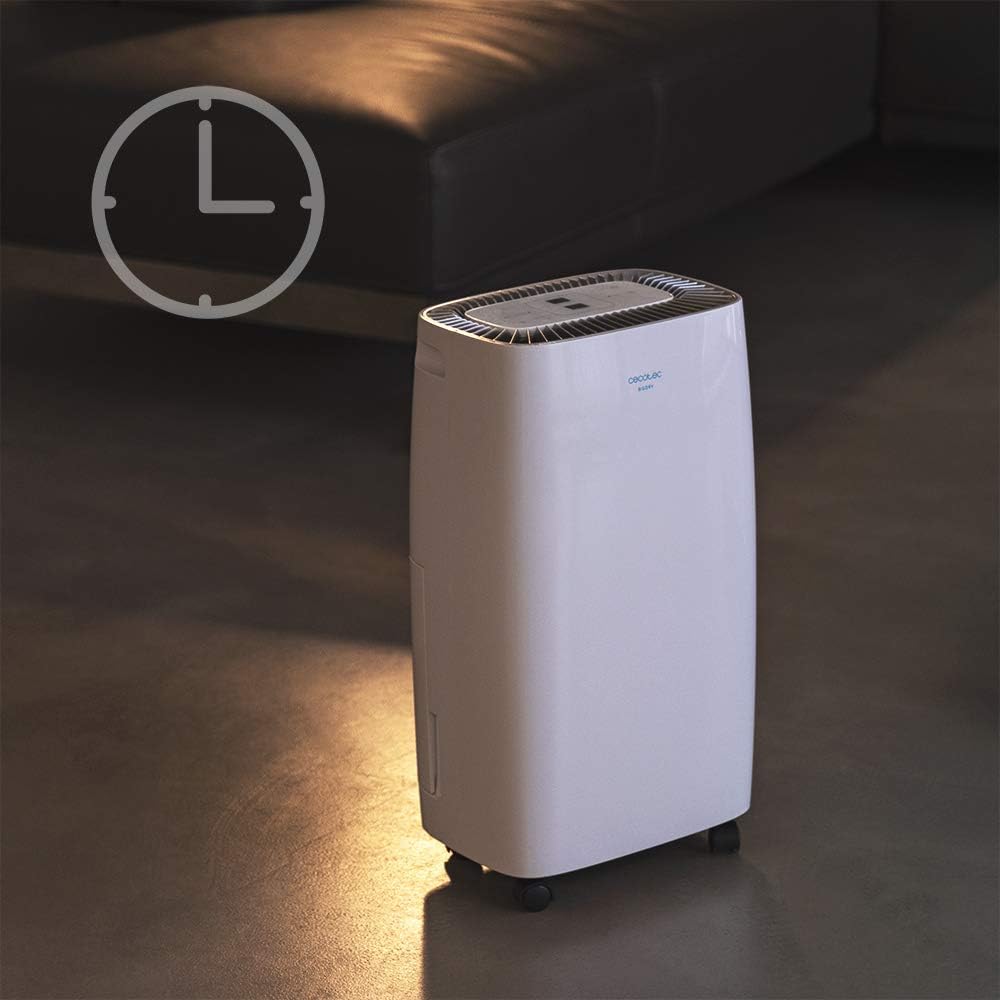
Figure 4.1: Dehumidifier operating with the timer function. This image visually represents the timer feature, showing the unit in a room setting with a clock icon overlay, indicating scheduled operation.
Fan Speed
- The unit features 2 fan speeds. Refer to the control panel for specific fan speed adjustment options, usually indicated by fan blade icons or "High/Low" indicators.
Automatic Shut-off and Full Tank Indicator
- The dehumidifier will automatically shut off when the water tank is full to prevent overflow.
- A "FULL" indicator light (often red) on the control panel will illuminate, and the unit may beep to alert you.

Figure 4.2: Control panel showing the "FULL" indicator light. This close-up highlights the illuminated red light next to the "FULL" icon, signaling that the water tank needs to be emptied.
5. Maintenance
Emptying the Water Tank
- When the "FULL" indicator light illuminates, gently pull out the water tank from the side of the unit.
- Carefully carry the tank to a sink or drain and empty the collected water.
- Rinse the tank with clean water periodically to prevent mold or mildew growth.
- Slide the empty tank back into the unit until it clicks into place. The unit will resume operation.
Cleaning the Air Filter
The air filter should be cleaned every two weeks or more frequently depending on usage and air quality.
- Turn off and unplug the dehumidifier.
- Locate the air filter (usually on the back or side, behind a removable grille).
- Remove the filter.
- Clean the filter using a vacuum cleaner to remove dust. For heavy dirt, wash it gently with warm, soapy water.
- Allow the filter to air dry completely before reinserting it. Do not use a dryer or direct heat.
- Reinsert the dry filter and close the grille.
General Cleaning
- Wipe the exterior of the unit with a soft, damp cloth. Do not use abrasive cleaners or solvents.
- Ensure no water enters the electrical components.
6. Troubleshooting
| Problem | Possible Cause | Solution |
|---|---|---|
| Unit does not turn on. | No power; power cord loose; water tank full or incorrectly inserted. | Check power connection; ensure tank is empty and properly seated. |
| Dehumidifier not collecting water. | Room humidity too low; temperature too low; air filter clogged; unit too small for space. | Check room conditions; clean air filter; ensure unit is appropriately sized for the area. |
| Unit is noisy. | Unit not on a level surface; air filter clogged; internal component issue. | Place on a level surface; clean air filter. If noise persists, contact support. |
| "FULL" indicator light is on, but tank is not full. | Float switch stuck or sensor malfunction. | Remove and reinsert tank; check float switch for obstructions. |
7. Specifications
| Feature | Specification |
|---|---|
| Brand | Cecotec |
| Model Name | Big Dry 4000 Expert (Model Number: 05606) |
| Dehumidification Capacity | 10 Liters per day |
| Water Tank Capacity | 2.5 Liters |
| Recommended Floor Area | Up to 40 Square Meters (105 m³/h coverage) |
| Product Dimensions (D x W x H) | 20.87"D x 9.06"W x 12.2"H |
| Item Weight | 21.7 pounds |
| Wattage | 4000 watts (Note: This value is from product specifications. Actual operational wattage for dehumidifiers is typically lower.) |
| Refrigerant Gas | R290 |
| Special Features | Removable Tank, 24h Timer, LED Display, Auto Power Off, Silent Operation |
8. Warranty and Support
For warranty information, technical support, or service inquiries, please refer to the warranty card included with your product or visit the official Cecotec website. Keep your purchase receipt as proof of purchase for warranty claims.
Cecotec Official Website: www.cecotec.com
Ask a question about this manual
Ask about setup, troubleshooting, compatibility, parts, safety, or missing instructions. Manuals+ will review the question and use this page’s manual context to help answer it.