
1. Introduction
This manual provides essential information for the safe and efficient operation of your SUPERDANNY Power Strip Tower. This device is designed to provide multiple power and charging options for various electronic devices in home, office, or dorm environments. Please read these instructions thoroughly before use and retain for future reference.
2. Product Features
- 15W Wireless Charger: Located on the top surface, compatible with devices supporting magnetic alignment for wireless charging.
- Multiple Outlets: Features 12 AC outlets, 4 USB-A ports (2.4A Max), and 2 USB-C ports (3A Max) distributed across four vertical facets.
- Independent Switches: Each layer of AC outlets and USB ports can be controlled independently with dedicated on/off switches.
- Retractable Power Cord: Equipped with a 6.5ft extension cord that can be retracted into the base for adjustable length and tidy storage.
- Surge Protection: Integrated 1050J surge protection safeguards connected devices from power surges.
- Overload Protection: Includes an overload/short-circuit reset button in the base for safety.
- Dual Voltage: Supports 110V~240V, allowing for worldwide compatibility with appropriate adapters.

Figure 1: Overview of the Power Strip Tower's numerous ports and charging options.
3. Setup
- Unpack: Carefully remove the Power Strip Tower from its packaging.
- Placement: Place the tower on a stable, flat surface, ensuring adequate ventilation.
- Connect to Power: Extend the 6.5ft power cord from the base by gently pulling it out. Plug the power cord into a grounded wall outlet.
- Power On: Press the main power button (if available) or the individual layer switches to activate the outlets and ports.

Figure 2: The vertical design of the power strip tower helps save space on your desk or floor.
4. Operation
4.1 AC Outlets
The tower provides 12 standard AC outlets. Plug your devices directly into any available AC outlet. Ensure the device's power requirements do not exceed the tower's maximum rating (13A, 1625W).
4.2 USB Ports
Utilize the 4 USB-A ports and 2 USB-C ports for charging compatible devices. The 6 USB ports share a total output of 5V/4.8A, with each USB-A port providing up to 2.4A and each USB-C port up to 3A. Connect your device's USB charging cable to the appropriate port.
4.3 Wireless Charging
Place your compatible smartphone on the 15W wireless charging pad located on the top of the tower. For optimal charging and magnetic alignment, ensure your device supports this feature. A green indicator light will confirm active charging.
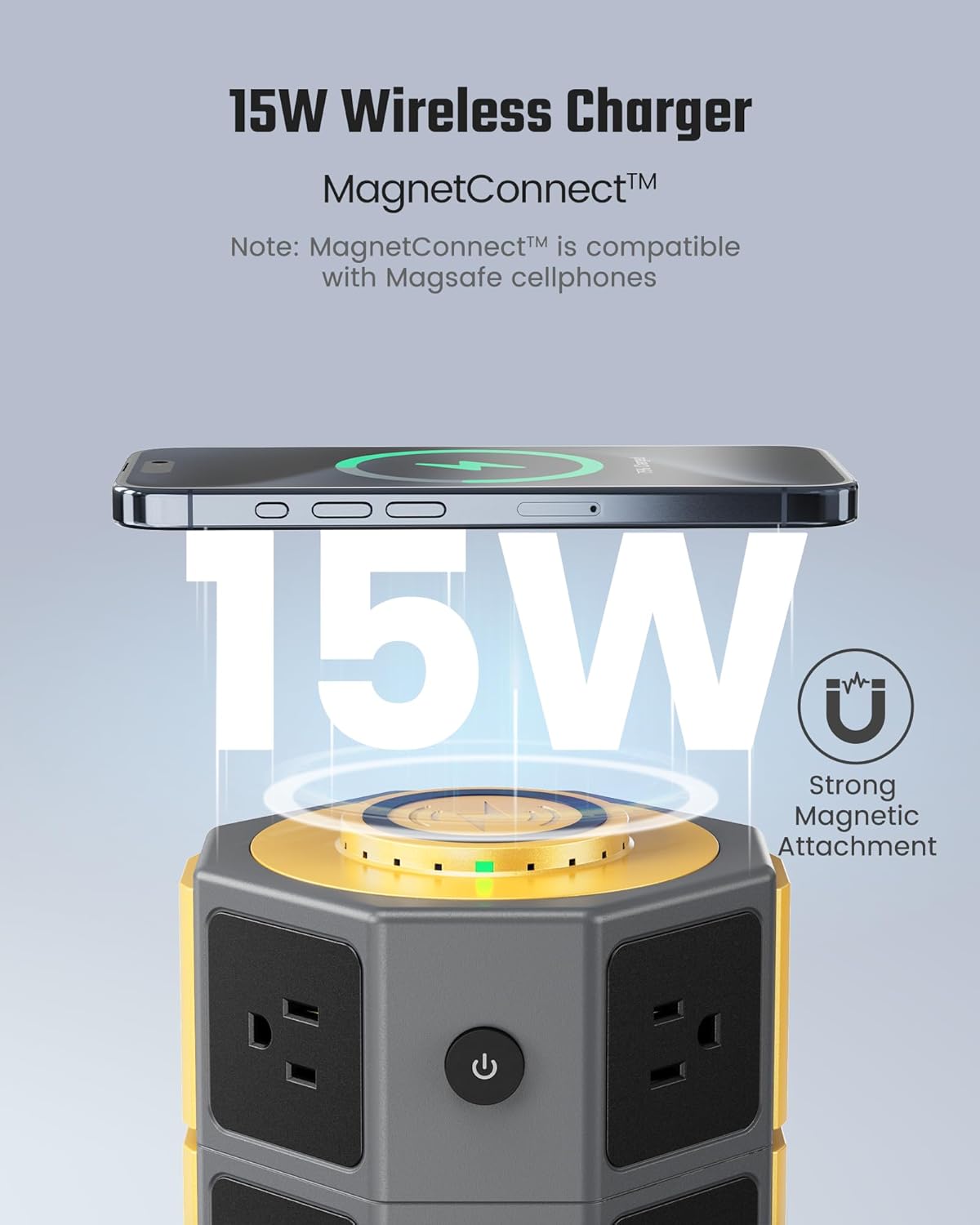
Figure 3: The 15W wireless charger with magnetic alignment for compatible smartphones.
4.4 Individual Power Switches
Each tier of the power strip tower features an independent on/off switch. This allows you to control power to specific sets of outlets and USB ports, conserving energy when not in use. Press the switch to toggle power for that section.
Video 1: Demonstrates the retractable cord and wireless charging feature of the power strip tower.
5. Safety Features
5.1 Surge Protection
The integrated 1050J surge protector helps shield your electronic devices from voltage spikes and power surges, which can cause damage. The surge protection indicator light (if present) will show its status.
5.2 Overload Protection
In the event of an overload or short circuit, the power strip tower will automatically cut power to prevent damage. A reset button is located on the base of the unit. If power is interrupted, unplug some devices, then press the reset button to restore power.
5.3 Dual Voltage
This device supports a wide voltage range (110V-240V), making it suitable for international travel. However, ensure you use appropriate plug adapters for the region you are in, as this device does not convert voltage.

Figure 4: The power strip tower offers comprehensive protection against electrical hazards.
6. Maintenance
- Cleaning: Disconnect the power strip tower from the wall outlet before cleaning. Use a dry, soft cloth to wipe the exterior. Do not use liquid cleaners or abrasive materials.
- Storage: When not in use, retract the power cord fully into the base. Store the unit in a cool, dry place away from direct sunlight and moisture.
- Inspection: Periodically inspect the power cord and the unit for any signs of damage. If any damage is found, discontinue use immediately and contact customer support.
7. Troubleshooting
- No Power to Devices:
- Check if the power strip tower is securely plugged into the wall outlet.
- Ensure the individual layer switches are in the 'ON' position.
- Check the overload reset button on the base. If it has popped out, press it back in after unplugging some devices to reduce the load.
- Verify that the wall outlet itself is functioning by plugging in another device.
- Wireless Charging Not Working:
- Ensure your device is wirelessly charging compatible and supports magnetic alignment.
- Remove any thick phone cases that might interfere with wireless charging.
- Ensure the phone is correctly centered on the charging pad.
- Slow Charging via USB:
- The total output for all USB ports is shared. If many devices are connected, charging speed may decrease.
- Ensure your USB cable is not damaged and is suitable for fast charging if desired.
8. Specifications
| Feature | Specification |
|---|---|
| Model Number | SUPERDANNY091-us |
| AC Outlets | 12 |
| USB-A Ports | 4 (2.4A Max per port, 4.8A shared total) |
| USB-C Ports | 2 (3A Max per port, 4.8A shared total) |
| Wireless Charger | 15W (Magnetic Alignment Compatible) |
| Rated Current | 13A |
| Voltage | 110V-240V |
| Surge Protection | 1050 Joules |
| Extension Cord Length | 6.5ft (Retractable) |
| Product Dimensions | 5.71 x 5.71 x 9.65 inches |
| Item Weight | 2.42 pounds |
9. Warranty and Support
For warranty information and customer support, please refer to the product packaging or contact SUPERDANNY customer service directly. Keep your purchase receipt as proof of purchase for any warranty claims.