
1. Introduction
This manual provides essential information for the safe and efficient operation of your Radiola 25-inch Full HD Smart TV, model LD25100KA. Please read this manual thoroughly before using the television and retain it for future reference.
2. Safety Information
Observe the following safety precautions to prevent fire, electric shock, or injury:
- Power Source: Connect the TV only to an AC 100-240V, 50/60Hz power supply.
- Ventilation: Ensure adequate ventilation around the TV. Do not block ventilation openings.
- Water and Moisture: Do not expose the TV to rain or moisture. Do not place objects filled with liquids on the TV.
- Heat Sources: Keep the TV away from heat sources such as radiators, heat registers, stoves, or other heat-producing appliances.
- Cleaning: Unplug the TV from the wall outlet before cleaning. Use a soft, dry cloth. Do not use liquid cleaners or aerosol cleaners.
- Servicing: Do not attempt to service this product yourself. Refer all servicing to qualified service personnel.
3. Package Contents
Verify that all items are present in the box:
- Radiola 25-inch Full HD Smart TV
- Remote Control
- User Manual (this document)
- Power Cable
- TV Stands (2 units) and Screws
4. Product Overview
Familiarize yourself with the television's components and connection ports.

Figure 4.1: Front view of the Radiola 25-inch Full HD Smart TV. The image displays the screen with a colorful abstract background, the 'RADIOLA' brand logo prominently in the center, '25"' indicating screen size, 'SMART TV' logo, and '1080p FULLHD' resolution indicator.
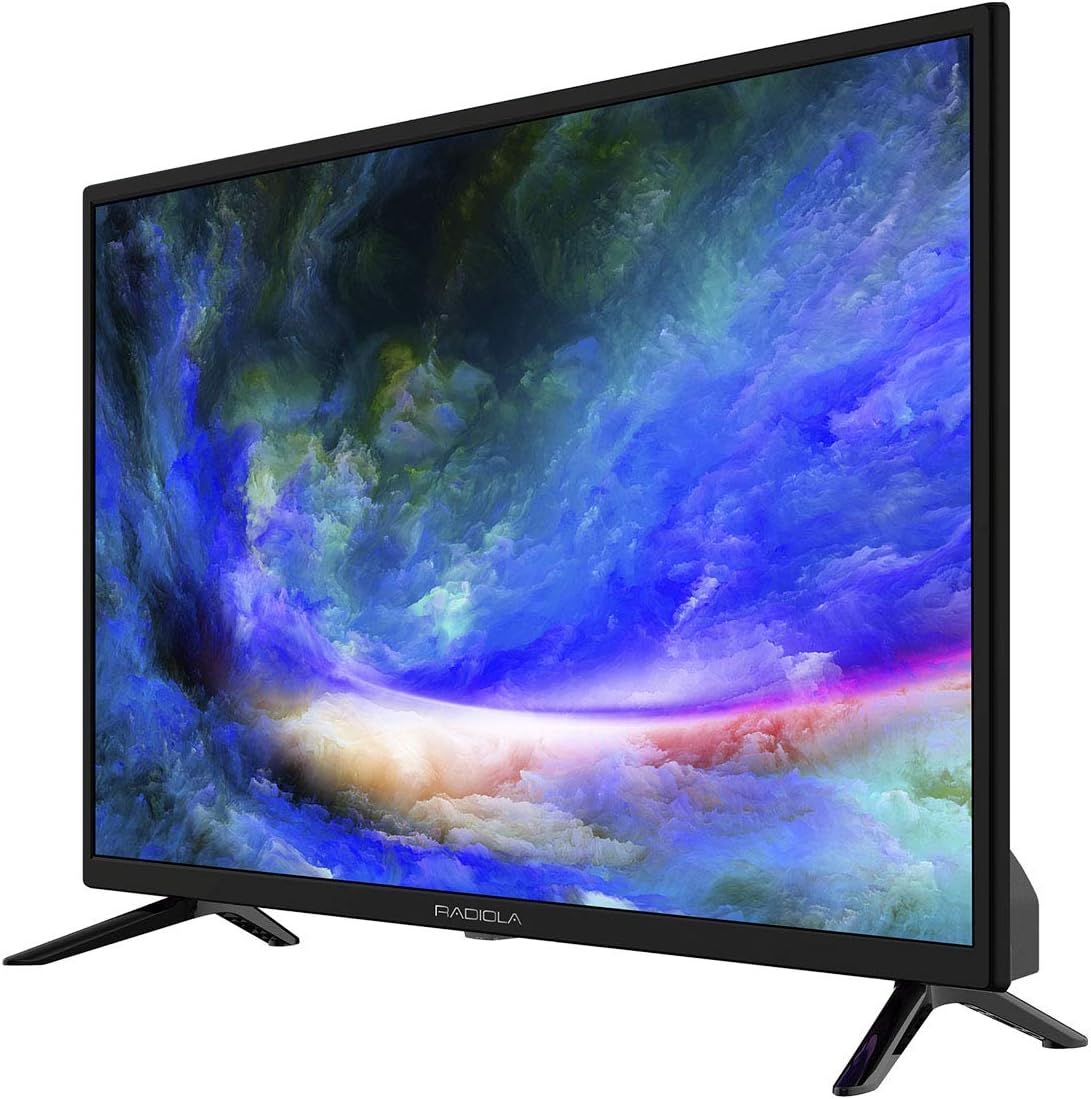
Figure 4.2: Angled side view of the Radiola 25-inch Full HD Smart TV, showing the slim profile and one of the two stand feet. The screen displays the same colorful abstract background.

Figure 4.3: Rear view of the Radiola 25-inch Full HD Smart TV. This image highlights the back panel with various input/output ports and VESA mounting points. The stand feet are also visible.

Figure 4.4: Comprehensive view of the Radiola 25-inch Full HD Smart TV from multiple angles: front, back, left side, right side, top, and bottom. This provides a complete understanding of the TV's physical layout and port locations.
5. Setup
5.1 Unpacking
Carefully remove the TV and all accessories from the packaging. Retain the packaging materials for potential future transport or servicing.
5.2 Stand Installation
- Place the TV screen-down on a soft, flat surface to prevent damage.
- Align each stand with the corresponding screw holes on the bottom of the TV.
- Secure the stands using the provided screws. Do not overtighten.
5.3 Wall Mounting (Optional)
This TV supports VESA standard wall mounts. Consult a professional for wall mounting installation to ensure safety and proper attachment. Wall mount bracket is sold separately.
5.4 Connecting Peripherals
Connect external devices to the appropriate ports on the TV:
- HDMI: For high-definition video and audio from devices like Blu-ray players, game consoles, or set-top boxes. (3x HDMI ports)
- USB: For connecting USB storage devices to play multimedia content. (2x USB ports)
- VGA: For connecting a computer.
- LAN (RJ45): For a wired internet connection.
- Antenna/Cable: Connect your antenna or cable TV signal for DVB T/T2/C reception.
- CI Slot: For Common Interface modules (e.g., for pay-TV services).
- PC Audio: Audio input for VGA connection.
- CVBS (mini) / Y/PB/PR (Mini): For older analog video and component video connections, respectively.
5.5 Initial Power On
- Connect the power cable to the TV and then to a wall outlet.
- Press the power button on the TV or the remote control.
- Follow the on-screen instructions for initial setup, including language selection, country, and channel scanning.
6. Operating the TV
6.1 Remote Control Overview
The remote control allows access to all TV functions. Familiarize yourself with the buttons for power, volume, channel, input source, menu, navigation, and Smart TV functions.
6.2 Basic Functions
- Power On/Off: Press the Power button.
- Volume Adjustment: Use the VOL +/- buttons.
- Channel Selection: Use the CH +/- buttons or numeric keypad.
- Mute: Press the Mute button to silence the audio.
6.3 Input Source Selection
Press the Source or Input button on the remote control to cycle through available input sources (HDMI 1, HDMI 2, HDMI 3, VGA, TV, Media, etc.).
6.4 Smart TV Features
Your Radiola TV is equipped with Smart TV capabilities:
- Connecting to Wi-Fi: Navigate to the network settings menu. Select your Wi-Fi network and enter the password.
- Navigating the Smart TV Interface: Use the remote control's arrow keys and OK button to browse applications and settings.
- Pre-installed Applications: Access popular streaming services such as Netflix, YouTube, and Amazon Prime Video directly from the Smart TV home screen.
- Web Browser: Use the integrated web browser for general internet access.
6.5 Channel Scan
After connecting an antenna or cable, perform a channel scan:
- Go to the TV's main menu.
- Select 'Channel' or 'Setup'.
- Choose 'Auto Scan' or 'Auto Tuning'.
- Ensure the correct signal type (Antenna/Cable) is selected.
- The TV will search for available DVB T/T2/C channels.
6.6 OSD Menu Navigation
The On-Screen Display (OSD) menu allows you to adjust picture, sound, network, and system settings. The menu supports multiple languages including Spanish, English, French, German, Italian, and Dutch.
7. Maintenance
7.1 Cleaning the TV
- Screen: Gently wipe the screen with a soft, lint-free cloth. For stubborn marks, slightly dampen the cloth with water or a specialized screen cleaner (do not spray directly on the screen).
- Exterior: Use a soft, dry cloth to clean the TV casing.
- Important: Always unplug the TV before cleaning. Avoid using abrasive cleaners, waxes, or solvents.
7.2 Software Updates
Periodically check for software updates in the TV's system settings to ensure optimal performance and access to the latest features. Updates may be available via Wi-Fi or USB.
8. Troubleshooting
If you encounter issues, refer to the following common problems and solutions:
| Problem | Possible Solution |
|---|---|
| No power | Check if the power cable is securely connected to the TV and the wall outlet. Ensure the outlet has power. |
| No picture, but sound is present | Verify the correct input source is selected. Check external device connections. Adjust brightness/contrast settings. |
| No sound, but picture is present | Check volume level and mute status. Ensure external audio devices are connected correctly. |
| Remote control not working | Replace batteries. Ensure no obstructions between the remote and the TV's IR sensor. |
| Wi-Fi connection issues | Restart your router. Re-enter Wi-Fi password. Ensure the TV is within range of the router. |
| Smart TV is slow or unresponsive | Close unused applications. Restart the TV. Check for software updates. Consider a factory reset if issues persist (note: this will erase all settings). |
9. Specifications
| Feature | Specification |
|---|---|
| Model Number | LD25100KA (DVB-PM8250082HCATI) |
| Screen Size | 25 Inches / 64 cm |
| Display Technology | LED |
| Resolution | 1920 x 1080p (Full HD) |
| Refresh Rate | 60 Hz |
| Aspect Ratio | 16:9 |
| Smart TV Features | Yes (RAM 1GB DDR, ROM 8GB Flash) |
| Supported Internet Services | Amazon Prime Video, Browser, Netflix, YouTube |
| Tuner | DVB T/T2/C (Second Generation) |
| Connectivity | 3x HDMI, 1x VGA, 2x USB, 1x LAN (RJ45), 1x CI Slot, 1x PC Audio, 1x CVBS (mini), 1x Y/PB/PR (Mini), Wi-Fi |
| Special Functions | EPG, HDMI ARC, HDMI CEC, HDCP |
| OSD Menu Languages | Spanish, English, French, German, Italian, Dutch |
| Energy Efficiency Rating | A |
| Dimensions (W x D x H) | 56.6 x 16.9 x 36.7 cm (with stand) |
| Weight | 3.38 kg |
10. Warranty and Support
Your Radiola TV is covered by a manufacturer's warranty. Please refer to the warranty card included with your product for specific terms and conditions. For technical support or service inquiries, you may contact:
THE SERVICE GROUP
Phone: 900533296
Please have your model number (LD25100KA or DVB-PM8250082HCATI) and purchase information ready when contacting support.